
 Posted by
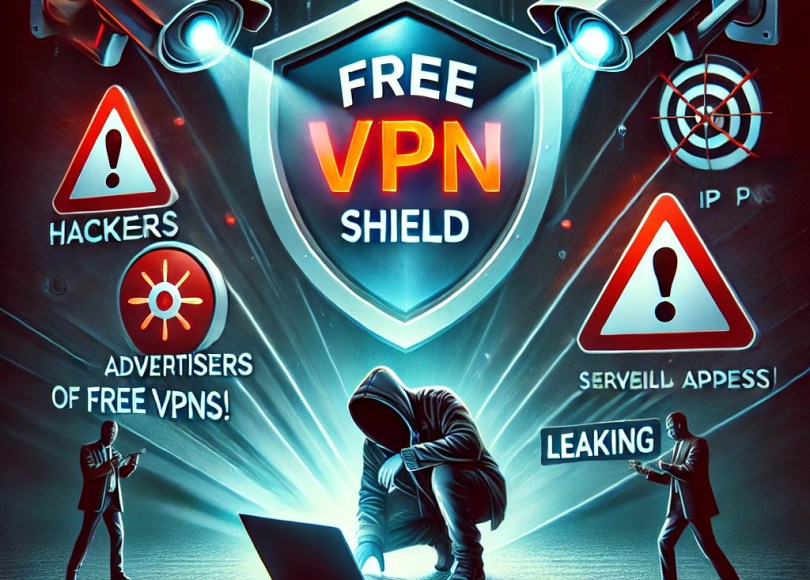
 VPNs are marketed as essential tools for privacy, security, and bypassing geo-restrictions. However, not all VPNs are created equal—especially free ones. While the idea of a “free” VPN sounds appealing, the risks often outweigh the benefits. From data logging and malware to IP leaks and bandwidth hijacking, here’s why free VPNs can be a dangerous trap—and what you can do to stay safe.
🚨 The 10 Biggest Risks of Free VPNs

1. Data Logging & Selling: You’re the Product
Free VPNs don’t run on goodwill—they need to make money. Most do this by tracking and selling your browsing data, IP address, and even device information to third parties. Some VPNs claim to be “no-log” but have been caught lying.
🔴 Real Cases:
- Facebook’s Onavo VPN was shut down for secretly collecting user data.
- Betternet & Hotspot Shield were accused of logging user data and injecting tracking scripts.
💀 The risk? You’re handing over your private data to advertisers, hackers, or even governments.
2. Weak Encryption & Security: A False Sense of Safety
Many free VPNs use outdated or weak encryption (like PPTP or AES-128) or even fail to encrypt data altogether. This makes you vulnerable to hackers, surveillance, and cybercriminals.
🛑 Examples:
- SuperVPN leaked user data due to weak encryption.
- VPN Master used easily crackable encryption, offering zero real protection.
🔎 The risk? Hackers can intercept your passwords, banking info, or private messages—especially on public Wi-Fi.
3. Malware & Tracking: Free VPNs Can Infect Your Device
According to a 2020 CSIRO study, 38% of free Android VPNs contained malware or hidden trackers. These VPNs spy on your activity instead of protecting it.
⚠️ Examples:
- Turbo VPN was found injecting adware into users’ devices.
- Over 20% of free VPNs on Google Play had built-in tracking libraries.
👀 The risk? Your device could become part of a botnet, used for cyberattacks, or flooded with intrusive ads.
4. Bandwidth Hijacking: You Might Be an Accomplice
Some free VPNs don’t just use your connection—they sell it to others. One of the worst offenders was Hola VPN, which turned users’ devices into exit nodes for botnets and cybercriminals.
🤯 What this means for you:
- Your IP address could be linked to illegal activities, including cybercrime and fraud.
- Law enforcement could trace criminal activity back to YOU—even if you had no idea.
5. Slow Speeds & Frequent Disconnections
Because free VPNs have limited servers shared by thousands of users, they suffer from:
✅ Slow speeds (too many users, too little bandwidth).
✅ Frequent disconnections (server overload).
✅ Data caps (some free VPNs limit users to 500MB/month).
🔴 Why does this matter?
- Streaming? Expect constant buffering.
- Gaming? Get ready for lag and disconnects.
- Downloading? Speeds will be painfully slow.
6. IP Leaks Due to Shared Servers
Many free VPNs fail to hide your real IP due to server overload, DNS leaks, IPv6 leaks, or WebRTC leaks.
🛑 Why is this dangerous?
- Websites and hackers can still see your real location.
- Streaming services can detect and block your VPN.
- Governments and ISPs can track your activities despite the VPN.
📌 Example:
- Hoxx VPN leaked users’ real IP addresses through WebRTC flaws.
7. No Kill Switch: Internet Disconnects Can Expose You
A kill switch is a critical feature that cuts off your internet if the VPN disconnects—preventing accidental IP leaks.
🚨 The problem?
- Most free VPNs don’t have a kill switch.
- Even if they do, some fail to activate in time, leaking your real IP for a brief moment.
💡 The risk? If your VPN disconnects while you’re on a torrent site, using a streaming service, or accessing sensitive data, your real identity could be exposed instantly.
8. No Customer Support: You’re On Your Own
With free VPNs, if something goes wrong (disconnections, IP leaks, errors), there’s no live chat or support to help you.
❌ Paid VPNs (like NordVPN, ExpressVPN) offer 24/7 support.
❌ Free VPNs? You’re left to figure it out yourself.
🛡 How to Use a Free VPN Safely (If You Have No Choice)
If you must use a free VPN, here’s how to minimize risks:
✅ 1. Choose the Best Free VPNs (Avoid Sketchy Ones!)
The safest free options:
- ProtonVPN Free (unlimited data, no ads, Swiss-based)
- Windscribe Free (10GB/month, built-in ad blocker)
- Hide.me Free (10GB/month, no logs)
✅ 2. Always Enable a Kill Switch
Check VPN settings and activate the kill switch to prevent accidental IP leaks.
✅ 3. Use Leak Testing Tools
Before using a VPN, test for leaks:
- IP Leak Test → ipleak.net
- DNS Leak Test → dnsleaktest.com
✅ 4. Consider Using Two VPNs (But Be Cautious!)
Stacking VPNs (aka double VPN) can add an extra layer of security. However:
🔹 Two VPNs = slower speeds
🔹 Some VPNs conflict with each other
Alternative: Use Tor Browser + VPN for added anonymity (though speeds will drop).
🔥 Better Alternatives to Free VPNs
If you need a secure and budget-friendly VPN, consider:
🔹 Affordable Paid VPNs:
- Mullvad ($5/month) – No logs, anonymous signup.
- IVPN ($6/month) – Privacy-first VPN with WireGuard support.
🔹 Use a Self-Hosted VPN:
- Set up a VPN on a Raspberry Pi with WireGuard (~$5/month on AWS).
🔹 Tor Browser (For Privacy, Not Streaming):
- Tor is slow but offers true anonymity.
🔹 Privacy-Focused Tools Instead of VPNs:
- Encrypted DNS → Cloudflare WARP, NextDNS
- Secure Browsers → Firefox + uBlock Origin
⚠ Final Warning: Free VPNs Are Not a Real Solution
While some free VPNs are better than others, most are a privacy nightmare. If you’re serious about security, anonymity, and fast speeds, a trusted paid VPN is the way to go.
💡 REMEMBER: If a service is free, YOU are the product. Stay safe! 🔒
 Spyboy blog
One comment