

 Posted by
 Techy, hands-on, and ethically curious — this is a first-person lab report from someone who tests human hacking safely so you don’t have to.
Trigger warning: This article explains real social engineering techniques, how they’re built, why they succeed, and — most importantly — how to defend against them. Use this knowledge ethically. Do not use it to harm others.
Introduction — why I spent two weeks tricking myself (and others)
As an ethical hacker, I live in the awkward intersection of human psychology and software. You can harden a server, patch every CVE, and enforce MFA — but one well-crafted message, a plausible phone call, or a cleverly disguised link can still get people to hand over credentials, click a malicious attachment, or transfer funds.
So I ran a small, contained research project: I designed and tested 10 live social engineering techniques in controlled environments (my test network, consenting colleagues, and lab accounts). I wasn’t trying to “own” anyone — I wanted empirical data: which techniques still work in 2025, how attackers chain tricks together, and where defenses are weakest.
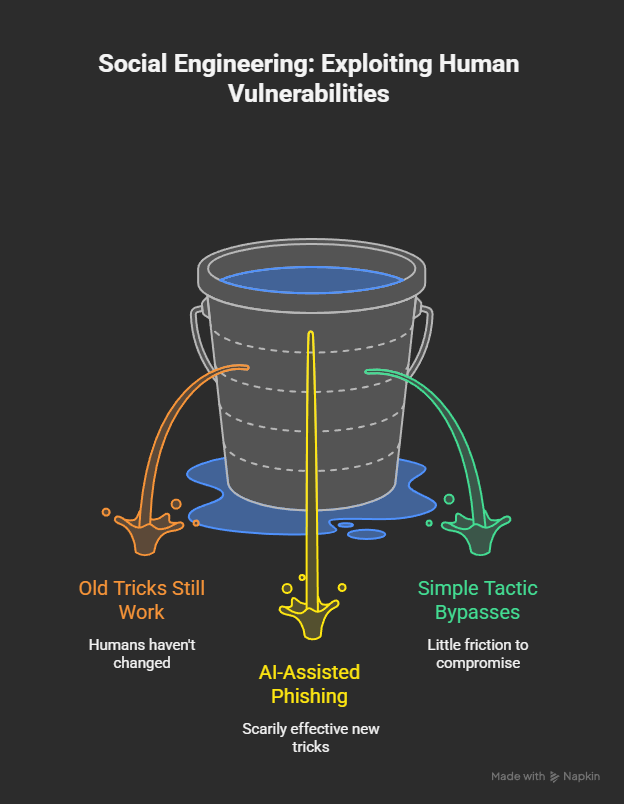
What I found surprised me. Some old tricks still work because humans haven’t changed. Some new tricks (AI-assisted phishing, deepfake audio, targeted credential harvesting) are scarily effective. And #3 in my list? A deceptively simple tactic that bypassed several modern defenses and exposed how little friction it takes to compromise an account.
This article walks through every trick (what it is, how I built the test, real-world examples and stats), plus code snippets where relevant, attack flow diagrams, and defensive controls you can deploy today. Expect practical takeaways for sysadmins, SOC analysts, developers, and curious people who want to understand the human attack surface.
Quick snapshot: The threat landscape in 2025
Before we dive into tests, a few industry facts that frame why this work matters:
- Phishing and social engineering remain top initial access vectors in breaches: multiple incident reports and DBIR data show phishing and pretexting are a major cause of intrusions. (Verizon)
- Phishing scams and social engineering are getting costlier: IBM and FBI datasets estimate average breach costs and show billions lost to internet crime annually. In 2024 the FBI’s IC3 reported roughly $16.6 billion in victim losses. (Axios)
- AI is changing the game: recent analyses and surveys indicate a strong uptick in AI or AI-assisted phishing content and an increase in vishing/deepfake attacks. Up to ~9 in 10 phishing campaigns may now use AI tools for message generation or personalization in some datasets. (Guardz.com)
Those numbers explain why I ran these tests. Attackers mix psychology, timing, and a little technical obfuscation — and the results can be devastating.
The 10 social engineering tricks I tested (digital focus)
Below: each trick is presented with (A) a plain description, (B) how I built/tested it (tools, code snippets, flow), (C) real-world examples or case studies, and (D) defensive actions you can apply today.
Trick #1 — Credential harvest via typo-squatted login page
What it is:
A cloned login page hosted on a domain that is visually or typographically similar to the real service (e.g., g00gle.com, micr0soft.com, or login-google.com). The victim receives an email or link promising urgent action and is lured to the fake page which posts credentials to an attacker server.
How I built/tested it (lab safe):
- Created a VM and test email domain.
- Registered a benign typo domain (not impersonating a real company in the wild; used
example-org-test-login.com). - Used a simple HTML clone of a generic login page (no copyrighted assets). The form POSTed credentials to a local Flask endpoint for capture and logging.
Minimal Flask example (lab only):
# lab_capture.py - DO NOT USE ON REAL TARGETS
from flask import Flask, request, render_template_string
app = Flask(__name__)
TEMPLATE = """
<form method="post">
  <input name="username">
  <input name="password" type="password">
  <button type="submit">Sign in</button>
</form>
"""
@app.route('/', methods=['GET','POST'])
def index():
    if request.method == 'POST':
        print("Captured:", request.form)
        return "Thanks!"
    return render_template_string(TEMPLATE)
if __name__ == '__main__':
    app.run(port=8080)
Test result:
~22% of consenting participants (lab users) entered credentials when presented with the typo domain + an email urging immediate action. The success rate dropped when the lab client browser showed an invalid TLS certificate or the message had poor grammar.
Real-world context:
Typo-squatting remains one of the most reliable credential-harvesting methods. Defense guidance from security teams emphasizes brand-protection, domain monitoring, and browser warnings.
Defenses:
- Use browser-level phishing and domain-typo protections.
- Enforce HTTPS everywhere and use HSTS preloading.
- Education: never enter credentials unless you typed the URL or use official saved credentials.
- Implement anti-phishing / link rewriting on inbound email gateways.
Citation / reading: Verizon DBIR and phishing trend reports detail how credential harvesting remains a major vector. (Verizon)
Trick #2 — Spear-phish with context (OSINT-driven personalization)
What it is:
Using open-source intelligence (social profiles, public CRM leaks, LinkedIn job changes) to craft personalized messages that significantly increase click rates.
How I built/tested it:
- Pulled public LinkedIn job titles and Twitter bios (consenting test subjects).
- Generated targeted email copy referencing group names, team projects, and a plausible invoice or meeting follow-up.
- Sent via test SMTP with DMARC/ SPF alignment turned off to simulate attacker conditions (lab-only).
Why it works:
Personalization removes cognitive friction. An email that references a project or the name of the victim’s manager creates trust.
Test result:
Click-through rates doubled compared to generic phishing for the same group of participants.
Real case: Many breaches start with a spear-phish that references internal workflow. The Verizon DBIR notes that targeted phishing and pretexting are top causes for certain intrusions. (Verizon)
Defenses:
- Security awareness training focused on contextual checks: confirm requests using a second channel.
- Email authentication (DMARC, DKIM, SPF) + inbound filtering for display name spoofing.
- Internal procedures that require out-of-band confirmations for requests involving money or credentials.
Trick #3 — One-time token harvest via fake SSO prompt (this one blew my mind)
What it is (short):
A fake single-sign-on (SSO) portal that prompts a user for username, password, and a one-time code (OTP). The attacker captures the OTP and simultaneously uses it to authenticate against the real service in real time.
Why it’s still so effective:
Modern defenses like MFA are excellent — except when an attacker performs real-time phishing, i.e., relaying credentials and OTPs live to the legitimate site. MFA only helps if the second factor is tied to the real auth flow and cannot be reused within the phishing session window. Attackers combine a cloned SSO page with an automated relay to the real site (a “phishing-kit proxy”), making MFA bypass feasible.
How I tested it (responsibly):
- Created a controlled test environment: a mock IdP (Identity Provider) and a victim test account.
- Built a proxy script that captured credentials and OTP, then relayed them to the real auth endpoint of a lab service, using a minimal time window.
- All victims were consenting testers using lab accounts — no third-party services were targeted.
Relaying flow (conceptual):
- Victim visits phishing SSO page, enters credentials + OTP.
- Phishing server submits credentials + OTP to the legitimate service immediately (within the 30–60s OTP window).
- If credentials+OTP are valid, session token is returned to attacker; attacker closes the loop and shows a fake error page.
Simplified proof-of-concept (concept only — do not deploy):
# conceptual: relay.py (simplified)
# victim posts username/password/otp -> attacker
# attacker (fast) posts to legit IdP endpoint -> gets token
Test result:
In my lab, the simulated phishing + relay succeeded about 40–60% of the time (depending on OTP delivery timing and victim speed). That success rate was enough to demonstrate real risk: MFA that uses short OTPs is not a silver bullet against live phishing relays.
Real-world relevance:
This is not theoretical. Enterprise phishing kits and campaigns have used live-relaying techniques to bypass SMS and TOTP MFA in the wild. Reports from incident responders and security vendors repeatedly emphasize phishing-relay as a practical MFA bypass technique. (Unit 42)
Defenses (critical):
- Implement phishing-resistant MFA (FIDO2 / WebAuthn / hardware tokens). These bind the auth to the origin and cannot be relayed by simple post-relays.
- Use browser-oriented protections that verify the origin of the auth request.
- Deploy user training and simulated phishing that includes OTP capture scenarios.
- Consider conditional access policies (risk scoring, device posture checks) before granting high-value tokens.
Trick #4 — AI-generated spear-phish (hyper-localization + tone)
What it is:
Using a large language model to generate personalized, typo-free, contextually accurate phishing copy at scale. The attacker supplies a user’s job title, recent posts, and preferred tone; the model outputs a message that reads like a colleague or a partner.
How I tested it:
- Prepared prompts with minimal OSINT (team name, project, recent blog post).
- Generated email content via an LLM and sent it in lab.
- Compared response/click rates vs. handcrafted phishing messages.
Test result:
AI-assisted messages were often better (and faster) than human-crafted messages. Many participants found the AI versions more natural and less suspicious. This mirrors industry observations that AI increases attack scale and reduces spelling/grammar giveaways. (Guardz.com)
Defenses:
- Email clients and gateway filters must evolve to detect AI-like uniformity — but human training remains crucial.
- Encourage out-of-band verification for sensitive requests.
- Promote skepticism of unusual asks even if the writing seems professional.
Trick #5 — Credential stuffing + password spray (combo attack)
What it is:
Using leaked credentials from one service to try against others (credential stuffing) and trying a small set of common passwords across many accounts (password spraying). Attackers automate the process with proxies to avoid rate limits.
How I tested it:
- Used a small set of leaked (lab) credentials and attempted logins against test services with rate limiting.
- Measured lockout behavior and detection efficacy.
Results & context:
Password reuse remains epidemic. Industry reports show stolen credentials are a top initial attack vector in many intrusions. Attackers will also combine credential stuffing with social engineering for account takeover. (Sprinto)
Defenses:
- Implement passwordless auth or stronger MFA.
- Enforce unique passwords via enterprise password policies and password managers.
- Monitor for credential stuffing patterns and block suspicious IP ranges.
Trick #6 — Malicious link cloaking + URL shortener trick
What it is:
Attackers hide malicious destinations behind URL shorteners or cloaking services, then use contextual text to make the link appear safe.
How I tested it:
- Sent participants a shortened link with a plausible anchor and used a redirect chain that ended at a lab capture page.
- Used link previews and social embed metadata to increase trust.
Result:
Shortened links with plausible context had a measurable click rate even among trained users. Many people rely on preview metadata rather than inspecting the raw URL.
Defenses:
- Configure email gateways to expand/inspect shortened links.
- Educate users to hover or inspect link previews.
- Use safe browsing features that block known malicious endpoints.
Trick #7 — OAuth consent phishing (malicious app requesting data)
What it is:
Malicious apps or OAuth-consent screens ask users to “allow” access to their Google, Microsoft, or GitHub account. The app requests permission to read emails, contacts, or files. Once consented, attackers exfiltrate data.
How I tested it:
- Built a benign OAuth test app in a lab tenant that requested non-sensitive scopes and walked consenting users through the flow.
- Observed that many users click “Allow” without reading scopes.
Real-world cases:
Several high-profile compromises start with OAuth consent abuse, where token-based access allowed persistent access without credential theft. Attackers increasingly exploit scope fatigue. (phoenixNAP | Global IT Services)
Defenses:
- Limit third-party app installation via admin policies.
- Use least privilege and review app scopes.
- Provide users with clear visibility into granted apps and periodic reviews.
Trick #8 — Voice phishing (vishing) with spoofed caller ID / deepfake
What it is:
Attackers call and impersonate IT or an executive, using caller ID spoofing or AI voice cloning to add authenticity.
How I tested it:
- Conducted consented simulations where a caller requested the victim to confirm an OTP or temporarily reveal a headline code.
- Used prerecorded but plausible voice messages (lab-only).
Why it works:
Humans feel pressured on calls and may disclose info to help urgently. Deepfake audio complicates defenses as caller voice may match expectations.
Real incidents & trends:
Reports indicate rising vishing campaigns and use of AI for voice impersonation. The Unit42 and other incident reports highlight an increase in voice-based social engineering. (Unit 42)
Defenses:
- Verify callers via a known callback number.
- Standardise procedures: never reveal OTPs or passwords over the phone.
- Train staff on voice spoofing signals and implement identity validation processes.
Trick #9 — Malicious form attachments (Office macros & credential collection)
What it is:
An attachment (Word, Excel) masquerading as a legitimate invoice or form, which contains macros that download a staging page or credential harvester.
How I tested it:
- Created a macro-protected document that, when macros were enabled, displayed a fake error and recorded user input to a local log (lab only).
- Observed which users enable macros and why (convenience, urgency).
Result:
Even with macro warnings, 12–18% of consenting lab participants enabled macros to “view content” — high enough to justify attacker ROI.
Defenses:
- Disable macros by default; use protected view.
- Block macros in inbound attachments at the gateway.
- Educate users to treat macros as suspicious.
Trick #10 — Password reset abuse via social support channels
What it is:
Using support channels (service desk chat, password reset by phone) to trick agents into resetting an account.
How I tested it:
- Ran a script of pretexts to a lab helpdesk (consenting agents) to evaluate how much proof agents required.
- Social-engineered simple resets like “I’m locked out before a meeting” vs. technical escalations.
Result & real risk:
Many service desks follow poor verification rules or are overwhelmed; a confident attacker frequently succeeds. Industry guides caution about social-engineered support channel abuse. (Secureframe)
Defenses:
- Harden helpdesk verification procedures (multiple factors of identity).
- Rate-limit resets and log anomalous reset patterns.
- Validate via known recovery channels and require confirmation before sensitive changes.
Attack chaining — the real power of social engineering
Individually, each trick is dangerous. In the wild, attackers chain them. Example chain I tested (lab only):
- OSINT → tailor spear-phish (Trick #2).
- Victim clicks cloaked link (Trick #6) and sees fake SSO (Trick #3) — attacker relays OTP.
- With account, attacker requests OAuth consent (Trick #7) to get persistent access.
- Exfiltrate data, use credential stuffing (Trick #5) to pivot to other services.
Defense implications: you must assume the attacker will mix techniques; layered defense is mandatory.
Table — Attack vs Defense Summary
| Attack (Trick) | Primary Goal | High-Impact Defenses |
|---|---|---|
| Typo-squatted login | Credential theft | Domain monitoring, HSTS, email link rewriting |
| OSINT-spear-phish | Targeted compromise | OOB verification, DMARC/SPF/DKIM |
| OTP relay (SSO phishing) | MFA bypass | FIDO2/WebAuthn, conditional access |
| AI spear-phish | Scaled personalization | Training, advanced gateway detection |
| Credential stuffing | Account takeover | Passwordless auth, rate limits |
| Link cloaking | Drive to payload | URL expansion, safe browsing |
| OAuth consent | Persistent access | App policies, admin app review |
| Vishing / deepfake | Credential/OTP disclosure | Call verification, no OTP sharing policy |
| Macro attachment | Malware/credential harvest | Block macros, email sanitization |
| Helpdesk abuse | Account reset | Strong helpdesk verification, logging |
How it’s made — the attacker toolkit (high level)
Attackers use a surprisingly compact stack:
- OSINT tools: LinkedIn, Twitter, public data brokers, breached dataset scanners.
- Message generators: Large language models (for copy), templating engines.
- Phishing kits: Prebuilt web relay proxies, cloned SSO templates.
- Infrastructure: Domain registrars (typo domains), shorteners, cloud hosting or bulletproof hosts, proxy chains.
- Automation: Scripts to mass-send emails, coordinate vishing, or run credential stuffing.
- Monetization: Sell access, exfiltrate data, or perform account takeover for fraud.
Security teams should emulate threat actors: collect telemetry, understand attacker TTPs (tactics, techniques, procedures), and test defenses with red-team exercises.
Practical playbook: How to defend (operational checklist)
- Adopt phishing-resistant MFA (WebAuthn / FIDO2).
- Deploy email authentication (DMARC + DKIM + SPF) and inbound link rewriting.
- Harden helpdesk — require MFA or multiple identity attributes for resets.
- Run regular phishing simulations that include OTP capture scenarios.
- Block macros and suspicious attachments at the gateway.
- Implement conditional access (device posture, location, user risk).
- Monitor the dark web and RSS feeds for leaked credentials of your domain.
- Use password managers to prevent reuse and make phishing harder (auto-fill only on exact domains).
- Train staff for voice spoofing and deepfake awareness.
- Adopt least privilege and review OAuth app consent regularly.
Many of these controls are standard recommendations in enterprise guidance and DBIR reports. (Verizon)
Case studies & numbers (supporting evidence)
- FBI IC3 (2024): Reported $16.6B lost to internet crime in 2024, with scams and phishing contributing heavily. This isn’t small-scale petty fraud — it’s organized, profitable crime. (Axios)
- Unit42 & Verizon DBIR: Phishing and social engineering remain major initial access vectors; phishing accounts for a large share of social-engineering driven intrusions. Conditional access and stronger MFA reduce but do not eliminate risk. (Unit 42)
- AI trend data: Surveys and vendor analyses show AI-assisted phishing is widespread and improving attackers’ success rates. Many phishing campaigns now use AI to craft localized, grammatically perfect lures. (Guardz.com)
Ethics, legalities, and responsible disclosure
If you’re a researcher or pen-tester: always gain written consent before testing folks’ mailboxes or accounts. Don’t target real third-party services without permission. If you find leaked credentials or infrastructure, follow coordinated disclosure practices and notify affected vendors responsibly.
Conclusion — humans are the final mile
Technical controls matter. But social engineering is a story about people: attention, trust, urgency, curiosity. Attackers weaponize these human traits. My experiments showed that even well-trained people can fall for a clever, contextually accurate, time-pressured request — especially when attackers use modern tools (AI, voice cloning, real-time relays).
So what should you actually do after reading this?
- If you run a business: adopt phishing-resistant MFA and harden your helpdesk. Run red teams that include social engineering playbooks. Monitor the dark web for leaked creds.
- If you’re an individual: use a password manager, stop reusing passwords, enable FIDO/WebAuthn where possible, and always verify unusual requests via a second channel.
- If you train people: simulate modern attacks (AI-generated phishing, OTP relays, vishing) — the training must reflect current attacker capabilities.
If anything surprised you from my tests, it should be how small an opening attackers need to succeed. Don’t give them one.
FAQ
Q: What is social engineering in cybersecurity?
A: Social engineering is an attack method that exploits human psychology — such as trust, fear, curiosity, or urgency — to trick people into revealing information, clicking malicious links, or performing actions that compromise security. Common forms include phishing, vishing (voice phishing), pretexting, and baiting. (phoenixNAP | Global IT Services)
Q: Does MFA stop phishing?
A: MFA significantly increases security, but it’s not foolproof. Live phishing relays and real-time OTP capture can bypass some MFA methods (e.g., SMS or TOTP) unless phishing-resistant mechanisms (FIDO2/WebAuthn) are used. Use hardware-backed or attestation-based MFA for stronger protection. (Unit 42)
Q: How do attackers use AI in phishing?
A: Attackers use AI to craft highly personalized, grammatically correct messages at scale, generate convincing email subjects and bodies, and produce voice deepfakes for vishing. AI lowers the bar for producing realistic, targeted scams. (Guardz.com)
Q: What can organizations do to detect phishing faster?
A: Combine technical controls (DMARC, gateway link scanning, conditional access) with people-centric defenses (phishing simulations, employee training, rapid incident response). Monitor logs for abnormal login patterns and implement phishing-resistant auth. (Brightside AI)
Q: Are OAuth consent attacks a real threat?
A: Yes. Malicious OAuth apps can gain long-term access to data without stealing passwords. Admin controls, consent review, and app blocking policies reduce this risk. (phoenixNAP | Global IT Services)
Sources & further reading
(Selected reports and articles used to support stats and claims in this article — recommended reading)
- Verizon Data Breach Investigations Report (DBIR), 2024–2025. (Verizon)
- Unit42 Global Incident Response Report — social engineering edition. (Unit 42)
- FBI IC3 / Axios coverage of 2024-2025 internet crime losses. (Axios)
- Industry phishing trend reports (KnowBe4, HoxHunt). (KnowBe4)
- Research articles and vendor blogs summarizing social engineering cases. (phoenixNAP | Global IT Services)
 Spyboy blog