

 Posted by
 Own your AI. Control your data. Ask freely—offline, private, and on your terms.
In the last two years, generative AI has exploded into mainstream use—but with that popularity came heavy content filters, usage limits, and privacy concerns. Cloud-based chatbots are powerful, but they also decide what you’re allowed to ask, log your conversations, and sometimes refuse perfectly legitimate questions.
That’s where local, uncensored AI models come in.
In this comprehensive guide, you’ll learn how to run uncensored AI models on your own machine using LM Studio, how they work, where to download them, which models are best for research, red teaming, creative roleplay, adult chat (consensual & legal), and how to use them responsibly—without sending your data to any company.
This article is written for:
- Power users
- Security researchers & ethical hackers
- Developers & tinkerers
- Writers, roleplayers, and privacy advocates
If you’ve ever wanted ChatGPT-level power without guardrails, this is for you.
Table of Contents
- What Does “Uncensored AI” Really Mean?
- Why Run AI Locally Instead of Using Cloud Chatbots?
- What Is LM Studio?
- System Requirements (CPU, GPU, RAM Explained)
- How LM Studio Works Under the Hood
- Step-by-Step: Install LM Studio
- How to Download Uncensored Models (Qwen, Dolphin, Mistral, LLaMA Variants)
- Best Uncensored AI Models (Updated List)
- Models by Use Case (Hacking, Research, Roleplay, Adult Chat, Coding)
- How to Prompt Uncensored Models Effectively
- Real-World Use Cases & Case Studies
- Privacy, Ethics & Legal Considerations
- Performance Tips & Optimization
- Common Mistakes Beginners Make
- Frequently Asked Questions (FAQ)
- Final Thoughts & Call to Action
1. What Does “Uncensored AI” Really Mean?
“Uncensored” does not mean illegal or unethical by default.
It means:
- No hardcoded refusal phrases like “I can’t help with that”
- No centralized moderation filters
- No keyword-based blocking
- You control the boundaries, not a corporation
Uncensored models will:
- Answer hypothetical, educational, or fictional questions more freely
- Discuss sensitive topics in neutral, informational ways
- Allow creative roleplay and adult conversation between consenting fictional adults
They do not magically turn your PC into a crime machine. What matters is how you use them.
Think of an uncensored AI like Linux root access: powerful, neutral, and your responsibility.
2. Why Run AI Locally Instead of Using Cloud Chatbots?
🔐 Privacy
Your prompts never leave your device. No logging. No telemetry. No account required.
🚫 No Rate Limits
Unlimited usage. No tokens. No “come back tomorrow”.
🧠 Full Model Control
Choose the exact model, size, quantization, and behavior.
📴 Offline Capability
Works without internet after download.
🛠 Perfect for Research & Learning
Especially useful for:
- Cybersecurity education
- Reverse engineering explanations
- Fiction writing
- Psychological character modeling
3. What Is LM Studio?
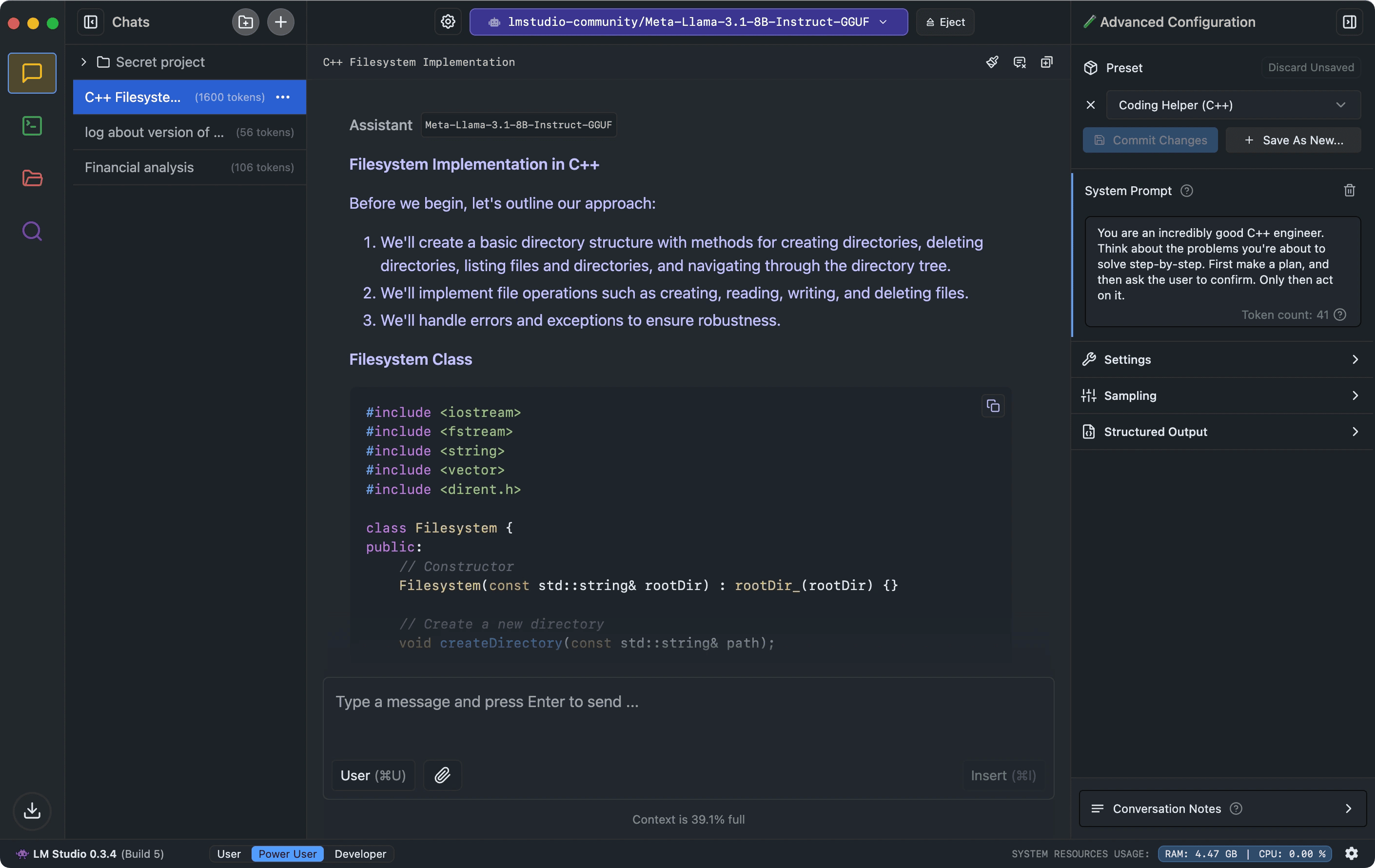
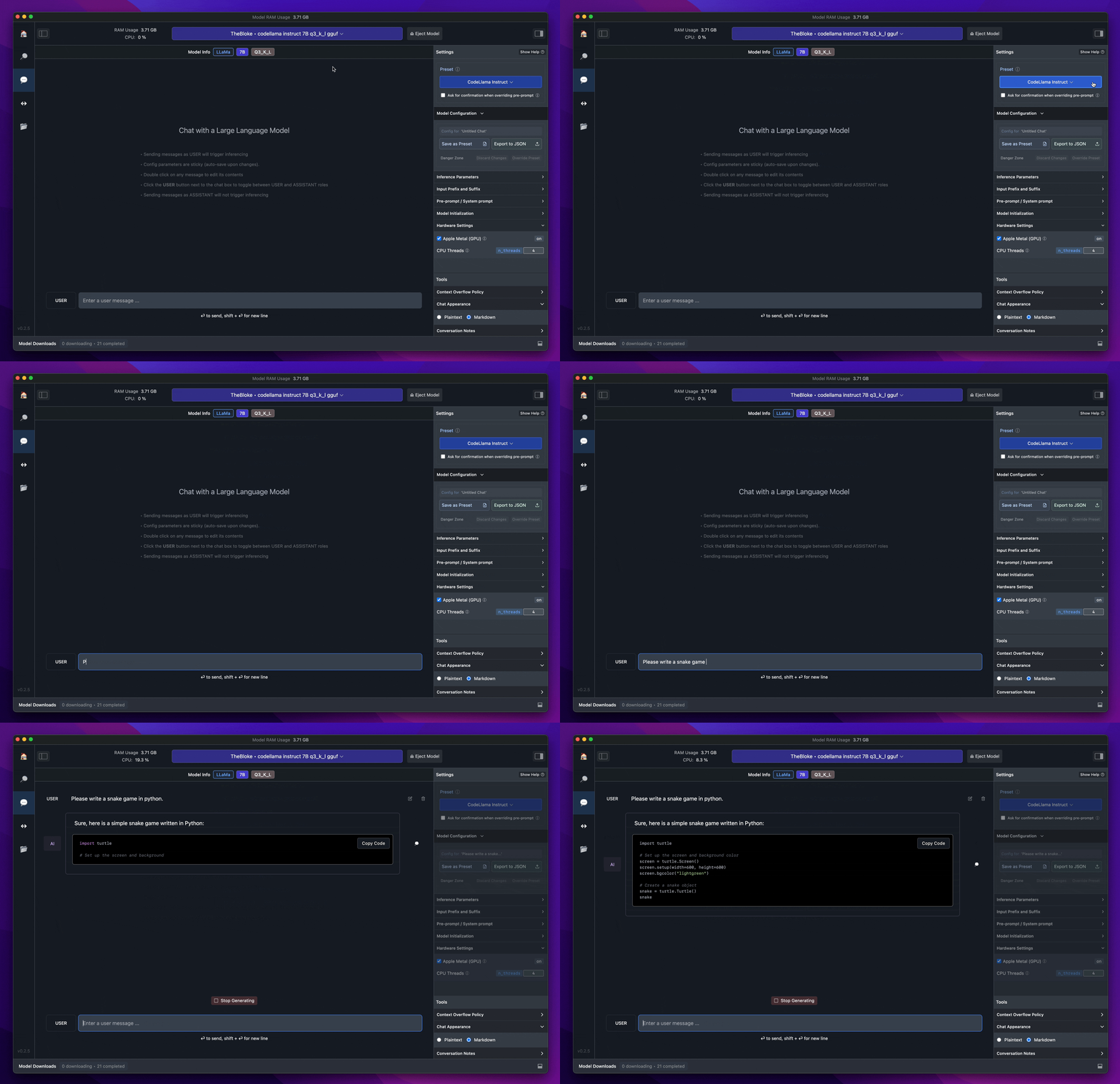
LM Studio is a desktop application that lets you:
- Browse AI models (mostly from Hugging Face)
- Download them with one click
- Run them locally using optimized inference engines
- Chat with them via a clean UI
- Expose them as a local API (OpenAI-compatible)
Supported OS:
- Windows
- macOS (Apple Silicon works great)
- Linux
Website:
👉 https://lmstudio.ai
4. System Requirements (Realistic Expectations)
| Hardware | Minimum | Recommended |
|---|---|---|
| CPU | Modern 6-core | 8–12 cores |
| RAM | 8 GB | 16–32 GB |
| GPU (Optional) | None | NVIDIA 8GB+ VRAM |
| Disk | 20 GB free | 50+ GB |
CPU vs GPU
- CPU-only works (slower, but usable)
- GPU acceleration is much faster (especially for 13B+ models)
If you’ve run Kali Linux VMs or Docker containers before—you’re good.
5. How LM Studio Works (Simplified)
Behind the scenes, LM Studio uses:
llama.cpp- GGUF / GGML quantized models
- CPU vectorization (AVX, AVX2)
- GPU offloading (CUDA / Metal)
You don’t need to touch any of that. LM Studio abstracts it all.
6. Step-by-Step: Installing LM Studio
Step 1: Download
Go to:
https://lmstudio.ai
Download the installer for your OS.
Step 2: Install & Launch
No signup required. Open the app.
Step 3: Explore the Model Library
Click “Browse Models”
You’ll see:
- LLaMA variants
- Mistral
- Qwen
- Dolphin
- Mixtral
7. Downloading Uncensored Models (Important)
Look for keywords:
uncensoredabliterateddolphinopen-instructno-guardrails
Most are hosted on Hugging Face and mirrored inside LM Studio.
8. Best Uncensored AI Models (2025 List)
🔥 Qwen (Uncensored Variants)
Best for: Technical reasoning, research, complex questions
Qwen2.5-7B-Instruct-UncensoredQwen2.5-14B-Uncensored
Pros:
- Very smart
- Handles abstract topics well
- Less hallucination than many models
🐬 Dolphin (By Eric Hartford)
Best for: No-filter conversations, roleplay, red-team testing
Dolphin-Mistral-7BDolphin-Mixtral-8x7B
Pros:
- Famous for “no refusal”
- Excellent prompt obedience
🧠 Mistral / Mixtral (Abliterated)
Best for: Speed + intelligence
Mistral-7B-AbliteratedMixtral-8x7B-Instruct
🦙 LLaMA-Based (Community Fine-Tunes)
Best for: Balanced use
Nous-HermesOpenHermesMythoMax(roleplay-heavy)
9. Models by Use Case
🔐 Ethical Hacking & Cybersecurity (Educational Use)
Best models:
- Qwen 14B
- Dolphin Mistral
Use them to:
- Explain how vulnerabilities work
- Understand attack chains conceptually
- Learn defensive strategies
- Generate CTF-style explanations
⚠️ Use for learning, labs, and defense—not real-world abuse.
💻 Coding & Reverse Engineering
- Deep reasoning models (Qwen, Mixtral)
- Ask for:
- Code explanation
- Malware analysis theory
- Deobfuscation logic (educational)
🎭 Roleplay & Fiction Writing
- MythoMax
- Dolphin
Great for:
- Dark fiction
- Psychological thrillers
- Complex character arcs
🔞 Adult Chat / Erotic Roleplay (Consensual, Fictional Adults Only)
- MythoMax
- Dolphin variants
Important boundaries:
- No real people
- No minors
- No illegal scenarios
LM Studio does not enforce these—but you should.
10. How to Prompt Uncensored Models Effectively
Bad Prompt
“Tell me hacking steps”
Better Prompt
“Explain how SQL injection vulnerabilities work in theory, including why parameterized queries prevent them.”
Prompt Tips
- Be explicit about educational intent
- Set context
- Use system-style instructions:
You are a cybersecurity instructor explaining concepts for students.
11. Real-World Use Cases & Case Studies
Case Study 1: Security Student
A student used Dolphin locally to:
- Practice CTF reasoning
- Understand exploit write-ups
- Improve interview readiness
No cloud logging. No refusals.
Case Study 2: Writer & Creator
A novelist used MythoMax to:
- Develop morally complex characters
- Write dark psychological scenes
- Explore taboo themes safely (fiction only)
Case Study 3: Developer
Used LM Studio’s local API mode to:
- Replace OpenAI in a private app
- Run everything offline
- Avoid token costs entirely
12. Privacy, Ethics & Legal Considerations
Legal
Running models locally is legal in most countries.
Ethical
Just because you can ask anything doesn’t mean you should.
Responsibility Checklist
✔ Educational intent
✔ Fictional scenarios
✔ No real victims
✔ No minors
✔ No real-world harm
13. Performance Tips
- Use Q4 or Q5 quantization for balance
- Close Chrome tabs (seriously)
- Increase context window gradually
- GPU offload if available
14. Common Mistakes
❌ Downloading models too big for RAM
❌ Expecting ChatGPT-level speed on CPU
❌ Bad prompting
❌ Ignoring model descriptions
15. FAQ
❓ Is LM Studio completely free?
Yes. No subscription, no account required.
❓ Are uncensored AI models illegal?
No. Usage matters, not the model.
❓ Can I use these models offline?
Yes, once downloaded.
❓ Are they better than ChatGPT?
For freedom and privacy—yes.
For polish and guardrails—no.
❓ Can I connect LM Studio to my own app?
Yes, via OpenAI-compatible local API.
16. Final Thoughts: The Future Is Local
Running uncensored AI locally is about freedom, privacy, and ownership.
You’re not replacing cloud AI—you’re complementing it.
If you’re serious about:
- Learning deeply
- Exploring safely
- Creating without limits
- Owning your data
Then LM Studio + uncensored models is one of the most powerful setups available today.
👉 Call to Action
Download LM Studio today, try Qwen Uncensored or Dolphin, and experience AI without filters, without fear, and without surveillance.
 Spyboy blog