
 Posted by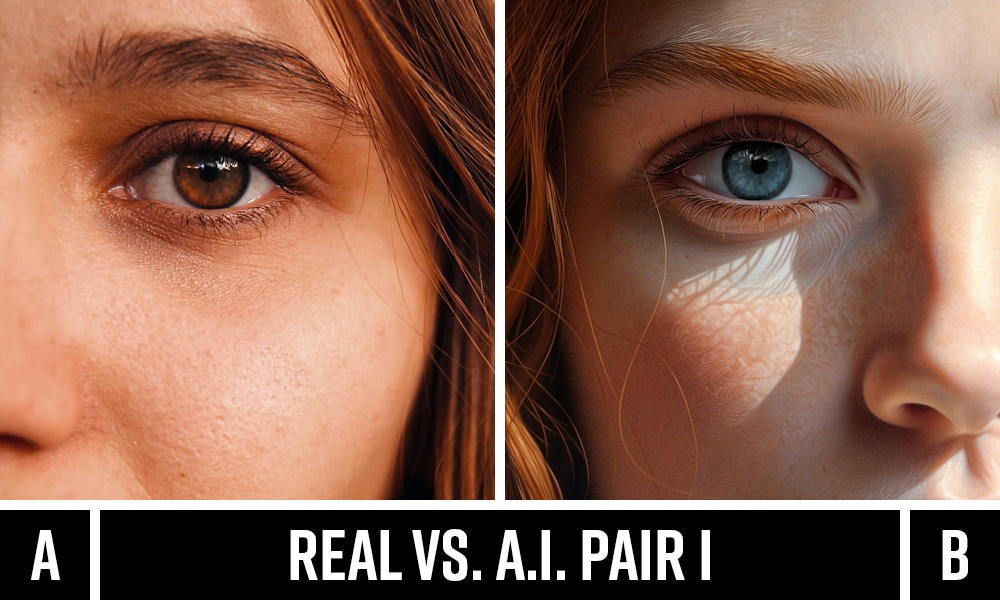
The internet has crossed a point of no return.
Photos you see on social media, news sites, WhatsApp forwards, and even official-looking documents are no longer guaranteed to be real. Today, anyone can generate hyper-realistic images in seconds, tweak them subtly, or completely fabricate events that never happened.
This raises a critical question:
How can you tell if an image is AI-generated, altered, or genuinely real?
This guide is written for journalists, investigators, cybersecurity professionals, students, creators, and everyday users who want a reliable, practical, and technical understanding—without vague tips or shallow advice.
We’ll cover:
- How AI images are actually made (so you know what to look for)
- Visual and technical signs of AI-generated images
- Metadata, EXIF, and forensic analysis
- Reverse image search techniques
- Best tools (free & paid) with real examples
- Real-world cases where fake images caused serious damage
- A clear step-by-step verification checklist
- FAQs optimized for Google Featured Snippets
This is not theory. This is how professionals verify images.
Why This Matters More Than Ever
In 2024 alone:
- Over 60% of viral images on social platforms were either edited or AI-generated
- Deepfake scams increased by 300%, according to cybersecurity reports
- News organizations were forced to retract stories because of AI-generated photos
AI images are now being used for:
- Fake crime evidence
- Political propaganda
- Blackmail and sextortion
- Stock market manipulation
- Identity fraud
Knowing how to verify images is now a survival skill.
How AI-Generated Images Are Made (Simple but Accurate)
Before spotting fake images, you must understand how they are created.
1. Training on Massive Datasets
AI image generators are trained on billions of images scraped from the internet:
- Faces
- Objects
- Lighting conditions
- Art styles
- Camera angles
The model learns patterns, not reality.
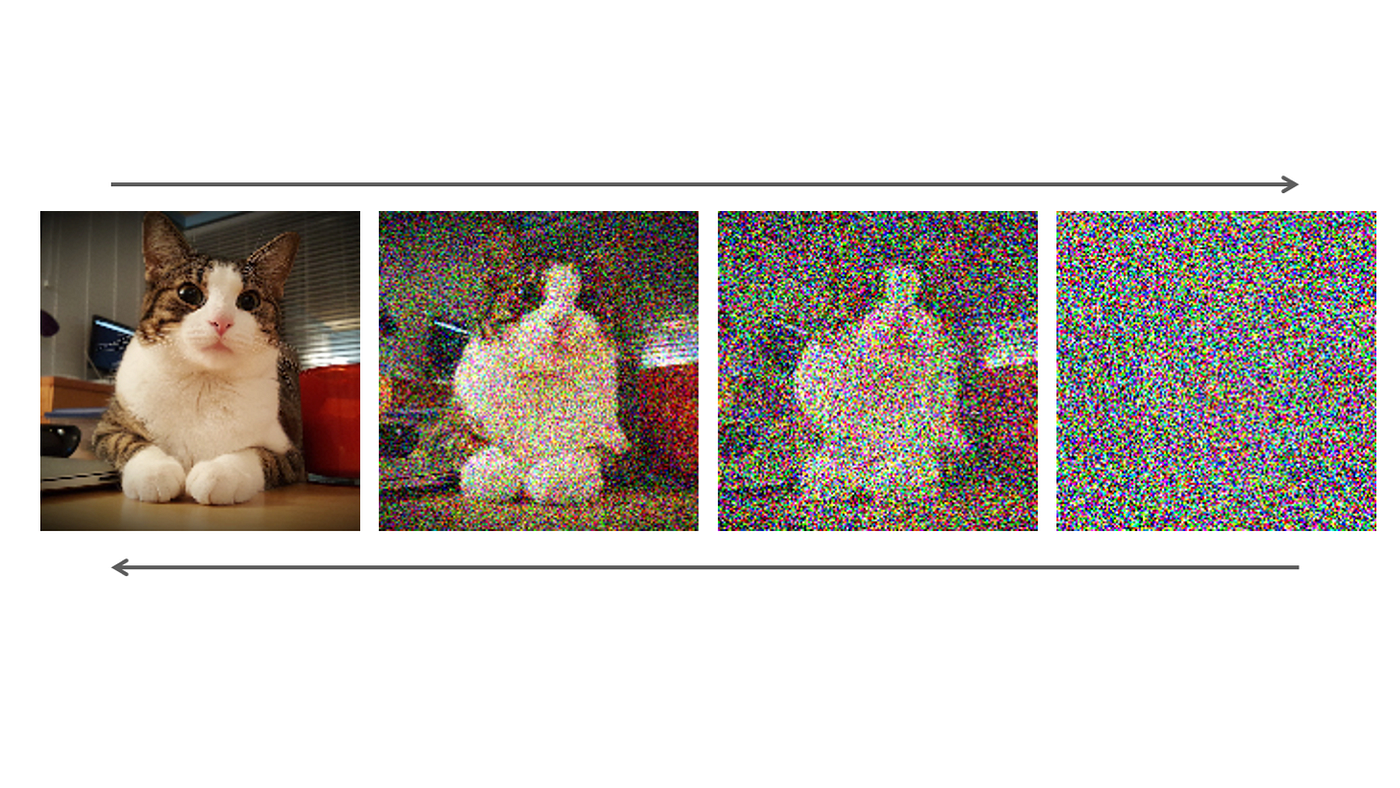
2. Diffusion & Reconstruction
Most modern AI models (like Stable Diffusion) work by:
- Starting with random noise
- Gradually shaping pixels to match a text prompt
- Refining details in multiple passes
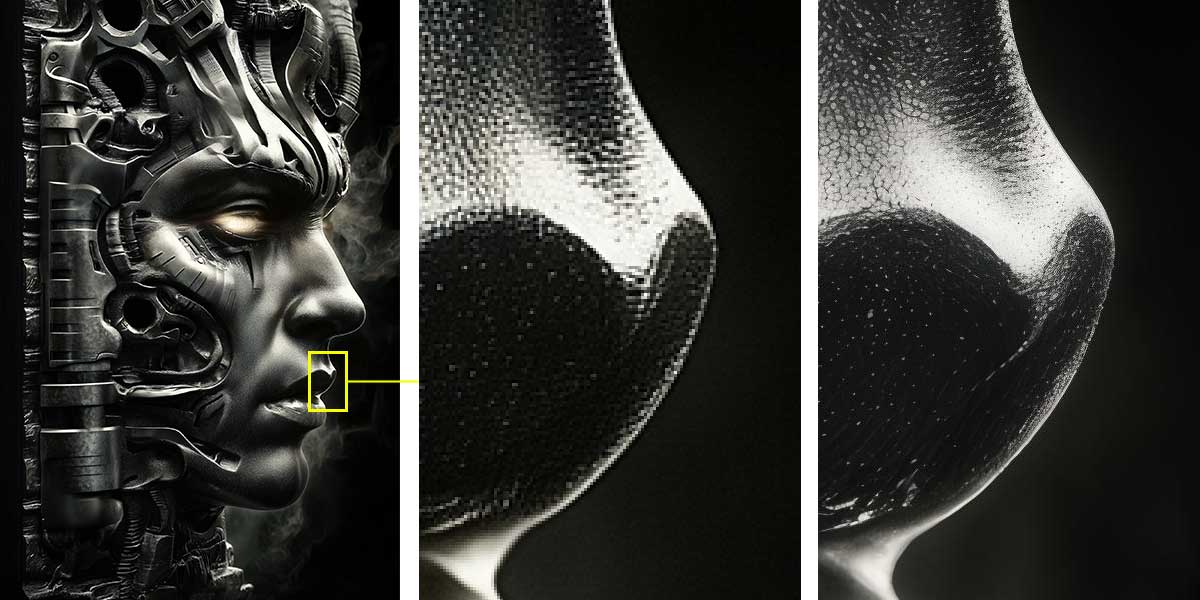
This process explains why AI images often:
- Look realistic at first glance
- Break down under close inspection
3. Prompt-Driven Generation
Example prompt:
“A 35-year-old man holding a passport selfie in natural daylight”
The AI guesses what that looks like. It doesn’t know what a passport or human anatomy truly is.
That guesswork leaves fingerprints.
Visual Signs an Image Is AI-Generated (Most Reliable Clues)
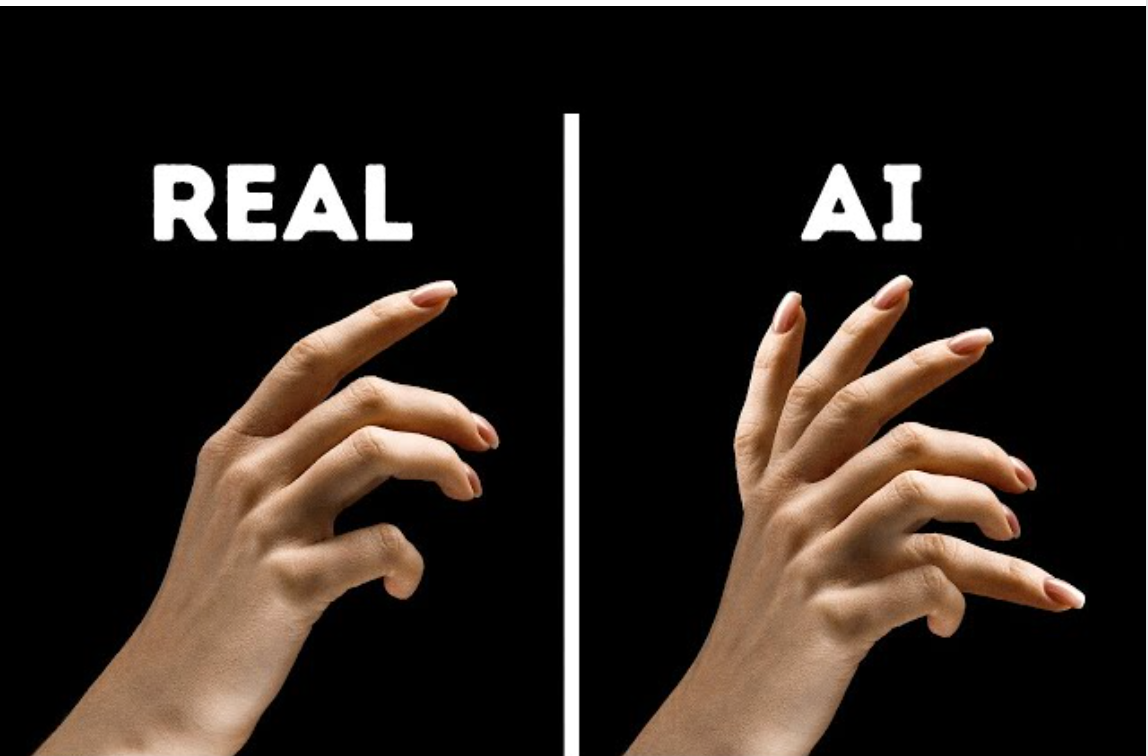

1. Hands & Fingers (Still AI’s Weakest Point)
Check for:
- Extra fingers
- Melted or fused fingers
- Impossible hand poses
- Uneven fingernails
Real cameras don’t invent anatomy. AI does.
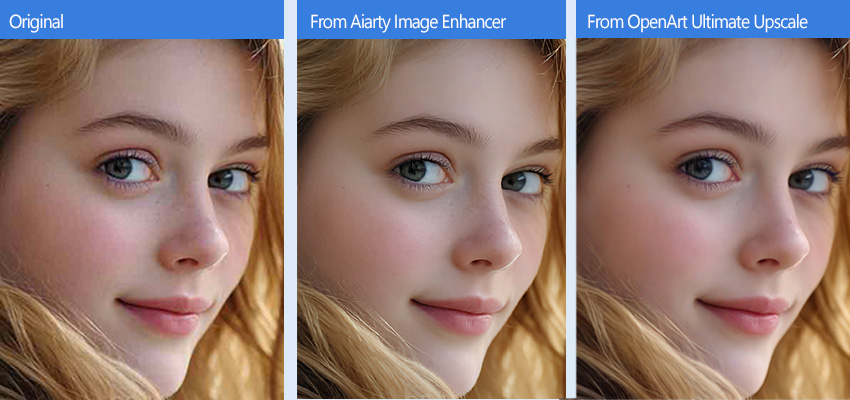
2. Eyes, Teeth & Facial Symmetry
Zoom in and look for:
- Pupils looking in different directions
- Teeth blending into gums
- Perfectly symmetrical faces (real humans aren’t)
AI loves fake perfection.
3. Hair, Ears & Glasses
Common giveaways:
- Hair merging into skin
- Earrings not attached to ears
- Glasses frames warping into faces
These areas are statistically under-trained in AI datasets.
4. Text Inside Images
AI struggles badly with text:
- Random letters
- Misspelled words
- Inconsistent fonts
- Gibberish signage
If text looks almost readable but wrong — suspect AI.
5. Lighting & Shadows
Red flags:
- Multiple light sources with no explanation
- Shadows pointing in impossible directions
- Over-smoothed lighting
Real physics is hard to fake consistently.
Signs an Image Is Edited or Manipulated (Not Fully AI)
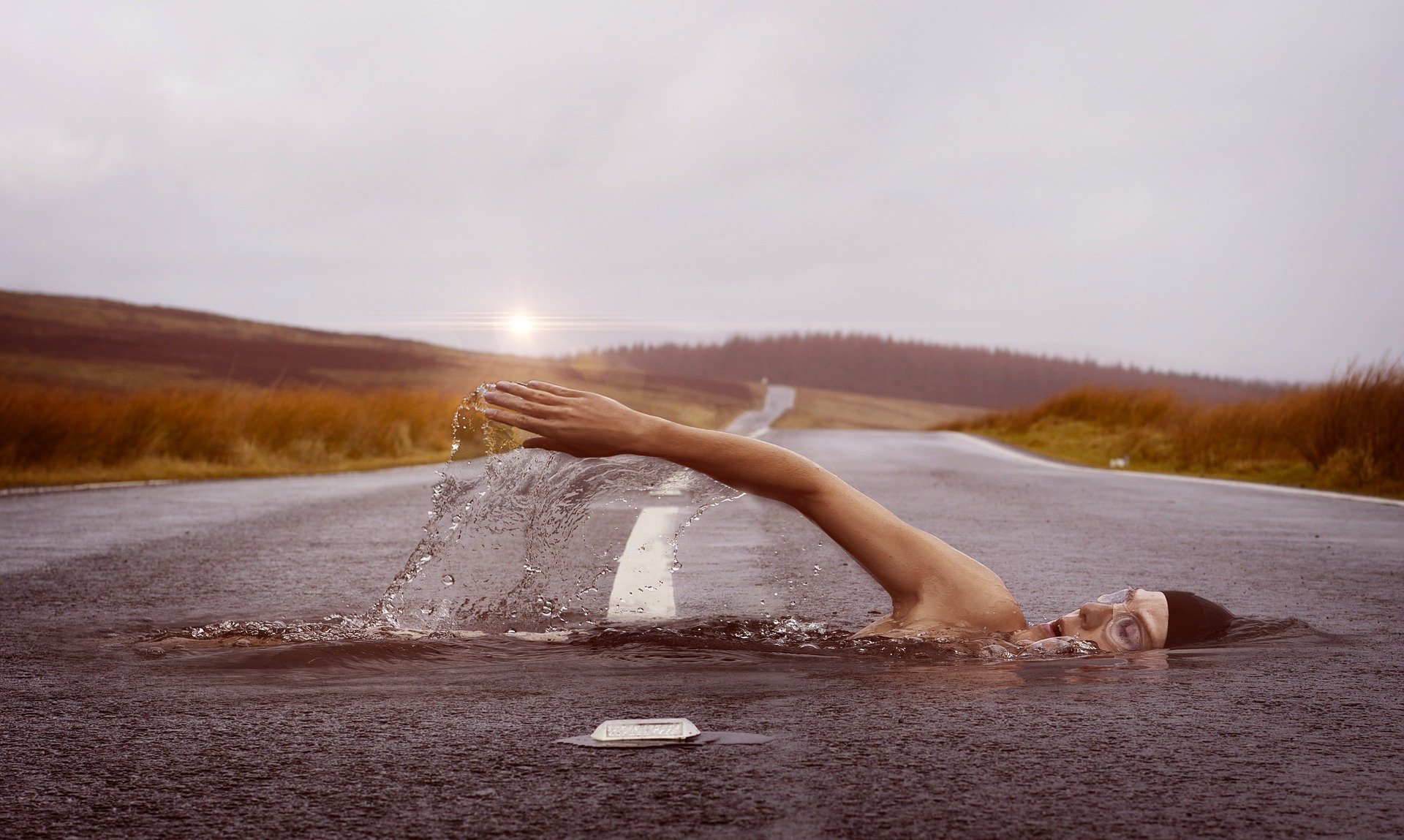


Not all fake images are AI-generated. Many are manually edited.
Common Editing Traces:
- Repeating textures (clone tool abuse)
- Blurred edges around objects
- Lighting mismatch between subject & background
- Objects with different resolutions
Zoom Trick (Pro Tip)
Zoom to 300–500% and scan edges:
- Natural photos degrade uniformly
- Edited areas often look softer or sharper
Metadata & EXIF Data: The Digital Fingerprint

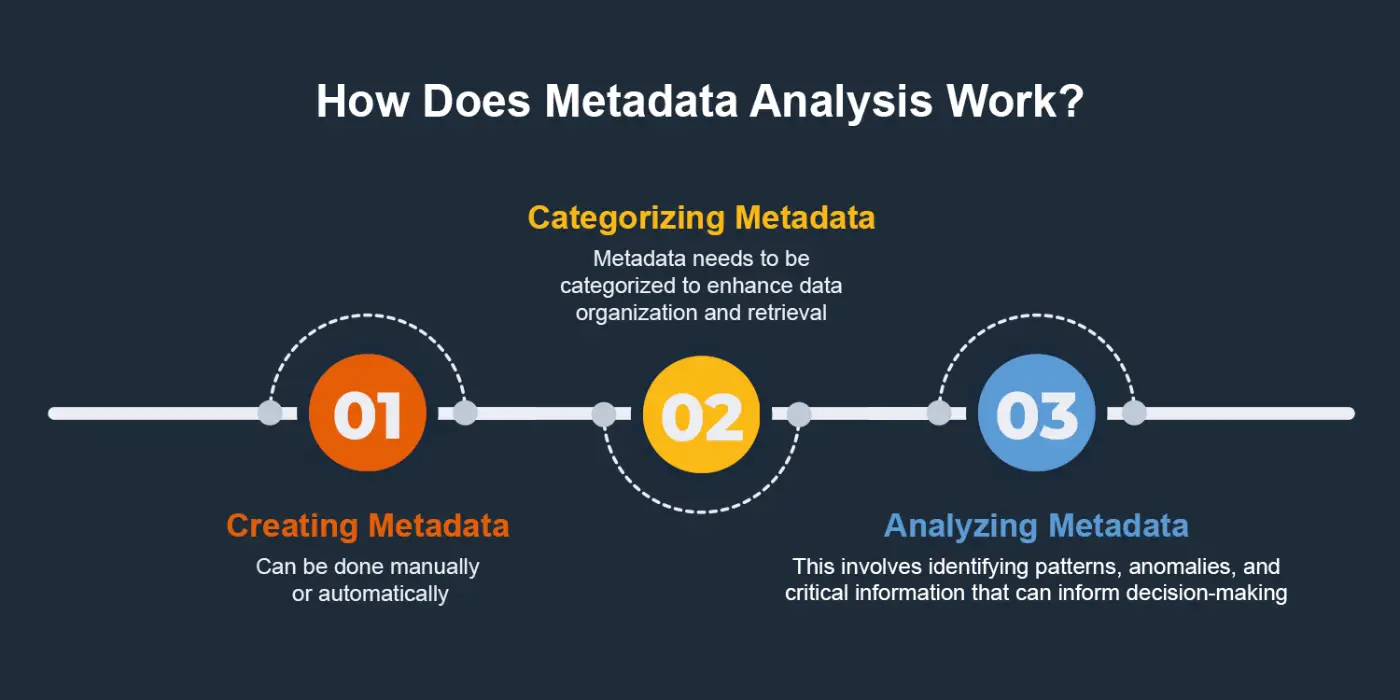
What Is EXIF Data?
Metadata includes:
- Camera model
- Date & time
- GPS location
- Editing software used
Red Flags:
- No EXIF data at all
- Software tags like:
- “Stable Diffusion”
- “Midjourney”
- “DALL-E”
- “Adobe Photoshop”
⚠️ Important: Metadata can be stripped. Absence ≠ proof of AI.
Free Tools:
- ExifTool
- Jeffrey’s Image Metadata Viewer
- Metadata2Go
Reverse Image Search (Essential Skill)

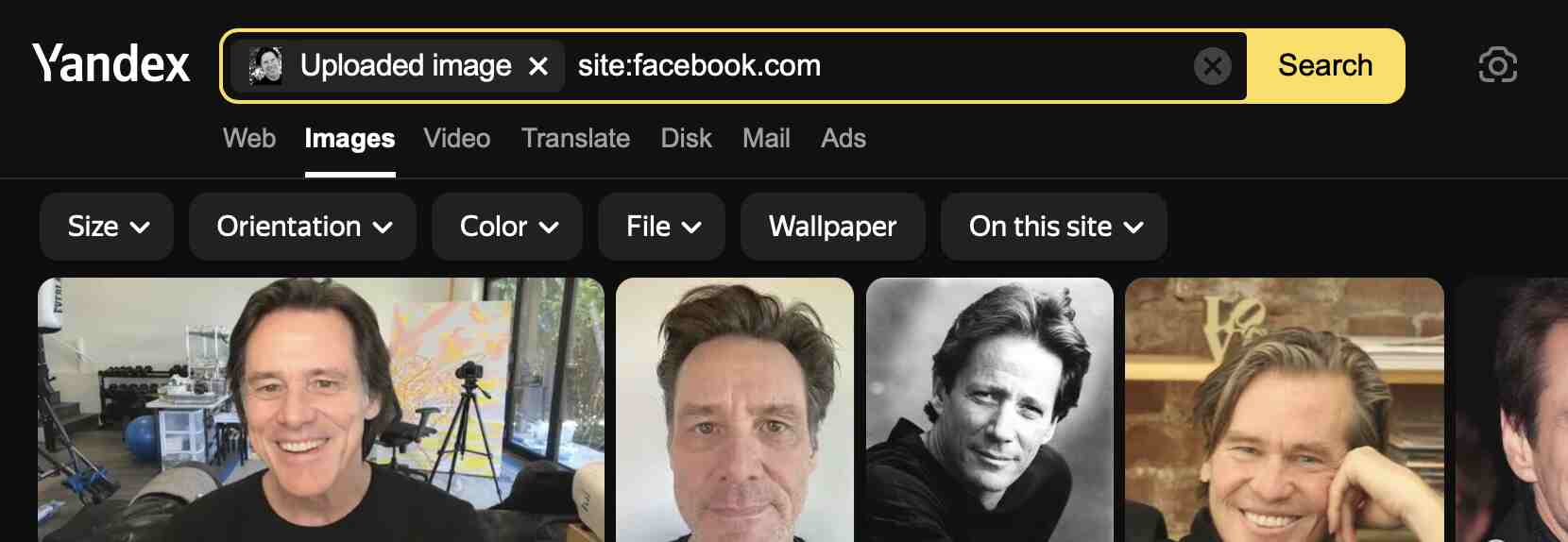

Where to Search:
- Google Images
- Yandex (best for faces)
- TinEye
What You’re Looking For:
- Older versions of the image
- Different crops
- Original source context
If an image appears nowhere before last week, be cautious.
AI Detection Tools (What Works & What Doesn’t)
| Tool | Strength | Weakness |
|---|---|---|
| Hive Moderation | High accuracy | Paid |
| AI or Not | Simple UI | False positives |
| IsItAI | Free | Limited analysis |
| Fake Image Detector | Metadata-based | Easily bypassed |
Never trust one tool alone. Combine methods.
Real-World Case Studies
Case 1: Fake Protest Image
An AI image of a massive protest went viral.
- Used by political groups
- Debunked via shadow analysis & reverse search
- Damage already done
Case 2: CEO Deepfake Scam
A company lost $25 million after executives followed instructions from an AI-generated “CEO image & call”.
Image verification failed.
Step-by-Step Image Verification Checklist
Before trusting any image, ask:
- Does anatomy look correct?
- Do shadows obey physics?
- Is text readable and consistent?
- Does metadata make sense?
- Does reverse search confirm origin?
- Do multiple tools agree?
If 2 or more fail, assume manipulation.
How Professionals Verify Images (OSINT Workflow)
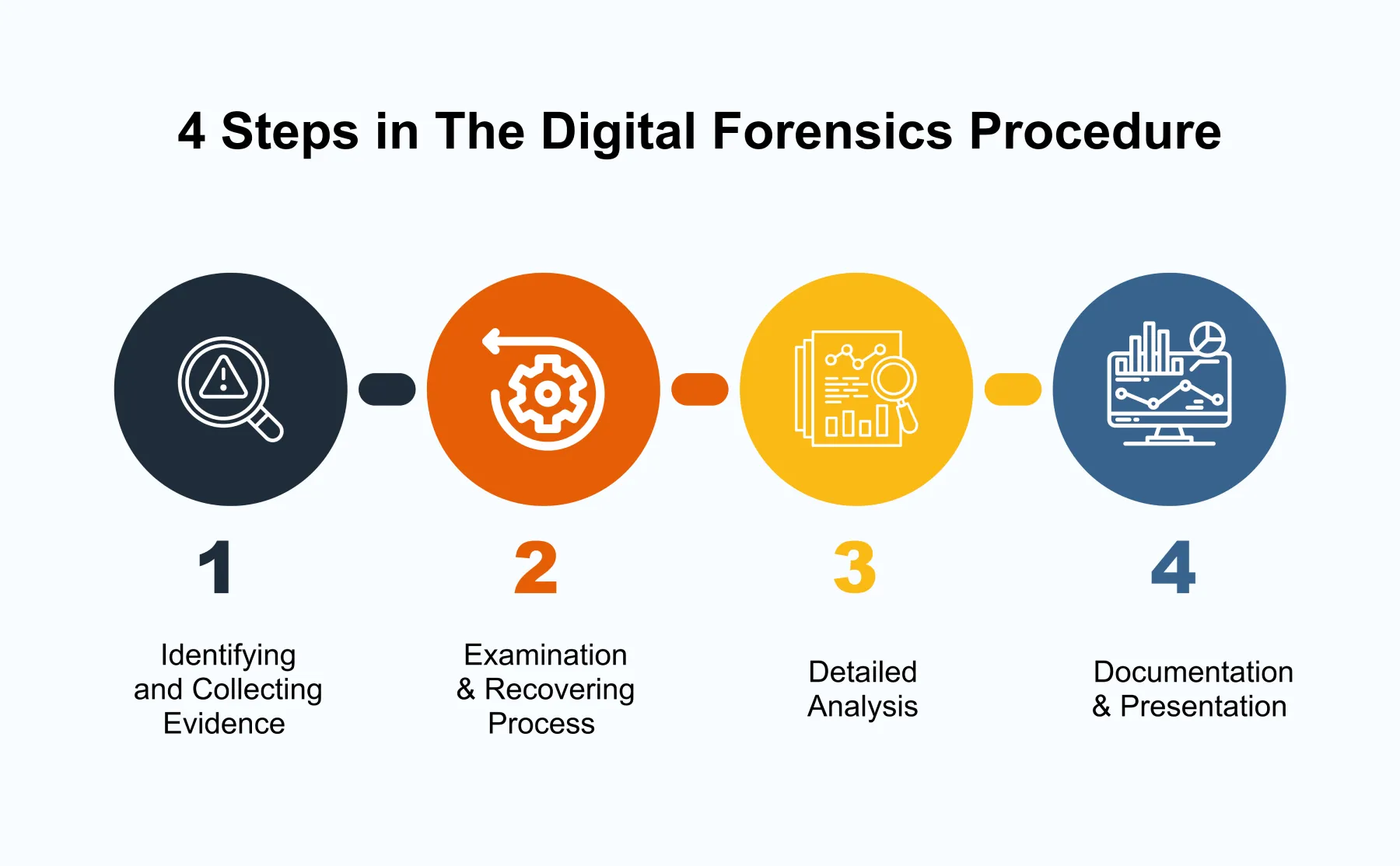
Professionals combine:
- Visual inspection
- Metadata analysis
- Reverse search
- Context validation
- Source credibility
No shortcuts.
Best Practices to Protect Yourself
- Never trust viral images instantly
- Verify before sharing
- Educate others
- Bookmark verification tools
- Assume images lie until proven real
The Future: Can AI Images Ever Be Undetectable?
Short answer: No—only harder to detect.
Why?
- Physics inconsistencies
- Dataset bias
- Statistical artifacts
- Human contextual awareness
Detection will evolve alongside generation.
Final Thoughts (Read This Carefully)
We are entering a world where seeing is no longer believing.
The skill to identify AI-generated or edited images is no longer optional—it’s essential for:
- Digital safety
- Journalism
- Cybersecurity
- Everyday decision-making
If this guide helped you, share it. Most people are still unaware how easily images can lie.
Frequently Asked Questions (FAQ)
How can I tell if an image is AI-generated?
Look for anatomy errors, strange text, inconsistent lighting, missing metadata, and verify using reverse image search.
Are AI image detectors reliable?
They help, but never rely on one tool alone. Human analysis is still essential.
Can AI images have EXIF data?
Yes. Some tools now add fake metadata. Treat EXIF as supporting evidence, not proof.
Is Photoshop editing easier to detect than AI images?
Often yes. Editing leaves cloning and lighting artifacts that AI sometimes hides better.
Can AI images fool experts?
Briefly—yes. Permanently—rarely. Experts verify context, not just pixels.
📌 Call-to-Action
If you work with images, bookmark this guide.
If you share content online, verify before posting.
If you care about truth in the digital age—learn these skills deeply.
Because in 2026 and beyond, fake images won’t look fake anymore.
 Spyboy blog