
 Posted by
 Something uncomfortable is happening in cybersecurity.
People are doing everything right:
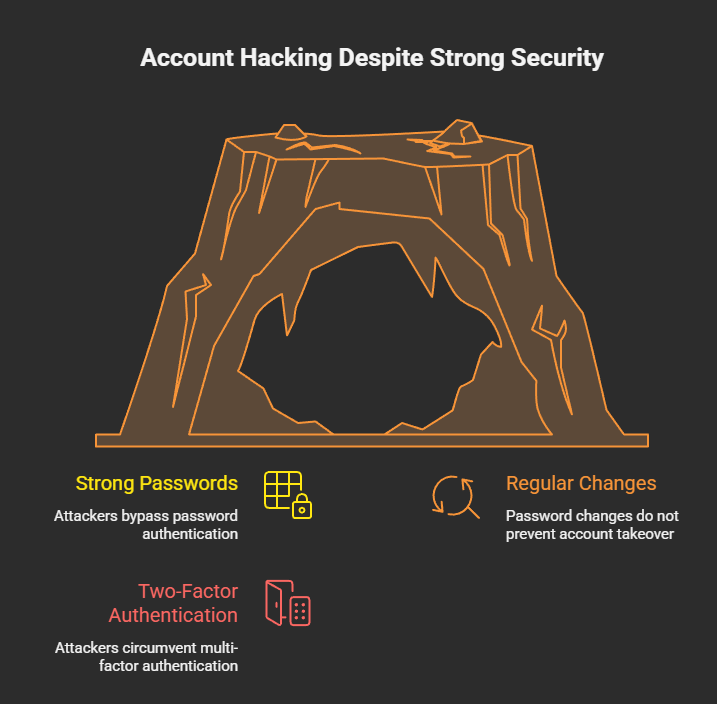
- Strong passwords
- Regular password changes
- Two-factor authentication
And they’re still getting hacked.
No alerts.
No OTPs.
No suspicious login emails.
Just one day — locked out.
This isn’t a failure of passwords.
It’s proof that passwords are no longer the front door.
🧠 The Old Security Rule That No Longer Works
For years, security advice boiled down to one thing:
“If something feels wrong, change your password.”
That advice made sense when attacks focused on:
- Credential stuffing
- Phishing passwords
- Brute-force logins
But modern attacks don’t need your password at all.
They don’t attack login.
They attack what happens after login.
🔓 Authentication Is Not the Battlefield Anymore
Platforms like Google, Instagram, and WhatsApp have made authentication extremely strong.
Passwords + OTP + device checks = solid defense.
So attackers adapted.
They stopped fighting authentication
and started abusing authorization.
🔑 Authentication vs Authorization (The Critical Shift)
Let’s simplify:
- Authentication → Who are you?
- Authorization → What are you allowed to do?
Changing your password only affects authentication.
Authorization lives elsewhere:
- Connected apps
- OAuth tokens
- Linked devices
- Active sessions
- Admin roles
- Recovery emails
And password changes do not revoke these by default.
🎯 The New Attack Pattern (Why Passwords Are Irrelevant)
Here’s how modern attacks work:
- Victim is already logged in
- Attacker tricks them into approving something
- Platform records: User approved this
- Attacker gains long-term access
No login attempt occurs.
So when you change your password later?
👉 Nothing breaks for the attacker.
🎭 Real Examples Where Password Changes Fail
🧩 1. OAuth App Abuse
You click:
“Sign in with Google”
You approve email access.
Attacker reads your inbox forever.
You change your password:
- OAuth access still works
- Attacker stays inside
🧩 2. Session Hijacking
Attacker steals an active session.
You change your password:
- Session remains valid
- Attacker stays logged in
OTP is never triggered.
🧩 3. Linked Devices (Messaging Apps)
Attacker’s device is linked as “trusted”.
You change your password:
- Linked device remains
- Messages continue syncing
🧩 4. Business / Admin Role Abuse
Attacker gains admin rights via feature abuse.
You change your password:
- Ownership doesn’t revert
- Account stays hijacked
🚫 Why Platforms Don’t Auto-Fix This
Because from the system’s perspective:
“The user explicitly approved these actions.”
Revoking them automatically would:
- Break legitimate workflows
- Disrupt users
- Cause data loss
So platforms assume users know what they approved.
Attackers know users don’t.
👁️ Why Victims Say “I Changed My Password — Still Hacked”
Because they did the right thing —
for the wrong threat model.
The attacker didn’t steal credentials.
They were invited.
🧠 The Real Threat: Persistent Trust
Modern platforms prioritize:
- Convenience
- Cross-device access
- App ecosystems
That creates persistent trust objects:
- Tokens
- Sessions
- Permissions
These survive:
- Password changes
- OTP resets
- Device changes
Attackers aim for persistence, not credentials.
🛡️ What Actually Protects You (Password Change Isn’t Enough)
✅ 1. Revoke Authorizations (MOST IMPORTANT)
Audit regularly:
- Connected apps
- Third-party access
- Linked devices
This is where attackers live.
✅ 2. Kill Active Sessions
Force logout:
- All devices
- All browsers
Not just your own.
✅ 3. Secure Your Email First
Email controls recovery.
If email is compromised:
- Password changes are meaningless
✅ 4. Treat “Allow” as Seriously as “Enter Password”
Authorization = power.
Never approve something you didn’t initiate.
❌ 5. Stop Believing Passwords Are the Final Defense
Passwords are one layer.
Attackers walk around it.
🧠 For Security Teams & Developers
This is not a crypto problem.
Not a password policy problem.
It’s a UX trust problem.
Users can’t distinguish:
- Safe authorization
- Malicious authorization
Yet systems treat them the same.
🔮 The Future of Account Security
Future attacks will:
- Avoid login entirely
- Leave clean audit logs
- Use official APIs
- Survive password resets
Detection will get harder.
User education becomes critical.
⚠️ Final Reality Check
Changing your password feels powerful —
but against modern attacks, it’s often symbolic.
If the attacker:
- Has a token
- Has a session
- Has permission
Your password no longer matters.
🧨 You didn’t lose your account because your password was weak —
you lost it because trust was never revoked.
📢 Share this post. Someone you know thinks password changes are enough.
Stay aware. Stay skeptical. Stay secure.
 Spyboy blog