
 Posted by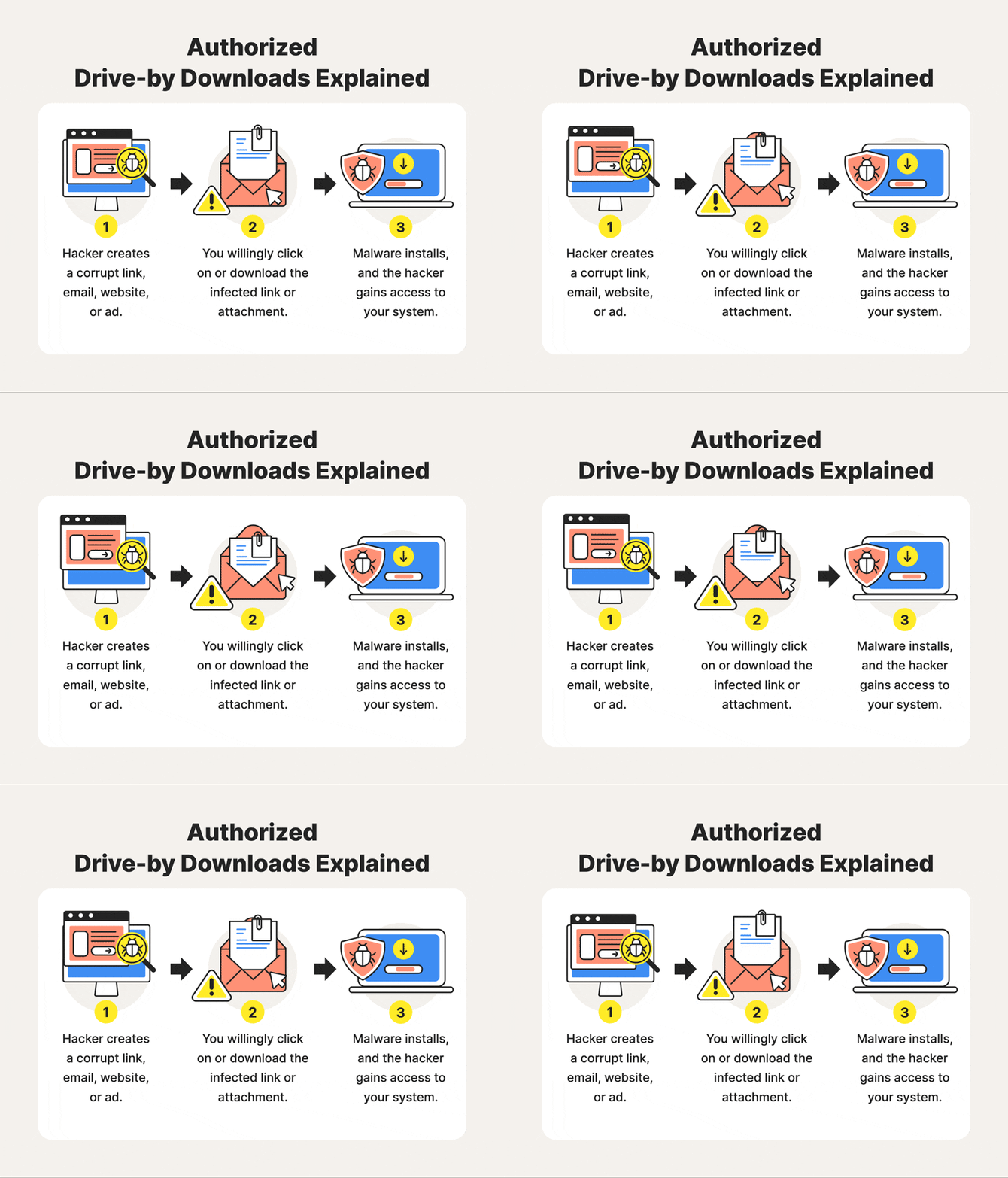
One Tap, Total Compromise?
“You clicked a link—now your phone is hacked.”
That claim is everywhere: YouTube shorts, WhatsApp forwards, Instagram reels, and panic-filled Reddit threads. And like most security myths, it’s half true, poorly explained, and dangerously misunderstood.
The real answer isn’t a simple yes or no.
- ❌ Clicking any random link does not magically hack your phone
- ✅ But some links, under specific conditions, can absolutely lead to full device compromise, account takeover, or silent surveillance
According to the Verizon Data Breach Investigations Report (DBIR), social engineering remains the top initial access vector globally. On mobile devices, links are the delivery mechanism—not the exploit itself, but the trigger.
This article explains:
- What actually happens when you tap a link
- When a link is harmless vs dangerous
- How attackers chain links with exploits, phishing, and malware
- What modern phones block—and what they don’t
- How to defend at both user and developer levels
No hype. No Hollywood hacking. Just the technical reality.
Mental Model: What a Link Can (and Cannot) Do
Before diving deep, we need to reset expectations.
A link alone is just a URL. It becomes dangerous only when it triggers one of these:
- Human action (credentials, permissions, installs)
- Browser or OS vulnerability
- App-level parsing flaw
- Misconfigured security flow
Most mobile compromises require at least one of the above.
Threat Model Overview (Concepts → Execution → Mitigation)
We’ll break mobile “link-based” attacks into six real-world categories:
- Phishing & Credential Harvesting
- Malicious App Installation via Links
- Drive-By Browser Exploits
- Zero-Click & One-Click Exploits
- Link-Based Session & Token Theft
- Post-Click Account Takeover Chains
For each:
- What the link actually does
- What conditions must exist
- What attackers gain
- How to stop it
1) Phishing: The Most Successful “Link Hack”
Concept
Phishing is not a vulnerability—it’s psychological exploitation delivered via a link.
What the Link Does
The link opens a fake login page that looks real:
- Apple ID
- Bank portal
- WhatsApp / Facebook verification
The phone is not hacked—the user gives access voluntarily.
Why Mobile Makes This Worse
- URLs are truncated
- Address bars are hidden
- App webviews obscure domains
Real-World Context
Verizon DBIR consistently ranks phishing as the #1 initial access method.
Detection Signals
- Link asks you to “log in urgently”
- Page opens inside an app, not the browser
- Password manager does not autofill
Defensive Tip
Password managers are phishing detectors:
If it doesn’t autofill, assume it’s fake.
2) Malicious App Installation via Links
Concept
Some links don’t exploit your phone—they convince you to weaken it.
Typical Flow
- Link claims you need an update / security app
- Redirects to:
- Fake Play Store page
- Direct APK download
- User enables “Install unknown apps”
- Malware gains permissions
Why This Still Works
- Android allows sideloading
- Users trust “security” language
What Attackers Gain
- SMS access
- Notification access
- Accessibility abuse
- Banking overlays
Detection Signals
- App requests excessive permissions
- Accessibility access requests
- Device slows or overheats
Mitigation
- Disable unknown app installs
- Install apps only from official stores
- Review permissions monthly
3) Drive-By Browser Exploits (Rare but Real)
Concept
A drive-by exploit compromises a device simply by loading a page—no clicks beyond opening the link.
Reality Check
- Extremely rare
- Used mostly in targeted attacks
- Requires unpatched browser or OS
How It Works (High Level)
- Link loads crafted JavaScript
- Browser vulnerability triggered
- Sandbox escape (hardest part)
- Payload executed
Real-World Context
High-end spyware campaigns have used browser exploits chained with OS flaws. These often rely on recent CVEs patched quickly once discovered.
Defensive Insight
If your phone is fully updated, this risk is close to zero for mass attacks.
4) Zero-Click & One-Click Exploits
Concept
Some links trigger exploits via:
- Link previews
- Media parsing
- Messaging app handlers
In these cases, even tapping is optional.
Where This Happens
- Messaging apps
- Rich preview engines
- Media parsers
Why You Hear About This
These exploits are rare, expensive, and newsworthy—but not common for everyday users.
Detection Signals
- Messaging app crashes
- Sudden battery drain
- Network activity without interaction
Mitigation
- Keep OS updated
- Disable link previews where possible
- Avoid obscure messaging apps
5) Session & Token Theft After Clicking a Link
Concept
Some links don’t attack the phone—they attack active sessions.
How It Works
- Link opens fake page
- Page steals cookies or tokens
- Attacker reuses session elsewhere
Why This Is Dangerous
- MFA is bypassed
- Password changes may not help
- Attack is silent
Detection Signals
- Account activity without login alerts
- Security emails marked “read”
Mitigation
- Log out of all sessions regularly
- Revoke third-party app access
- Use browsers with isolation
6) The Real Danger: Attack Chains
Concept
No serious attacker relies on one link.
They chain:
- Link → Phishing → Account takeover → SIM swap → Financial fraud
Example Chain
- SMS link → fake login
- Email account compromised
- Password resets across apps
- Social media hijacked
- Crypto or scam posts
This is how real damage happens.
Comparative Table: What a Link Can Do
| Attack Type | User Action Required | Device Exploit | Common | Severity |
|---|---|---|---|---|
| Phishing | Yes | No | Very High | High |
| Malicious app | Yes | No | High | High |
| Drive-by exploit | No | Yes | Very Low | Critical |
| Zero-click | No | Yes | Rare | Critical |
| Session hijack | Minimal | No | Medium | High |
Detection & Monitoring Playbook
For Users
- Unexpected login alerts
- MFA prompts you didn’t initiate
- New apps or permissions
- Sudden ad or spam activity
For Security Teams
- Mobile EDR alerts
- Network anomaly detection
- App permission drift
Step-by-Step Defensive Hardening (User)
Step 1: Lock the OS
- Enable auto-updates
- Remove unused apps
- Disable unknown app installs
Step 2: Harden Browsing
- Use a modern browser
- Enable safe browsing
- Avoid in-app webviews for logins
Step 3: Secure Identity
- Password manager
- App-based or hardware MFA
- Secure email first
Developer Perspective: Why Links Become Dangerous
Developers accidentally create link-based risks when they:
- Trust URL parameters
- Parse untrusted content
- Fail to validate redirects
- Embed tokens in URLs
Defensive Design Principles
- Never put secrets in URLs
- Strict content-type handling
- Isolate webviews
- Enforce HTTPS + HSTS
FAQ
Q1: Can hackers hack your phone just by clicking a link?
Usually no—but phishing, malware installs, or rare exploits can cause compromise after clicking.
Q2: Can a link hack your phone without you doing anything?
Only in rare cases involving zero-click or browser vulnerabilities, typically in targeted attacks.
Q3: Are iPhones or Android phones safer from link attacks?
Both are safe when fully updated. Risk increases with outdated OS versions and sideloaded apps.
Q4: What happens if I accidentally click a malicious link?
If you didn’t enter credentials or install anything, you’re usually safe—close the page and clear sessions.
Q5: Can links steal my data instantly?
Not by themselves. Data theft requires permissions, exploits, or user input.
Q6: How do I know if my phone is hacked?
Unexplained logins, permission changes, overheating, or security alerts are common indicators.
Final Verdict: Links Are Triggers, Not Magic Bullets
A link is not a hack.
A link is a delivery mechanism.
The real danger lies in:
- Outdated software
- Weak identity security
- Human trust under pressure
Modern phones are remarkably secure—but attackers don’t fight the OS. They fight people, permissions, and recovery flows.
If you secure those, a random link loses almost all its power.
 Spyboy blog