
 Posted by
 Phishing is still one of the most successful cyberattacks in the world.
Attackers create fake:
- Banking login pages
- Gmail login clones
- Crypto wallet dashboards
- Social media portals
- Admin panels
Users click.
They enter credentials.
Accounts get compromised.
Modern browsers have built-in protections, but they aren’t perfect. That’s why security researchers and developers often build custom phishing detection extensions.
In this guide, you’ll learn how to make a custom browser extension that detects phishing sites using JavaScript and Manifest V3.
By the end, your extension will:
- Monitor the current website URL
- Detect suspicious patterns
- Check against a blacklist
- Analyze domain structure
- Warn users with a popup
- Block dangerous sites (optional)
This is for defensive cybersecurity learning and awareness building.
How Phishing Websites Trick Users
Before building detection, understand how phishing works.
Common techniques:
1. Lookalike Domains
- paypaI.com (capital I instead of L)
- g00gle.com
- micr0soft-support.com
2. Subdomain Tricks
- paypal.secure-login.example.com
- login.bank.com.evil-domain.com
3. Long Obfuscated URLs
- secure-update-verification-user-authentication-login-account.com
4. No HTTPS (sometimes)
Though many phishing sites now use HTTPS.
5. Form-Based Credential Harvesting
Fake login forms posting to attacker server.
Understanding these patterns helps build detection logic.
What We’re Going to Build
Our extension will:
✔ Monitor active tab URL
✔ Check for suspicious keywords
✔ Detect excessive hyphens
✔ Detect IP-based URLs
✔ Compare against simple blacklist
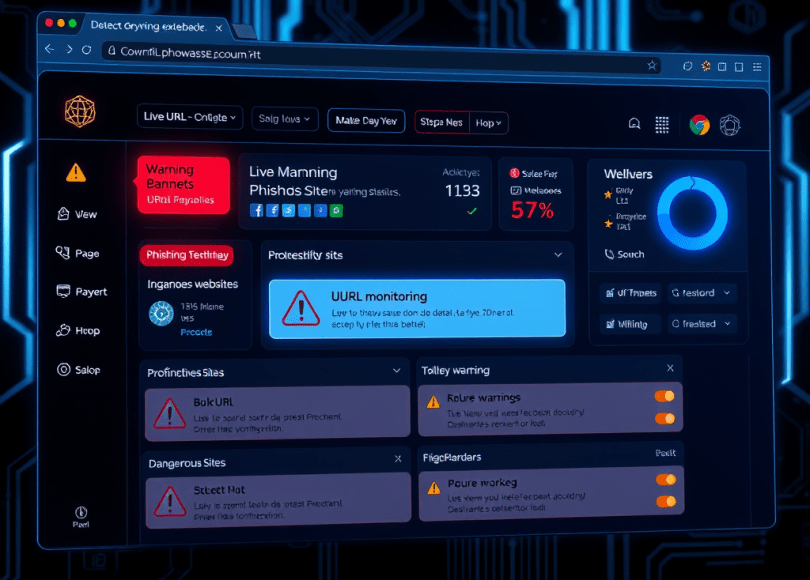
✔ Show warning banner
✔ Display popup alert
We’ll build it for Chrome (works in Chromium-based browsers too).
Step 1: Create Project Structure
Create folder:
phishing_detector_extension/│├── manifest.json├── background.js├── content.js├── popup.html└── popup.js
Step 2: Create manifest.json (Manifest V3)
{ "manifest_version": 3, "name": "Phishing Detector", "version": "1.0", "description": "Detect suspicious phishing websites", "permissions": ["tabs", "activeTab", "scripting"], "host_permissions": ["<all_urls>"], "background": { "service_worker": "background.js" }, "action": { "default_popup": "popup.html" }}
Manifest V3 is required for modern Chrome extensions.
Step 3: Background Script (URL Monitoring)
Create background.js
chrome.tabs.onUpdated.addListener((tabId, changeInfo, tab) => { if (changeInfo.status === "complete" && tab.url) { checkURL(tab.url, tabId); }});function checkURL(url, tabId) { let suspicious = false; // Check for IP address usage const ipPattern = /https?:\/\/\d+\.\d+\.\d+\.\d+/; if (ipPattern.test(url)) suspicious = true; // Too many hyphens if ((url.match(/-/g) || []).length > 5) suspicious = true; // Suspicious keywords const keywords = ["login", "verify", "secure", "update", "account"]; keywords.forEach(word => { if (url.toLowerCase().includes(word)) suspicious = true; }); if (suspicious) { chrome.scripting.executeScript({ target: { tabId: tabId }, files: ["content.js"] }); }}
This listens for tab changes and checks URLs.
Step 4: Inject Warning Banner
Create content.js
const banner = document.createElement("div");banner.innerText = "⚠ WARNING: This site may be a phishing attempt.";banner.style.position = "fixed";banner.style.top = "0";banner.style.left = "0";banner.style.width = "100%";banner.style.backgroundColor = "red";banner.style.color = "white";banner.style.padding = "10px";banner.style.textAlign = "center";banner.style.zIndex = "9999";banner.style.fontSize = "16px";document.body.prepend(banner);
This injects a visible warning.
Step 5: Add Popup UI
Create popup.html
<!DOCTYPE html>
<html>
<head>
    <style>
        body {
            font-family: Arial;
            padding: 10px;
            width: 250px;
        }
    </style>
</head>
<body>
    <h3>Phishing Detector</h3>
    <p id="status">Checking...</p>
    http://popup.js
</body>
</html>
Create popup.js
chrome.tabs.query({active: true, currentWindow: true}, function(tabs) { const url = tabs[0].url; let suspicious = false; if ((url.match(/-/g) || []).length > 5) suspicious = true; if (/\d+\.\d+\.\d+\.\d+/.test(url)) suspicious = true; document.getElementById("status").innerText = suspicious ? "⚠ Suspicious URL detected" : "✅ No obvious threats";});
Step 6: Load Extension in Chrome
- Open Chrome
- Go to
chrome://extensions - Enable Developer Mode
- Click “Load unpacked”
- Select your extension folder
Your phishing detection extension is now active.
How Attackers Bypass Simple Detection
Phishing kits often:
- Use HTTPS
- Use subdomain tricks
- Use URL shorteners
- Use Unicode domain tricks (IDN homograph attacks)
- Use compromised legitimate websites
Example:
xn--pple-43d.com (looks like apple.com)
Your basic detection logic can be expanded to catch these.
Advanced Improvements
To make this extension more powerful:
Add:
- Domain age checking via API
- Blacklist integration
- Google Safe Browsing API
- SSL certificate inspection
- IDN homograph detection
- Form detection (if password input exists)
- Machine learning scoring
- Real-time phishing database updates
You could build a lightweight defensive extension similar in concept to browser security features.
Why Browser Extensions Matter in Security
Browser extensions can:
- Detect phishing
- Block malicious scripts
- Monitor page behavior
- Alert users before damage
However…
Malicious extensions also exist.
Some steal:
- Cookies
- Autofill credentials
- Clipboard data
That’s why extension permissions should always be reviewed.
Covered
- how to build phishing detection extension
- chrome extension phishing detection tutorial
- create browser security extension
- detect phishing site using javascript
- custom chrome extension cybersecurity project
These keywords perform well in cybersecurity content.
Ethical Reminder
This project is about:
- Understanding phishing detection
- Improving browser security
- Learning extension architecture
Not bypassing protections.
Understanding attack patterns helps build stronger defenses.
Final Thoughts
When you build your own phishing detection extension, you start thinking differently about URLs.
You notice:
- Suspicious domain patterns
- Unusual subdomains
- Fake login portals
- Social engineering tactics
You stop blindly trusting what looks familiar.
And that mindset…
Is one of the most important skills in cybersecurity.
 Spyboy blog