
 Posted by
 Let’s see how to reset the root password in Kali Linux.

Join Our Discord Hacking Server: https://discord.gg/ZChEmMwE8d
Invite Our Cybersec Bot: https://dsc.gg/spyo
Step 1: Reboot Kali
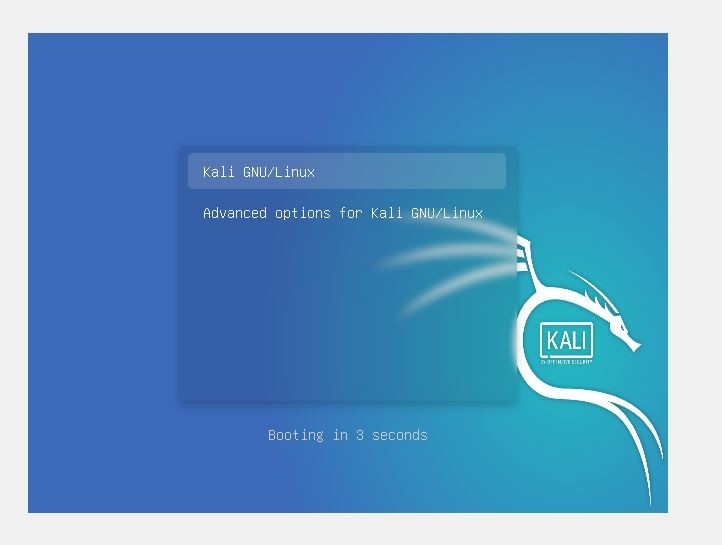
While booting Kali Linux, just Press e to edit the GRUB menu.
Step 2 :Edit GRUB menu
Use navigational arrows to scroll down to the end of the menu -> Look for the keyword ‘Linux’ on the left side of the menu -> Replace ‘ro’ with ‘rw’ and ‘quite splash’ with ‘init=/bin/bash.’


press the F10 button to save changes
Step 3: Reset root password and user kali password
Change the password by using Linux “passwd”.
root@(none):/# passwd

To change the password of user kali, use the below command:
root@(none):/# passwd kali

Step 4: Reboot the system
Use the below command to exit and effect the settings:
root@(none):/# exec /sbin/init
Now use the changed password for login in the Kali system.
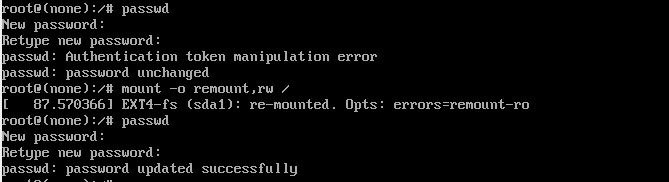
Authentication token manipulation error
Sometimes Authentication token manipulation error comes, to resolve this issue use the below mount command:
root@(none):/# mount -o remount,rw /
Then use passwd to change the password.

if having issue reach us on our Discord server for chat/help
 Spyboy blog