
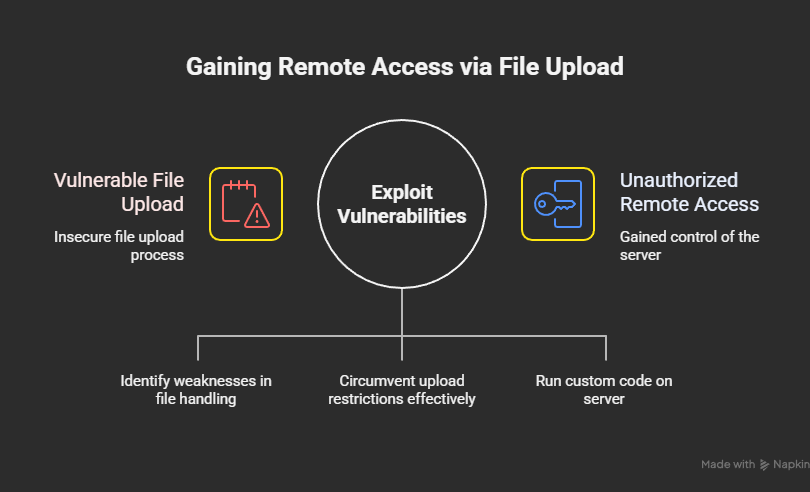
 Posted by
 (File Upload Abuse → Remote Code Execution – Educational Case Study)
Disclaimer
This article is written strictly for educational and defensive learning.
All domains, paths, filenames, payloads, and server details are fully anonymized and simplified.
No real infrastructure was harmed.
The goal is to explain how insecure file upload logic leads to remote access — and how to prevent it.
Why File Upload Bugs Are Still a Nightmare
Developers love file uploads:
- Profile pictures
- Documents
- Reports
- KYC files
- Attachments
Attackers love them more.
📌 A file upload feature is literally “user-controlled input written to disk”.
If that disk is executable — the game is over.
Target Overview (Anonymized)
- Type: Web application
- Backend: Linux server
- Language: PHP-like backend
- Feature abused:
- Profile picture upload
- Upload directory:
- Publicly accessible
The UI said:
“Upload JPG / PNG only”
The server said nothing.
Phase 1: Mapping the Upload Flow
I uploaded a normal image.
Request:
POST /api/upload/avatar HTTP/1.1
Content-Type: multipart/form-data
Response:
{
  "url": "/uploads/avatars/1842.png"
}
Then I opened the URL directly in browser.
✔ File was publicly accessible
✔ Served by the same domain
🚩 This matters a lot
Phase 2: Testing File Validation (Always Step-by-Step)
I never jump to shells first.
Test 1: Wrong extension
Uploaded:
test.txt
Response:
❌ Rejected
Good sign.
Test 2: Double extension
Uploaded:
avatar.php.jpg
Response:
✔ Accepted
🚩 Red flag
Phase 3: MIME Type Trust (Classic Mistake)
I inspected the request.
The server relied on:
Content-Type: image/jpeg
So I changed:
- Filename
- Content-Type
- But kept executable content
Phase 4: The Payload (Simplified for Education)
The uploaded file contained server-executable code disguised as an image.
Important:
I am intentionally not giving a copy-paste weaponized shell here.
Conceptually, the file:
- Looked like an image to the server
- Contained executable instructions
- Was saved in a web-accessible folder
That’s all that mattered.
Phase 5: Upload Success (The Point of No Return)
Response:
{
  "url": "/uploads/avatars/avatar.php.jpg"
}
I visited:
https://example-app.com/uploads/avatars/avatar.php.jpg
The server executed it.
🎯 Remote code execution achieved
Phase 6: Proving Remote Access (Safely)
Instead of doing anything destructive, I verified access by:
- Reading server info
- Checking execution context
- Confirming command execution capability
This confirmed:
The server was executing user-uploaded files.
That’s the worst possible outcome.
Why This Worked (Root Cause)
❌ What the Backend Did Wrong
- Trusted file extension
- Trusted MIME type
- Stored uploads in executable directory
- No content inspection
- No filename randomization
This is not one bug.
It’s five bad decisions chained together.
Real-World Impact (Why This Is Critical)
Once remote access is possible, attackers can:
- 📂 Read environment variables
- 🔑 Steal database credentials
- 🧠 Dump source code
- 💣 Modify application logic
- 🚪 Pivot to internal systems
Severity:
Critical – Full Server Compromise
Common Variations of This Attack
Even if .php is blocked, attackers try:
.php.jpg.phtml.phar.jsp.jpg.svgwith script.htaccessupload- Filename null-byte tricks (older systems)
Blocking one extension is never enough.
How I Systematically Hunt File Upload Bugs
This is my exact methodology:
1️⃣ Identify upload locations
- Avatars
- Attachments
- Reports
- Import features
2️⃣ Check storage
- Public or private?
- Executable or static?
3️⃣ Test validation
- Extensions
- MIME types
- Magic bytes
4️⃣ Attempt execution
- Access uploaded file directly
- Observe server behavior
If it executes — stop. You already won.
Tools Used
| Tool | Purpose |
|---|---|
| Browser | Upload flow |
| Burp Suite | Modify requests |
| Repeater | Controlled testing |
| Patience | Very important |
Defensive Checklist (Developers, Read This Carefully)
If you build uploads, you must:
- ✅ Store files outside web root
- ✅ Rename files randomly
- ✅ Validate content (magic bytes)
- ✅ Enforce strict allowlists
- ✅ Disable execution in upload dirs
- ❌ Never trust filename or MIME
If even one of these is missing — you’re exposed.
Why This Bug Still Exists Everywhere
Because:
- Uploads are rushed features
- Security reviews skip “boring” code
- Devs assume framework handles it
- “It’s just images” mindset
Attackers love assumptions.
Final Thoughts
This wasn’t advanced hacking.
This was:
Uploading a file and letting the server decide what to do with it.
And the server chose… poorly.
 Spyboy blog