
 Posted by
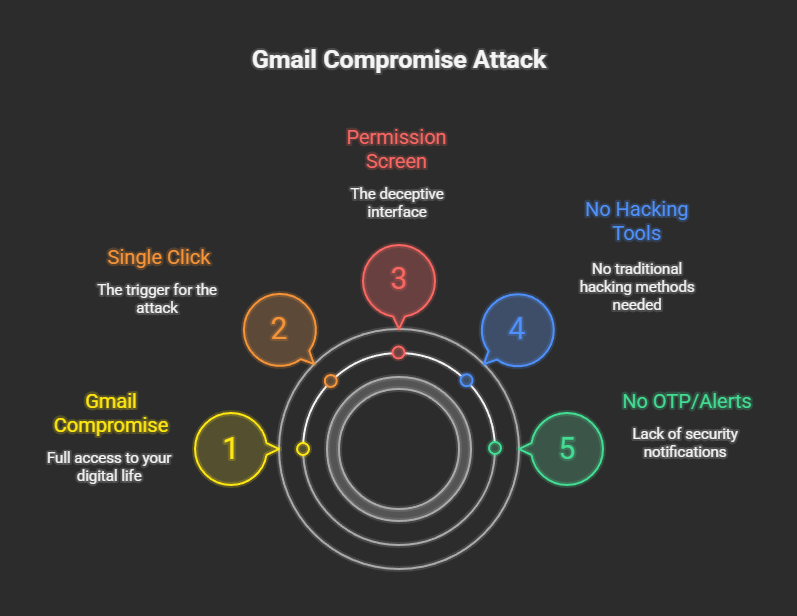
 You didn’t type your password.
You didn’t receive an OTP.
You didn’t see a suspicious login alert.
Yet your Gmail is now fully compromised.
Welcome to one of the most dangerous and misunderstood cyber attacks of our time — where a single click is enough to hand over your entire digital life.
No hacking tools.
No exploits.
No malware.
Just one innocent-looking permission screen.
🧠 The Dangerous Assumption Everyone Makes
Most users believe:
“If I didn’t enter my password, nothing bad can happen.”
That assumption is exactly what attackers rely on.
Modern Gmail takeovers don’t steal credentials —
they abuse authorization.
And authorization is more powerful than login.
🔓 The Click That Breaks Everything
That one click usually looks like this:
- “A document has been shared with you”
- “View invoice”
- “Check secure message”
- “Sign in with Google to continue”
You click.
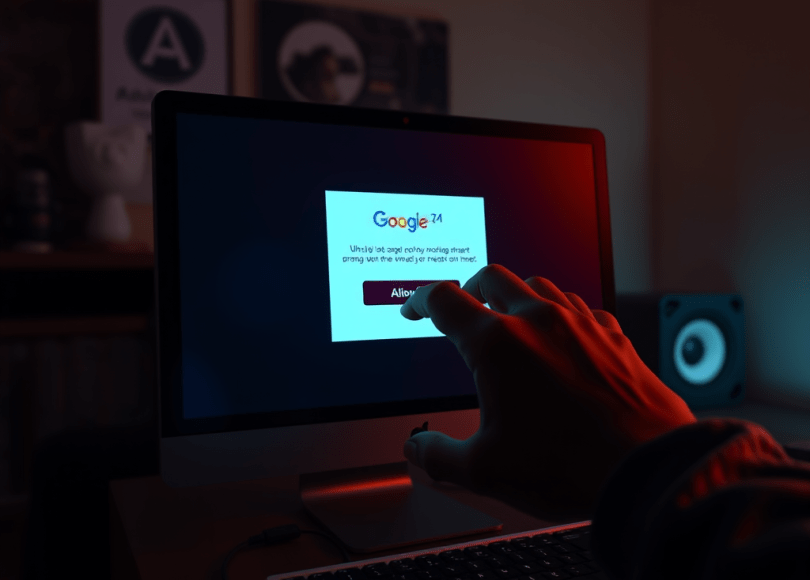
Google shows a real consent screen.
You click Allow.
💥 That’s it.
No alarm will ever ring.
🎭 What Really Happens Behind the Scenes
The attacker isn’t logging into your account.
They’re requesting OAuth access from Google.
OAuth is designed to:
- Let apps work without your password
- Improve convenience
- Reduce credential sharing
But when abused, it becomes a master key.
🔐 OAuth Explained in Simple Terms
OAuth means:
“I allow this app to access my account on my behalf.”
Once approved, the app can:
- Read emails
- Send emails
- Search inbox
- Manage mailbox
All without ever logging in.
From **Gmail’s perspective:
“User explicitly approved this.”
Security systems stand down.
🚫 Why OTP Is Never Triggered
OTP protects authentication.
OAuth skips authentication entirely.
Google assumes:
- You are already authenticated
- You knowingly granted permission
So:
- No OTP
- No warning
- No suspicious activity alert
Everything is “normal”.
👁️ What Hackers Do With Gmail Access
Once attackers have OAuth access, they can:
🔍 Read Everything
- Bank alerts
- Crypto wallets
- Password reset emails
- Private conversations
🔑 Reset Other Accounts
Gmail is the recovery hub for:
- GitHub
- Cloud services
Lose Gmail = lose everything.
📤 Send Emails as You
- Phish your contacts
- Spread malware
- Send fake invoices
Victims trust emails coming from you.
🧠 Stay Invisible
Even if you:
- Change your password
- Enable 2FA
OAuth access remains active unless revoked manually.
🎯 Why This Attack Works So Well
Because:
- The login page is real
- The permission screen is real
- The domain is google.com
There’s nothing “obviously fake”.
The attacker hides inside legitimate UX.
👁️ Why Victims Say “I Was Never Hacked”
Because technically:
- No login happened
- No credentials were stolen
- No policy was broken
The user approved the attack.
That’s why recovery is so hard.
🛡️ How to Protect Your Gmail RIGHT NOW
✅ 1. Audit Third-Party App Access (CRITICAL)
Go to:
Google Account → Security → Third-party access
Remove:
- Apps you don’t recognize
- Old tools you no longer use
This step alone blocks most OAuth attacks.
✅ 2. Review Active Sessions
Google Account → Security → Devices
Sign out of unknown devices immediately.
✅ 3. Treat “Sign in with Google” as Dangerous
Before clicking Allow, ask:
“Why does this app need email access?”
If unsure — deny.
✅ 4. Use Hardware Security Keys (Best Defense)
Security keys:
- Block phishing
- Block OAuth abuse
- Block fake consent tricks
They are the strongest protection available.
❌ 5. Never Click Email Attachments Blindly
Even if:
- It looks professional
- It looks urgent
- It looks official
Urgency is manipulation.
🧠 For Security Researchers & Bug Hunters
This is not a vulnerability.
There is no exploit.
No CVE.
This is feature abuse.
OAuth is doing exactly what it was designed to do.
The failure is:
- UX trust
- Human consent
- Permission misunderstanding
🔮 The Future of Gmail Attacks
Gmail attacks will increasingly:
- Avoid passwords entirely
- Avoid OTP triggers
- Blend into normal user behavior
Detection becomes nearly impossible.
The attack leaves:
- Clean logs
- Legitimate permissions
- No red flags
⚠️ Final Reality Check
Your Gmail can be fully compromised with one click because that click carries authority.
Passwords protect access.
OTPs protect login.
But authorization grants power.
And power doesn’t ask questions.
🧨 The most dangerous Gmail hack doesn’t steal your password —
it asks for your permission.
📢 Share this post. Someone you know will click “Allow” today.
Stay skeptical. Stay informed. Stay secure.
 Spyboy blog