

 Posted by
 Web application penetration testing in 2026 looks very different from what it did even three years ago.
AI-assisted development, serverless architectures, third-party APIs, cloud-native stacks, and rapid CI/CD pipelines have expanded the attack surface faster than most security teams can keep up. Traditional “scan → exploit → report” playbooks are no longer enough.
In this guide, you’ll learn a modern, practical, battle-tested pentest methodology for web applications in 2026 — written from the perspective of real-world offensive security work, not textbook theory.
This article is designed to be:
- Actionable (exact steps, tools, examples)
- Realistic (how pentests actually happen today)
- SEO-optimized (to rank for modern pentesting searches)
- Human-written (clear, conversational, no fluff)
If you’re a pentester, bug bounty hunter, security engineer, or developer, this is your roadmap.
Why Web App Pentesting Needed a New Methodology in 2026
Before we jump into steps, it’s important to understand why old methodologies fail today.
What Changed?
Modern web apps now include:
- AI-generated code (often insecure by default)
- Microservices + APIs everywhere
- OAuth, SSO, passkeys
- Client-side heavy frameworks (React, Vue, Next.js)
- Cloud-managed auth & storage
- Serverless functions
- Third-party SDKs & integrations
Why Traditional Pentesting Falls Short
Old methodologies focused on:
- Monolithic apps
- Simple login flows
- Server-side rendering
- Limited APIs
But in 2026:
- Business logic flaws dominate
- Authorization bugs > injection bugs
- Chained vulnerabilities matter more than single exploits
- Context is everything
👉 That’s why pentesting today is methodology-driven, not tool-driven.
High-Level Web Pentest Methodology (2026 Overview)
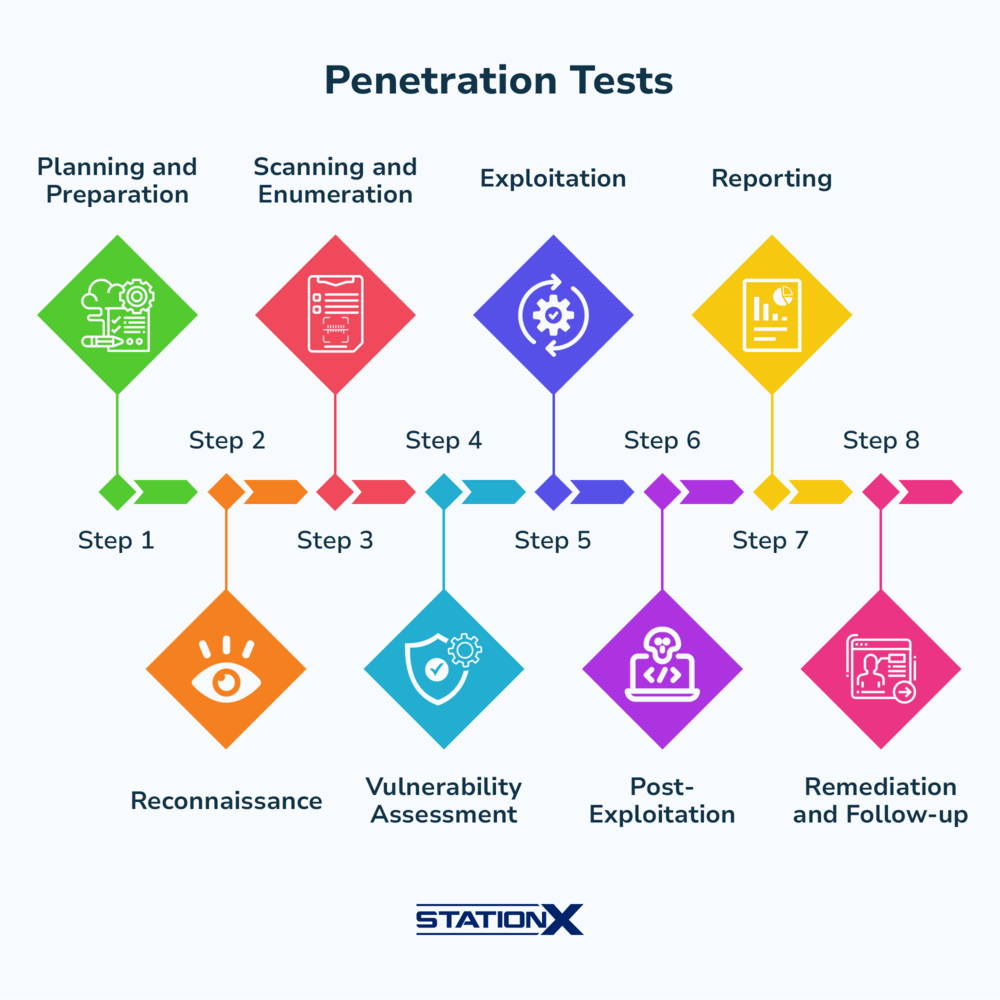
Here’s the modern web pentest lifecycle:
- Pre-Engagement & Scoping
- Reconnaissance (Passive + Active)
- Application Mapping & Attack Surface Discovery
- Authentication & Identity Testing
- Authorization & Access Control Testing
- Input Handling & Injection Testing
- Business Logic & Workflow Abuse
- API & Mobile Backend Testing
- Client-Side & Frontend Security
- Infrastructure & Cloud-Aware Checks
- Exploitation & Impact Validation
- Reporting & Remediation Guidance
Each step builds on the previous one.
Let’s break them down.
1. Pre-Engagement & Scoping (The Most Ignored Phase)
Most pentests fail before they even begin.
What Proper Scoping Looks Like in 2026
You must clearly define:
- In-scope domains & subdomains
- APIs (internal vs public)
- Mobile backends
- Third-party integrations
- User roles provided
- Rate limits & DoS boundaries
- Cloud environments (prod/staging)
Real-World Mistake Example
A fintech pentest excluded:
/api/v2/internal/*- Webhooks
- OAuth callback endpoints
Result?
Critical IDOR in internal API missed — later exploited in the wild.
Actionable Tip
Always request:
- At least 2 user roles
- Read-only + privileged account
- API documentation (even partial)
2. Reconnaissance (Modern Recon ≠ Just Subdomains)
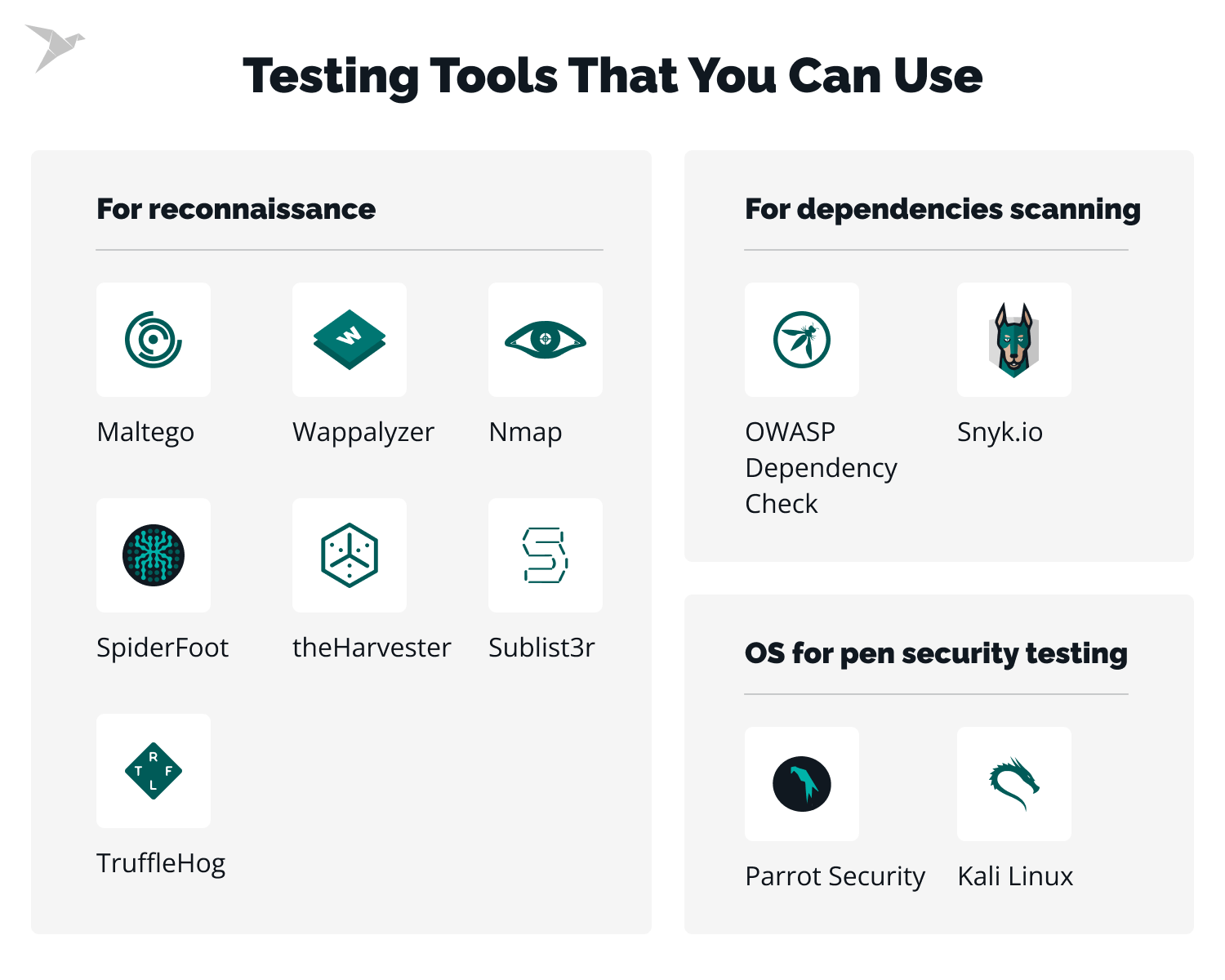
Recon in 2026 is application-centric, not just domain-centric.
Passive Recon
Focus on:
- JavaScript files (goldmine)
- OpenAPI / Swagger specs
- Mobile app traffic
- Public Git repos
- Error pages & stack traces
What to Extract:
- API routes
- Feature flags
- Internal service names
- Auth mechanisms
- Hidden parameters
Active Recon
Now interact carefully:
- Directory & route discovery
- Parameter fuzzing
- Header analysis
- Version fingerprinting
Example
From a single JS file:
/api/admin/export?format=csvThat endpoint wasn’t linked anywhere — but existed.
Result?
Broken access control → full data dump.
3. Application Mapping & Attack Surface Discovery
This is where real pentesting starts.
Build a Feature Map
Document:
- Pages
- API endpoints
- Parameters
- Roles
- Dependencies
- State changes
Think like a developer:
“What was this feature built to do?”
Use a Simple Table
| Feature | Endpoint | Role | Notes |
|---|---|---|---|
| Profile Update | /api/user/update | User | No CSRF |
| Export Data | /api/export | Admin | Client-side check |
| Billing | /api/payments | User | Webhook based |
This map guides everything later.
4. Authentication & Identity Testing (Beyond Login Forms)
Authentication in 2026 includes:
- OAuth
- SSO
- Passkeys
- Magic links
- OTPs
What to Test
- Account enumeration
- Rate limits
- MFA bypass
- Token reuse
- OAuth misconfigurations
- Session fixation
- Logout invalidation
Real-World Case
An OTP flow allowed:
- OTP reuse within 5 minutes
- No IP binding
Result?
Account takeover via brute-forced OTPs.
Actionable Checks
- Test expired tokens
- Replay OAuth callbacks
- Change user ID in JWT payload
- Skip steps in auth flow
5. Authorization & Access Control (The #1 Bug Class)
If there’s one thing to prioritize, it’s authorization.
What to Test
- Horizontal access control (IDOR)
- Vertical privilege escalation
- Object ownership
- Role switching
- Feature gating
Modern IDOR Testing
Change:
user_idaccount_idorg_idresource_uuid
In:
- URLs
- JSON bodies
- Headers
- GraphQL queries
Example
{ "invoice_id": "INV-1002"}Changed to:
"INV-1001"Result?
Accessed another customer’s invoice.
6. Input Handling & Injection (Still Relevant, Just Smarter)
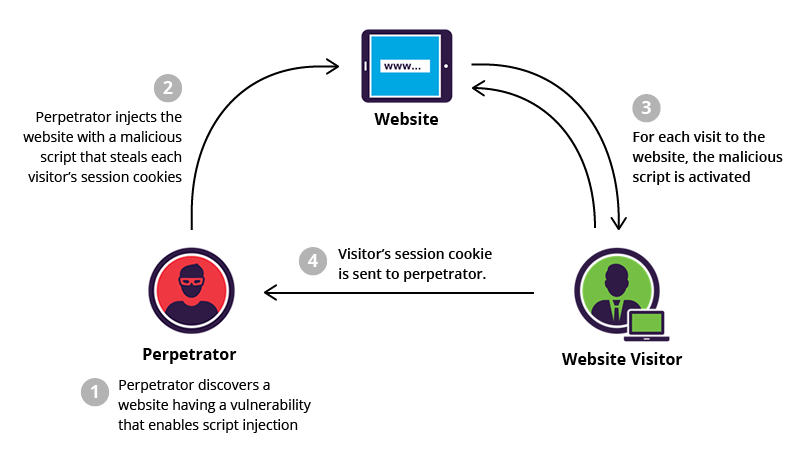
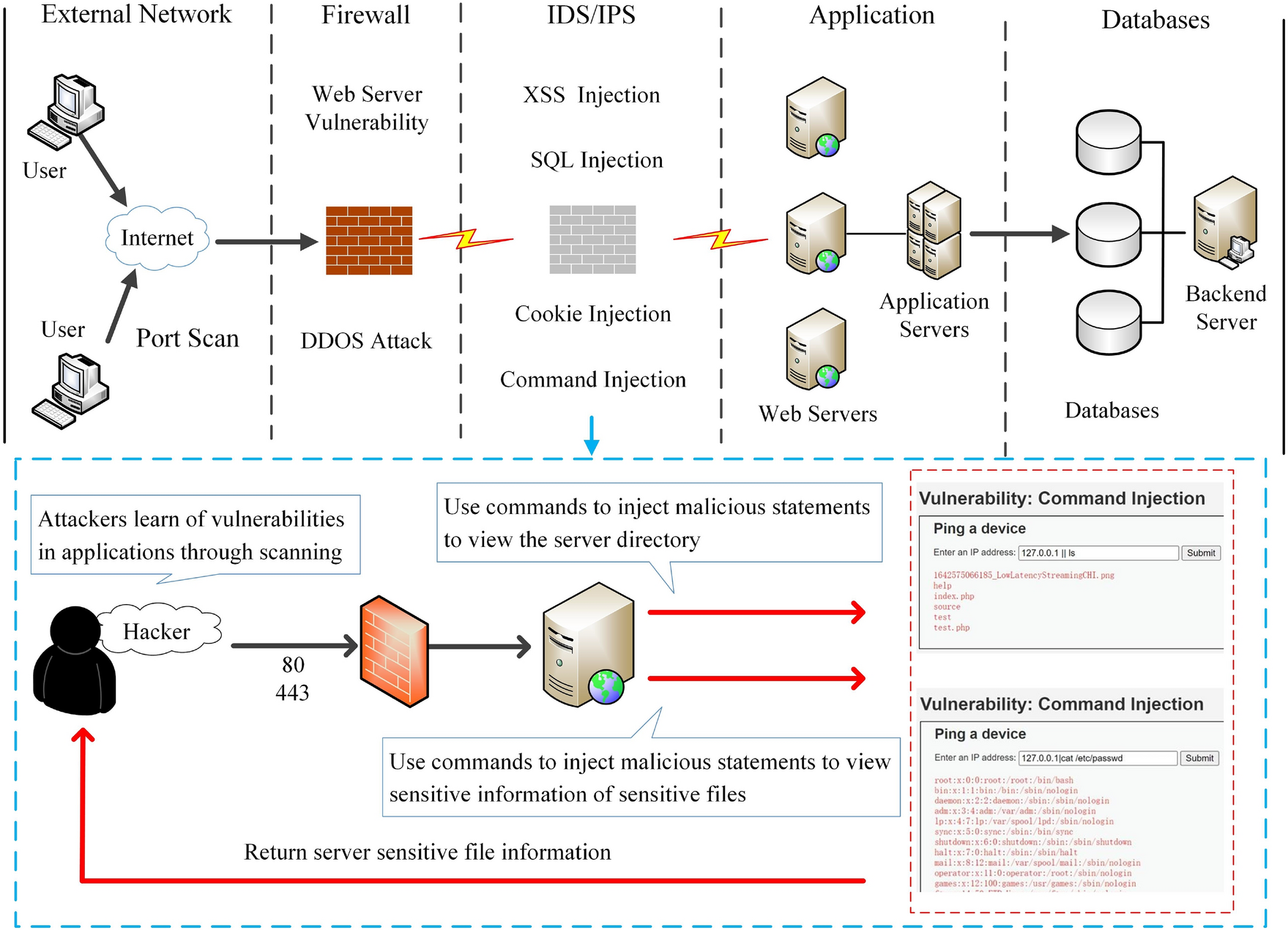
Classic vulnerabilities didn’t disappear — they evolved.
What Still Works
- SQL injection (mostly blind)
- XSS (DOM-based dominant)
- SSTI
- Command injection
- NoSQL injection
What Changed
- ORMs reduce errors
- Filters block obvious payloads
- Context-aware payloads matter
Modern XSS Example
Instead of:
<script>alert(1)</script>Use:
"><img src=x onerror=fetch('/steal?c='+document.cookie)>7. Business Logic & Workflow Abuse (High Impact, Low Noise)
This is where experienced pentesters shine.
What Is Business Logic Abuse?
Breaking the intended flow, not the code.
Examples:
- Skipping payment steps
- Reusing coupons
- Negative balances
- Race conditions
- Re-submitting requests
Case Study
E-commerce app:
- Add expensive item
- Apply discount
- Cancel order
- Checkout anyway
Result?
Free products.
How to Find These Bugs
- Observe workflows
- Repeat steps
- Change order
- Remove steps
- Automate race conditions
8. API & Mobile Backend Testing (Non-Optional in 2026)
Most modern apps are API-first.
API-Specific Issues
- Mass assignment
- IDOR
- Excessive data exposure
- Missing auth
- GraphQL introspection
- Rate limit bypass
Example
{ "email": "user@test.com", "role": "admin"}Backend trusted client input.
Result?
Instant admin account.
9. Client-Side & Frontend Security
Client-side is no longer “low impact”.
What to Look For
- Secrets in JS
- Feature flags
- Disabled UI controls
- Client-side authorization
- DOM XSS
- CSP misconfigurations
Real-World Example
if(user.role === "admin") { showAdminPanel();}Backend never re-checked.
10. Infrastructure & Cloud-Aware Checks
Pentesters must understand:
- Cloud IAM
- Object storage
- Serverless permissions
- Webhooks
Common Issues
- Public buckets
- Over-privileged service roles
- Unsigned webhooks
- Exposed metadata endpoints
11. Exploitation & Impact Validation
Never report:
“Theoretically exploitable”
Always show:
- Data accessed
- Account compromised
- Money affected
- Privileges gained
Proof-of-Impact Matters
Screenshots, logs, videos, reproducible steps.
12. Reporting & Remediation (Where Professionals Stand Out)
A good report includes:
- Executive summary
- Risk-based severity
- Clear reproduction
- Business impact
- Fix guidance
Bad Report
“IDOR vulnerability found.”
Good Report
“Any authenticated user can access other customers’ invoices, exposing PII and financial data, violating GDPR.”
Example Tool Stack (2026-Friendly)
| Phase | Tools |
|---|---|
| Recon | Browser DevTools, JS analyzers |
| Mapping | Burp Suite, custom scripts |
| Auth | Proxy + replay tools |
| API | Postman, GraphQL clients |
| Logic | Custom automation |
| Reporting | Markdown + screenshots |
Tools help — thinking finds bugs.
Pentest vs Bug Bounty: Same Methodology, Different Goals
| Aspect | Pentest | Bug Bounty |
|---|---|---|
| Scope | Fixed | Public |
| Time | Limited | Ongoing |
| Depth | Broad | Deep |
| Reporting | Formal | Platform-based |
Methodology stays the same.
FAQs – Pentest Methodology for Web Apps (2026)
What is the most important phase in web pentesting?
Authorization testing. Most critical bugs today are access-control related.
Are automated scanners enough in 2026?
No. Scanners find low-hanging issues. Humans find logic flaws.
How long should a modern web pentest take?
From 1 week (small apps) to 4+ weeks (complex platforms).
Is AI replacing pentesters?
AI assists recon and payload generation — it doesn’t replace human logic.
What skills matter most for pentesters now?
- API testing
- Business logic analysis
- Cloud fundamentals
- Communication
Logging Setup (A Must-Have for Real-World Web Pentests)
One habit that separates professional pentesters from beginners is proper session logging.
In 2026, pentests often involve:
-
Long Burp sessions
-
Complex API testing
-
Multi-day workflows
-
Screensharing with clients
-
Reproducibility requirements
If you can’t replay what you did, your findings lose credibility.
Why Logging Matters in Modern Pentesting
Proper terminal logging helps you:
-
Reproduce vulnerabilities accurately
-
Capture command output for reports
-
Preserve ANSI colors and formatting
-
Defend your findings during reviews
-
Save time when writing reports
Simple & Clean Logging Script (Recommended)
To keep things minimal and effective, use this lightweight logging script by @sechurity.
It preserves colors, formatting, and full terminal context.
logt.sh
#!/bin/bash
# Create a log directory, a log file and start logging

if [ -z "${UNDER_SCRIPT}" ]; then
    logdir="${HOME}/logs"
    logfile="${logdir}/$(date +%F.%H-%M-%S).$$.log"

    mkdir -p "${logdir}"
    export UNDER_SCRIPT="${logfile}"

    echo "The terminal output is saving to ${logfile}"
    script -f -q "${logfile}"
    exit
fi
Make It System-Wide (Highly Recommended)
So you can start logging any pentest session instantly, install it as a global command:
chmod +x logt.sh
sudo cp logt.sh /usr/local/bin/logt
Now, simply run:
logt
Every command you run from that terminal session is automatically logged.
Pro Tip (Used by Red Teams)
-
Start
logtbefore recon -
Stop only after exploitation
-
Extract exact commands into your report
-
Attach logs as internal evidence (not client-facing unless requested)
This single habit can save hours per engagement.
New Note-Worthy CVEs Impacting Web Pentests (2024–2026)
While methodology matters more than specific bugs, staying aware of recent CVEs gives you an edge — especially during time-boxed pentests.
Below are important CVE trends and examples pentesters should actively test for in 2026.
🔴 Authentication & Authorization CVEs
These continue to dominate real-world breaches.
Common Patterns
-
Token confusion (JWT / OAuth)
-
Missing authorization checks
-
Role-based logic flaws
-
SSO misconfigurations
What to Test
-
Token reuse across users
-
Missing scope validation
-
IDOR in new endpoints
-
OAuth callback manipulation
🔴 API & GraphQL CVEs
APIs remain the largest attack surface in modern apps.
Common Patterns
-
Mass assignment
-
Over-fetching in GraphQL
-
Missing rate limits
-
Introspection enabled in prod
Pentest Focus
-
Modify JSON fields not present in UI
-
Test undocumented API versions
-
Abuse batch endpoints
-
Inspect mobile API traffic
🔴 File Upload & Object Storage CVEs
Cloud-native apps still mishandle storage.
Common Issues
-
Public object buckets
-
Predictable object IDs
-
Missing content-type validation
-
Client-side upload checks
What to Try
-
Upload polyglot files
-
Change object names
-
Access objects cross-account
-
Replay signed URLs
🔴 Dependency & Supply Chain CVEs
In 2026, vulnerabilities often come from dependencies, not custom code.
Examples
-
Vulnerable JS libraries
-
Exposed admin panels
-
Misconfigured SDKs
-
Outdated frameworks
Pentest Strategy
-
Inspect
package.jsonvia leaks -
Check response headers
-
Analyze frontend bundles
-
Look for debug endpoints
🔴 Business Logic CVEs (The Silent Killers)
Some of the highest impact CVEs aren’t technical — they’re logical.
Patterns Seen in Recent CVEs
-
Coupon reuse
-
Refund abuse
-
Race conditions
-
Workflow skipping
How to Catch Them
-
Repeat requests rapidly
-
Change sequence order
-
Replay failed requests
-
Test edge cases
How to Use CVEs During a Pentest (Correctly)
❌ Wrong Approach
“Scan for CVEs and hope something hits.”
✅ Correct Approach
-
Use CVEs to guide manual testing
-
Understand why the bug happened
-
Apply the pattern elsewhere
-
Chain with logic flaws
CVEs are signals, not shortcuts.
Final Thoughts: Pentesting Is a Mindset, Not a Checklist
Web application pentesting in 2026 is:
- Less about payloads
- More about understanding systems
- Focused on impact, not exploit count
If you follow this methodology, you’ll:
- Find deeper vulnerabilities
- Write better reports
- Deliver real security value
🚀 Call to Action
If you found this guide useful:
- Share it with your security team
- Bookmark it for your next pentest
- Apply one new technique in your next assessment
And if you want hands-on pentest walkthroughs, real bug case studies, and advanced techniques, keep following this blog — more high-signal content is coming.
 Spyboy blog