
 Posted by
 Imagine this:
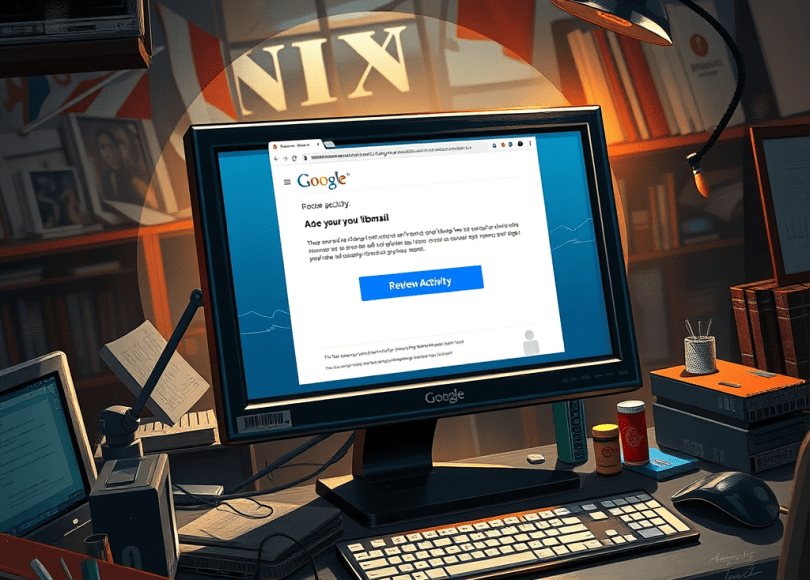
You’re checking your email on a busy afternoon. A message pops up:
“Unusual sign-in attempt detected. Secure your Gmail account now.”
There’s a big blue button that says: “Review Activity.”
You click it.
Nothing looks strange. Maybe you log in again. Everything seems fine.
But behind the scenes?
That one click may have just handed a hacker full access to your Gmail — including your inbox, Google Drive, saved passwords, photos, YouTube, and even your bank account resets.
This isn’t hype. It’s one of the most common and devastating attack vectors used today — and it’s growing at an alarming rate.
In this deep-dive guide, we’ll uncover:
- 🔎 How a single click compromises Gmail accounts
- 🎣 The exact phishing techniques attackers use
- 🔐 How hackers maintain persistence even after password changes
- 🛠 Real-world examples and case studies
- 🧠 How these attacks are built and distributed
- 🛡 Step-by-step prevention methods
- ❓ A fully optimized FAQ section for quick answers
If you use Gmail — and especially if you run a business, YouTube channel, or manage important digital assets — you need to read this.
Why Gmail Is a Prime Target for Hackers
Gmail isn’t just email.
It’s the gateway to your entire digital life.
When someone gains access to your Gmail account, they can:
- Reset passwords for:
- Twitter (X)
- Banking apps
- Crypto exchanges
- Hosting accounts
- Access Google Drive files
- View private documents and contracts
- See saved Chrome passwords
- Access Google Photos
- Control your YouTube channel
- Lock you out of your own account
According to Google’s security transparency reports, phishing remains the #1 method used to compromise Google accounts — not brute force, not malware — just social engineering and a single deceptive click.
The “One Click” That Gives Hackers Full Access
Let’s break down the most dangerous scenario:
🎣 1. The Fake Google Security Alert
You receive an email that looks like it’s from Google:
- Same logo
- Same colors
- Same formatting
- Official-looking language
It says:
“Suspicious activity detected on your account. Verify now to prevent suspension.”
There’s a button.
You click it.
You’re redirected to what looks like a Google login page.
You enter your email and password.
Boom.
Your credentials just went straight to the attacker.
🔐 2. Even Worse: The OAuth “One-Click” Attack
This is more advanced — and far more dangerous.
Instead of asking for your password, attackers use Google’s own system against you.
They create a malicious app and send you a link like:
“Sign in with Google to view shared document.”
You click.
A real Google permission screen appears.
It says the app wants access to:
- Read your emails
- Send emails on your behalf
- Access your profile
You click “Allow.”
You didn’t give them your password.
But you just gave them full access.
And changing your password won’t stop them.
Because OAuth tokens remain active.
How Hackers Build These Attacks
Understanding how these scams are created helps you recognize them instantly.
Step 1: Clone the Gmail Login Page
Attackers copy the real Gmail interface using:
- HTML
- CSS
- JavaScript
They host it on:
- Compromised WordPress sites
- Free hosting platforms
- Lookalike domains (e.g., gmaiI.com with capital i)
These kits are sold on underground forums for as little as $20–$50.
Step 2: Set Up Credential Capture
When you type:
- Password
- 2FA code (if prompted)
The form sends data to the attacker’s server instantly.
Some phishing kits now include:
- Real-time 2FA bypass panels
- SMS relay systems
- Telegram bot notifications
- IP logging and fingerprinting
Step 3: Add Real-Time Session Hijacking
Modern phishing frameworks can:
- Capture session cookies
- Bypass 2FA in real time
- Log into your Gmail instantly
- Change recovery email
- Enable their own 2FA
You’re locked out within minutes.
Real-World Case Study: YouTube Creator Wiped Overnight
A YouTuber with 250,000 subscribers received a “brand sponsorship” email.
It contained a “media kit.”
They clicked.
They logged in.
Within 30 minutes:
- Gmail was taken
- YouTube channel was rebranded to crypto scam
- Old videos were deleted
- Livestream started promoting fake investment
This has happened thousands of times globally.
YouTube account hijacking via Gmail compromise is now one of the fastest-growing cybercrime categories.
The Hidden Danger: App Password & OAuth Abuse
Even if you never enter your password, attackers can exploit:
1️⃣ OAuth Tokens
Once you click “Allow,” the attacker receives a token.
That token allows:
- Reading all Gmail messages
- Sending emails
- Accessing contacts
And it may remain valid until revoked manually.
2️⃣ App Password Abuse
If 2FA is enabled, Google allows “App Passwords.”
Hackers who gain access once can generate:
- Permanent login keys
- Passwords that bypass 2FA
These can be used via IMAP/SMTP clients silently.
What Hackers Do After Gaining Access
Once inside your Gmail, attackers typically:
Step 1: Change Recovery Info
- Add their own phone number
- Change backup email
Step 2: Create Mail Filters
They create hidden rules:
- Auto-forward incoming emails
- Delete security alerts
- Hide password reset messages
Step 3: Reset Other Accounts
They target:
- Crypto exchanges
- Hosting accounts
Step 4: Monetize the Access
They may:
- Sell the account on dark web markets
- Run crypto scams
- Steal stored credentials
- Conduct business email compromise
Statistics You Shouldn’t Ignore
- Phishing accounts for over 90% of data breaches.
- Google blocks over 100 million phishing emails daily.
- Business Email Compromise scams caused $2.9 billion in global losses in recent years.
- YouTube account takeovers have surged massively due to Gmail-based attacks.
The threat is real.
And it often starts with a single click.
How to Protect Your Gmail from One-Click Hacks
Now the most important part.
🔒 1. Use Hardware Security Keys
Physical security keys (like YubiKey) prevent:
- Phishing logins
- Credential replay attacks
- OAuth abuse
Even if you enter your password on a fake site, login fails without the physical key.
🧠 2. Learn to Inspect URLs
Before clicking:
- Hover over links
- Check domain spelling
- Look for strange subdomains
- Avoid shortened URLs
If unsure — manually type google.com.
🛑 3. Disable “Less Secure App Access”
Remove:
- Old app passwords
- Unused third-party apps
Go to:
Google Account → Security → Manage Third-Party Access
Revoke anything suspicious.
📧 4. Enable Advanced Protection
Google offers an Advanced Protection Program designed for:
- Journalists
- Business owners
- Public figures
- High-risk users
It enforces:
- Hardware keys only
- App restrictions
- Extra monitoring
🔍 5. Check for Suspicious Activity Now
Go to:
- Google Account Activity
- Recent Devices
- Security Activity
Look for:
- Unknown devices
- New app connections
- Mail forwarding rules
Quick Comparison: Safe vs Compromised Account
| Feature | Safe Account | Compromised Account |
|---|---|---|
| Unknown Apps | None | Suspicious OAuth apps |
| Recovery Email | Yours | Changed |
| Mail Filters | Clean | Hidden auto-delete rules |
| 2FA | Hardware key | SMS only |
| Login Alerts | Normal | Multiple new locations |
Warning Signs You’ve Been Hacked
- Password reset emails you didn’t request
- Login alerts from unknown countries
- Emails sent from your account
- Missing emails
- YouTube channel renamed
- Recovery email changed
If this happens:
- Immediately disconnect internet.
- Attempt password reset.
- Revoke all sessions.
- Remove suspicious apps.
- Enable hardware 2FA.
How These Phishing Links Are Distributed
Hackers spread these via:
- Fake Google Drive shares
- Instagram DM warnings
- Discord Nitro scams
- Fake copyright notices
- Facebook ad account alerts
- SEO poisoning websites
Many victims report clicking from:
- Social media
- Sponsored search results
- Fake Chrome update popups
Example Phishing Workflow (Educational Breakdown)
Here’s how a typical campaign works:
- Attacker buys phishing kit.
- Hosts it on compromised site.
- Sends bulk email via spam tools.
- Victim clicks.
- Credentials captured.
- Bot logs into Gmail instantly.
- Recovery info changed.
- Account monetized.
Total time: often under 5 minutes.
Why 2FA Alone Is Not Enough
Many people think:
“I have SMS 2FA, I’m safe.”
Not true.
Modern phishing kits:
- Ask for 2FA code
- Use it in real time
- Log in before it expires
This is called Adversary-in-the-Middle (AiTM) phishing.
Only hardware-based FIDO2 keys fully prevent this.
The Psychology Behind the Click
Hackers exploit:
- Fear (“Account suspension”)
- Urgency (“Act now!”)
- Authority (Google logo)
- Curiosity (“You’ve been tagged”)
- Greed (“You won a prize”)
The attack works because it manipulates emotion — not technology.
Final Thoughts: That One Click Is All It Takes
You don’t need to download malware.
You don’t need to install a virus.
You don’t need to ignore updates.
Just one click.
And if it’s the wrong one — your entire digital life can collapse in minutes.
But now you know:
- How these attacks work
- What signs to watch for
- How to harden your Gmail
- How to stop OAuth abuse
- Why hardware keys matter
Security isn’t about paranoia.
It’s about awareness.
Frequently Asked Questions (FAQ)
❓ Can someone hack my Gmail just by clicking a link?
Clicking alone usually isn’t enough — but if you enter credentials or authorize a malicious app, yes, hackers can gain full access.
❓ Is Gmail safe from hackers?
Gmail is very secure technically. Most compromises happen due to phishing and social engineering, not system vulnerabilities.
❓ Can hackers bypass 2FA on Gmail?
SMS-based 2FA can be bypassed via phishing. Hardware security keys cannot be bypassed by standard phishing attacks.
❓ How do I check if my Gmail is compromised?
Go to:
Google Account → Security → Manage Devices → Third-party access → Mail filters.
Look for unknown changes.
❓ What is the safest way to protect Gmail?
- Use hardware security keys
- Enable Advanced Protection
- Avoid clicking suspicious links
- Regularly review account activity
Final Call to Action
If this article opened your eyes, don’t ignore it.
Right now:
- Open your Google Account security page.
- Review third-party apps.
- Check mail filters.
- Upgrade your 2FA.
- Share this article with someone who needs it.
Because the next phishing email is already on its way.
And the only thing standing between you and a hacked Gmail account…
Is whether you click.
 Spyboy blog