
 Posted by
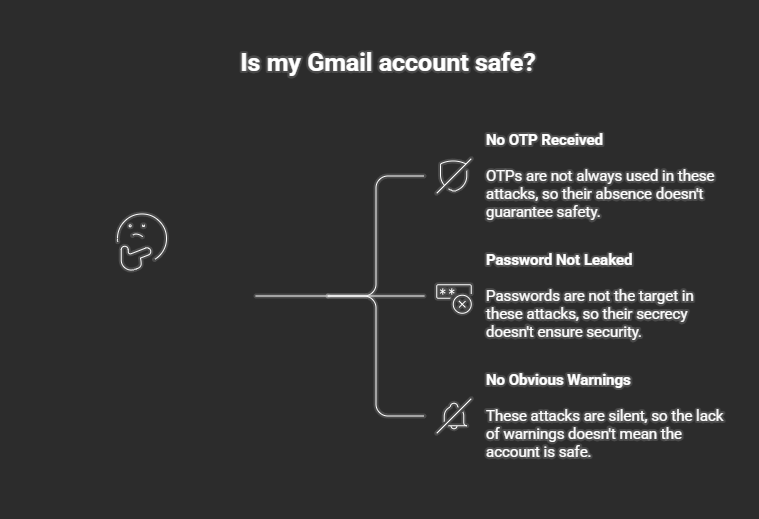
 If you believe your Gmail is safe because no OTP arrived and your password wasn’t leaked, this post is going to change how you think about security forever.
Right now, Gmail accounts are being hijacked silently — no password cracking, no OTP interception, no SIM swap.
No malware.
No brute force.
No obvious warning.
Just clever abuse of trusted Google features + human psychology.
This is one of the most dangerous account takeover trends of recent years, and almost nobody talks about it clearly.
Let’s break it down step by step.
🔥 The Big Lie: “No OTP = No Hack”
Most users assume:
“If someone hacked my Gmail, Google would send an OTP.”
❌ Wrong.
Modern Gmail takeovers don’t target login —
they target sessions, permissions, recovery paths, and trust.
From **Google’s perspective:
“The user approved this action.”
That’s why these attacks work so well.
🧠 How Hackers Hack Gmail Without Password or OTP
Attackers exploit legitimate Google workflows, not bugs.
Here are the most common real-world attack chains used today.
🎭 Attack Method #1: OAuth App Abuse (MOST DANGEROUS)
This is currently the #1 Gmail takeover method worldwide.
🔗 How the Attack Starts
Victim receives:
- Fake DocuSign email
- Fake invoice
- Fake “shared Google Doc”
- Fake “security alert”
The message says:
“A document has been shared with you. View now.”
🔐 The OAuth Trap
Victim clicks → redirected to a real Google login page.
They see:
“Allow this app to access your Google account”
Permissions include:
- Read emails
- Send emails
- Manage mailbox
Victim clicks Allow.
💥 Game over.
❗ Why OTP Is NOT Triggered
Because:
- OAuth is explicit user authorization
- Google thinks you approved it intentionally
No password theft.
No OTP needed.
👁️ What Hackers Can Do With OAuth Access
Attackers can:
- Read all emails
- Search inbox for crypto, bank, OTPs
- Send phishing emails from your account
- Reset other accounts (Instagram, GitHub, PayPal, etc.)
⚠️ Even if you change your password, OAuth access remains active.
🎭 Attack Method #2: Session Hijacking (Cookie Theft)
This method targets already logged-in users.
How It Works
Victim clicks:
- Fake Chrome update
- Fake meeting invite
- Fake Google security alert
The site:
- Steals session cookies
- Replays them on attacker’s browser
Result:
➡️ Attacker logs in without authentication
Why Google Doesn’t Ask for OTP
Because:
“This session is already authenticated.”
OTP is only used for new logins, not stolen sessions.
🎭 Attack Method #3: Account Recovery Abuse
This attack exploits Gmail’s recovery logic.
Attack Flow
- Attacker knows:
- Your email
- Old password leak (even years old)
- Initiates recovery repeatedly
- Social-engineers recovery approval
- Adds their own recovery email
Victim often ignores alerts — attackers wait.
Once recovery email is changed:
💥 Full takeover.
🎭 Attack Method #4: “Google Support” Social Engineering
Victims are redirected to:
- Fake Google Help pages
- Fake chat support
- Fake appeal forms
They are tricked into:
- Approving security changes
- Uploading ID
- “Confirming” account recovery
No OTP required — because user consent is faked.
🧩 Why Google Doesn’t Flag These Attacks
Because attackers:
- Use real Google pages
- Abuse allowed permissions
- Never brute-force
From **Gmail’s backend:
“User authorized this.”
That’s why victims feel helpless.
🔓 What Hackers Do After Taking Over Gmail
Once attackers control Gmail, they:
- Reset social media accounts
- Access cloud backups
- Steal crypto wallets
- Blackmail victims
- Lock users out permanently
⚠️ Gmail = master key to your digital life.
🛡️ How to Secure Your Gmail RIGHT NOW (Critical Steps)
✅ 1. Audit Connected Apps (MOST IMPORTANT)
Google Account → Security → Third-party access
Remove:
- Unknown apps
- Old tools
- Anything you don’t recognize
✅ 2. Check Active Sessions
Google Account → Security → Devices
Sign out of:
- Unknown locations
- Old devices
✅ 3. Use Security Keys (Best Protection)
Enable:
- Hardware security keys (YubiKey, Titan)
These block OAuth and phishing attacks entirely.
❌ 4. Never Click “Shared File” Links Blindly
Even if it looks like Google Docs:
- Verify sender
- Open manually via drive.google.com
🚫 5. Lock Down Recovery Email & Phone
Your recovery options are:
- Your weakest link
- Attacker’s favorite target
Secure them first.
🧠 For Hackers & Bug Bounty Hunters: Key Insight
This is not a vulnerability.
This is:
- Feature abuse
- Trust exploitation
- Consent manipulation
Modern attacks don’t break systems —
they convince users to open the door themselves.
🔮 Final Reality Check
If you still believe:
“My Gmail is safe because I have 2FA”
You’re partially protected, not safe.
Hackers don’t need your password.
They don’t need your OTP.
They just need:
- One click
- One approval
- One moment of trust
🔐 Audit your Google account today.
🧠 Treat urgency as a red flag.
👁️ Remember: authorization is more powerful than authentication.
Because the most dangerous Gmail hack
is the one that looks completely legitimate.
📢 Share this article — Gmail compromise destroys lives.
Stay alert. Stay paranoid. Stay safe.
 Spyboy blog