
 Posted by
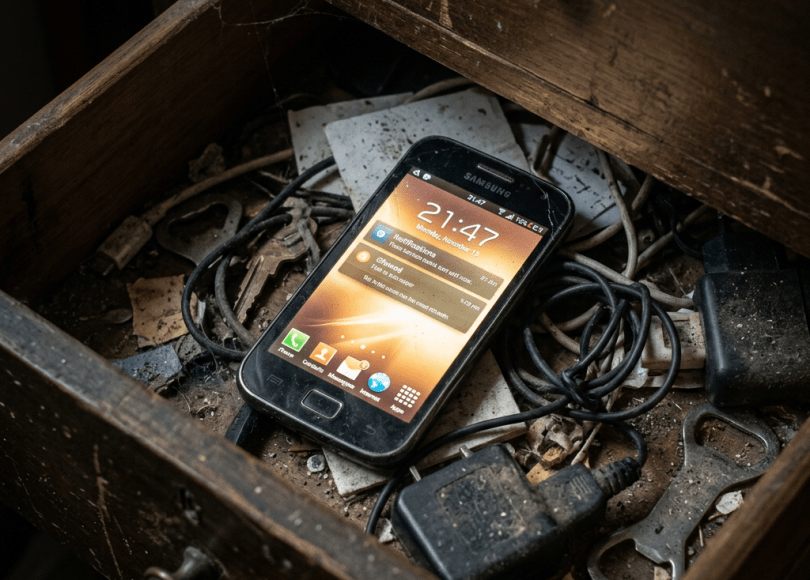
 Most people never think twice about old phones.
They end up:
- In a drawer
- On a shelf
- Given to relatives
- Sold online
- Used as backup devices
And people assume:
“I reset it. It’s fine.”
But old smartphones can quietly become one of the most overlooked cybersecurity risks in your life.
Because even after years of not using them, old devices may still contain:
- Saved passwords
- Browser sessions
- Photos
- Emails
- Banking apps
- Authentication apps
- Recovery numbers
- Cloud access
And if the phone is outdated?
It may also stop receiving critical security updates.
In this deep dive, we’ll uncover:
- 📱 Why old phones create hidden risks
- 🔐 What data usually remains behind
- ⚠️ Why factory resets aren’t always enough
- 🕵️ How attackers abuse old devices
- 🛡 How to safely retire a smartphone
Because sometimes…
The forgotten device in your drawer knows more about you than your current phone.
Why Old Phones Are More Dangerous Than People Think
Phones today aren’t just phones.
They contain:
- Identity data
- Personal memories
- Financial apps
- Login credentials
- Cloud accounts
- Digital history
A smartphone is essentially:
A portable archive of your life.
That makes forgotten devices surprisingly valuable.
What Your Old Phone Might Still Contain
Even after years:
📧 Email accounts
Often remain signed in.
🔑 Saved passwords
Browsers and apps store credentials.
☁ Cloud sessions
Google, Apple, and apps may stay linked.
💳 Payment information
Apps may retain transaction history.
📷 Photos and videos
Including deleted items synced to cloud services.
📱 Authentication apps
Old devices may still contain MFA codes.
Many users forget how much remains stored.
The Biggest Mistake: “I Factory Reset It”
Factory resets help.
But people often forget important steps before resetting:
- Removing cloud accounts
- Signing out of apps
- Removing SIM cards
- Disabling Find My Device
- Revoking linked sessions
If done incorrectly:
Problems may remain.
Especially if cloud accounts still trust the device.
The Hidden Risk: Trusted Devices
Many platforms remember devices long-term.
Examples include:
- Email accounts
- Social media
- Banking apps
- Cloud dashboards
Even if you stop using a phone:
Services may still recognize it as:
“Trusted.”
Attackers love trusted devices.
Because trusted systems often bypass extra security checks.
Outdated Phones Stop Getting Security Updates
This is where things become serious.
Older phones eventually stop receiving:
- Security patches
- OS updates
- Browser fixes
- App protections
That means vulnerabilities remain unpatched permanently.
And cybercriminals often target outdated systems.
Why Android and App Support Matters
As devices age:
Apps may:
- Stop updating
- Lose security support
- Become incompatible
Older software creates larger attack surfaces.
Especially if users continue browsing or downloading apps.
Real-World Example: Selling Phones Without Proper Cleanup
Many second-hand phones have historically been found containing:
- Photos
- Contacts
- Emails
- Documents
- Messages
Because users:
- Reset incorrectly
- Forgot cloud links
- Missed storage cards
This creates privacy and identity risks.
Another Overlooked Problem: Old SIM Cards
People often forget:
SIM cards contain:
- Contacts
- SMS history
- Verification systems
Old numbers sometimes remain linked to:
- Banking accounts
- Recovery settings
- Two-factor authentication
That can create long-term account recovery issues.
Why Authentication Apps Are Critical
Some users replace phones and forget:
Their old device still contains:
- MFA tokens
- Backup codes
- Recovery apps
Losing track of authentication systems can lock users out permanently.
Or expose recovery weaknesses.
The Psychology Behind Forgotten Devices
People assume:
“I haven’t touched it in years.”
So they stop thinking about it.
But forgotten technology creates invisible risk.
Cybersecurity problems often come from:
- Neglected systems
- Forgotten accounts
- Old devices
Not just active threats.
Can Attackers Really Use Old Phones?
Potentially yes.
Especially if devices contain:
- Active sessions
- Password managers
- Trusted logins
- Outdated software
Attackers often look for the easiest entry point.
And forgotten devices sometimes provide exactly that.
Why Backup Phones Create New Risks
Many people keep old devices as:
Emergency backup phones
But then:
- Never update them
- Forget passwords
- Ignore app security
Years later those phones become security time capsules.
Warning Signs an Old Device Needs Attention
🚩 Still Signed Into Email
Huge risk.
🚩 No Security Updates For Years
Outdated software matters.
🚩 Unknown Apps Installed
Old experiments become forgotten attack surfaces.
🚩 Banking Apps Still Present
Sensitive accounts should be removed.
🚩 Device Still Appears In Account Login History
Review trusted devices regularly.
How to Safely Retire an Old Phone
Now the important part.
🔐 1. Sign Out Of Everything First
Before resetting:
Remove:
- Email accounts
- Social media
- Banking apps
- Cloud sessions
🛡 2. Remove Device From Trusted Lists
Review:
- Google devices
- Apple devices
- Social account sessions
🌐 3. Revoke Active Sessions
Force logout where possible.
🚫 4. Remove SIM and Memory Cards
People forget this constantly.
🔍 5. Review Authentication Apps
Move MFA carefully before retiring devices.
📱 6. Update Before Resetting
Install latest updates first if available.
Comparison: Safe vs Unsafe Phone Retirement
| Safer Retirement | Riskier Retirement |
|---|---|
| Sign out first | Reset immediately |
| Remove trusted access | Leave sessions active |
| Remove SIM cards | Forget recovery links |
| Review MFA | Ignore authentication apps |
| Verify cloud removal | Assume reset solves everything |
The Bigger Problem: We Treat Phones Like Disposable Objects
Modern phones are:
- Wallets
- Identity systems
- Communication hubs
- Password vaults
But many people still think:
“It’s just an old phone.”
That mindset creates risk.
Because smartphones hold years of digital history.
Final Thoughts: Your Next Cybersecurity Risk Might Be Sitting In a Drawer
Cybersecurity isn’t only about:
- Malware
- Hackers
- Phishing
Sometimes risk comes from:
- Forgotten technology
- Outdated devices
- Neglected accounts
And old phones combine all three.
That unused device collecting dust…
May still have access to parts of your digital life.
Frequently Asked Questions (FAQ)
❓ Is factory reset enough before selling a phone?
Factory reset helps, but users should also remove accounts, revoke sessions, and remove trusted access first.
❓ Can old phones still access my accounts?
Yes. Trusted sessions and linked accounts may remain active.
❓ Why are outdated phones risky?
Old devices often stop receiving security updates and may contain unpatched vulnerabilities.
❓ Should I keep old phones as backups?
You can, but keep them updated and review account access regularly.
❓ Can old SIM cards create risks?
Yes. Old numbers may remain connected to account recovery systems and authentication methods.
❓ What should I remove before resetting a phone?
Accounts, cloud sessions, apps, SIM cards, memory cards, and authentication systems.
Final Call to Action
Right now:
- Find your old phones
- Check account access
- Remove trusted devices
- Review login sessions
- Secure MFA apps
- Share this article with someone who keeps old devices in a drawer
Because your next cybersecurity problem…
Might already be sitting quietly in your house.
Discover more from Spyboy blog
Subscribe to get the latest posts sent to your email.
