
 Posted by
 Most attacks don’t start with hacking tools. They start with attention.
Someone notices you—maybe through a post, a comment, a listing, or a leaked dataset. From there, a typical online targeting sequence begins. This guide walks through that sequence in a realistic, step-by-step scenario, showing what usually happens, what signals appear at each stage, and how you can recognize and interrupt the chain.
The Big Picture: How Targeting Actually Unfolds
Most incidents follow a simple flow:
Discovery → Recon → Profiling → Lure → Interaction → Access → Expansion
Each step builds on the previous one. Break the chain anywhere, and the outcome changes.
Scenario Setup
Let’s say:
- You’re active on social media
- You’ve posted a few photos and comments
- Your username is consistent across platforms
Nothing unusual—this is an average online footprint.
Now imagine someone decides to focus on you.
Step 1: Discovery (How You Get Noticed)
What happens
You appear on someone’s radar via:
- A viral comment or post
- A public listing (buy/sell, freelance, portfolio)
- A shared group or forum
- A dataset where your email/username appears
What they can see immediately
- Username or display name
- Profile photo
- Public bio and posts
Early signals for you
- New profile views or follows from unknown accounts
- Old posts suddenly getting attention
Step 2: Initial Recon (Surface-Level Lookups)
What happens
They run quick searches to see where else you exist online.
Common starting points:
- Google Search (name/username in quotes)
- Profile lookups across major platforms
- Basic reverse image checks
What they’re trying to answer
- Are you the same person across multiple platforms?
- Do you reuse usernames?
- Are there obvious identifiers (city, job, school)?
Signals you might notice
- Unusual views on multiple platforms around the same time
- Old accounts receiving activity
Step 3: Deep Recon (Connecting the Dots)
What happens
If you look interesting enough, they go deeper—correlating small details.
They may:
- Compare profile photos across platforms
- Look for consistent writing style or interests
- Search for mentions in forums, comments, or documents
Image tools often come into play:
- Google Images
- Yandex Images
What they build
- A list of your accounts
- Likely location (city/area)
- Interests, habits, active hours
Signals you might notice
- Connection requests from profiles that seem unrelated to your circle
- People referencing details you don’t remember sharing recently
Step 4: Profiling (Understanding You)
What happens
Now it becomes less about data and more about behavior.
They try to understand:
- When you’re online
- What you care about (topics, hobbies)
- How you respond to messages (formal/casual, quick/slow)
Why this matters
This step makes the next stage—the lure—far more convincing.
Signals you might notice
- New accounts engaging with your posts to “warm up” interaction
- Comments or DMs that mirror your interests unusually well
Step 5: Crafting the Lure
What happens
Instead of sending a random message, they tailor it.
Common formats:
- “Hey, is this you in this photo?”
- “I saw your post about X—check this out”
- “We’re hiring for your skillset, apply here”
The goal is simple: get you to click or respond.
Why it works
- Feels relevant
- Feels personal
- Feels urgent or curious
Signals you might notice
- Messages referencing something specific you posted
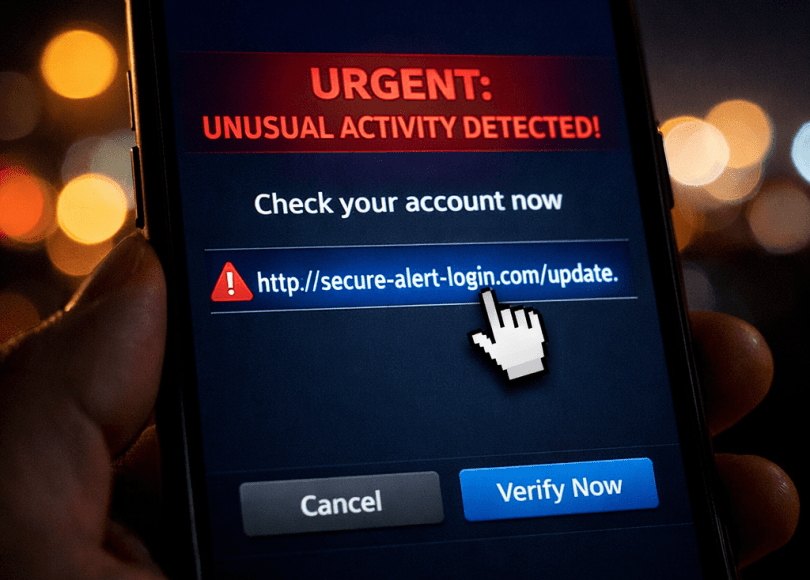
- Links that look slightly off (shortened URLs, unusual domains)
Step 6: Interaction (The Critical Moment)
What happens
This is the turning point.
You might:
- Click a link
- Download a file
- Reply with information
- Enter credentials on a page
From a technical standpoint, even a simple visit can reveal:
- IP address (approximate location)
- Device and browser details
What determines the outcome
- Whether you verify before acting
- Whether you separate identities (work/personal/anonymous)
Signals you might notice
- Pages asking for permissions (camera, location)
- Login prompts that don’t match the usual flow
Step 7: Initial Access (If Interaction Succeeds)
What happens
If the interaction yields something useful, they may gain:
- Account access (via credentials)
- Visibility into your activity
- Confirmation of your device/location
What they do next
- Test access quietly
- Check linked accounts (email, social, services)
Signals you might notice
- New login alerts
- Password reset emails you didn’t request
- Sessions you don’t recognize
Step 8: Expansion (Moving Across Your Accounts)
What happens
Access to one account can lead to others through:
- Password reuse
- Account recovery flows
- Contact lists
What they aim for
- Email (central hub)
- Social accounts (reach)
- Financial services (value)
Signals you might notice
- Unusual messages sent from your account
- Settings changed without your action
- New devices listed in account activity
Step 9: Persistence or Exit
What happens
Depending on intent, they may:
- Maintain quiet access
- Use the account briefly and leave
- Attempt further actions (spreading messages, data collection)
Signals you might notice
- Intermittent suspicious activity
- Logins from unfamiliar locations
- Contacts reporting odd messages from you
Timeline: How Fast Can This Happen?
| Stage | Typical Time |
|---|---|
| Discovery → Recon | Minutes to hours |
| Deep Recon → Profiling | Hours to a couple of days |
| Lure → Interaction | Minutes (once sent) |
| Access → Expansion | Minutes to hours |
The fastest part is rarely the “hack.” It’s the moment of interaction.
Where Most People Lose Control
Across all scenarios, the break usually happens at one of these points:
- Clicking a link without verifying
- Reusing passwords across services
- Mixing personal and anonymous identities
- Oversharing small details that help profiling
A Simple Way to Interrupt the Chain
You don’t need complex setups to make a difference. Focus on the key breakpoints:
Before interaction
- Verify links and domains
- Pause on unexpected urgency
At interaction
- Avoid logging in through unfamiliar links
- Be cautious with downloads and permissions
After interaction
- Watch for login alerts
- Change passwords if something feels off
Quick Self-Check: Are You an Easy Target?
Ask yourself:
- Do I reuse usernames or emails everywhere?
- Are my profiles publicly linked to each other?
- Do I click links in DMs without checking?
- Do I post in real time with identifiable details?
The more “yes” answers, the shorter the timeline becomes.
Key Takeaways
- Targeting is a process, not a single event
- Most steps rely on public information and behavior
- The decisive moment is usually your interaction
- Small habits can significantly extend or break the attack chain
FAQ
What does it mean to be targeted online?
It means someone is intentionally focusing on you—collecting information and attempting interaction to gain access or insight.
How do attackers find targets?
Through public posts, listings, shared groups, or datasets where identifiers like usernames or emails appear.
What is the most critical stage in an attack?
The interaction stage—when a user clicks, downloads, or enters information.
Can this happen to anyone?
Yes. Most scenarios don’t require special skills—just available data and user interaction.
How can I reduce the risk?
Verify before clicking, avoid reusing credentials, and limit how your accounts connect to each other.
Final Thoughts
Being targeted online isn’t always dramatic or obvious.
It often looks like:
- A normal message
- A relevant link
- A familiar conversation
But behind that can be a structured process.
The good news is this:
You don’t need to outsmart every step.
You just need to break the chain once.
And in most cases, that comes down to one habit:
Pause before you act.
Discover more from Spyboy blog
Subscribe to get the latest posts sent to your email.
