
 Posted by
 People install free VPNs for one reason:
Privacy.
They want to:
- Hide browsing activity
- Stay anonymous
- Bypass restrictions
- Protect themselves on public WiFi
Sounds smart.
And sometimes it is.
But here’s the uncomfortable truth:
Some free VPNs may create more privacy problems than they solve.
Because when you use a VPN, you’re making a huge decision:
You’re choosing who you trust with your internet traffic.
And many users never think about that.
They simply search:
“Best free VPN”
Download the first result.
Click connect.
Done.
But behind the scenes?
Some services may collect:
- Browsing activity
- Device information
- Advertising IDs
- Usage analytics
- Connection metadata
And in some cases, users discovered far more concerning behavior.
In this deep dive, we’ll uncover:
- 🌐 How VPNs actually work
- 🔐 Why free VPNs can become risky
- 🕵️ What some providers may collect
- ⚠️ Fake VPN apps and malware dangers
- 📱 Why mobile VPN apps deserve extra caution
- 🛡 How to choose safer VPN services
Because sometimes…
The thing installed for privacy becomes the thing watching you.
What Does a VPN Actually Do?
A VPN creates an encrypted connection between:
- Your device
- A VPN server
This helps reduce visibility for:
- Internet providers
- Public WiFi operators
- Local network observers
Instead of traffic going:
You → Website
It becomes:
You → VPN → Website
Sounds great.
But now there’s a new question:
Who runs the VPN?
VPNs Shift Trust — They Don’t Eliminate It
Many users think:
“VPN = anonymous.”
Not exactly.
A VPN changes who sees your traffic.
Without a VPN:
Your ISP may see browsing activity.
With a VPN:
The VPN provider may see traffic patterns instead.
You’re transferring trust.
That’s important.
Why Free VPNs Raise Questions
Running VPN infrastructure costs money.
A lot of money.
Providers pay for:
- Servers
- Bandwidth
- Maintenance
- Development
- Support
So if a service is completely free…
Many users naturally ask:
“How are they making money?”
Sometimes through:
- Premium upgrades
- Advertising
- Analytics
- Data partnerships
Not every free VPN is unsafe.
But users should ask questions.
Fake VPN Apps Are a Growing Problem
Cybercriminals increasingly create:
- Fake VPN applications
- Cloned VPN brands
- Modified APKs
- Browser extension scams
Victims search:
“Free unlimited VPN”
Download a random app.
Grant permissions.
And suddenly:
The “privacy tool” becomes a risk.
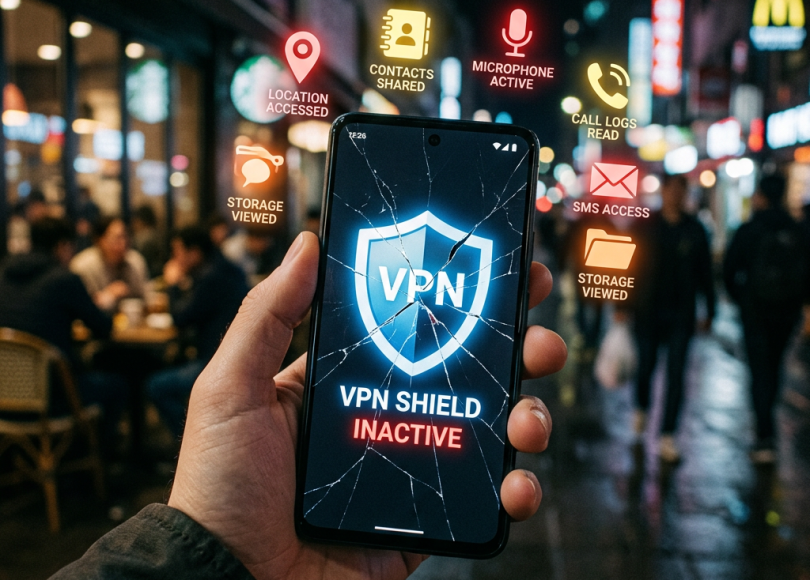
What Permissions Do VPN Apps Sometimes Request?
Some apps request access to:
- Notifications
- Contacts
- Storage
- Accessibility features
That should raise questions.
Because many VPN functions don’t require broad access.
Permission mismatches matter.
The Hidden Risk: Browser VPN Extensions
Browser VPN extensions are popular because they’re easy.
But many users misunderstand them.
Some browser VPNs protect:
Only browser traffic.
Not:
- Apps
- Games
- System activity
- Background connections
People assume:
“Everything is protected.”
Sometimes that’s incorrect.
Public WiFi + Fake VPN = Double Trouble
People often install VPNs before:
- Airport travel
- Hotels
- Cafes
- Public hotspots
But fake VPN apps on public WiFi can create additional risks.
Because users lower their guard:
“I’m protected now.”
That confidence can become dangerous.
Real-World Concerns Around VPN Data Practices
Over time, privacy discussions around VPNs raised questions involving:
- Logging policies
- Data collection practices
- Transparency concerns
- Ownership changes
This doesn’t mean every provider behaves badly.
But users should remember:
Privacy claims deserve scrutiny.
Another Myth: VPNs Don’t Stop Everything
People sometimes believe VPNs prevent:
- Malware
- Phishing
- Tracking
- Scams
- Viruses
Not true.
VPNs help with network privacy.
They do NOT automatically stop:
- Fake websites
- Dangerous downloads
- Malicious links
- Social engineering
Cybersecurity still matters.
Why Mobile VPN Apps Deserve Extra Attention
Phones contain:
- Photos
- Banking apps
- Email accounts
- Contacts
- Authentication systems
A risky VPN app on mobile devices can create larger concerns than users realize.
Because smartphones contain enormous amounts of personal data.
The Psychology Behind Free VPN Downloads
People love:
- Free things
- One-click fixes
- “Ultimate privacy” promises
Attackers understand this perfectly.
Because convenience often overrides caution.
Warning Signs a VPN App May Be Suspicious
🚩 Unlimited promises with no explanation
“100% free forever” deserves questions.
🚩 Excessive permissions
A VPN doesn’t need everything.
🚩 Unknown developer
Research who created the app.
🚩 Strange privacy policies
Look for vague language.
🚩 Downloaded outside official stores
Huge warning sign.
What VPNs Actually Help With
VPNs can help reduce:
- ISP visibility
- Local network observation
- Public WiFi exposure
They can be useful tools.
Just not magical privacy shields.
How to Choose VPNs More Carefully
Now the important part.
🔐 1. Research Providers
Read:
- Transparency information
- Company details
- Security reputation
🛡 2. Download From Official Sources
Avoid random APK sites.
🌐 3. Understand What The VPN Protects
Browser-only extensions ≠ full-device VPNs.
🚫 4. Don’t Treat VPNs Like Total Anonymity
You still need:
- Safe browsing habits
- Strong passwords
- Security awareness
🔍 5. Review Permissions
Always ask:
“Why does this app need this access?”
📱 6. Keep Apps Updated
Updates matter.
Comparison: Safer VPN Habits vs Riskier Habits
| Safer Habits | Riskier Habits |
|---|---|
| Research providers | Install random VPNs |
| Official downloads | Download APKs |
| Understand limitations | Assume total anonymity |
| Review permissions | Grant everything |
| Stay security-aware | Blind trust |
The Bigger Problem: Privacy Became a Marketing Buzzword
People desperately want privacy.
Companies know this.
So products increasingly advertise:
- Anonymous browsing
- Total protection
- Military-grade security
- Ultimate privacy
But security isn’t a button.
And privacy tools still require trust.
Final Thoughts: VPNs Can Help — But Blind Trust Creates New Risks
VPNs aren’t bad.
Many are incredibly useful.
But users should understand:
A VPN changes the privacy equation.
It doesn’t eliminate risk.
And when people chase “free unlimited privacy” without asking questions…
They may create new problems accidentally.
Because cybersecurity isn’t only about hiding from observers.
It’s also about knowing who you’re trusting in the first place.
Frequently Asked Questions (FAQ)
❓ Are free VPNs dangerous?
Not all are dangerous, but users should carefully evaluate privacy practices, permissions, and legitimacy.
❓ Do VPNs make me anonymous?
No. VPNs improve privacy in some situations but do not guarantee anonymity.
❓ Can VPNs stop hackers?
VPNs can reduce certain network risks but do not prevent phishing, malware, or social engineering.
❓ Are browser VPN extensions enough?
Some only protect browser traffic rather than your entire device.
❓ Why do VPN apps ask for permissions?
Permissions vary, but users should review whether requests make sense for app functionality.
❓ Should I use VPNs on public WiFi?
VPNs can help reduce exposure on public networks, but users should still avoid unsafe behavior.
Final Call to Action
Right now:
- Review your VPN apps
- Check permissions carefully
- Remove suspicious tools
- Stop downloading random APKs
- Share this article with someone using a random “free unlimited VPN” app
Because sometimes…
The app promising privacy may deserve privacy questions itself.
Discover more from Spyboy blog
Subscribe to get the latest posts sent to your email.
