
 Posted by
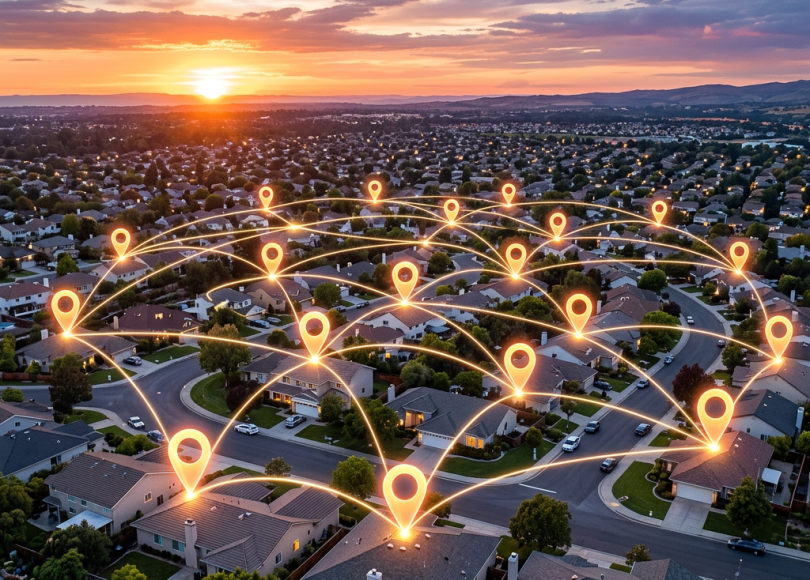
 Whether it’s your kids heading to school, parents traveling alone, or a partner commuting late at night—knowing someone’s location can bring real peace of mind.
The good news? You don’t need anything complicated.
Today, apps like Google Find Hub and Life360 make it incredibly easy to:
- See live location
- Check battery levels
- Get alerts when someone arrives or leaves
- Even monitor driving behavior
But there’s a right way to do it—and a wrong way.
Let’s break it down.
📍 Why People Use Location Tracking

Location tracking today is less about “spying” and more about:
- Safety
- Coordination
- Peace of mind
Common use cases:
- Kids going to school
- Late-night travel
- Elderly care
- Meeting up in crowded places
📱 Best Apps to Track Loved Ones
🔵 1. Google Find Hub (Android / Google Ecosystem)
What it does:
- Shows real-time location
- Displays last seen location
- Shows battery status
- Helps locate lost/stolen devices
Why it’s useful:
- Built into Google ecosystem
- No extra app needed in many cases
- Works reliably on Android
🟣 2. Life360 (Most Popular Family Tracking App)

Features:
- Live location tracking
- Battery percentage of each member
- Driving speed reports
- Crash detection alerts
- Location history
Why people love it:
- Designed specifically for families
- Easy to use
- Real-time updates
⚡ What You Can Actually See
With these apps, you can monitor:
📍 Live Location
- See exactly where someone is on a map
- Updates in near real-time
🔋 Battery Status
- Know if their phone is about to die
- Useful in emergencies
🚗 Driving Behavior (Life360)
- Speed
- Sudden braking
- Trip history
📌 Place Alerts (Geofencing)
- Get notified when they:
- Reach home
- Leave school
- Arrive at work
🧠 How It Works (Simple Explanation)
These apps use:
- GPS (for location)
- Internet (to sync data)
- Permissions (granted by user)
Nothing is hidden. Everything works with consent.
⚠️ Important: Do This Ethically
Tracking should never be secret.
Always:
- Inform the person
- Get consent
- Use it for safety—not control
❌ What NOT to Do
- Don’t secretly install tracking apps
- Don’t use spying tools
- Don’t violate someone’s privacy
👉 That’s illegal and unethical.
🛡️ How to Set It Up Safely
✅ Step 1: Choose the Right App
- Simple → Google Find Hub
- Advanced → Life360
✅ Step 2: Enable Location Sharing
- Turn on GPS
- Allow location permissions
✅ Step 3: Add Trusted People Only
- Share with family
- Avoid unnecessary sharing
✅ Step 4: Set Alerts
- Home
- School
- Office
📊 Quick Comparison
| Feature | Google Find Hub | Life360 |
|---|---|---|
| Live Location | ✅ Yes | ✅ Yes |
| Battery Status | ✅ Yes | ✅ Yes |
| Driving Reports | ❌ No | ✅ Yes |
| Place Alerts | Limited | ✅ Yes |
| Ease of Use | Simple | Advanced |
🔐 Privacy Tips (Very Important)
Even when tracking loved ones:
- Turn off sharing when not needed
- Don’t overshare location publicly
- Use strong account security
- Review who has access regularly
🧠 The Right Way to Think About It
It’s not about control.
It’s about safety + awareness.
Used correctly:
- It reduces stress
- Improves coordination
- Helps in emergencies
🔚 Final Thoughts
Technology today allows you to:
- Stay connected
- Stay informed
- Stay safe
Without invading privacy.
Apps like Google Find Hub and Life360 make it simple.
Just remember:
Use it with trust, not control.
❓ FAQ
Can I track someone’s location without them knowing?
No, and you shouldn’t. Most legitimate apps require consent.
Is Life360 accurate?
Yes, it uses GPS and is generally very accurate.
Does tracking drain battery?
Slightly, but modern apps are optimized to minimize impact.
Can I track multiple people?
Yes, both apps support multiple users.
What’s the best app for families?
Life360 is the most feature-rich option.
Discover more from Spyboy blog
Subscribe to get the latest posts sent to your email.
