
 Posted by
 You Gave Up Your Phone Number. Someone Else May Get It.
Most people think a phone number belongs to them.
It doesn’t.
You use a number.
Your mobile carrier can eventually deactivate it, return it to its available pool and assign it to another customer.
That creates an unusual cybersecurity problem.
Imagine you had:
+91 XXXXX XXXXX
for five years.
You used it for:
- Gmail
- Telegram
- Banking
- Shopping
- Cryptocurrency
- Government services
- Two-factor authentication
- Password recovery
Then you change your number.
You forget about the old one.
Months later, the number is assigned to somebody else.
Now imagine that person receives:
“Your Google verification code is 847291.”
They don’t know why.
Another message arrives:
“Reset your password?”
Then:
“Your WhatsApp verification code is…”
The new owner didn’t hack your phone.
They didn’t break into a server.
They simply received a phone number that you stopped using.
And somewhere on the internet, your old number may still be connected to your accounts.
This is called phone-number recycling or reassignment.
And it can create a surprisingly serious security problem.
Your Phone Number Isn’t Really Your Identity
This is the first misconception to eliminate.
A phone number identifies a destination for communication.
It doesn’t permanently identify a human being.
You can change:
- SIM card
- carrier
- device
- country
- phone number
And numbers can eventually be reassigned.
The FCC has explicitly recognized the problem of reassigned numbers: when a number is given to a new subscriber, businesses may continue communicating with the previous owner because their records haven’t been updated. (FCC Docs)
That creates both privacy and security problems.
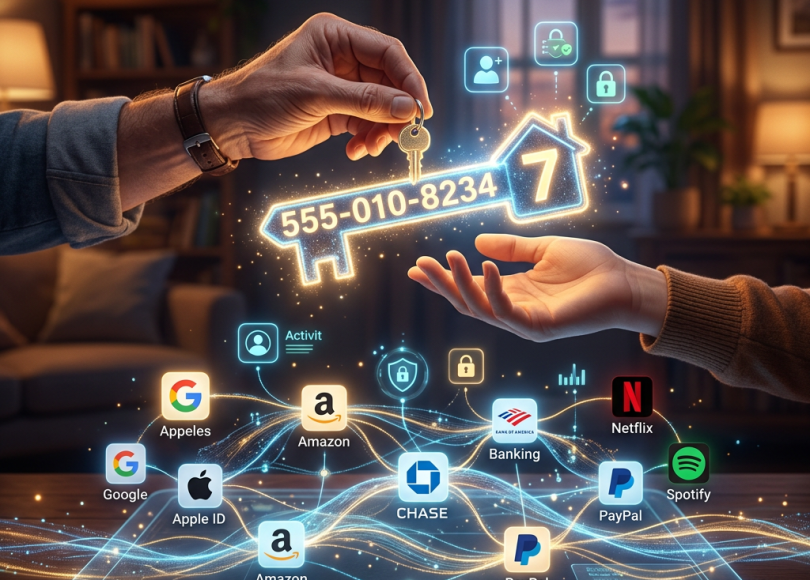
Imagine Your Number as a House Key
Suppose you move out of an apartment.
You tell your friends:
“I’ve moved.”
But you forget to tell your bank.
And your bank continues sending important letters to the old apartment.
Then someone else moves in.
Your old address is no longer yours.
But the system still thinks it is.
Phone numbers can create a similar problem.
Except instead of letters, the new owner may receive:
SMS OTPs
Password-reset codes
Login alerts
Private notifications
Calls
Voicemails
And sometimes those messages can reveal information about the previous owner.
What Happens When a Phone Number Is Recycled?
The exact process varies by carrier and country.
But broadly:
You stop using the number.
↓
Carrier eventually deactivates it.
↓
The number enters an available pool.
↓
Another customer receives it.
↓
Websites still have the old number stored.
↓
Messages intended for you may reach the new owner.
The danger depends heavily on how each service handles account recovery and whether you’ve properly updated your information.
The Research Is Worse Than Most People Expect
Researchers at Princeton studied recycled mobile numbers in the United States.
They sampled 259 numbers made available to new subscribers.
They found:
- 171 were linked to existing accounts on popular websites.
- 100 were associated with leaked login credentials.
- A large majority were connected to previous-owner information through people-search services. (Recycled Numbers)
The researchers concluded that recycled numbers could create both:
Account takeover risks
and
Privacy/identity risks.
This was not merely theoretical.
They demonstrated that some recycled numbers remained associated with existing online accounts.
Your Old Number Could Still Be Your Account Recovery Key
This is the biggest problem.
Imagine your Google account has:
Primary email: you@example.com
Recovery phone: your old number
You change your number.
But forget to remove the old one.
Eventually somebody else receives that number.
If Google’s recovery process allows the old number to participate in account recovery under the circumstances applicable to the account, the number can become a security weakness.
The same general problem can occur across many services.
Think About Every Account That Has Your Number
You probably won’t remember them all.
Try listing them.
- Gmail
- Outlook
- Yahoo
Social media
- X
- Snapchat
Messaging
- Telegram
- Signal
Shopping
- Amazon
- Flipkart
- eBay
Financial
- Banks
- Wallets
- Payment services
- Investment platforms
Developer services
- GitHub
- Cloud platforms
- Hosting providers
Government services
Depending on your country.
Old accounts
The ones you forgot existed.
And that’s where things become difficult.
The Forgotten Account Problem
You might remember to change your number on:
Gmail
But what about the account you created in 2017?
Maybe you haven’t used it for years.
You don’t even remember the password.
Yet the old phone number may still be attached.
That’s a problem because:
You don’t have to actively use an account for its recovery information to remain important.
Old Phone Numbers Can Become Privacy Leaks
Security isn’t the only issue.
Imagine the new owner searches your old number online.
They may discover that it was previously associated with:
- Your name
- Old business listings
- Social-media profiles
- Marketplace accounts
- Public posts
- Reviews
- Contact information
Princeton researchers found that recycled numbers could be associated with personally identifiable information through people-search services. (CITP Blog)
So the new owner may occasionally receive messages intended for you and discover information about the previous owner.
What If Someone Calls Your Old Number?
They may hear:
“Hi, is Rahul there?”
The new owner says:
“No.”
That’s merely annoying.
But imagine:
“Hi, we’re calling from your bank.”
or:
“Your delivery is ready.”
or:
“Your verification code is…”
Now the new owner is learning something about you.
OTPs Are Especially Sensitive
Suppose your old number is still registered somewhere.
The new owner receives:
“Your login verification code is 739284.”
They now know:
Someone is attempting to authenticate using this number.
Depending on the service’s design, they may also be able to use the code as part of a login or recovery process.
This is why relying exclusively on SMS for high-value account recovery can be problematic.
NIST’s current digital-identity guidance treats PSTN-based authentication as a restricted authenticator and calls for alternatives in relevant circumstances. (ID Dataweb)
SMS OTP Proves Access to the Number
This distinction is extremely important.
Suppose a website sends:
123456
to a phone number.
The person enters it.
The website knows:
“Someone controlling this number received the code.”
It does not automatically prove:
“This is the original owner of the account.”
If the number changed hands, that distinction becomes critical.
Your Number Can Change Owners
The account doesn’t necessarily know that.
That’s the core problem.
From the service’s perspective:
Old owner ↓+91 XXXXX XXXXX ↓SMS received ↓OTP verified
But reality may now be:
Old owner ↓Stopped using numberCarrier ↓Reassigned numberNew owner ↓Receives SMS
The phone number remained the same.
The human changed.
The New Owner Isn’t Automatically a Hacker
This is important.
If someone receives your old number, don’t assume they’re malicious.
They may have absolutely no idea who previously used it.
They may simply be confused by:
“Why am I receiving all these OTP messages?”
The security problem exists because systems may still associate the number with an old account.
The Dangerous Scenario
Now imagine the new owner is curious.
They see:
“Forgot password?”
They enter the number.
The website responds:
“We found an account associated with this number.”
That alone can reveal that the previous owner had an account.
If the recovery flow then relies heavily on SMS, the situation becomes more serious.
Some Services Are Better Designed Than Others
There is no universal rule:
“If someone gets your old number, they automatically get your accounts.”
That’s false.
Modern services may use additional checks such as:
- Existing sessions
- Email verification
- Authenticator apps
- Passkeys
- Device recognition
- Security keys
- Recovery codes
- Risk-based authentication
- Identity verification
So recycled numbers are a risk, not a guaranteed account takeover mechanism.
The Real Danger: SMS Is Sometimes Both Login and Recovery
Suppose a service supports:
Login with phone number + SMS code.
Then:
Phone number
becomes extremely important.
If it also supports:
Password reset via SMS
the same number becomes a recovery mechanism.
If it also uses:
SMS as MFA
the number becomes another authentication factor.
Now one recycled number could potentially affect multiple security layers.
The Princeton Study Found Exactly This Problem
The researchers examined popular services and found that some recycled numbers remained linked to accounts in ways that could potentially enable account takeover.
They found 66% of the sampled recycled numbers were linked to an account on at least one of the six services they tested, and some accounts were immediately vulnerable under the tested SMS recovery configurations. (Recycled Numbers)
Again, this was a study of specific services and configurations—not proof that every account using SMS is vulnerable.
But the underlying lesson is powerful:
Changing your number without updating your accounts can leave behind a security trap.
What Happens to WhatsApp?
Messaging apps deserve special attention because phone numbers can be central to account identity.
If you change numbers, use the platform’s official number-change/account migration mechanism where available.
Don’t simply abandon the old SIM and assume everything will automatically follow you.
If you leave an account tied to an old number, someone else may eventually obtain that number.
What About Telegram?
Same principle.
Review:
- Phone number
- Active sessions
- Two-step verification
- Recovery email
and make sure your account isn’t dependent on a number you no longer control.
What About Banking?
This can become especially important.
Your old number may be connected to:
- Transaction alerts
- OTP authentication
- Account recovery
- Customer-service verification
The exact procedures differ by bank and country.
If you change your number:
Update your bank immediately.
Don’t wait until the old SIM disappears.
What About UPI?
For users in India, this deserves special attention.
Your mobile number can be deeply connected to banking and payment services.
If you change numbers:
- Update your bank records.
- Update payment applications.
- Verify your UPI configuration.
- Remove the old number from account recovery/contact information.
- Confirm transaction alerts go to your current number.
Don’t assume changing the SIM in your phone automatically updates every financial system.
What About Google?
Your Google account may contain years of information.
It can also act as a recovery point for other services.
Review:
- Recovery phone
- Recovery email
- Devices
- Security keys
- Passkeys
- Authenticator methods
- Active sessions
Remove the old number.
What About Apple?
Same principle.
Review the phone number associated with:
- Apple Account
- Trusted phone numbers
- Account recovery
- iMessage/FaceTime where relevant
Make sure the number you no longer control isn’t still treated as a trusted contact method.
What About Microsoft?
Check:
- Security information
- Recovery phone
- Authenticator
- Trusted devices
- Account aliases
- Recovery methods
Remove numbers you no longer control.
The Number You Forgot About Can Be More Dangerous Than the Number You Use
That’s the strange part.
Your current phone number is probably protected.
You know:
“This is my number.”
You receive:
OTP → You
But your old number?
You don’t even think about it.
Meanwhile:
Your old accounts
Your old recovery settings
Your old profiles
may still reference it.
How to Find Accounts Linked to Your Old Number
This is where you need to be systematic.
Don’t rely on memory.
Create a list.
Start with your:
Email accounts
Then:
Banking/payment accounts
Then:
Social media
Then:
Messaging
Then:
Shopping
Then:
Cloud/developer accounts
Then:
Old services
Search your email inbox for terms such as:
“phone number”
“mobile number”
“OTP”
“verification”
“recovery phone”
“security”
“two-factor”
“2FA”
You may discover services you’ve completely forgotten.
Check Your Password Manager
If you use one, search for your old number in:
- Usernames
- Notes
- Login details
- Recovery information
This can help identify forgotten accounts.
Search Your Old Number Online
You can also search for your old number in search engines.
Use variations such as:
"9876543210""+91 9876543210""09876543210"
You may discover:
- Old business listings
- Marketplace profiles
- Forum accounts
- Public contact pages
Be aware that search results can contain outdated or inaccurate information.
Don’t Try to Contact the New Owner
This is important.
If you discover that someone else now has your old number:
Don’t ask them to send you OTPs.
Don’t attempt to use them as an intermediary to recover your accounts.
Instead:
Update your recovery methods through the service’s official account-recovery process.
What If You Already Lost the Number?
Don’t panic.
You can still secure many accounts.
Start with your most important accounts.
1. Primary email
2. Password manager
3. Banking
4. Apple/Google/Microsoft account
5. Social media
6. Messaging
7. Cloud/developer accounts
Replace the old number.
Then review active sessions.
Change Your Passwords If the Old Number Was a Recovery Method
If you’ve discovered that a sensitive account still had your old number attached:
- Replace the recovery number.
- Change the password if appropriate.
- Review active sessions.
- Review MFA.
- Remove unknown devices.
- Check recovery email.
- Review security activity.
Don’t wait for evidence of an actual compromise.
Don’t Just Remove the Number
Also check:
Recovery email
Is it yours?
Authenticator
Do you recognize it?
Passkeys
Do you recognize the devices?
Security keys
Are they yours?
Backup codes
Have they been regenerated if necessary?
Active sessions
Do you recognize them?
Connected apps
Do you recognize them?
Security is a system.
Move Away From SMS Where Appropriate
You don’t necessarily need to eliminate SMS everywhere.
But for high-value accounts, consider stronger authentication options where supported:
- Passkeys
- Hardware security keys
- Authenticator apps
NIST’s current guidance treats phone-network-based authentication as a restricted mechanism and recommends alternatives where appropriate. (ID Dataweb)
Why Passkeys Help
A passkey isn’t simply:
“A code sent to your phone.”
It is based on cryptographic credentials associated with your account/device ecosystem.
That means changing your phone number doesn’t automatically transfer the authentication secret to whoever gets your old number.
Passkeys aren’t a solution to every account-security problem, but they can reduce reliance on phone numbers.
The “New Number” Checklist
Before abandoning a phone number:
🔐 Accounts
- Apple
- Microsoft
- Banking
- Payment apps
- Social media
- Messaging
- Shopping
- Cloud
- Work
- Developer accounts
🔑 Authentication
- Replace recovery phone
- Update MFA
- Move authenticator
- Generate new backup codes
- Add recovery email
- Review passkeys/security keys
📱 Devices
- Remove old trusted devices
- Review active sessions
- Remove old SIM/eSIM
- Check linked devices
Before You Sell or Give Away Your Phone
Changing numbers and changing phones are different problems.
If you’re also replacing the device:
- Sign out of accounts.
- Remove SIM/eSIM.
- Remove memory cards.
- Transfer authenticator credentials.
- Remove trusted-device status.
- Revoke sessions.
- Factory-reset the device.
SpyBoy already covers the separate risks of retaining or disposing of old phones, so don’t confuse device retirement with phone-number retirement. (Spyboy blog)
What If You Have Two Numbers?
This is common.
You may have:
Primary number
and
Old/secondary number
Don’t assume the second one is harmless.
If it’s still attached to account recovery, it remains part of your security perimeter.
What If You Keep Your Old Number Active?
That’s actually simpler.
If you retain control of it:
- Keep the SIM/eSIM secure.
- Keep the account active.
- Monitor it.
- Don’t give it away.
But if you’re paying indefinitely for a number solely because you’re afraid of account recovery problems, it’s better to systematically migrate your accounts rather than depend forever on an unused number.
Businesses Have the Same Problem
This isn’t just a personal problem.
Companies frequently have:
- Employee phone numbers
- Support numbers
- Recovery numbers
- Admin accounts
- Vendor contacts
An employee leaves.
Their number gets reassigned.
But an old SaaS account still has:
+91 XXXXX XXXXX
as its recovery number.
Now the new subscriber may receive security messages.
This is why organizations should treat phone numbers as lifecycle-managed identity data.
The Employee Offboarding Problem
Imagine an administrator leaves a company.
The organization:
disables their email.
Good.
But forgets:
phone-based recovery on a cloud service.
The employee’s number is eventually reassigned.
Now the new subscriber receives a verification message.
The company may have accidentally left behind a recovery path.
Developers Need to Think About This Too
If you’re building an application that uses phone numbers for authentication, don’t assume:
phone number = permanent identity
It isn’t.
A secure system should account for:
- Number reassignment
- SIM changes
- Number porting
- Recovery abuse
- Lost devices
- Account lifecycle
- Number ownership changes
A phone number is a changeable identifier, not an immutable identity.
The Bigger Lesson
The internet has created a strange situation.
Your identity is spread across hundreds of services.
Each service may store:
- Phone
- Recovery address
- Authentication factors
- Trusted devices
You change one piece of information.
But the other 99 services don’t automatically know.
That’s why:
Identity hygiene matters.
The 10-Minute Number Audit
If you have ever changed your phone number, do this today.
Minute 1–2
Open your password manager.
Search for your old number.
Minute 3–4
Search your email for:
old number
Minute 5
Check your primary email security settings.
Minute 6
Check your Google/Apple/Microsoft security settings.
Minute 7
Check banking/payment apps.
Minute 8
Check social media.
Minute 9
Check WhatsApp/Telegram/other messaging services.
Minute 10
Review active sessions and recovery methods.
You might discover something you completely forgot about.
The Worst Case
Imagine:
You changed your number in 2024.
You forgot about an old email account.
That email account still has:
Old phone number
as recovery.
The number is reassigned in 2026.
New owner receives an account-recovery code.
Now they may potentially gain access depending on the service’s recovery controls.
Inside that old email:
- Password-reset messages
- Old conversations
- Documents
- Account registrations
And suddenly an abandoned account becomes the starting point for something much bigger.
How to Prevent This From Happening
The best solution is incredibly simple:
Never abandon a phone number before removing it from your digital life.
Before cancelling it:
Change it everywhere.
Then:
Verify the change.
Then:
Remove the old number.
Then:
Review active sessions.
Final Checklist
Before giving up a number:
- Change your Google recovery number
- Change Apple trusted number
- Change Microsoft security number
- Update every email account
- Update banking
- Update payment apps
- Update social media
- Update messaging apps
- Update shopping accounts
- Update work accounts
- Update cloud services
- Update developer accounts
- Remove old number from MFA
- Replace SMS recovery where possible
- Check forgotten accounts
- Check password manager
- Review active sessions
- Remove old trusted devices
- Confirm the old number is no longer a recovery method
Final Thoughts
We tend to think of cybersecurity as:
Protect your password.
But your password is only one part of your identity.
Your:
Phone number
Recovery email
MFA
Passkeys
Trusted devices
Active sessions
all form part of your security perimeter.
And unlike a password, a phone number can eventually belong to somebody else.
That’s the uncomfortable part.
You could have stopped using a number years ago.
But somewhere on the internet, an old account might still be saying:
“If you can’t remember your password, we’ll send a code to this number.”
Except that number isn’t yours anymore.
It’s someone else’s.
So before you throw away that SIM, cancel that number or move to a new one, remember:
You aren’t just changing a phone number.
You’re changing an identity credential.
And if you don’t tell all your accounts about that change…
someone else eventually might receive the messages meant for you.
Discover more from Spyboy blog
Subscribe to get the latest posts sent to your email.
