
 Posted by
 Imagine sitting down at your computer one morning.
You open Outlook.
It asks for your password.
Strange.
You enter it.
Incorrect.
You try again.
Still nothing.
A few minutes later you discover:
- Your OneDrive files are missing.
- Your Outlook inbox has been accessed.
- Your Xbox account has been locked.
- Your Microsoft Authenticator no longer recognizes your account.
- Password reset emails have disappeared.
Suddenly, years of emails, documents, cloud backups, and purchases are no longer under your control.
The first thought is usually:
“Microsoft got hacked.”
But in most cases…
Microsoft wasn’t hacked.
Your account was.
And attackers rarely need sophisticated exploits to do it.
Most Microsoft account compromises happen because users unknowingly hand over access through phishing, password reuse, or social engineering.
In this guide, you’ll learn:
- Why Microsoft accounts are valuable
- The most common attack methods
- How Outlook and OneDrive become targets
- Warning signs someone is trying to access your account
- How to secure your Microsoft account
Why Microsoft Accounts Are Valuable
One Microsoft account often controls:
- Outlook email
- OneDrive
- Xbox
- Microsoft 365
- Windows login
- Teams
- Skype
- Office documents
- Microsoft Store purchases
That’s a lot of valuable information behind one password.
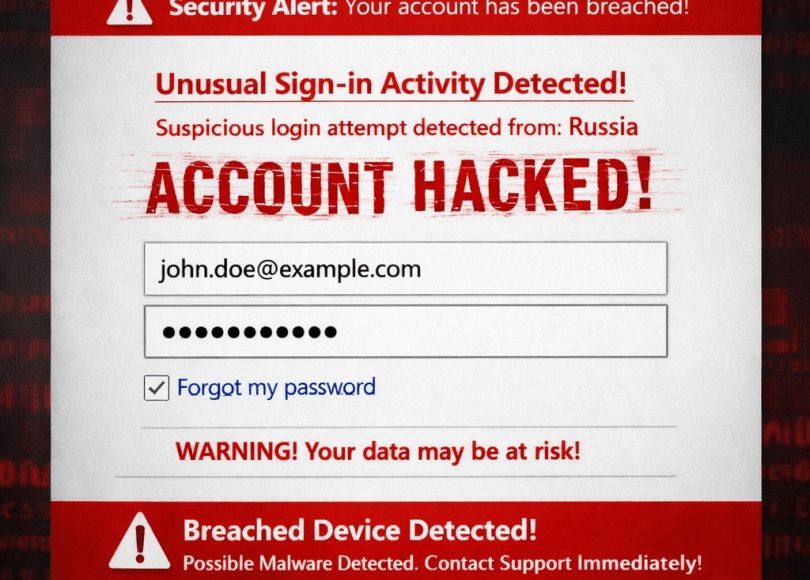
Method #1: Fake Microsoft Login Pages
This is still the number one attack.
You receive an email saying:
- Your mailbox is full.
- Your password expires today.
- Someone signed into your account.
- Verify your account immediately.
You click the link.
The page looks identical to Microsoft’s login screen.
You enter your email.
Your password.
Your MFA code.
The page refreshes.
Nothing happens.
Except…
The attacker now has your credentials.
Method #2: Fake Outlook Emails
Attackers frequently impersonate:
- Outlook
- Microsoft 365
- IT Departments
- Company administrators
The emails often contain:
- Fake invoices
- Shared document links
- Payroll updates
- Security alerts
Always verify unexpected emails before clicking links.
Method #3: Credential Stuffing
If your password appears in another website’s breach…
Attackers automatically test it against Microsoft accounts.
This process happens thousands of times every minute across the internet.
One reused password can compromise multiple accounts.
Method #4: OAuth Consent Phishing
This attack doesn’t ask for your password.
Instead, you’re asked to authorize a third-party application.
If approved, the app may receive permissions to:
- Read emails
- Access files
- View your profile
- Read your contacts
Always review:
- Who published the app
- What permissions it requests
- Whether you actually need it
Method #5: Fake OneDrive Sharing Links
Attackers send emails claiming:
Someone shared a document with you.
The fake page asks you to log in.
Instead of opening a document…
You give away your credentials.
Method #6: MFA Fatigue
Some attackers repeatedly trigger authentication prompts hoping users eventually approve one out of frustration.
If you didn’t initiate the login…
Don’t approve the notification.
Method #7: Malware
Malicious software may attempt to steal:
- Browser cookies
- Saved passwords
- Authentication tokens
- Session information
Avoid downloading software from unknown sources.
Method #8: Remote Support Scams
Scammers pretend to be:
- Microsoft Support
- Windows Security
- Defender Team
They claim:
Your PC is infected.
Then ask you to:
- Install remote access software.
- Reveal passwords.
- Log into your Microsoft account.
Microsoft doesn’t make unsolicited support calls.
Method #9: Weak Recovery Information
Your Microsoft account is only as secure as:
- Recovery email
- Recovery phone number
- Backup authentication methods
Keep this information up to date.
Method #10: Ignoring Security Alerts
Microsoft frequently warns users about:
- New device logins
- Password changes
- Suspicious sign-ins
- Recovery changes
Don’t ignore these alerts.
They often provide your first indication that someone is targeting your account.
Warning Signs Someone Is Targeting Your Microsoft Account
Watch for:
- Unexpected verification codes
- New login notifications
- Password reset emails
- Missing Outlook emails
- OneDrive changes
- Unknown devices
Respond immediately if you notice any of these.
How to Secure Your Microsoft Account
✅ Enable Multi-Factor Authentication
One of the best defenses available.
✅ Use Microsoft Authenticator
It generally provides stronger protection than relying only on SMS verification.
✅ Review Connected Applications
Remove apps you no longer trust.
✅ Monitor Sign-in Activity
Microsoft provides recent login history.
Review it regularly.
✅ Use a Unique Password
Never reuse passwords from other websites.
✅ Keep Windows Updated
Install security updates promptly.
Biggest Myths
| Myth | Reality |
|---|---|
| Windows users are always hacked | Most successful attacks target user accounts rather than Windows itself. |
| Outlook is just email | Outlook often serves as the recovery point for many other accounts. |
| Microsoft Authenticator makes attacks impossible | It greatly improves security, but users must still avoid phishing and approval scams. |
| Only businesses are targeted | Home users are targeted every day. |
Frequently Asked Questions
Can hackers hack my Microsoft account without my password?
Attackers often use phishing, malware, credential reuse, or OAuth consent scams rather than directly guessing passwords.
Is Microsoft 365 secure?
Microsoft provides extensive security features, but users still need to recognize phishing attempts and protect their credentials.
Should I use Microsoft Authenticator?
Yes. It provides a strong additional layer of security compared to password-only logins.
What should I do if I think my account was compromised?
Immediately change your password, review recent sign-in activity, revoke suspicious app permissions, verify recovery information, and enable or review MFA settings.
Final Thoughts
A Microsoft account isn’t just an email address.
For many people, it’s the gateway to work documents, cloud storage, gaming, communication, and even their Windows computer.
That’s why attackers spend so much time trying to compromise them.
Fortunately, the strongest defense isn’t complicated.
Stay skeptical of unexpected login requests, use a unique password, enable multi-factor authentication, and regularly review your account activity.
Those simple habits can make your Microsoft account far harder to compromise.
Discover more from Spyboy blog
Subscribe to get the latest posts sent to your email.
