
 Posted by
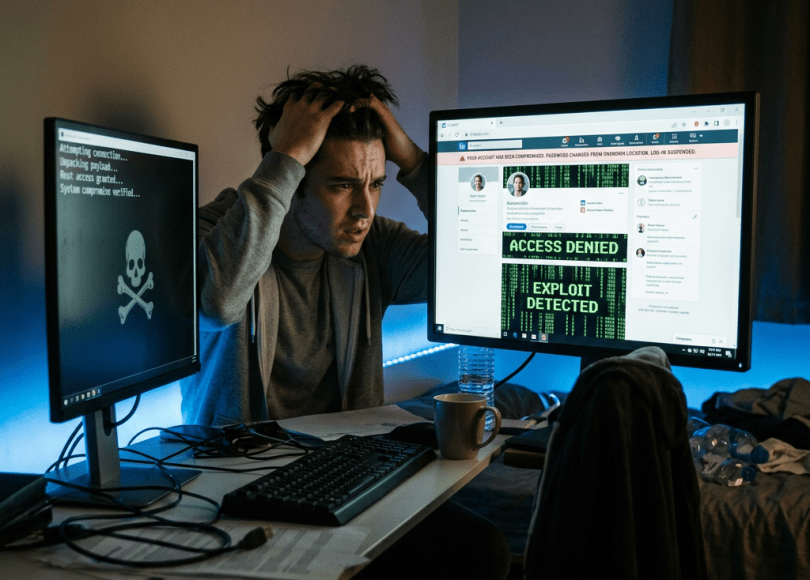
 You wake up one morning and receive an email from LinkedIn.
Your password has been changed.
Except…
You never changed it.
You try logging in.
Your password doesn’t work.
Your recovery email has been updated.
Your profile picture is gone.
Your connections begin receiving messages from your account asking them to:
- Download a resume
- Open a document
- Invest in cryptocurrency
- Apply for a fake job
Within hours…
The professional reputation you’ve spent years building is being used to scam other people.
Unfortunately, this happens more often than many professionals realize.
The good news?
Most LinkedIn accounts aren’t compromised because someone hacked LinkedIn.
They’re compromised because attackers successfully fool users.
In this guide, you’ll learn:
- Why LinkedIn accounts are valuable
- The latest LinkedIn scams
- How recruiters are being impersonated
- Warning signs your account is at risk
- How to secure your LinkedIn profile
Why Hackers Love LinkedIn
Unlike Instagram or Snapchat…
LinkedIn contains something far more valuable.
Professional trust.
A LinkedIn profile may reveal:
- Your full name
- Current employer
- Previous employers
- Skills
- Work email
- Business connections
- Education
- Certifications
To an attacker…
That’s a goldmine for phishing and business scams.
Method #1: Fake Recruiters
This is currently one of the biggest LinkedIn scams.
You receive a message:
“Hi, I have an exciting remote opportunity paying $180,000/year.”
Everything looks legitimate.
The recruiter has:
- Professional photo
- Company logo
- Hundreds of connections
After several conversations…
They ask you to download:
- A job description
- An interview application
- A skills assessment
Instead of opening a document…
You may download malware.
Always verify recruiters through the company’s official website before downloading files or sharing sensitive information.
Method #2: Fake LinkedIn Login Pages
Attackers frequently send emails saying:
- Someone viewed your profile.
- You have unread messages.
- Your account will be restricted.
- Verify your identity.
The login page looks exactly like LinkedIn.
But it’s fake.
Before entering your password, check the web address carefully.
Method #3: Business Email Impersonation
Once attackers compromise a LinkedIn account…
They often impersonate the victim.
They contact coworkers.
Clients.
Business partners.
Recruiters.
The message usually feels normal because it comes from a trusted profile.
That’s why LinkedIn accounts are valuable.
People trust them.
Method #4: Fake Resume Downloads
Recruiters receive hundreds of resumes.
Attackers know this.
Instead of sending a PDF…
They send:
- ZIP files
- Executables disguised as resumes
- Password-protected archives
- Documents requesting macros
Treat unexpected attachments carefully, especially if the sender is unknown.
Method #5: Password Reuse
If you reuse passwords…
Attackers don’t need to hack LinkedIn.
Suppose another website suffers a breach.
Your credentials become available online.
Automated tools then try those credentials against LinkedIn.
This is called credential stuffing.
Method #6: Fake Company Pages
Attackers create fake company profiles that closely resemble real businesses.
They may advertise:
- Dream jobs
- High salaries
- Remote positions
- Visa sponsorship
Their goal is often to collect:
- Personal information
- Resumes
- Identification documents
- Banking details
Always verify openings through the employer’s official careers page.
Method #7: OAuth App Scams
Some third-party tools ask you to:
“Sign in with LinkedIn.”
Most are legitimate.
Some are not.
Before authorizing an application, review:
- The developer
- The permissions requested
- Whether you actually need the app
Grant the minimum access necessary.
Method #8: AI-Powered Fake Profiles
AI has made impersonation easier.
Scammers can now create convincing profiles using:
- AI-generated headshots
- Fabricated employment histories
- Fake recommendations
- Professional-sounding messages
Don’t assume a polished profile is genuine.
Look for independent signs that the person or company is real.
Warning Signs Your LinkedIn Account May Be Compromised
Watch for:
- Password reset emails you didn’t request
- Unknown devices in your account activity
- Messages you never sent
- Profile changes you didn’t make
- New connections you don’t recognize
Investigate immediately if you notice unusual activity.
How to Protect Your LinkedIn Account
✅ Enable Two-Step Verification
Adds an important layer of protection.
✅ Use a Strong, Unique Password
Don’t reuse passwords across different websites.
✅ Verify Recruiters
Check company websites and email domains.
✅ Be Careful With Attachments
Unexpected files deserve extra scrutiny.
✅ Review Connected Apps
Remove applications you no longer trust.
✅ Think Before Sharing Personal Information
Never rush because someone promises a dream job.
Common Myths
| Myth | Reality |
|---|---|
| Only executives are targeted | Students, freelancers, recruiters, and job seekers are all targeted. |
| Every recruiter is legitimate | Fake recruiter profiles are a common scam. |
| A verified-looking company page is always genuine | Impersonation is possible. Always verify through official company websites. |
| LinkedIn is only for networking | It’s also a major platform for phishing and business scams. |
Frequently Asked Questions
Can hackers hack my LinkedIn account without my password?
Attackers often rely on phishing, credential reuse, malware, or social engineering rather than directly guessing passwords.
Are LinkedIn job offers always real?
No. While many opportunities are legitimate, scammers also use fake recruiter profiles and fraudulent job postings.
Should I enable two-step verification?
Yes. It significantly reduces the risk of unauthorized account access.
What should I do if I clicked a fake LinkedIn login page?
Change your password immediately, review recent login activity, enable or verify two-step verification, and scan your device if you downloaded any files.
Final Thoughts
Your LinkedIn account is more than a social media profile.
It’s your professional identity.
Employers trust it.
Recruiters use it.
Clients rely on it.
That makes it valuable—not just to you, but also to cybercriminals looking to exploit that trust.
Protecting your account isn’t only about keeping your profile safe.
It’s about protecting your reputation, your career, and the people connected to you.
Discover more from Spyboy blog
Subscribe to get the latest posts sent to your email.
