
 Posted by
 Your Car Knows Where You Go
Think about your car.
You probably think it knows:
- How much fuel you have
- Your speed
- Engine temperature
- Tire pressure
- Mileage
But modern connected vehicles can know considerably more.
Depending on the manufacturer, model, connectivity features and services enabled, a connected vehicle may process or transmit information such as:
Location
Driving behavior
Vehicle diagnostics
Trip information
Phone/device information
Infotainment activity
Charging information
Connected-service account data
And if you’ve connected your smartphone?
The boundary between:
your phone
and
your car
can become surprisingly thin.
That raises a question most drivers never ask:
How much does your car actually know about you?
Your Car May Be Building a Digital Picture of Your Life
Imagine your car repeatedly sees:
Monday — 8:10 AM
Home → Office
Monday — 6:05 PM
Office → Gym
Tuesday — 8:15 AM
Home → Office
Friday — 7:30 PM
Home → Restaurant
Saturday — 10:00 AM
Home → Airport
After enough trips, those aren’t random GPS points anymore.
They’re patterns.
Your vehicle may potentially reveal:
- Where you live
- Where you work
- Where you regularly visit
- When you leave home
- When you return
- How frequently you travel
- Your typical routes
- Charging/fueling habits
That’s not just vehicle information.
That’s behavioral information.
Your Car Doesn’t Need to Be “Hacked” to Know This
This distinction matters.
People hear:
“Car tracking”
and imagine a hacker secretly breaking into the vehicle.
But much of the data collection in connected cars can happen through legitimate features and services.
For example:
Connected navigation
Emergency services
Remote vehicle app
Telematics
Vehicle diagnostics
Insurance programs
Infotainment
Cloud-connected accounts
may all involve data processing.
The privacy question isn’t necessarily:
“Is someone secretly hacking my car?”
It’s often:
“What information is my car already collecting, and who receives it?”
What Is a Connected Car?
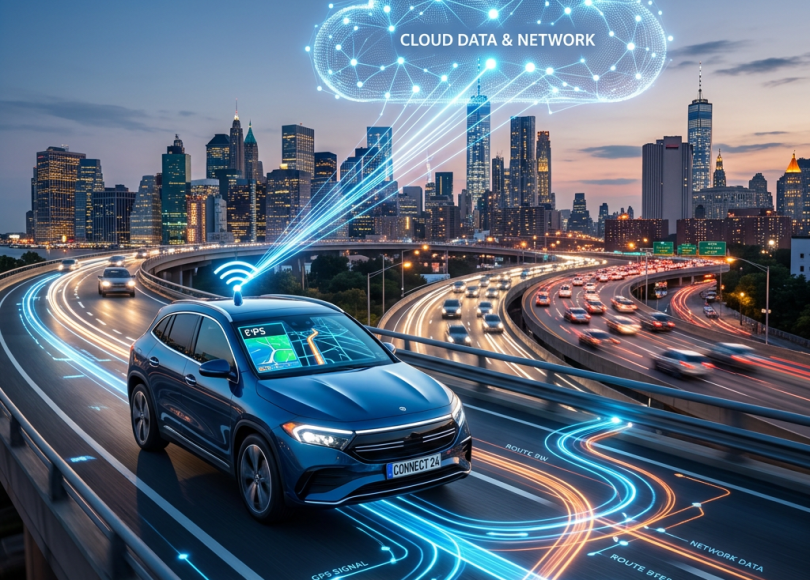
A connected car is essentially a vehicle with communication capabilities that allow it to exchange information with external systems.
Depending on the vehicle, that may include:
- Cellular connectivity
- GPS/GNSS
- Bluetooth
- Wi-Fi
- Smartphone integration
- Manufacturer cloud services
- Navigation services
The car is no longer an isolated machine.
It can become:
                         CLOUD
                           │
                           │
                     Cellular/Internet
                           │
                           ▼
                      ┌─────────┐
                      │   CAR   │
                      └────┬────┘
                           │
              ┌────────────┼───────────┐
              ▼            ▼           ▼
           Phone         GPS       Infotainment
That creates new functionality.
And new security considerations.
Your Car May Have Its Own Internet Connection
Many connected vehicles communicate with manufacturer infrastructure through cellular networks.
This allows features such as:
- Remote locking
- Remote unlocking
- Vehicle status
- Location services
- Emergency assistance
- Diagnostics
- Software updates
- Navigation
- Charging status
It also means your vehicle can have a persistent relationship with a cloud service.
The Car App on Your Phone Matters Too
Suppose your manufacturer provides an app.
You install it.
You log in.
Now you can see:
Your car’s location
or:
Fuel/charge level
or:
Vehicle status
or:
Remote controls
Convenient.
But your account is now another security boundary.
If someone compromises the account, the consequences may go beyond:
“They saw my profile.”
Depending on the service, they may gain access to vehicle information or remote functions.
Your Car Account Is an Important Account
Treat it like:
Banking
Cloud
not like:
“Just another app.”
Use:
- Unique password
- MFA where available
- Secure recovery information
- Updated app
- Updated phone
And review who has access.
The Ex-Partner Problem
Here’s a scenario people don’t think about.
You share a vehicle with:
- Partner
- Spouse
- Family member
- Employee
- Friend
They may have access to the manufacturer’s app.
Then the relationship changes.
You change the physical keys.
But forget:
The digital account.
Now someone may potentially retain access to:
- Vehicle status
- Location-related information
- Remote functions
- Trip information
depending on the manufacturer.
Changing the car key isn’t necessarily the same as removing digital access.
Check Who Is Connected to Your Car
If your car supports an app or account system, look for:
- Authorized users
- Shared drivers
- Family members
- Connected phones
- Paired Bluetooth devices
- Digital keys
- Trusted devices
- Account sessions
Remove people who no longer need access.
Your Old Phone Could Still Be Connected
You replace your phone.
But the old phone remains:
Paired with the car.
If you sell or give away that phone, the next owner may potentially retain access to whatever vehicle pairing remains on the device.
Before disposing of an old phone:
Remove vehicle pairings and digital keys.
What Does Bluetooth Have to Do With It?
Bluetooth allows your phone and car to communicate.
Depending on the system, this can support:
- Calls
- Contacts
- Audio
- Notifications
- Phone integration
The privacy implications depend on what you permit.
If you connect your phone:
Your car may gain access to certain information from the phone.
Don’t automatically approve every permission request.
Your Contacts May End Up in the Car
Many infotainment systems can synchronize your phone contacts.
That’s convenient when making calls.
But now ask:
Where is that contact information stored?
Possibilities vary by vehicle.
It might be stored:
- Temporarily
- Locally in the vehicle
- In an associated account/service
- In connected systems
Check your manufacturer’s documentation and privacy settings.
Your Call History May Also Be Relevant
Depending on the integration, the infotainment system may display or temporarily retain information such as:
- Recent calls
- Contacts
- Caller names
- Messages
- Media information
That means:
Your car may contain traces of your phone activity.
Selling Your Car? Don’t Just Hand Over the Keys
This is one of the most important sections.
Imagine selling your car.
You remove:
Your sunglasses.
You remove:
Your documents.
You remove:
Your charger.
You clean the seats.
Then you hand the car over.
But you forgot:
Your connected account.
Your Bluetooth devices.
Your digital key.
Your navigation history.
Your paired phone.
Your saved addresses.
That’s a privacy problem.
Before Selling Your Car
Do a digital factory reset.
Look for options such as:
Factory Reset
Delete Personal Data
Erase User Data
Remove All Profiles
The exact wording varies.
Then:
Remove your phone.
Remove paired devices.
Delete saved destinations.
Delete home/work addresses.
Sign out of connected services.
Remove digital keys.
Remove authorized drivers.
Revoke the vehicle from your account if applicable.
Remove the car from the manufacturer’s app.
Your Home Address May Be Sitting in Your Car
Think about navigation.
You probably saved:
Home
and:
Work.
Maybe also:
Parents
Partner
School
Office
Gym
Favorite hotel
Children’s school
Those aren’t just addresses.
They can reveal:
Your routine.
If you sell the vehicle without deleting navigation data, the next owner could potentially discover information about the previous driver’s life.
Don’t Forget Recent Destinations
Even if you never saved:
“Home”
the navigation system may retain recent destinations depending on its design.
Imagine:
Hospital
Airport
Hotel
Office
School
Restaurant
A list of recent destinations can reveal a surprisingly detailed picture of someone’s movements.
What About Rental Cars?
This is an even bigger issue.
You rent a car.
Connect:
Your phone.
Use:
Navigation.
Search:
Your hotel.
Navigate to:
Home.
Make calls.
Then return the car.
The next renter may use the same infotainment system.
That’s why:
Don’t leave your personal information inside rental vehicles.
Before returning the vehicle:
- Delete your phone.
- Remove paired devices.
- Clear navigation destinations.
- Clear call history where applicable.
- Sign out of accounts.
- Check for saved profiles.
The Rental Car Privacy Trap
Imagine the next person sees:
“John’s iPhone”
“Home”
“Work”
“Recent destinations”
“Favorite contacts”
Maybe nothing serious happens.
But you’ve just left behind a digital footprint inside a car you don’t control anymore.
Car Manufacturers May Collect Telemetry
Modern vehicles can generate large quantities of telemetry.
Examples can include:
- Vehicle health
- Diagnostics
- Location-related data
- Speed-related information
- Charging information
- Usage statistics
The exact data collected varies significantly by manufacturer and model.
So if you own a connected car:
Read its privacy policy.
Not just the marketing page.
“I Don’t Have Anything to Hide”
You’ve probably heard this argument.
But imagine someone knowing:
When you leave home.
When you arrive at work.
Where you go every weekend.
Which medical facility you visit.
Which religious building you visit.
Which political event you attend.
Which person’s house you regularly visit.
Privacy isn’t about hiding crimes.
It’s about controlling information about your life.
Location Data Is Extremely Sensitive
A single location point isn’t necessarily revealing.
Thousands of points are.
Consider:
MondayHome → Office → HomeTuesdayHome → Office → HomeWednesdayHome → Hospital → HomeThursdayHome → Office → Restaurant → Home
Patterns emerge.
That’s why location history can be much more sensitive than people realize.
Your Driving Patterns Can Reveal You
Depending on the data collected, vehicle telemetry can potentially reveal:
- Typical commute
- Frequent destinations
- Driving times
- Vehicle usage frequency
- Charging/fueling patterns
- Long-distance travel
Even without your name, repeated patterns can become identifying when combined with other information.
This Is Where Data Aggregation Gets Powerful
Imagine:
Car data
Phone location
Google Maps
Social media
Credit-card transactions
Together, they can create a very detailed picture of a person.
One dataset may seem harmless.
The combination can be incredibly revealing.
Your Car Can Become Part of Your Digital Footprint
People usually think about:
- Browser history
when discussing digital footprints.
But connected vehicles increasingly belong on that list.
Your digital footprint can include:
How you move through the physical world.
Can Hackers Track Your Car?
Potentially, depending on the vehicle’s connected services, account security and vulnerabilities.
But don’t confuse:
Manufacturer location services
with:
An attacker hacking the vehicle.
Someone doesn’t necessarily need to compromise the car’s internal systems if they can compromise an associated account.
Your Weakest Link May Be the App
Imagine your car itself has excellent security.
But your vehicle account password is:
Password123
and you reused it elsewhere.
An attacker obtains the password from another breach.
They try it against your car account.
Now the problem isn’t necessarily:
“The car was hacked.”
It may be:
“The owner’s account was compromised.”
Secure the Car Like You Secure Your Bank
Use:
Unique password
MFA
Secure email
Updated phone
Updated app
No shared credentials
Regular account review
Digital Keys Need Special Attention
Some modern vehicles support:
Digital car keys
through smartphones or other devices.
This is extremely convenient.
But it means your phone may effectively become part of the vehicle’s access-control system.
Protect:
- Phone lock
- Apple/Google account
- Vehicle account
- Digital-key settings
If your phone is lost:
Revoke the digital key where possible.
Don’t Give Your Entire Account to a Mechanic
If a service center asks you to provide account credentials:
be cautious.
A legitimate service procedure should ideally avoid unnecessary sharing of your personal login credentials.
Use official service modes, temporary access or the manufacturer’s supported procedures where available.
Think About Valet Parking
Valet services may need:
Physical vehicle access.
They don’t necessarily need:
Your personal digital account.
If your vehicle has valet mode or similar functionality:
Use it.
The exact capabilities differ by vehicle.
What Is Valet Mode?
Some vehicles provide restricted functionality intended for situations where someone else drives the vehicle.
Depending on the manufacturer, this may limit:
- Performance
- Access to certain information
- Certain controls
- Personal data
Check whether your car supports it.
Connected Cars Can Have Huge Attack Surfaces
Modern vehicles may contain:
- Hundreds or thousands of software components
- Infotainment systems
- Bluetooth
- Cellular connectivity
- GPS
- Cameras
- Sensors
- Electronic control units
That’s a lot of technology.
More software means:
More potential vulnerabilities.
That doesn’t mean modern cars are inherently unsafe.
It means automotive cybersecurity has become a serious engineering discipline.
Car Cybersecurity Is Not Just About Steering the Car
When people hear:
“Car hacking”
they imagine:
Someone remotely taking control of the steering wheel.
That’s an extreme scenario.
Real-world automotive security concerns can include much more ordinary problems:
- Privacy leakage
- Account compromise
- Unauthorized access
- Infotainment vulnerabilities
- Remote-service abuse
- Keyless-entry attacks
- Data exposure
Not every automotive attack is about driving the vehicle.
Your Car’s Infotainment System Is Basically a Computer
It has:
- Processor
- Memory
- Operating system/software
- Network connections
- Storage
- Applications
- Updates
Treat it accordingly.
Don’t ignore:
Software updates.
Update Your Car’s Software
Manufacturers may release updates for:
- Security
- Stability
- Connectivity
- Infotainment
- Vehicle functionality
If your vehicle supports software updates, keep them current.
For important updates, use the manufacturer’s official instructions.
Don’t Install Random Car Apps
Only install official manufacturer apps from trusted stores.
Be suspicious of:
“Premium remote-start app”
“Free vehicle tracker”
“Car diagnostic APK”
especially when downloaded from random websites.
A malicious app may attempt to access:
- Location
- Bluetooth
- Contacts
- Notifications
- Account credentials
Be Careful With OBD-II Devices
The OBD-II port is commonly used for vehicle diagnostics.
There are many legitimate devices that connect to it.
But don’t blindly plug unknown hardware into a vehicle’s diagnostic port.
The port can provide access to vehicle information and, depending on the device and vehicle architecture, potentially much more.
Use reputable hardware.
Don’t Buy a Random “Car Hacker” Gadget
You may see online products claiming:
“Unlock any car!”
“Hack keyless entry!”
“Track any vehicle!”
Many are scams, exaggerated products or dangerous devices.
Don’t experiment with other people’s vehicles.
For security research, use a vehicle and hardware you own and a controlled environment.
Keyless Entry Is a Separate Security Issue
Modern keyless systems have their own attack classes, including relay-style attacks.
That’s a legitimate automotive-security topic, but it deserves a dedicated article rather than mixing it into this broader privacy piece.
For this article, the key takeaway is:
Your car’s physical security and digital security are now connected.
Your Car Could Know When You’re Not Home
This sounds terrifying.
But think about the data:
If a connected service knows:
Your car is at the airport.
and your smart-home systems know:
Your house is empty.
together, those datasets can reveal:
You’re away.
Again, this isn’t necessarily an attacker hacking anything.
It’s data aggregation.
The More Connected Your Home Is, the More Important Data Separation Becomes
You might have:
Car
Phone
Smart home
Cameras
Cloud
all connected through different accounts.
Review what data is shared between these systems.
How to Reduce Connected-Car Privacy Exposure
1. Review the manufacturer’s privacy settings
Look for:
- Location sharing
- Data collection
- Personalization
- Connected services
- Analytics
- Voice services
2. Disable features you don’t need
If you don’t use a feature:
Don’t give it unnecessary permissions.
3. Remove old users
Check:
- Family accounts
- Previous owners
- Ex-partners
- Old phones
- Old digital keys
4. Delete personal information before selling
Factory reset the infotainment system.
5. Secure the vehicle account
Use:
- Unique password
- MFA
- Secure recovery
6. Update the vehicle
Install official software updates.
7. Secure your phone
Your phone may be a digital key.
Protect it accordingly.
8. Review third-party integrations
Remove services you no longer use.
Before Selling Your Car: The Ultimate Checklist
Account
- Remove vehicle from manufacturer account
- Remove authorized users
- Remove family/shared drivers
- Revoke digital keys
Phone
- Unpair Bluetooth
- Remove Apple CarPlay/Android Auto connections
- Remove old devices
Navigation
- Delete home
- Delete work
- Delete favorites
- Delete recent destinations
Personal data
- Delete contacts
- Delete call history
- Delete messages where applicable
- Delete user profiles
Services
- Sign out
- Remove payment information
- Remove connected accounts
- Factory reset infotainment
Before Returning a Rental Car
Do the same thing.
Take two minutes before handing over the keys:
Forget phone
Delete destinations
Delete profile
Sign out
Remove connected accounts
That two-minute habit can prevent a surprisingly unnecessary privacy leak.
What Should You Do If You Buy a Used Connected Car?
This is extremely important.
When buying a used connected vehicle:
Don’t assume the previous owner was removed.
Immediately:
- Factory-reset the infotainment system.
- Remove previous profiles.
- Pair your own phone.
- Create your own manufacturer account.
- Check authorized users.
- Check digital keys.
- Update software.
- Check connected services.
- Confirm the previous owner’s access has been removed.
Ask the Seller to Remove the Vehicle From Their Account
This is especially important for manufacturer cloud services.
You don’t want:
Previous owner
still seeing:
Vehicle status
or potentially retaining other account-linked capabilities.
The Biggest Mistake: Thinking “I Own the Car, Therefore I Control the Data”
Physical ownership and digital control aren’t necessarily identical.
Your vehicle may interact with:
- Manufacturer
- Cellular provider
- Navigation provider
- App ecosystem
- Service providers
- Third-party services
Read the relevant privacy and account terms for your specific vehicle.
The Future of Cars Will Make This Even More Important
Cars are becoming:
Connected
Software-defined
Cloud-integrated
AI-assisted
Subscription-based
App-controlled
That means the cybersecurity question isn’t going away.
It’s becoming more important.
Your Next Car May Be More Like a Smartphone on Wheels
Think about the evolution:
Old car
Engine + mechanical controls.
Modern car
Computer + sensors + infotainment.
Connected car
Computer + sensors + cloud + smartphone.
Future vehicle
Computer + AI + cloud + continuous software updates + extensive telemetry.
The more software enters the vehicle:
The more important digital security becomes.
Connected Car Security Checklist
Before you leave this article, check:
- Is my vehicle’s software updated?
- Is my manufacturer account protected with MFA?
- Is the password unique?
- Who has access to my vehicle account?
- Are old phones still paired?
- Are old digital keys still active?
- Is location sharing necessary?
- Are unnecessary connected services disabled?
- Have I removed personal navigation data?
- Would my car reveal my home/work routine?
- Did I remove my data before selling/renting?
- Did I factory-reset a used vehicle?
- Are third-party vehicle apps still connected?
Final Thoughts
Your car used to be something you drove.
Now, increasingly, it’s something that:
connects
communicates
records
syncs
updates
and sometimes:
remembers.
That’s incredibly useful.
Remote unlocking is useful.
Navigation is useful.
Automatic emergency assistance is useful.
Vehicle diagnostics are useful.
Smartphone integration is useful.
But convenience always creates another question:
What data is being created to make that convenience possible?
Your car may know where you’ve been.
Your phone may know where you’ve been.
Your cloud account may know where you’ve been.
Your navigation history may know where you’ve been.
And when those systems interact, they can create a surprisingly detailed record of your physical life.
You don’t need to disconnect your car from everything.
You don’t need to become paranoid.
You simply need to understand what you’re connecting.
Because cybersecurity isn’t only about protecting your computer anymore.
It’s about protecting the machines that know where you are going.
Discover more from Spyboy blog
Subscribe to get the latest posts sent to your email.
