
 Posted by
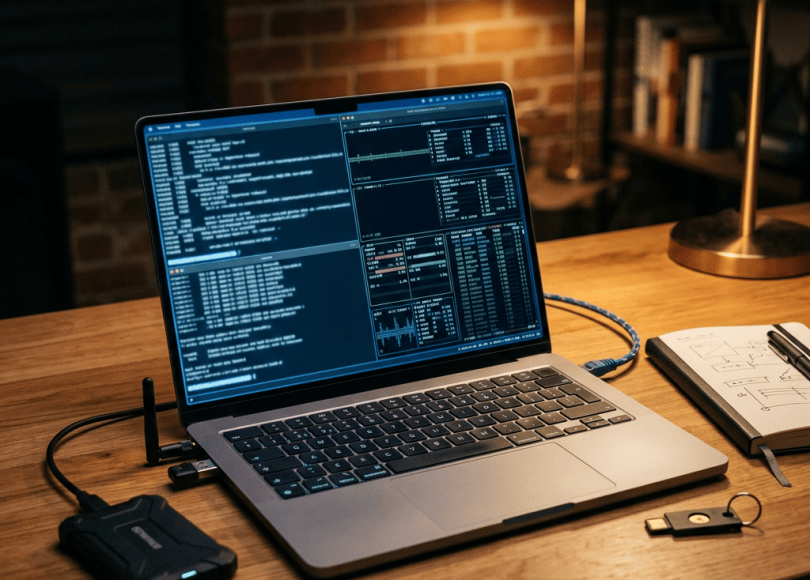
 If you’re serious about cybersecurity, your laptop isn’t just a laptop.
It’s your:
- Kali Linux workstation
- Burp Suite machine
- Virtualization platform
- OSINT workstation
- Programming environment
- CTF machine
- Malware-analysis lab
- Wi-Fi research device
- Cloud administration terminal
- Bug-bounty workstation
And choosing the wrong laptop can become incredibly frustrating.
You might have:
8 GB RAM.
Then launch Kali Linux.
Open Burp Suite.
Start Firefox.
Run a few Docker containers.
Launch a virtual machine.
Open your IDE.
And suddenly:
Everything starts swapping.
The fans spin.
The system slows down.
Your VM becomes unusable.
And you start wondering:
“Do I need a more powerful hacking tool?”
No.
Sometimes you simply need a better workstation.
So in this guide, we’re looking at the best laptops for ethical hacking, cybersecurity, Kali Linux, penetration testing, OSINT, bug bounty hunting, programming and security labs in 2026.
And we’re going to focus on something more important than flashy specifications:
What actually matters for cybersecurity?
What Makes a Good Cybersecurity Laptop?
You don’t necessarily need the most expensive laptop on the market.
In fact, buying a $4,000 gaming laptop just because it has an enormous GPU can be a poor decision if your actual workload is:
Kali LinuxBurp SuiteFirefoxVS CodePythonDockerWiresharkNmapMultiple terminalsVirtualBox
For most security work, several components matter considerably more than others.
1. RAM Is Extremely Important
If you’re buying a cybersecurity laptop in 2026, I’d avoid treating 8 GB RAM as a serious long-term configuration.
16 GB is a much more practical starting point.
But if you plan to run several virtual machines:
32 GB is the sweet spot.
And if you’re building a serious home cybersecurity lab:
64 GB can make a huge difference.
Consider this setup:
Host Windows/Linux │ ├── Kali Linux VM ├── Windows VM ├── Ubuntu VM ├── Docker containers └── Burp Suite + Browser
Every VM consumes memory.
For example, a simplified lab could look like:
32 GB RAMHost OS ~8 GBKali VM ~6 GBWindows VM ~8 GBBrowser + tools ~5 GB--------------------------------Remaining ~5 GB
Actual consumption varies considerably, but the point is simple:
Virtualization eats RAM.
2. CPU Cores Matter
Modern security workloads can be highly parallel.
You’ll potentially run:
- Virtual machines
- Docker
- Compilers
- Python scripts
- Browsers
- Security scanners
- Databases
- Local development servers
A modern multi-core processor is therefore valuable.
For serious lab work, I’d generally target:
Minimum practical target
Modern 6-core/8-core CPU.
Recommended
8-core or better.
Heavy virtualization
12+ cores can be extremely useful.
You don’t necessarily need the highest-end processor available.
You need enough CPU to keep your workload responsive.
3. SSD Storage
Forget the old days of buying a cybersecurity laptop with a slow mechanical hard drive.
You want:
NVMe SSD.
Your tools may include:
Kali LinuxDocker imagesVirtual machinesWordlistsGit repositoriesBurp projectsPCAP filesMalware-analysis samplesCTF filesDevelopment environments
Storage disappears surprisingly quickly.
I’d recommend:
512 GB
Acceptable for students.
1 TB
Better for most cybersecurity users.
2 TB+
Excellent for serious labs and multiple VMs.
4. GPU — Do You Actually Need One?
This is where cybersecurity laptop buying gets interesting.
For normal:
- Web pentesting
- OSINT
- Burp Suite
- Python
- Linux
- Networking
- CTFs
you don’t need an expensive dedicated GPU.
An integrated GPU is usually sufficient.
However, a dedicated NVIDIA GPU can become useful for workloads such as:
- GPU-accelerated password auditing in authorized labs
- Machine learning
- AI experimentation
- Computer vision
- GPU compute
- Hash-analysis research
- Security research involving CUDA
So don’t buy an RTX GPU simply because:
“Hackers need powerful graphics cards.”
They don’t.
Buy one if your workload actually benefits from it.
5. Linux Compatibility
This is one of the most important factors.
You may want to run:
- Kali Linux
- Ubuntu
- Fedora
- Debian
- Arch
- Security-focused VMs
Hardware compatibility therefore matters.
Framework, for example, publishes Linux compatibility information and compatibility guides for its laptops, including specific distro and kernel information.
Framework’s current Laptop 16 documentation specifically describes the machine as designed with Linux in mind.
6. Upgradeability
Here’s a feature that cybersecurity professionals often underestimate.
Imagine buying:
16 GB RAM512 GB SSD
and two years later discovering you need:
64 GB RAM2 TB SSD
If the RAM and storage are replaceable:
Upgrade it.
If everything is soldered:
You may need a new laptop.
That’s why upgradeable machines can have a significantly longer useful life.
7. Ports
Cybersecurity professionals often need more ports than ordinary laptop users.
Think about connecting:
- USB Wi-Fi adapter
- Ethernet adapter
- USB flash drive
- External SSD
- Hardware security key
- Serial adapter
- Debugging hardware
- External monitor
- Dock
A laptop with only two USB-C ports can become annoying very quickly.
8. Ethernet
This one is easy to overlook.
Built-in Ethernet can be extremely useful for:
- Network labs
- Router configuration
- Virtualization
- Home labs
- Network troubleshooting
- Packet analysis
You can always use a USB Ethernet adapter, but built-in Ethernet is convenient.
9. Battery Life
Cybersecurity laptops aren’t always plugged into a wall.
You might work:
- At university
- In a cafe
- At a conference
- While travelling
- On a train
- At a client site
A huge gaming laptop with a powerful GPU may perform brilliantly but have poor portability.
Don’t confuse:
Maximum performance
with:
Best cybersecurity laptop.
They’re different things.
10. Keyboard
This sounds trivial.
It isn’t.
If you’re spending six hours writing:
PythonBashPowerShellSQLYAMLJSONMarkdown
a good keyboard matters.
Cybersecurity work involves enormous amounts of typing.
The Best Laptops for Cybersecurity in 2026
Instead of pretending there is one universal winner, let’s divide the market by use case.
1. Framework Laptop 16
If you’re specifically interested in Linux, upgradeability and building a machine that can evolve over time, the Framework Laptop 16 deserves serious attention.
The current model can be configured with AMD Ryzen AI 300-series processors and optional NVIDIA GeForce RTX 5070 graphics. Framework lists up to 96 GB DDR5 memory, multiple M.2 storage options and an upgradeable graphics module.
That makes its architecture particularly interesting for cybersecurity enthusiasts.
Why it stands out
- Excellent upgradeability
- Replaceable components
- Linux-focused documentation
- Up to 96 GB RAM
- Multiple storage options
- Optional discrete NVIDIA graphics
- Modular expansion cards
- User-serviceable design
The laptop supports a wide range of configurable expansion cards including USB, HDMI, DisplayPort, Ethernet, storage and audio.
Great for
- Linux enthusiasts
- Cybersecurity students
- Developers
- Security researchers
- Virtualization
- Long-term ownership
Potential downside
It’s not the smallest or lightest laptop.
And the most powerful configurations can become expensive.
2. Lenovo ThinkPad P Series
ThinkPads have a long history among Linux enthusiasts and developers.
The P-series takes the idea further into workstation territory.
These machines can be configured with powerful processors, large amounts of memory and professional graphics depending on the model.
Why cybersecurity professionals may like them
- Business-oriented construction
- Strong keyboard reputation
- Multiple configurations
- Workstation-class options
- Good docking support
- Enterprise-focused features
They’re particularly attractive if your cybersecurity workload includes:
VMsContainersDevelopmentLarge datasetsReverse engineeringForensicsSecurity research
Potential downside
High-end workstation configurations can become very expensive.
3. ASUS ROG Zephyrus G16
If you want one machine that can handle cybersecurity work and demanding GPU workloads, gaming laptops become interesting.
The Zephyrus line is designed around high-performance processors and discrete NVIDIA graphics while keeping the chassis more portable than many traditional gaming machines.
Why cybersecurity users may consider it
- Powerful CPU
- NVIDIA GPU options
- Excellent performance
- High-quality displays
- Good portability for a performance laptop
- Suitable for Linux experimentation and Windows virtualization
Best for
Cybersecurity+Gaming+AI experimentation+GPU compute+Content creation
Potential downside
Gaming laptops generally consume more power and can run hotter and louder under heavy workloads.
4. Lenovo Legion Pro Series
If portability isn’t your highest priority and raw performance matters, Lenovo’s Legion Pro family is worth considering.
These machines can provide:
- Powerful CPUs
- High-end NVIDIA GPUs
- Large amounts of RAM
- Fast NVMe storage
- Strong cooling
They’re particularly interesting if you’re building a local cybersecurity lab that involves:
- Multiple VMs
- AI
- GPU compute
- Reverse engineering
- Large development projects
Potential downside
They’re considerably less portable than ultrabooks.
5. Dell Precision Workstations
Dell’s Precision family targets professional workstation users.
That makes these machines particularly relevant to enterprise cybersecurity professionals.
Depending on configuration, Precision systems can offer:
- Powerful processors
- Large memory capacities
- Professional graphics
- Multiple storage options
- Business support options
Good for
- Enterprise security
- Digital forensics
- Reverse engineering
- Development
- Virtualization
- Engineering/security workloads
Potential downside
Workstation configurations can become expensive quickly.
6. Apple MacBook Pro
Apple’s MacBook Pro is an excellent development machine and can be extremely powerful.
But cybersecurity buyers need to understand an important issue:
macOS is not the same environment as x86 Linux.
If your workflow depends heavily on:
- x86 virtual machines
- Certain kernel modules
- USB security hardware
- Wireless experimentation
- Specialized Linux tooling
- Low-level hardware access
you need to verify compatibility before buying.
Apple Silicon is powerful, but architecture differences matter.
Excellent for
- Programming
- Web security
- OSINT
- Development
- Cloud security
- Documentation
- General cybersecurity work
Less ideal when
Your workflow specifically requires x86-only tools or specialized hardware compatibility.
7. ASUS ProArt P16
The ProArt line is aimed at creators, but its combination of powerful processors and NVIDIA graphics can also make it attractive to security researchers who need GPU compute.
This is particularly relevant if you’re combining:
Cybersecurity+Programming+AI+Video+3D
A powerful GPU can be useful for workloads beyond gaming.
8. Lenovo ThinkPad T Series
Not everyone needs a workstation.
For cybersecurity students, a ThinkPad T-series machine with:
16–32 GB RAM1 TB NVMe SSDModern multi-core CPU
can be more than enough for everyday security work.
You can spend the money you save on:
- External SSD
- USB Wi-Fi adapter
- Hardware security key
- Monitor
- RAM
- Lab equipment
9. Framework Laptop 13
If you want something smaller than the Framework 16, the Framework 13 is worth considering.
Its biggest advantage isn’t necessarily raw performance.
It’s:
Repairability.
A cybersecurity student might keep the same machine for years and upgrade components as requirements change.
Framework publishes Linux compatibility information and installation guidance for its laptops.
10. A Mid-Range Windows Laptop
Here’s something many cybersecurity beginners don’t realize:
You don’t need a $3,000 laptop to learn hacking.
A modern laptop with:
16 GB RAM512 GB–1 TB NVMeModern 6–8 core CPUGood virtualization support
can run:
- Kali Linux
- Ubuntu
- Windows VMs
- Burp Suite
- Wireshark
- Nmap
- Python
- VS Code
- Docker
- CTF environments
perfectly well.
Your skills matter more than the logo on the lid.
Recommended Specifications by Budget
Entry-Level Cybersecurity Laptop
Target:
CPU: Modern 6-core+RAM: 16 GBStorage: 512 GB SSDGPU: IntegratedDisplay: 1080p+
Suitable for:
- Learning Linux
- CTFs
- Web security
- Python
- Networking
- OSINT
- Burp Suite
Mid-Range Cybersecurity Laptop
Target:
CPU: Modern 8-core+RAM: 32 GBStorage: 1 TB NVMeGPU: Integrated or RTX-classDisplay: 1080p/1600p
Excellent for:
- Bug bounty
- Multiple VMs
- Docker
- Programming
- OSINT
- Pentesting labs
- Security research
High-End Cybersecurity Workstation
Target:
CPU: 12+ coresRAM: 64 GB+Storage: 2 TB+GPU: RTX-classNetworking: Wi-Fi 6E/7 + Ethernet
Useful for:
- Multiple simultaneous VMs
- AI
- Reverse engineering
- Malware analysis labs
- GPU computing
- Large development projects
- Enterprise security research
How Much RAM Do You Actually Need?
Here’s a simple guideline:
| RAM | Cybersecurity workload |
|---|---|
| 8 GB | Basic learning |
| 16 GB | Good starting point |
| 32 GB | Recommended |
| 64 GB | Serious lab |
| 96 GB+ | Heavy virtualization/workstation |
If your budget allows it:
Buy RAM before RGB.
How Much Storage?
| Storage | Recommendation |
|---|---|
| 256 GB | Avoid |
| 512 GB | Minimum reasonable |
| 1 TB | Sweet spot |
| 2 TB | Excellent |
| 4 TB+ | Serious lab |
A single Windows VM can consume tens of gigabytes.
A Kali VM can also grow considerably depending on what you install.
Then add:
DockerWordlistsPCAP filesBurp projectsGit repositoriesISOsSnapshots
and storage disappears quickly.
Should You Install Kali Directly?
Not necessarily.
For beginners, virtualization is often the easiest approach.
For example:
Windows / Linux Host │ ▼VirtualBox / VMware │ ▼Kali Linux
This lets you experiment without replacing your primary operating system.
Kali officially documents virtual-machine installation and notes that hardware requirements depend on the intended setup.
Dual Boot vs Virtual Machine
Dual Boot
Windows │ └── Kali Linux
Advantages
- Native hardware performance
- Direct access to hardware
- Useful for specialized workflows
Disadvantages
- Partition management
- Reboot required
- Greater setup complexity
Virtual Machine
Host OS │ └── Kali VM
Advantages
- Easy snapshots
- Easy rollback
- Safe experimentation
- Multiple operating systems
- No reboot required
Disadvantages
- Some performance overhead
- Hardware passthrough can be complicated
- Specialized Wi-Fi workflows may require compatible adapters
For most beginners:
Start with a VM.
Don’t Forget the Wi-Fi Adapter
Here’s an important cybersecurity-laptop buying lesson.
Your laptop’s built-in Wi-Fi card may be perfectly good for normal internet use.
That doesn’t mean it’s ideal for every wireless security lab.
Some advanced wireless research workflows require hardware supporting capabilities such as:
- Monitor mode
- Packet capture
- Appropriate frame injection support
Compatibility varies significantly by chipset, driver and operating system.
If wireless security is your focus, research the adapter and chipset separately instead of assuming:
“Wi-Fi 7 = good for Kali.”
Those are completely different questions.
The Cybersecurity Laptop Setup
A serious beginner setup could look like this:
                 LAPTOP
                    │
       ┌────────────┼────────────┐
       │            │            │
      SSD          RAM          CPU
       │            │            │
       └────────────┼────────────┘
                    │
              HOST OPERATING SYSTEM
                    │
              ┌─────┴─────┐
              │           │
           Kali VM     Windows VM
              │
       ┌──────┼───────────┐
       │      │           │
     Burp   Wireshark    Python
       │
      CTF
       │
    Lab Network
Then add:
External SSDUSB Wi-Fi adapterHardware security keyEthernet adapterExternal monitorUSB-C hub
and you’ve got a surprisingly capable home security lab.
Laptop vs Desktop for Cybersecurity
A desktop can provide:
- More CPU
- More RAM
- Better GPU
- Better cooling
- More storage
- Easier upgrades
But a laptop provides:
- Portability
- Built-in display
- Battery
- Keyboard
- Wi-Fi
- Easy travel
If you’re a student:
Laptop wins for flexibility.
If you’re building a permanent home lab:
Desktop can provide significantly more performance per dollar.
The best setup can actually be:
Laptop +Home Desktop/Server
Use the laptop as your portable workstation and the desktop as your heavy lab.
What NOT to Buy
1. 8 GB soldered RAM
You’ll probably regret it once you start using multiple VMs.
2. 256 GB SSD
You’ll run out of space quickly.
3. Laptop chosen only because it has an RTX GPU
A powerful GPU doesn’t compensate for poor RAM, storage, thermals or Linux compatibility.
4. No upgrade path
If everything is soldered, think carefully before buying.
5. Poor cooling
Sustained security workloads can keep CPUs busy for long periods.
6. Terrible keyboard
You will type constantly.
7. No useful ports
Security researchers tend to collect USB devices like Pokémon.
The Ideal Cybersecurity Laptop
If I were designing a hypothetical cybersecurity laptop rather than choosing a brand, I’d want:
CPUModern 8–12+ core processorRAM32 GB minimum64 GB preferred for serious labsStorage1–2 TB NVMeGPUIntegrated for normal security workNVIDIA RTX for GPU workloadsNetworkingWi-Fi 6E/7EthernetPortsUSB-AUSB-CThunderbolt/USB4 where applicableHDMIEthernetDisplay14–16 inches1600p-class resolutionKeyboardExcellentBatteryStrongLinuxWell-supportedUpgradeabilityRAM + SSD accessible
That’s a much more useful specification sheet than:
“RTX 5070 + RGB + 240 Hz!”
Best Laptop by Cybersecurity Use Case
| Use case | What to prioritize |
|---|---|
| Cybersecurity student | 16–32 GB RAM |
| Bug bounty | CPU + RAM + battery |
| Kali Linux | Linux compatibility |
| Pentesting | RAM + CPU + ports |
| OSINT | RAM + display + battery |
| CTFs | CPU + RAM |
| Malware analysis | RAM + CPU + isolation |
| Reverse engineering | CPU + RAM + storage |
| AI security research | NVIDIA GPU + RAM |
| Wireless security | Compatible external Wi-Fi hardware |
| Virtualization | RAM + CPU |
| Travel | Battery + weight |
| Home lab | RAM + CPU + upgradeability |
Final Buying Checklist
Before purchasing a cybersecurity laptop, check:
☐ 16 GB RAM minimum☐ 32 GB preferred☐ 1 TB SSD preferred☐ Modern multi-core CPU☐ Linux compatibility☐ Good virtualization support☐ Upgradeable RAM where possible☐ Upgradeable SSD☐ USB-A ports☐ USB-C / USB4☐ HDMI or display output☐ Ethernet or adapter support☐ Good keyboard☐ Good cooling☐ Good battery if travelling☐ Wi-Fi chipset compatibility☐ Warranty/support☐ Ability to run VMs
Do You Really Need an Expensive Laptop to Become a Hacker?
No.
This is probably the most important point in this entire article.
You don’t need:
RTX 5090
128 GB RAM
8 TB SSD
$4,000 workstation
to learn cybersecurity.
A reasonably modern machine with:
16–32 GB RAM + 1 TB SSD + modern CPU
can take you surprisingly far.
You can learn:
- Linux
- Networking
- Python
- Web security
- OSINT
- Digital forensics
- CTFs
- Bug bounty
- Cloud security
- Defensive security
without owning an extreme workstation.
Your laptop is the platform.
Your skills are the weapon.
Frequently Asked Questions
Is 16 GB RAM enough for Kali Linux?
Yes.
Kali’s basic requirements are considerably lower than 16 GB, but additional RAM becomes useful when running browsers, security tools, virtual machines and other applications simultaneously.
Is 32 GB RAM enough for cybersecurity?
For most students, researchers and bug bounty hunters, 32 GB provides a comfortable amount of memory and is particularly useful for virtualization.
Do hackers need a powerful GPU?
Usually not.
Web pentesting, OSINT, programming, networking and many CTF tasks don’t require a powerful dedicated GPU.
GPU power becomes more useful for AI, GPU computing and certain authorized password/security research workloads.
Can I run Kali Linux on a normal laptop?
Yes.
Kali supports modern 64-bit x86 hardware, and it can also be run in virtual machines.
Is a gaming laptop good for cybersecurity?
It can be.
Gaming laptops often provide powerful CPUs, substantial cooling and discrete GPUs.
The trade-offs are typically weight, battery life, heat and noise.
Is a MacBook good for cybersecurity?
It can be excellent for development, cloud security, OSINT and many security workflows.
However, Apple Silicon’s ARM architecture means you should verify compatibility with tools, VMs and hardware that specifically require x86.
Is ThinkPad good for Kali Linux?
ThinkPads are popular among Linux users and developers, but compatibility depends on the exact model and components. Always check the current hardware and Linux support before purchasing.
Is Framework good for cybersecurity?
Framework is particularly interesting for users who value repairability, upgradeability and Linux compatibility. The current Framework Laptop 16 supports substantial RAM and storage configurations and publishes dedicated Linux compatibility documentation.
Should I buy 64 GB RAM?
If you regularly run multiple virtual machines, containers or heavy development environments, 64 GB can be worthwhile.
For ordinary cybersecurity learning, 32 GB is usually a more sensible target.
Final Thoughts
The best cybersecurity laptop isn’t necessarily the most expensive laptop.
It’s the laptop that matches your workload.
For a student:
16–32 GB RAM + 1 TB SSD
is an excellent starting point.
For a serious security lab:
32–64 GB RAM + 1–2 TB SSD + powerful CPU
makes much more sense.
For AI and GPU-heavy security research:
Add a capable NVIDIA GPU.
For Linux enthusiasts:
Prioritize hardware compatibility and upgradeability.
And if you’re building a machine you’ll keep for years:
Don’t underestimate repairability and upgrade paths.
Because cybersecurity isn’t about owning the most powerful computer in the room.
It’s about knowing how to use the computer you have.
Think Like an Attacker. Investigate Like a Defender. Secure Like a Pro.
Discover more from Spyboy blog
Subscribe to get the latest posts sent to your email.
