
 Posted by
 You open Chrome.
Click the three dots.
Select:
New Incognito Window
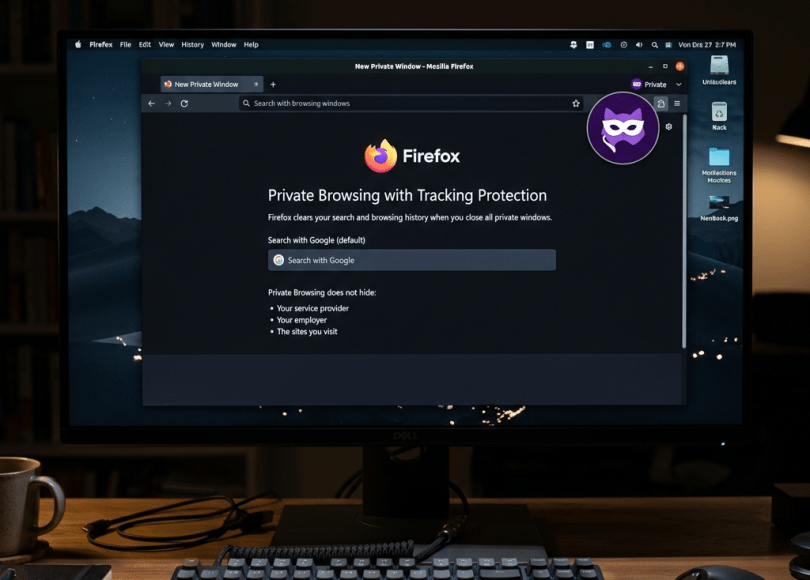
The screen turns dark.
You see the Incognito icon.
And psychologically, something changes.
It feels private.
No history.
No cookies afterward.
No embarrassing searches appearing in your browser history.
So you might assume:
“Nobody can see what I’m doing now.”
That’s one of the biggest privacy misconceptions on the internet.
Incognito Mode does not make you anonymous.
It does not magically hide your IP address.
It does not make you invisible to websites.
It does not turn Chrome into Tor.
It does not automatically hide activity from a company or school managing your device/network.
It does not prevent every form of tracking.
And if you sign into Google while browsing privately, Google doesn’t suddenly forget who you are.
Incognito Mode is useful.
But it solves a very different problem from the one many people think it solves.
Let’s see exactly what it does—and who may still be able to see your activity.
First, Read What Chrome Actually Tells You
You don’t have to trust me.
Chrome itself explains that Incognito changes what is saved on your device, while your activity may still be visible to websites you visit and organizations managing your network.
That’s the key distinction.
Incognito is primarily about local privacy.
It is not an anonymity system.
What Does Incognito Mode Actually Do?
When you browse normally, Chrome maintains information such as your browsing history.
Incognito creates a temporary browsing session.
After you close all Incognito windows, Chrome generally doesn’t retain things such as the session’s:
- Browsing history
- Cookies and site data
- Information entered into forms
That’s useful.
Imagine you’re using a family computer and want to:
- Search for a surprise birthday present
- Sign into another account temporarily
- Check flight prices without keeping the session
- Use a website without existing cookies
- Log into your email on a borrowed computer
Incognito can help with those scenarios.
But notice what we’re talking about:
What Chrome saves locally.
We’re not talking about making your internet connection invisible.
Here’s the Simplest Way to Understand Incognito
Imagine browsing the internet is like driving somewhere.
Normal browsing leaves your trip written in a notebook inside your house.
Incognito tells the browser:
Don’t keep that notebook entry when I’m finished.
It doesn’t make your car invisible.
The destination still sees you arrive.
Road infrastructure still exists.
You didn’t suddenly become a ghost.
That’s essentially the privacy difference.
Can Websites Still See You in Incognito Mode?
Yes, websites still receive information necessary to communicate with your browser.
That can include information such as your IP address and browser/device characteristics.
If you log into an account, identification becomes even easier.
Suppose you open Incognito and visit YouTube.
Then you sign into your Google account.
Google doesn’t think:
“He’s using Incognito! We have no idea who this is!”
You literally authenticated yourself.
Incognito and account identity are separate things.
Try This Yourself
Open Incognito Mode.
Then visit any reputable “what is my IP” service.
Now open a normal browser window and check again.
Unless something else changes your network route, you’ll generally see the same public IP address.
Why?
Because:
Incognito doesn’t hide your IP address.
That’s not what the feature was designed to do.
Can Google See Searches Made in Incognito?
This question needs nuance.
If you’re signed out and using Incognito, the browser doesn’t save those searches to your normal local Chrome history after the Incognito session ends.
But Incognito doesn’t prevent Google Search—or another website—from receiving requests you send to it.
And if you sign into your Google account during the session, activity may be associated with your account depending on the service and your account settings.
Want to know what Google currently associates with your account?
Check it yourself:
Don’t just read articles about Google privacy.
Look at your own account.
You may be surprised by how much activity you’ve chosen to retain.
Can Your Internet Provider See What You Do in Incognito?
Incognito does not provide network-level privacy from your internet provider.
However, another myth needs correcting here.
Your ISP does not necessarily see the full contents of everything you do.
Modern websites overwhelmingly use HTTPS.
HTTPS encrypts the communication between your browser and the website.
That means an observer on the network generally cannot simply read the full contents of an encrypted HTTPS page as though they were looking over your shoulder.
Depending on technologies such as DNS and encrypted DNS, network observers may still be able to learn certain information about connections and destinations.
The important point is:
Incognito itself does nothing special to hide your network traffic from your ISP.
Can Your Wi-Fi Owner See Your Incognito History?
Again, Incognito doesn’t change how network traffic travels.
If you’re connected to:
- Office Wi-Fi
- University Wi-Fi
- School Wi-Fi
- Hotel Wi-Fi
- Public Wi-Fi
your traffic still travels through network infrastructure.
What administrators can actually observe depends on network configuration, encryption, DNS, device management, security products, and other factors.
But opening an Incognito window doesn’t suddenly bypass the network.
Can Your Employer See Incognito Activity?
This is especially important on company computers.
Suppose your employer gives you a laptop.
You open Incognito.
You assume:
“Chrome isn’t saving history, so IT can’t see anything.”
That’s a dangerous assumption.
A managed corporate device may contain:
- Endpoint security software
- Device-management systems
- Network monitoring
- Web filtering
- Security agents
- DNS filtering
- Logging tools
Incognito Mode does not disable enterprise security software.
If it’s a company-owned device, assume company security policies still apply.
Can Your School or University See Incognito Activity?
The same principle applies.
Incognito doesn’t bypass:
- Network filtering
- Device management
- School-installed monitoring tools
- Firewall rules
If the device or network is managed by an institution, Incognito doesn’t magically remove that management.
Can Your Parents See Incognito History?
This depends entirely on the setup.
If you’re using your own unmanaged device and simply asking whether Chrome will leave the Incognito pages in ordinary browser history:
Normally, that’s exactly the type of local history Incognito is designed not to retain.
But parental-control systems, managed accounts, router-level controls, DNS filtering, or monitoring software are separate technologies.
Incognito doesn’t disable them.
Does Incognito Hide Your IP Address?
No.
This deserves its own section because the misconception is so common.
Your IP address is part of how internet communication works.
Incognito doesn’t replace it.
Incognito doesn’t route your traffic through another country.
Incognito doesn’t create a VPN.
Incognito doesn’t use Tor.
It’s a browser-session privacy feature.
Does a VPN Make You Anonymous?
Now we reach another huge misconception.
A VPN can improve privacy in certain circumstances by routing your internet traffic through a VPN provider.
Websites will generally see the VPN server’s public IP rather than your normal public IP.
But:
VPN ≠ complete anonymity.
The VPN provider becomes part of your trust model.
And if you sign into:
- Amazon
- Microsoft
while connected to a VPN…
those services still know which account logged in.
Changing your IP doesn’t erase the identity you explicitly provided.
Incognito + VPN Still Doesn’t Make You Invisible
Imagine:
Incognito + VPN + Gmail login
You may have prevented Chrome from keeping ordinary local history after closing the Incognito session.
The website sees a VPN IP.
But you then told Google:
Hello, this is my Google account.
You identified yourself.
Privacy isn’t one switch.
It’s a collection of layers.
What About Browser Fingerprinting?
This is where online tracking becomes fascinating.
Websites don’t always need traditional cookies to distinguish browsers.
Your browser exposes various characteristics needed for websites to function.
Depending on circumstances, these can contribute to a browser fingerprint.
Examples may include combinations of:
- Browser version
- Operating system
- Screen properties
- Language
- Time zone
- Graphics capabilities
- Hardware characteristics
- Other browser signals
No single characteristic necessarily identifies you.
But combinations can sometimes make browsers more distinguishable.
Incognito Doesn’t Automatically Defeat Fingerprinting
Deleting cookies helps against certain tracking techniques.
But fingerprinting is specifically interesting because it can use signals beyond ordinary persistent cookies.
Incognito Mode isn’t designed to make every browser look identical.
That’s another reason:
Private browsing and anonymous browsing aren’t synonyms.
What About Downloads?
Here’s another thing people forget.
You enter Incognito.
Download a PDF.
Close Incognito.
The browser history disappears.
But…
The PDF is still on your computer.
Incognito doesn’t automatically delete files you intentionally downloaded.
Similarly, bookmarks you deliberately create can persist.
Private browsing isn’t an automatic cleanup tool for everything you do.
What About Malware?
Suppose your computer contains malware.
You open Incognito.
Does the malware suddenly say:
“Sorry, you’re private now. I’ll stop monitoring.”
Obviously not.
Incognito isn’t antivirus.
It doesn’t protect you from:
- Keyloggers
- Spyware
- Malicious extensions with relevant access
- Compromised operating systems
- Screen-recording malware
If the endpoint itself is compromised, browser privacy modes cannot magically fix it.
Can Police Recover Incognito History?
This is another popular search question.
The answer is more complicated than the viral:
“Yes, police can see everything!”
Incognito is designed not to retain ordinary browsing history in Chrome after the private session ends.
But an investigation may involve more than Chrome’s History page.
Depending on the case and lawful authority, relevant information might potentially exist through:
- Account activity
- Downloads
- Other device artifacts
- Network records
- Website/provider records
- Other devices
- Cloud services
That doesn’t mean a forensic tool can simply press:
RECOVER ALL INCOGNITO HISTORY
and magically reconstruct every website ever visited.
That’s misleading.
It means deleting local browser history and eliminating every possible external record are completely different things.
What If You Delete Your Browser History?
The same principle applies.
Deleting Chrome history removes the browser history Chrome maintains for you locally and/or synced history depending on what you choose.
It doesn’t issue a command to the entire internet saying:
Forget I ever existed.
Websites have their own systems.
Accounts have their own activity records.
Cloud providers have their own systems.
Network operators have their own logs and retention practices.
One “Delete History” button cannot control every independent system.
Does Incognito Stop Ads From Tracking You?
It can reduce some persistence based on existing cookies because the Incognito session uses separate temporary site data.
But that doesn’t mean advertising and analytics systems become incapable of observing your session.
Websites can still process information about your visit.
If you authenticate, interact with content, or otherwise identify yourself, Incognito doesn’t prevent that.
The Biggest Incognito Mistake: Logging Into Everything
Suppose your goal is to keep a browsing session separate from your usual account identity.
Then you open Incognito and immediately log into:
Amazon
You’ve now explicitly authenticated to those services.
Incognito can still prevent that session’s cookies from remaining after you close all Incognito windows.
That’s useful.
But don’t confuse:
temporary browser session
with
anonymous identity.
So What IS Incognito Actually Good For?
Incognito is genuinely useful.
Don’t stop using it just because it isn’t anonymous.
It’s excellent when you want to:
- Temporarily sign into another account
- Prevent searches appearing in local browser history
- Use a shared computer without retaining a normal browser session
- Test websites without existing cookies
- Search for gifts without leaving obvious local history
- Avoid keeping temporary sessions after closing the browser
That’s what it was designed for.
And it does that job well.
Privacy vs Anonymity: Know the Difference
This distinction will instantly improve your understanding of online security.
Privacy
Controls who can access information about you.
Anonymity
Controls whether an activity can be associated with your identity.
You can have privacy without anonymity.
For example:
You send an encrypted message to your friend.
The contents are private.
But your friend knows who you are.
Incognito provides a form of local browsing privacy.
It doesn’t promise anonymity.
What Should You Use for Better Online Privacy?
There is no single magic application.
Think in layers.
Keep browsers updated
Security vulnerabilities matter more than cosmetic privacy settings.
Review browser extensions
Extensions can receive significant permissions.
Remove ones you don’t need.
Use HTTPS
Modern browsers already strongly encourage this.
Review Google activity
See what’s associated with your account:
Review Google privacy controls
Review account sessions
Sign out unknown devices.
Use strong authentication
Passkeys or MFA can help protect accounts from takeover.
Separate identities when genuinely necessary
Don’t assume opening Incognito automatically separates an activity from accounts you subsequently log into.
What About Tor Browser?
Tor is fundamentally different from Incognito.
Incognito primarily changes local browser retention.
Tor Browser routes traffic through the Tor network and is designed with stronger anonymity and anti-tracking properties.
But even Tor isn’t magic.
For example, logging into a personally identifiable account can reveal your identity to that service regardless of how the connection is routed.
Technology cannot protect you from voluntarily identifying yourself.
Quick Comparison
| Feature | Normal Browser | Incognito | VPN | Tor Browser |
|---|---|---|---|---|
| Doesn’t retain normal local history after session | ❌ | ✅ | ❌ | Designed for private sessions |
| Hides normal IP from websites | ❌ | ❌ | ✅* | ✅* |
| Makes logged-in accounts forget who you are | ❌ | ❌ | ❌ | ❌ |
| Prevents ISP from seeing ordinary destination IP directly | ❌ | ❌ | Generally routes through VPN | Routes through Tor |
| Complete anonymity | ❌ | ❌ | ❌ | ❌ guarantee |
| Useful privacy tool | — | ✅ | ✅ | ✅ |
*The VPN or Tor exit becomes the apparent source from the destination’s perspective, with important technical nuances.
Frequently Asked Questions
Is Incognito Mode actually private?
Yes, but mainly in the local-browser sense. Chrome doesn’t retain normal Incognito browsing history after all Incognito windows are closed, but Incognito isn’t an anonymity system.
Can Wi-Fi owners see Incognito activity?
Incognito doesn’t hide network traffic from the network itself. Exactly what an administrator can observe depends on encryption and network configuration.
Can my ISP see Incognito browsing?
Incognito doesn’t provide special protection from your ISP. HTTPS still encrypts page contents independently of whether you’re using Incognito.
Does Incognito hide my IP?
No.
Does Incognito prevent Google tracking?
It doesn’t prevent Google services from receiving activity you send them, and signing into a Google account explicitly identifies that account.
Can my employer see Incognito activity?
On managed devices or networks, employers may have security and monitoring systems independent of Chrome history. Incognito doesn’t disable them.
Is VPN better than Incognito?
They solve different problems. Incognito manages temporary local browser data; a VPN changes how network traffic is routed.
Does deleting Incognito history make me anonymous?
Chrome generally doesn’t maintain ordinary Incognito browsing history after the session closes in the first place. But external records and account activity are separate issues.
The Truth About Incognito Mode
The biggest problem with Incognito isn’t that it doesn’t work.
It’s that people expect it to do something it was never designed to do.
Incognito can hide your browsing session from the next person who opens Chrome on the same computer.
That’s useful.
But the internet exists outside your computer.
The website still receives your connection.
Your account still knows when you log in.
A managed device may still be managed.
A managed network may still enforce monitoring and security policies.
Downloaded files still exist.
Malware doesn’t disappear.
And your IP address doesn’t magically vanish.
So next time you see that dark Incognito window, remember:
Incognito means “don’t keep my normal local browsing history after this session.”
It does not mean:
“Nobody can see me.”
That distinction could save you from making some very bad assumptions about your privacy.
Discover more from Spyboy blog
Subscribe to get the latest posts sent to your email.
