
 Posted by
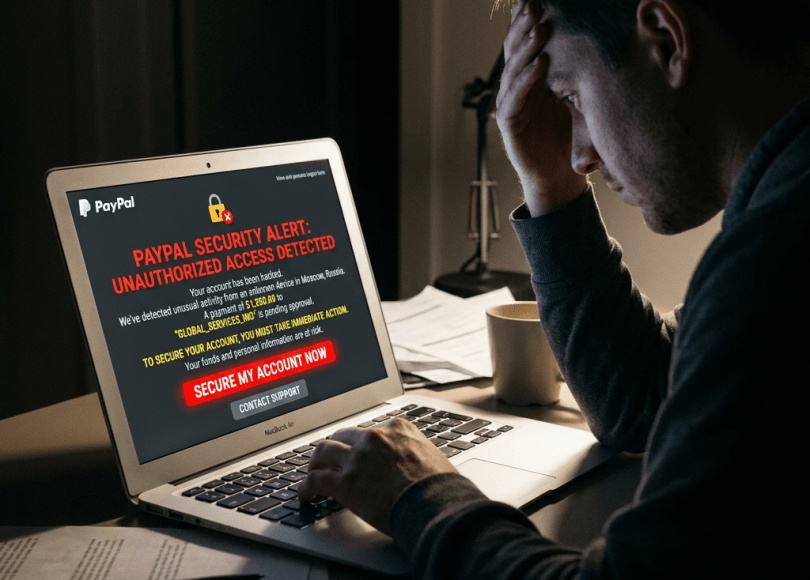
 Imagine checking your PayPal account during lunch.
Instead of your normal balance, you notice something terrifying.
Several payments have been made.
You don’t recognize the recipients.
You never approved the transactions.
Within minutes, your bank account, credit card, or PayPal balance starts disappearing.
Your first thought?
“Someone hacked my PayPal!”
But here’s the truth.
In most cases, hackers don’t break into PayPal’s servers.
They break into your account.
And they usually do it using scams that have been around for years.
The good news?
Once you understand how these attacks work, they’re much easier to spot.
In this guide, you’ll learn:
- How PayPal accounts are commonly compromised
- The latest PayPal scams in 2026
- How fake invoices and phishing attacks work
- Warning signs someone is targeting your account
- The best ways to secure your PayPal account
Why PayPal Accounts Are Valuable
Unlike social media accounts, PayPal is directly connected to money.
Many users link:
- Credit cards
- Debit cards
- Bank accounts
- Business accounts
A compromised PayPal account may allow attackers to:
- Make unauthorized purchases
- Attempt fraudulent transfers
- Abuse linked payment methods
- Use the account in scams
That makes PayPal one of the most attractive targets for cybercriminals.
Method #1: Fake PayPal Login Pages
The most common PayPal attack isn’t technical.
It’s psychological.
You receive an email saying:
Your PayPal account has been limited.
Or
Suspicious activity detected.
The message urges you to log in immediately.
The website looks identical to PayPal.
Except…
It’s fake.
Once you enter your credentials, they’re sent to the attacker instead.
Always type PayPal’s address manually or use your saved bookmark rather than following unexpected links.
Method #2: Fake PayPal Invoices
One of the fastest-growing scams involves fake invoices.
Victims receive an invoice claiming they’ve purchased:
- Cryptocurrency
- Antivirus software
- Electronics
- Gift cards
The invoice often includes a fake customer support number.
When victims call, scammers try to convince them to:
- Install remote access software
- Reveal verification codes
- Approve fraudulent transactions
Remember:
Receiving an invoice doesn’t necessarily mean a payment has been made.
Always verify directly through your PayPal account.
Method #3: Credential Stuffing
Suppose you use the same password for:
- PayPal
- An old shopping website
- A gaming forum
If another website suffers a data breach, attackers may test those credentials on PayPal.
This automated attack is called credential stuffing.
A unique password dramatically reduces this risk.
Method #4: Fake Customer Support
Scammers often impersonate:
- PayPal Support
- Fraud departments
- Security teams
They may claim:
- Your account is locked.
- Someone is stealing your money.
- Immediate action is required.
Then they ask for:
- Passwords
- Verification codes
- Remote access to your computer
Legitimate support representatives will not ask for your password.
Method #5: Malware on Your Device
Sometimes attackers don’t target PayPal directly.
They target your computer.
Malware may attempt to steal:
- Saved passwords
- Browser cookies
- Session information
Keeping your operating system, browser, and security software updated helps reduce this risk.
Method #6: SIM Swapping
If your PayPal account uses SMS-based verification, attackers may attempt SIM swapping.
They try to fraudulently transfer your phone number to another SIM card.
If successful, they may receive verification text messages intended for you.
Consider using an authenticator app where available, and protect your mobile account with a carrier PIN.
Method #7: Public Wi-Fi Scams
Using public Wi-Fi isn’t automatically dangerous.
But public networks can increase your exposure if:
- You ignore browser security warnings.
- You access sensitive accounts on untrusted devices.
- You install software from unknown sources.
When accessing financial accounts, use trusted networks whenever possible.
Method #8: Fake “Refund” Scams
This scam often starts with:
You’ve been overcharged.
The attacker offers to help process a refund.
Instead, they attempt to manipulate the victim into sending money or granting remote access to their device.
Never let unknown callers control your computer.
Method #9: Ignoring Security Alerts
PayPal may notify you about:
- New device logins
- Password changes
- Suspicious activity
Treat these alerts seriously.
If something doesn’t look familiar, investigate immediately.
Method #10: Weak Recovery Information
Your PayPal account is only as secure as:
- Your email account
- Your phone number
- Your recovery options
If someone compromises your email, they may also attempt to reset your PayPal password.
Protect your email with the same care as your financial accounts.
Warning Signs Someone May Be Targeting Your PayPal Account
Be alert for:
- Password reset emails you didn’t request
- Login notifications from unknown devices
- Unexpected invoices
- Charges you don’t recognize
- Changes to your recovery information
Respond quickly if you notice any of these.
How to Secure Your PayPal Account
✅ Use a Unique Password
Never reuse passwords from other websites.
✅ Enable Two-Step Verification
An extra layer of security can significantly reduce unauthorized access.
✅ Review Linked Devices
Remove devices you no longer use.
✅ Check Your Activity Regularly
Look for unfamiliar payments or login attempts.
✅ Protect Your Email
Your email account is often the gateway to recovering your PayPal account.
✅ Think Before You Click
Unexpected emails and invoices deserve extra scrutiny.
Common Myths
| Myth | Reality |
|---|---|
| PayPal gets hacked all the time | Most compromises involve phishing, password reuse, or scams targeting users. |
| Antivirus blocks every scam | Human judgment remains essential. |
| I don’t keep money in PayPal | Linked cards and bank accounts can still make the account attractive. |
| SMS verification alone is enough | It’s helpful, but authenticator apps can offer stronger protection in many situations. |
Frequently Asked Questions
Can someone hack my PayPal without my password?
Attackers often rely on phishing, password reuse, malware, or social engineering rather than directly guessing passwords.
Are PayPal invoices always legitimate?
No. Fraudsters may send fake invoices to create urgency or trick users into contacting scam numbers.
Should I enable two-step verification?
Yes. It provides an important additional layer of security.
What should I do if I clicked a fake PayPal link?
Immediately change your password, review your account activity, verify your two-step verification settings, and scan your device if you downloaded any files.
Is PayPal safe to use?
PayPal includes multiple security features, but users still need to stay alert for phishing attempts and account-targeted scams.
Final Thoughts
PayPal is one of the safest online payment platforms—but no platform can protect you from every scam if you voluntarily hand over your credentials or approve a fraudulent request.
Most successful PayPal account compromises don’t begin with sophisticated hacking.
They begin with:
- A fake email.
- A convincing invoice.
- A phishing page.
- A phone call.
- A moment of panic.
Slow down, verify requests through official channels, and treat your PayPal account with the same care as your bank account.
A few extra seconds of caution can save you weeks—or months—of financial and emotional stress.
Discover more from Spyboy blog
Subscribe to get the latest posts sent to your email.
