
 Posted by
 Most people protect:
- Phones
- Laptops
- Social media accounts
- Passwords
But they completely ignore one device connected to everything:
The WiFi router.
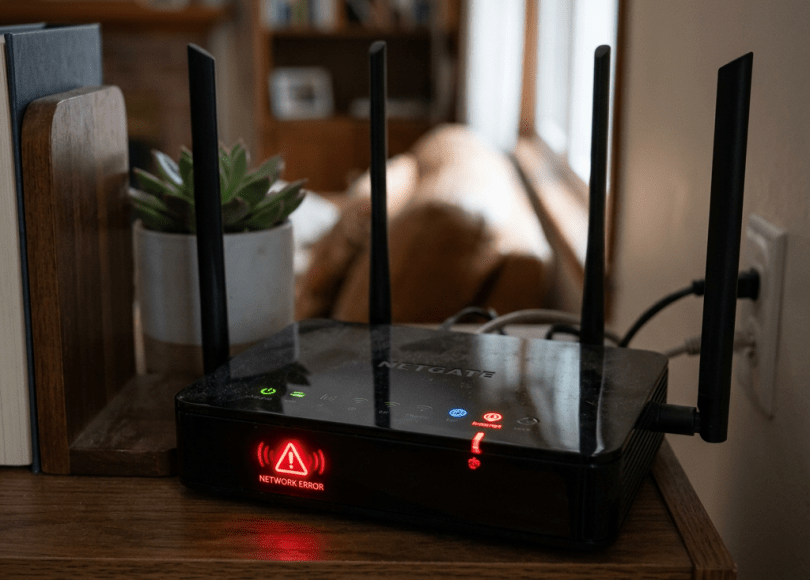
It sits quietly in a corner.
No notifications.
No apps to open.
No exciting features.
Just blinking lights.
And because people rarely think about it…
Routers have become one of the most neglected cybersecurity devices in modern homes.
The scary part?
Your router sees almost everything:
- Connected devices
- Internet traffic
- Smart home gadgets
- TVs
- Phones
- Cameras
- Gaming systems
If compromised, attackers may not need to hack your phone at all.
They may simply target the network.
In this deep dive, we’ll uncover:
- 🌐 Why routers are attractive targets
- 🔐 Common router mistakes people make
- ⚠️ The hidden risks of default settings
- 🕵️ DNS hijacking and router attacks explained
- 📱 Smart home risks most users ignore
- 🛡 How to secure your home network
Because today…
The most important computer in your house may be the one nobody pays attention to.
What Does Your Router Actually Do?
Your router acts like traffic control for your network.
It connects:
- Phones
- Laptops
- TVs
- Cameras
- Consoles
- Smart devices
Everything flows through it.
That means:
Your router sits at the center of your digital life.
Why Attackers Love Routers
Routers are attractive because:
- Users rarely update them
- Passwords stay unchanged
- Settings are forgotten
- Old hardware remains online
And unlike phones…
Many people never review router security.
The Biggest Mistake: Default Passwords
Many routers ship with:
Username:
admin
Password:
admin
Or:
password
Some users never change them.
Attackers know this.
Default credentials remain one of the oldest and simplest security problems online.
The Hidden Risk: Forgotten Admin Panels
Router management pages often stay available at:
- Local network addresses
- Device portals
- Mobile apps
Years later users may:
- Forget credentials
- Forget settings
- Ignore firmware updates
Neglected admin access creates risk.
What Is DNS Hijacking?
One of the more dangerous router attacks:
DNS hijacking
Normally:
You type:
google.com
DNS translates it into an IP address.
But compromised routers can manipulate this process.
Victims think they visit:
theirbank.com
But secretly get redirected elsewhere.
Sometimes to:
- Fake banking pages
- Phishing sites
- Scam portals
And users may never notice.
Why Smart Homes Increased Router Risks
Homes now include:
- Smart TVs
- Cameras
- Speakers
- Doorbells
- Appliances
- Lighting systems
Every connected device becomes:
Another potential entry point.
The more devices connected…
The larger the attack surface.
Old Routers Stop Receiving Updates
Like phones:
Routers eventually stop receiving:
- Security patches
- Firmware updates
- Vulnerability fixes
Many people use routers for:
5–10 years or longer.
Meanwhile threats evolve continuously.
Outdated infrastructure becomes risky.
Public Router Vulnerabilities Exist Too
Over time researchers discovered vulnerabilities involving:
- Remote management issues
- Authentication flaws
- Misconfigurations
Most users never hear about these problems.
Because routers operate quietly in the background.
Another Overlooked Feature: Remote Access
Some routers allow:
- Remote administration
- Cloud control
- External access
Convenient?
Yes.
But unnecessary exposure increases risk.
If unused:
Disable it.
Why Guests Can Accidentally Increase Risk
Visitors often connect:
- Phones
- Tablets
- Laptops
And devices may contain:
- Malware
- Adware
- Weak security settings
Guest networks exist for a reason.
Most people never enable them.
The Hidden Threat: Fake Firmware Updates
Attackers sometimes use:
- Phishing emails
- Fake support pages
- Scare messages
Claiming:
“Your router requires immediate update.”
Victims click.
And may download malicious software instead.
Always update directly through:
Official manufacturer systems.
Can Attackers Spy Through Routers?
Modern encryption improved internet privacy dramatically.
But compromised routers may still create visibility into:
- Metadata
- DNS activity
- Device behavior
And phishing remains a major concern.
Attackers increasingly focus on manipulation instead of direct interception.
The Psychology Behind Router Neglect
People think:
“If WiFi works, leave it alone.”
No updates.
No settings review.
No maintenance.
That mindset creates security blind spots.
Because invisible technology often gets ignored.
Warning Signs Something May Be Wrong
🚩 Internet suddenly redirects strangely
Unexpected websites matter.
🚩 New devices appear on network
Unknown connections deserve investigation.
🚩 Router settings changed unexpectedly
Review admin pages.
🚩 WiFi slows dramatically
Not always security-related—but worth checking.
🚩 Firmware extremely outdated
Old software increases risk.
How to Secure Your Router
Now the important part.
🔐 1. Change Default Admin Credentials
Never keep:
admin/admin
🛡 2. Update Firmware
Check manufacturer updates regularly.
🌐 3. Disable Remote Management
If you don’t need it:
Turn it off.
🚫 4. Enable Guest Networks
Separate guest devices.
📱 5. Review Connected Devices
Remove unknown systems.
🔍 6. Use Strong WiFi Passwords
Weak passwords create unnecessary risk.
Comparison: Safer Router Habits vs Riskier Habits
| Safer Habits | Riskier Habits |
|---|---|
| Change defaults | Keep factory credentials |
| Update firmware | Ignore updates |
| Guest network enabled | Everyone on one network |
| Remote access disabled | Leave unnecessary features on |
| Review devices | Never check activity |
The Bigger Problem: Home Networks Became Mini Data Centers
Years ago homes had:
- One computer
- One modem
Now homes contain:
- Phones
- Cameras
- TVs
- Smart speakers
- IoT devices
- Gaming systems
And routers sit in the middle of all of it.
That makes them more important than ever.
Final Thoughts: The Device You Ignore Might Be the Most Important One
Routers rarely demand attention.
They quietly work in the background.
Which is exactly why people forget them.
But cybersecurity isn’t only about protecting:
- Phones
- Accounts
- Passwords
Sometimes it starts with protecting the thing connecting everything else.
Because your WiFi router isn’t just internet equipment anymore.
It’s the front door to your digital home.
Frequently Asked Questions (FAQ)
❓ Can hackers target home routers?
Yes. Weak passwords, outdated firmware, and misconfigurations can create opportunities for attacks.
❓ What is DNS hijacking?
DNS hijacking manipulates website routing so users may unknowingly visit malicious destinations.
❓ Should I change default router passwords?
Absolutely. Default credentials are widely known and should always be replaced.
❓ Do routers need updates?
Yes. Firmware updates may patch vulnerabilities and improve security.
❓ What is a guest WiFi network?
Guest networks separate visitor devices from primary home devices.
❓ How do I know if strange devices are connected?
Most routers provide connected-device lists through admin settings.
Final Call to Action
Right now:
- Open your router settings
- Change default credentials
- Check firmware updates
- Review connected devices
- Enable guest access
- Share this article with someone who hasn’t touched router settings in years
Because sometimes…
The biggest cybersecurity risk isn’t your phone.
It’s the blinking box in the corner.
Discover more from Spyboy blog
Subscribe to get the latest posts sent to your email.
