
 Posted by
 Screenshots feel harmless.
You take them all the time:
- Bank transactions
- OTP codes
- Flight tickets
- Chats
- Password reset links
- Crypto wallets
- Shopping receipts
- Personal documents
One tap.
Saved forever.
Simple.
Convenient.
Forgotten.
And that’s exactly the problem.
Because most people treat screenshots like temporary information.
But phones treat them like permanent memories.
Years later, your screenshot folder may contain:
- Account numbers
- Addresses
- Login details
- QR codes
- Recovery codes
- Financial records
- Personal conversations
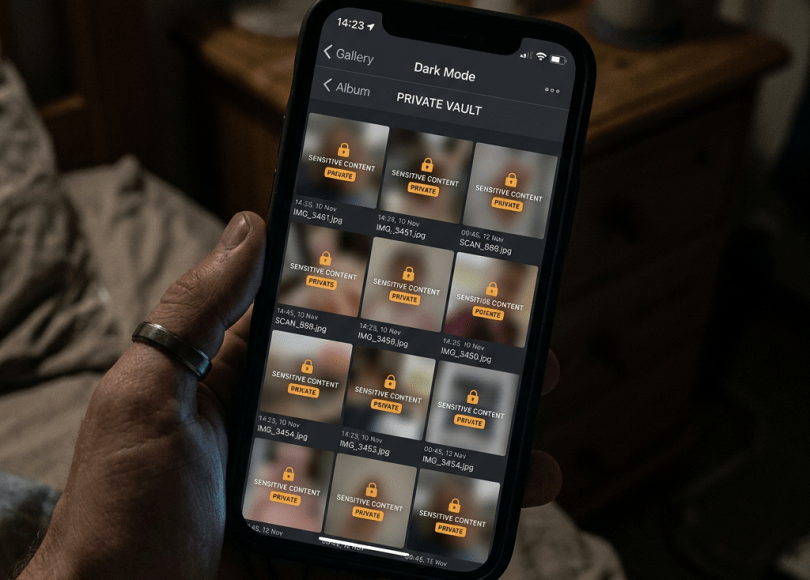
All neatly organized in one place.
For anyone who gains access to your phone.
In this deep dive, we’ll uncover:
- 📸 Why screenshots are becoming a privacy nightmare
- 🕵️ The hidden data people accidentally save
- ⚠️ Why screenshot folders are digital goldmines
- 🔐 The risks of cloud backups
- 📱 How screenshots expose entire digital identities
- 🛡 How to clean up your screenshot habit
Because today…
The most sensitive data on your phone might be sitting in a folder you never check.
Why Screenshots Feel Safe
People think:
“It’s just a screenshot.”
Not:
“It’s a permanent copy of sensitive information.”
That’s a huge difference.
Because screenshots often bypass normal security habits.
Users protect:
- Password managers
- Banking apps
- Email accounts
But then save screenshots of all of them.
What People Screenshot Every Day
The average smartphone contains screenshots of:
Financial information
- Transactions
- Account balances
- Receipts
Travel information
- Boarding passes
- Hotel bookings
- Tickets
Authentication information
- Backup codes
- Recovery keys
- Verification messages
Personal conversations
- Private chats
- Family discussions
- Work messages
That’s a lot of sensitive information.
The Hidden Danger: OTP Screenshots
Many users screenshot:
- Verification codes
- Backup codes
- Recovery keys
Then forget.
Months later:
Those screenshots remain.
Sometimes synced across:
- Phones
- Tablets
- Laptops
- Cloud storage
Convenience creates copies.
Why Recovery Codes Matter
Some services provide:
Emergency recovery codes.
Purpose:
Account recovery if authentication methods fail.
These codes are extremely important.
Yet many people store them as:
Random screenshots.
Mixed in with memes and vacation photos.
Not ideal.
The Cloud Backup Problem
Modern phones increasingly sync photos automatically.
Including:
Screenshots.
That means one screenshot may exist on:
- Your phone
- Cloud backups
- Other devices
- Photo services
People often don’t realize how widely information spreads.
Screenshots Create Permanent Records
Apps delete things.
Messages disappear.
Websites change.
But screenshots remain.
Years later you may still have:
- Old addresses
- Personal data
- Identity documents
- Financial information
Stored in forgotten folders.
Another Hidden Risk: Search Features
Modern phones now use AI and search capabilities.
You can often search for:
- Numbers
- Names
- Text
Inside images.
Convenient?
Absolutely.
But it means screenshots become searchable databases.
Why Hackers Love Screenshot Folders
If attackers gain access to a device:
Screenshot folders may contain:
- Account clues
- Financial data
- Personal information
- Authentication material
All concentrated in one place.
Much easier than searching dozens of apps.
The Workplace Problem
Employees often screenshot:
- Internal dashboards
- Customer information
- Reports
- Tickets
Then sync images to personal devices.
Organizations increasingly worry about:
Unintentional data exposure.
Social Media Makes It Worse
People frequently share screenshots of:
- Messages
- Emails
- Conversations
Then forget to hide:
- Names
- Phone numbers
- Addresses
- Personal details
Tiny mistakes become public.
Why We Forget Screenshots Exist
Psychologically:
Screenshots feel temporary.
Like sticky notes.
But phones treat them like photographs.
They become:
Permanent records.
The brain doesn’t naturally account for that.
Warning Signs Your Screenshot Folder Needs Attention
🚩 Thousands of screenshots
Time for cleanup.
🚩 Banking screenshots stored
Review them.
🚩 Recovery codes saved as images
Move them somewhere safer.
🚩 Sensitive work information
Check storage policies.
🚩 Cloud sync enabled everywhere
Know where copies exist.
How To Use Screenshots More Safely
Now the important part.
🔐 1. Review Screenshot Folders Regularly
Most people never do.
🛡 2. Delete Sensitive Screenshots Quickly
Don’t keep them forever.
📱 3. Avoid Screenshotting Recovery Codes
Store them securely.
🌐 4. Understand Cloud Sync
Know where images go.
🚫 5. Check Before Sharing Screenshots
Look for hidden information.
🔍 6. Treat Screenshots Like Documents
Not temporary notes.
Comparison: Safer vs Riskier Screenshot Habits
| Safer Habits | Riskier Habits |
|---|---|
| Regular cleanup | Never review screenshots |
| Delete sensitive images | Keep everything forever |
| Secure recovery codes | Screenshot authentication secrets |
| Review before sharing | Post screenshots immediately |
| Understand backups | Ignore cloud copies |
The Bigger Problem: Screenshots Became Personal Archives
Years ago screenshots were rare.
Today they’re everywhere.
People use them for:
- Evidence
- Notes
- Bookmarks
- Records
- Reminders
The result?
Screenshot folders increasingly contain:
Entire snapshots of people’s digital lives.
Final Thoughts: Your Screenshot Folder Knows More Than You Think
The average person worries about:
- Hackers
- Malware
- Passwords
But often overlooks:
Their own screenshots.
Because screenshots quietly collect:
- Sensitive information
- Personal details
- Financial records
- Authentication data
Without anyone noticing.
And over time…
That folder becomes one of the most revealing places on your phone.
Frequently Asked Questions (FAQ)
❓ Are screenshots a security risk?
They can be if they contain sensitive information such as financial data, recovery codes, or personal details.
❓ Should I screenshot OTP codes?
It’s generally safer to avoid storing authentication information as screenshots.
❓ Do screenshots get backed up to the cloud?
Many phones automatically include screenshots in photo backups.
❓ Can screenshots expose personal information?
Yes. Images often contain names, phone numbers, addresses, and account details.
❓ Should I delete old screenshots?
Regular review and cleanup is a good habit.
❓ Why are screenshots valuable to attackers?
Because they often contain concentrated sensitive information in one place.
Final Call to Action
Right now:
- Open your screenshot folder
- Scroll back one year
- Delete sensitive images
- Review cloud backup settings
- Remove old recovery-code screenshots
- Share this article with someone who screenshots everything
Because sometimes…
The biggest privacy leak isn’t on the internet.
It’s already sitting in your gallery.
Discover more from Spyboy blog
Subscribe to get the latest posts sent to your email.
