
 Posted by
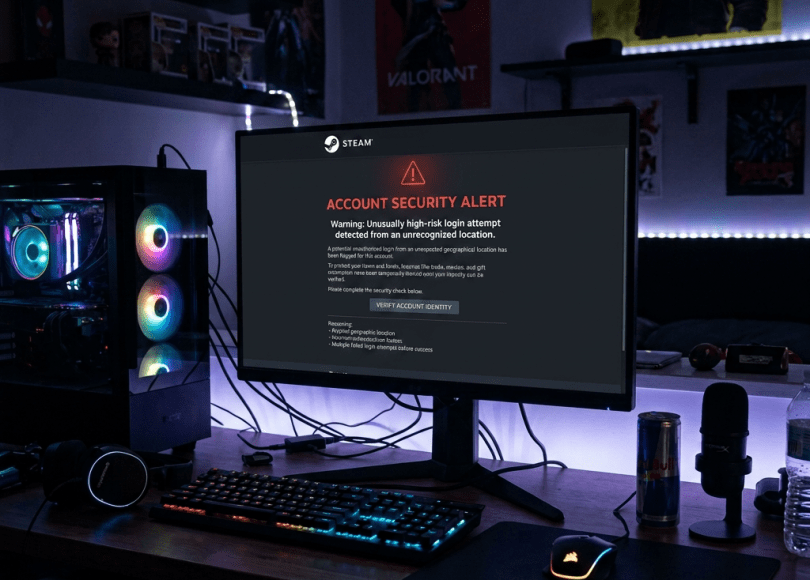
 You open Steam after a long day.
You’re ready to play your favorite game.
But something feels wrong.
Your password doesn’t work.
You try again.
Still nothing.
Then you notice the recovery email has changed.
Your profile picture is different.
Your friends are receiving strange messages from your account.
Years of purchased games.
Hundreds—or even thousands—of dollars’ worth of digital content.
Rare skins.
Trading cards.
Marketplace items.
Everything is suddenly under someone else’s control.
This happens more often than many gamers realize.
The surprising part?
Most Steam accounts aren’t compromised because someone “hacked Steam.”
They’re compromised because attackers trick users into giving away access.
In this guide, you’ll learn:
- How Steam accounts are commonly compromised
- The biggest Steam scams in 2026
- How skin trading scams work
- How fake tournaments steal accounts
- How to secure your Steam account
Why Steam Accounts Are Valuable
To many people, a Steam account is just a gaming profile.
To cybercriminals, it can represent:
- Expensive game libraries
- Rare CS2 skins
- Dota 2 cosmetics
- TF2 items
- Marketplace balances
- Years of account history
Some individual inventories have been valued at thousands—or even tens of thousands—of dollars.
That’s why attackers actively target gamers.
Method #1: Fake Steam Login Pages
The most common attack is also the simplest.
You receive a message saying:
“Vote for my team.”
Or
“Join our tournament.”
Or
“Claim your free skin.”
The link looks almost identical to Steam.
You log in.
Nothing happens.
Except…
You just entered your credentials into a fake website.
The attacker now has your username and password.
Method #2: Fake CS2 Skin Trading Websites
Skin trading has become a massive online economy.
Attackers create convincing fake trading platforms that promise:
- Better prices
- Free cases
- Exclusive drops
- Premium upgrades
Instead, they attempt to steal your login information or trick you into approving fraudulent trades.
Always verify the website before signing in.
Method #3: API Key Scams
Many experienced traders don’t realize this attack exists.
Some malicious websites convince users to create or expose a Steam Web API key tied to their account.
Attackers can then monitor or interfere with certain trading workflows.
If you don’t use the Steam Web API for development, periodically review whether an API key exists on your account and remove any you don’t recognize.
Method #4: Fake Tournament Invitations
This scam has exploded.
You receive a message from someone claiming to need:
“One more player.”
The conversation feels natural.
They ask you to:
- Vote for a team
- Register for a tournament
- Log in through Steam
The tournament website is fake.
Its real purpose is to steal your credentials.
Method #5: Malware Disguised as Cheats
One of the oldest gaming scams still works.
Attackers advertise:
- Wallhacks
- Aim assists
- FPS boosters
- Skin changers
- Inventory editors
Instead of improving your game…
They may install malware designed to steal:
- Saved passwords
- Browser cookies
- Steam sessions
- Cryptocurrency wallets
Never download cheats from untrusted sources.
Besides the security risks, many games also prohibit cheating and may permanently ban accounts.
Method #6: Steam Guard Fatigue
Steam Guard is one of Steam’s strongest protections.
Attackers know that.
Some try to pressure victims into approving authentication requests by pretending there’s an urgent problem with the account.
Never approve a login request you didn’t initiate yourself.
Method #7: Friend Account Scams
One of your friends sends:
“Can you test this game?”
Or
“Vote for my esports team.”
You trust them.
You click.
Unfortunately…
Their account may already have been compromised.
Attackers often use stolen accounts to spread scams through trusted contacts.
Even if a message comes from a friend, think twice before clicking unexpected links.
Signs Someone May Be Trying to Compromise Your Steam Account
Watch for:
- Unexpected Steam Guard codes
- Password reset emails you didn’t request
- Friends receiving messages you never sent
- Unfamiliar login locations
- Trades you don’t remember approving
Investigate these signs promptly.
How to Secure Your Steam Account
✅ Enable Steam Guard Mobile Authenticator
It provides an additional layer of protection for logins and trades.
✅ Use a Strong, Unique Password
Don’t reuse passwords across gaming and email accounts.
✅ Never Log In Through Random Links
Go directly to Steam’s official website or app whenever possible.
✅ Review Recent Login Activity
Check for unfamiliar devices or locations.
✅ Be Skeptical of “Free” Offers
If it sounds too good to be true, it probably is.
✅ Protect the Email Linked to Your Steam Account
Your recovery email is just as important as the Steam account itself.
Common Myths
| Myth | Reality |
|---|---|
| Steam itself gets hacked frequently | Most compromises involve phishing, scams, or malware targeting users. |
| My account isn’t valuable | Even modest accounts can be abused to scam others. |
| Only professional traders are targeted | Casual gamers are targeted too. |
| Steam Guard solves every problem | It’s highly effective but can’t protect you if you voluntarily approve a fraudulent request. |
Frequently Asked Questions
Can hackers hack my Steam account without my password?
Attackers often rely on phishing, malware, or social engineering rather than directly guessing passwords.
Is Steam Guard worth using?
Yes. It’s one of the best ways to reduce the risk of unauthorized access.
Are skin trading websites safe?
Some are legitimate, but fake trading sites are common. Verify the website carefully before signing in or approving trades.
What should I do if I entered my password on a fake Steam page?
Change your password immediately, review active sessions, ensure Steam Guard is enabled, and monitor your account for unusual activity.
Final Thoughts
Your Steam account isn’t just a place to launch games.
For many people, it’s a digital collection built over years.
Protecting it doesn’t require advanced technical knowledge.
It requires recognizing the scams that attackers use every day.
Most successful Steam compromises don’t begin with breaking into Valve’s systems.
They begin with convincing someone to trust the wrong website.
Stay skeptical, protect your email, enable Steam Guard, and think twice before clicking “free” offers.
Discover more from Spyboy blog
Subscribe to get the latest posts sent to your email.
