
 Posted by
 What If Your Phone Number Suddenly Stops Working?
Imagine you’re sitting at home.
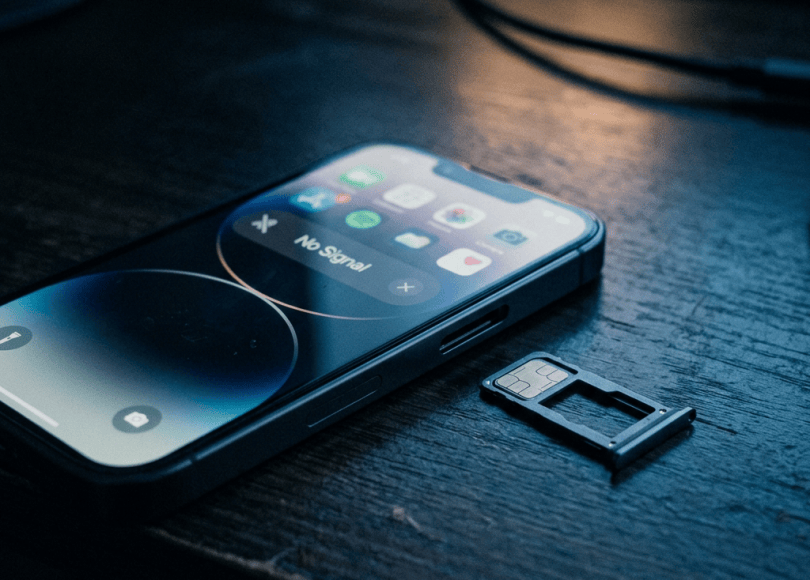
Your phone suddenly loses network.
You restart it.
Nothing.
You remove the SIM.
Put it back.
Still nothing.
Then you notice something worse.
Your bank sends a notification you don’t recognize.
Your email password has changed.
Your WhatsApp account has logged out.
Your phone number:
is no longer under your control.
This can happen in a SIM-swap or other number-takeover scenario.
And the terrifying part is that your phone itself doesn’t have to be stolen.
An attacker may target the number attached to your identity.
What Is SIM Swap Fraud?
SIM swap fraud occurs when someone fraudulently convinces a mobile carrier to transfer a victim’s phone service to a SIM/eSIM controlled by the attacker.
Your original SIM may stop connecting.
The attacker receives:
Your calls
and potentially:
SMS messages
including authentication codes if those accounts rely on SMS.
The attacker isn’t necessarily “cloning” your SIM in the traditional sense.
They’re attempting to:
Take control of your mobile number.
SIM Swap vs SIM Cloning
These terms are often confused.
SIM swap
Your mobile number is transferred to another SIM/eSIM.
SIM cloning
Historically refers to copying certain SIM credentials to another SIM.
Modern carrier fraud is more commonly discussed as:
SIM swapping / number porting / account takeover
rather than someone simply making an identical physical copy of your SIM.
Why Is Your Phone Number So Valuable?
Your number may be connected to:
- Banking
- UPI
- Social media
- Cloud accounts
- Shopping accounts
- Recovery systems
- Two-factor authentication
So your phone number can become:
An identity and recovery anchor.
The Attack Chain
A simplified attack can look like:
Attacker gathers personal information ↓Targets mobile carrier account ↓Attempts unauthorized SIM replacement/port ↓Victim's SIM loses service ↓Attacker receives calls/SMS ↓Attacker attempts account recovery ↓Additional accounts may be targeted
The exact process varies by carrier, country and account protections.
The First Warning Sign Can Be Your Network Disappearing
You may suddenly see:
No Service
or:
Emergency Calls Only
or:
SIM not provisioned
The exact message depends on your device and carrier.
Sometimes this is completely innocent.
You may simply have:
Network outage.
Damaged SIM.
Coverage problem.
Carrier maintenance.
But an unexplained sudden loss of service deserves attention.
Don’t Ignore Sudden SIM Failure
Especially if:
- You didn’t request a replacement SIM.
- You didn’t change devices.
- Your area has normal coverage.
- Other people on the same carrier have service.
- You receive account-change alerts.
Investigate immediately.
Your Bank Account May Be the Real Target
An attacker isn’t necessarily interested in:
Your phone number.
The number can be:
The doorway.
If a bank or financial service uses SMS for authentication or recovery, control of your number can potentially help an attacker attempt account takeover.
That’s why financial accounts deserve immediate attention.
SMS OTP Isn’t the Strongest Authentication
SMS authentication is better than:
No second factor at all.
But it has weaknesses.
The biggest issue:
Your phone number can potentially be transferred or intercepted through carrier-level attacks.
Where supported, stronger phishing-resistant methods can be preferable.
Use Passkeys Where Available
Passkeys can reduce reliance on:
Passwords
and:
SMS codes.
They use cryptographic credentials and are designed to resist many common phishing attacks.
Authenticator Apps Can Be Better Than SMS
An authenticator application generates codes locally rather than sending them through your mobile network.
That can reduce exposure to:
SIM-swap-based SMS interception.
But protect the authenticator and its recovery process too.
Hardware Security Keys Are Even Stronger for Some Accounts
For high-value accounts, a physical security key can provide strong phishing-resistant authentication.
This can be particularly valuable for:
- Developer accounts
- Cloud infrastructure
- Administrator accounts
- Business systems
Your Email Should Not Depend Entirely on SMS Recovery
Imagine:
Email password = strong
MFA = enabled
but:
Account recovery = SMS only
An attacker who takes control of your number may still target the recovery process.
Review:
Every recovery path.
Your Mobile Carrier Account Needs a Password Too
Many people protect:
Banking
Social media
but forget:
Carrier account.
If your carrier account supports an account PIN, password or other security control:
Use it.
Don’t leave carrier-level security dependent on easily guessed information.
Ask Your Carrier About Number-Porting Protection
Different carriers and countries offer different protections.
Depending on where you live, these may include:
- Account PIN
- Port-out protection
- SIM replacement controls
- Identity verification
- Number lock
- Account-level security
Check what your carrier currently offers.
Don’t Give Your Carrier Account Information to Random Callers
A scammer may say:
“We’re calling from your mobile provider.”
Then request:
- OTP
- Account PIN
- Personal details
- SIM information
Don’t assume the caller is legitimate.
Call the carrier through an official channel instead.
The Fake Customer-Service Call
Imagine:
“Your SIM is about to be blocked.”
Then:
“I’ll help you fix it.”
The attacker creates urgency.
You become afraid of losing your number.
Then they ask for:
OTP.
That’s exactly when you should stop.
Your OTP Is Not a Verification Tool for Random Callers
An OTP proves something about an authentication process.
It is not:
A password you should read aloud to customer support.
Never give an unsolicited caller an OTP.
Beware of Fake KYC Messages
A common scam pattern is:
“Your SIM KYC expires today.”
Then:
“Click this link.”
or:
“Call this number.”
or:
“Install this application.”
The goal may be to steal:
- Personal information
- Banking credentials
- OTPs
- Device access
Don’t follow unexpected instructions.
Contact your carrier independently.
Fake SIM Replacement Scams
Someone may claim:
“Your SIM needs replacement.”
Then ask you to:
Share an OTP.
Scan a QR code.
Install an app.
Provide identity information.
Verify everything through the carrier’s official channels.
eSIM Doesn’t Eliminate the Risk
eSIMs are convenient.
There’s no physical SIM to remove.
But account-level controls still matter.
An attacker may attempt to:
Fraudulently transfer or activate service
depending on carrier procedures.
So:
eSIM ≠ immunity from number takeover.
Protect Your eSIM Activation Information
Don’t casually share:
- QR codes
- Activation codes
- Carrier account credentials
- Verification codes
Treat them as sensitive.
Your Number Can Be Ported Too
SIM swapping isn’t the only threat.
There is also:
Unauthorized number porting.
A criminal may attempt to transfer your phone number to another carrier.
The result can be similar:
Your number leaves your control.
SIM Swap and Port-Out Fraud Are Related but Different
SIM swap
Your carrier issues/reassigns your number to another SIM/eSIM.
Port-out fraud
Your number is transferred to another carrier.
Both can cause:
Loss of control over your mobile number.
How Attackers Get Information About You
An attacker may attempt to gather information from:
- Data breaches
- Phishing
- Social media
- Public profiles
- Previous leaks
- Fake support interactions
- Social engineering
They may not need:
Everything about you.
They need enough to make a fraudulent request appear convincing.
Oversharing Makes Social Engineering Easier
Your public profile says:
Full name
Birthday
Mother’s name
Employer
City
Phone number
You may think:
“It’s all public anyway.”
But combined information can help someone impersonate you.
Don’t Use Public Information as Security Answers
Avoid using easily discoverable information for:
Security questions.
For example:
Mother’s maiden name
Pet name
School name
Birthplace
If a service allows stronger authentication, use it.
Your Old Phone Number Can Become a Security Problem
You change numbers.
Your old number eventually gets reassigned.
But you forgot to remove it from:
Banking
Social media
Recovery settings
The new owner may receive:
Authentication messages
or account-recovery prompts.
Before abandoning a number:
Update your accounts.
Don’t Abandon a Number Without Cleaning Up
Create a checklist:
- Banking
- UPI
- Social media
- Messaging
- Cloud
- Shopping
- Government services
- Work accounts
- Password manager
Replace the old number.
Then cancel/transfer the old service appropriately.
WhatsApp and Your Phone Number
WhatsApp accounts are strongly tied to phone numbers.
If someone gains control of your number, they may attempt to register WhatsApp on another device.
That’s why WhatsApp’s additional security features should be enabled where appropriate.
Use:
Two-step verification
and protect the associated recovery information.
Don’t Share WhatsApp Verification Codes
If you receive:
WhatsApp registration code
and you didn’t request it:
Don’t give it to anyone.
Someone may be attempting to register your number elsewhere.
Instagram, Facebook and Other Accounts
If SMS is configured as a recovery or MFA method:
Number takeover can become relevant.
Where supported, prefer:
Authenticator app
Passkey
Security key
over SMS-only protection.
Banking and UPI
This is where speed matters.
If you suddenly lose mobile service and notice:
Unusual banking notifications
take immediate action.
Contact your bank through:
Official customer-care channels.
Tell them you suspect:
Unauthorized SIM/number activity.
Ask what account protections or temporary restrictions are appropriate.
Don’t Wait Until Morning
If you genuinely suspect a SIM swap:
Don’t sleep on it.
The attacker may be attempting account recovery while you’re waiting.
Time matters.
What To Do If You Suspect a SIM Swap
Step 1 — Contact Your Mobile Carrier
Use an official number, app or store.
Tell them:
“I suspect unauthorized SIM replacement or number porting.”
Ask them to investigate and secure your number.
Step 2 — Contact Your Bank
Especially if the number is connected to:
- Banking
- Cards
- UPI
- Financial services
Ask the bank what immediate protections are appropriate.
Step 3 — Secure Your Email
From a trusted device:
- Change password
- Enable strong MFA
- Review sessions
- Review recovery settings
- Check suspicious activity
Step 4 — Secure Critical Accounts
Prioritize:
- Banking
- Password manager
- Cloud
- Developer accounts
- Social media
- Other high-value accounts
Step 5 — Check Account Alerts
Look for:
- Password changes
- New login
- New device
- Recovery changes
- Payment notifications
- Number changes
Step 6 — Preserve Evidence
Save:
- Carrier messages
- Bank alerts
- SMS
- Screenshots
- Emails
- Call records
- Reference numbers
- Support tickets
Step 7 — Report Fraud
If unauthorized transactions or identity fraud occurred:
Report the incident to the appropriate financial institution, telecom provider and law-enforcement/cybercrime authority.
In India, financial cyber fraud should be reported immediately through the appropriate official channels.
What If Your SIM Suddenly Stops Working?
Use this decision tree:
SIM stopped working ↓Check whether there is a known outage ↓Still no service? ↓Contact carrier ↓Was a SIM replacement/port requested? ↓YES → Treat as possible fraudNO → Investigate technical issue
Don’t automatically assume:
“I’ve been hacked.”
But don’t automatically assume:
“It’s just network trouble.”
Either can be true.
Signs That Deserve Immediate Attention
🚨 Sudden loss of cellular service
🚨 SIM replacement notification you didn’t request
🚨 Porting message you didn’t authorize
🚨 Password-reset emails you didn’t request
🚨 Bank alerts you don’t recognize
🚨 WhatsApp registration messages you didn’t request
🚨 Email recovery information changing unexpectedly
🚨 Carrier account changes you didn’t make
One sign alone may have an innocent explanation.
Several together:
Act immediately.
What Not to Do
❌ Don’t give an OTP to a caller.
❌ Don’t click “KYC update” links from SMS.
❌ Don’t install remote-access apps because support told you to.
❌ Don’t share your SIM/eSIM activation details.
❌ Don’t wait hours if your number suddenly disappears.
❌ Don’t assume a caller is legitimate because they know your name.
❌ Don’t use SMS as your only security factor for everything.
The Remote-Access Scam
A scammer might say:
“Install this app and I’ll fix your SIM.”
The application may give them:
Screen access
Device control
Ability to observe what you’re doing
Never install remote-access software because an unsolicited caller tells you to.
Protect Your Phone Lock
If someone physically steals your phone:
Screen lock
Biometric authentication
Device encryption
can provide important protection.
Use:
Strong PIN/password
rather than an easily guessed code.
Don’t Use 1234 as Your Phone PIN
It sounds ridiculous.
But weak device PINs are still a problem.
Use a sufficiently strong PIN or password supported by your device.
Keep Find My Device Enabled
On supported devices, Apple’s and Google’s device-finding services can help you:
- Locate devices
- Lock devices
- Erase devices remotely
depending on the platform and circumstances.
Set this up before the phone disappears.
Your Number Isn’t Your Only Recovery Method
This is one of the strongest lessons.
Don’t build your entire security architecture around:
One phone number.
Use multiple appropriate recovery methods:
- Passkey
- Authenticator
- Security key
- Recovery codes
- Secure recovery email
depending on the account.
Protect Your Recovery Email Too
If your recovery email is:
Less secure
than your main account,
the recovery system becomes the weak link.
Your most important recovery account should be protected extremely well.
Consider a Separate Number for Critical Accounts
Some people maintain:
Primary number
and:
Private number for important accounts.
This can reduce exposure.
But remember:
A second number isn’t automatically secure.
It still needs carrier-level protection.
Don’t Publish Your Primary Number Everywhere
Your phone number may be required for:
Banking.
Messaging.
Government services.
Important accounts.
It doesn’t necessarily need to be posted publicly on:
Every social network.
Remove Your Number From Public Profiles Where It Isn’t Necessary
Check:
- Forums
- Websites
- Business directories
If a platform doesn’t need your number publicly:
Hide it.
Your Phone Number Is a Piece of Your Digital Identity
Think of it like:
Phone Number ↓Email recovery ↓Social accounts ↓Banking ↓Messaging ↓Account verification
That’s a lot of dependencies.
Protect the root.
SIM Security Checklist
📱 Carrier
- Strong carrier-account password/PIN
- Ask about port-out protection
- Ask about SIM replacement controls
- Keep account information updated
🔐 Accounts
- Strong unique passwords
- MFA
- Passkeys where supported
- Authenticator apps
- Recovery codes
💳 Financial
- Bank alerts enabled
- Monitor transactions
- Know official bank contact channels
💬 Messaging
- WhatsApp two-step verification
- Don’t share verification codes
🌐 Privacy
- Don’t publicly expose your primary number unnecessarily
- Remove old numbers from accounts
The 10-Minute Phone Number Security Audit
Minute 1
Check your mobile carrier account.
Minute 2
Set a strong carrier PIN/password.
Minute 3
Ask what SIM/port-out protections are available.
Minute 4
Secure your primary email.
Minute 5
Enable authenticator/passkey protection on critical accounts.
Minute 6
Review WhatsApp security.
Minute 7
Review banking alerts.
Minute 8
Remove your number from unnecessary public profiles.
Minute 9
Check old accounts for your previous number.
Minute 10
Write down your carrier’s official support number.
Do this before an emergency.
The Biggest SIM-Swap Myths
❌ “SIM swap means someone physically cloned my SIM.”
Usually, the modern concern is fraudulent transfer/replacement of your mobile service.
❌ “If I have a PIN on my phone, SIM swapping can’t happen.”
Your device PIN protects the device. It doesn’t automatically protect your carrier account.
❌ “SMS OTP makes my account completely secure.”
SMS is useful but has known weaknesses.
❌ “eSIM can’t be attacked.”
eSIM changes the technology, not the need for strong account security.
❌ “If my phone has no signal, I’ve definitely been SIM-swapped.”
Not necessarily.
It could be an ordinary network problem.
❌ “A hacker needs my password first.”
Not always. Social engineering and other attack paths can exist.
The Most Important Rule
If your phone suddenly loses cellular service for no obvious reason:
Don’t just restart it 20 times.
Ask:
Why did my number suddenly stop working?
Check for:
Carrier messages.
SIM replacement notifications.
Porting notifications.
Bank alerts.
Password resets.
If anything looks suspicious:
Contact your carrier immediately.
Final Thoughts
Your phone number looks like:
10 ordinary digits.
But behind those digits may be:
Your email recovery.
Your banking alerts.
Your UPI account.
Your WhatsApp.
Your social media.
Your account verification.
That’s why a phone number can become an extremely valuable target.
You don’t need to become paranoid.
Just stop treating your number as a harmless piece of information.
Protect your carrier account.
Use strong authentication.
Prefer passkeys or authenticator-based MFA where supported.
Don’t give OTPs to callers.
Don’t trust unexpected KYC messages.
Review your recovery methods.
Keep your number off unnecessary public profiles.
And if your phone suddenly goes:
No Service
for no obvious reason, don’t ignore it.
A network outage is possible.
A SIM problem is possible.
And in some cases, someone may be trying to take control of your number.
When your phone number is connected to your entire digital life:
losing control of the number can be the beginning of a much bigger problem.
Discover more from Spyboy blog
Subscribe to get the latest posts sent to your email.
