
 Posted by
 Most people think deleting something means:
Gone forever.
Delete photos? Gone.
Clear browser history? Gone.
Empty recycle bin? Gone.
Not exactly.
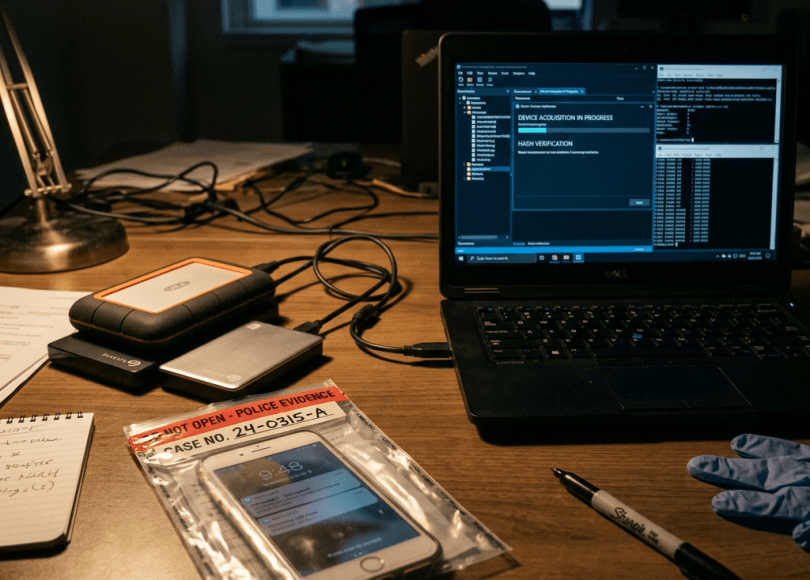
When digital forensic investigators get access to a phone or laptop, they often aren’t looking for what’s visible.
They look for:
What you thought disappeared.
And what they can reconstruct can be shocking.
This article explains:
- What digital forensic researchers actually do
- What data phones and laptops quietly keep
- How deleted files can sometimes still exist
- Why your Google account may remember years of your life
- What you can realistically do to improve privacy
🧠 First: What Is Digital Forensics?
Digital forensics is the process of:
- Collecting digital evidence
- Preserving it carefully
- Analyzing artifacts and traces
- Reconstructing events
Investigators often try to answer questions like:
- What happened?
- When?
- Which account/device was involved?
📱 Your Phone Quietly Records More Than You Realize
Phones are constantly creating:
- Logs
- Metadata
- Caches
- Databases
- Usage records
Even normal use creates traces.
Examples:
- WiFi connections
- App launches
- Location events
- Browser sessions
- Notifications
🌍 Google Activity Can Be Scary Accurate
Many people don’t realize:
Your Google account may keep:
- Search history
- Voice activity
- YouTube usage
- Device activity
- App activity
- Location history (if enabled)
Open:
myactivity.google.com
You may find:
- What you searched years ago
- Apps opened
- Videos watched
- Devices used
- Exact dates
For many users:
It becomes a timeline of daily life.
📍 Location History Can Reconstruct Entire Days
If enabled:
Location systems may build:
- Places visited
- Routes taken
- Arrival/departure times
Examples:
Morning:
- Home
8:25 AM:
- Coffee shop
9:03 AM:
- Office
7:45 PM:
- Restaurant
Not everyone has this enabled.
But many people do accidentally.
💻 Browser History Is Bigger Than You Think
You cleared browser history?
That may not be the entire story.
Browsers store:
- Cache files
- Cookies
- Downloads
- Session information
- Form entries
- Search suggestions
Sometimes:
Artifacts survive after normal deletion.
🗑️ Deleted Files Are Not Always Immediately Gone
When many files are deleted:
The operating system often marks:
Space available for reuse
The underlying data may remain until overwritten.
Important:
This does not mean everything is recoverable forever.
Modern devices:
- Encrypt storage
- Use secure deletion techniques
- Use SSD behavior that changes recovery possibilities
Recovery success depends heavily on:
- Device type
- Encryption
- Time passed
- System behavior
📸 Photos Contain Hidden Information
Photos sometimes include metadata:
- Date
- Time
- Device model
- Camera information
- Sometimes location
Example:
A picture might reveal:
- Taken: April 3
- Device: Phone model
- Coordinates (if location enabled)
🔍 Phones Build Behavioral Patterns
Investigators sometimes analyze patterns:
- Sleep times
- App usage
- Connection times
- Movement behavior
Metadata often tells stories.
Sometimes:
Patterns become more useful than content itself.
🔗 Devices Leave Relationship Clues
Phones may show:
- Frequently contacted numbers
- Shared networks
- Connected devices
- Bluetooth history
This can reveal:
- Social connections
- Habits
- Daily routines
📶 WiFi History Is Surprisingly Useful
Your phone remembers:
- Networks joined
- Sometimes timestamps
- Connection patterns
Examples:
- Home WiFi
- Work WiFi
- Coffee shops
Over time:
This can create location clues.
⚠️ Common Myth: “Incognito Mode Makes Me Invisible”
Incognito:
✅ Doesn’t save local history normally
But:
❌ Doesn’t stop:
- ISP visibility
- Website logging
- Account activity recording
- External systems
🛡️ What You Can Do To Improve Privacy
Privacy isn’t about disappearing.
It’s about reducing unnecessary collection.
🔐 1. Review Google Activity Settings
Visit:
Google Activity controls
Review:
- Web activity
- Location history
- Voice activity
Disable what you don’t need.
📍 2. Turn Off Unnecessary Location Logging
Many apps collect location constantly.
Ask:
Does this app really need it?
🧹 3. Regularly Review Stored Data
Check:
- Download folders
- Cloud backups
- Old accounts
- Browser data
🔒 4. Use Full Disk Encryption
Modern phones already do this.
Windows:
Use BitLocker
Mac:
Use FileVault
🔄 5. Enable Auto-Delete Features
Some services allow:
- Delete after 3 months
- Delete after 18 months
Useful for reducing long-term records.
📊 What Devices Quietly Remember
| Data Type | Possible Examples |
|---|---|
| Search activity | Searches, clicks |
| Location | Places visited |
| Browser artifacts | Cache, sessions |
| Photos | Metadata |
| Apps | Usage patterns |
| Networks | WiFi history |
| Device activity | Logins |
🧠 The Truth Most People Ignore
People think:
My phone stores files.
Reality:
Your phone stores:
A timeline.
Tiny events repeated every day become:
- Habits
- Routines
- Patterns
And patterns tell stories.
🔚 Final Thoughts
Digital forensics isn’t magic.
It’s usually:
- Logs
- Metadata
- History
- Reconstruction
The surprising part isn’t what investigators know.
It’s how much our devices quietly remember on their own.
Because today:
Your phone doesn’t just store your life.
Sometimes…
It documents it.
Discover more from Spyboy blog
Subscribe to get the latest posts sent to your email.
