
 Posted by
 You don’t need to download malware.
You don’t need a weak password.
You don’t even need to “do something risky.”
One small mistake is enough.
And most people make it every single day.
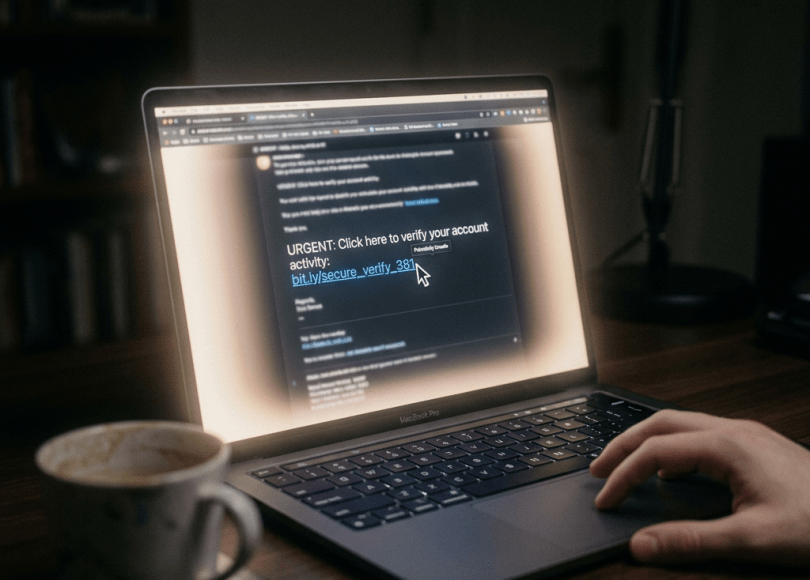
⚠️ The Mistake: Clicking a Random Link
It sounds harmless.
- A friend sends you a link
- You get a DM saying “Is this you?”
- You see a “verification” or “offer” link
- You click without thinking
That’s it.
That’s the mistake.
🔍 What Actually Happens When You Click
The moment you click a link, a website can instantly collect:
- Your IP address
- Approximate location
- Device type (phone, laptop, OS)
- Browser version
- Screen size & hardware info
- Unique browser fingerprint
You didn’t type anything.
You didn’t login.
But you were already profiled.
🧠 Why This Is Dangerous
This isn’t the attack — it’s the setup.
Hackers use this data to:
🎯 1. Target You Precisely
Instead of random scams, they now know:
- What device you use
- Where you are
- How to craft believable messages
Example:
“Your iPhone login from Mumbai was detected”
Now it feels real… because it matches you.
🔐 2. Bypass Security Systems
Platforms like Instagram track:
- IP changes
- Device changes
- Login patterns
If attackers already know your environment, they can:
- Mimic your device
- Use similar location
- Avoid triggering alerts
🎭 3. Launch Perfect Phishing Attacks
After profiling you, they send:
- Perfectly timed messages
- Realistic login pages
- Urgent alerts
Now you’re not just clicking a link —
you’re walking into a custom trap built for you.
⚡ Real Scenario (How People Get Hacked Instantly)
- You receive:“Bro is this your photo?”
- You click the link
- Attacker logs:
- Your IP
- Device
- Location
- Next message arrives:“Your Instagram account is at risk. Verify now.”
- You click again → login page → enter credentials
- Account gone.
🧪 Try It Yourself (Safe Test)
👉 https://spyboy.in/whoami.html
This page shows:
- What any website can see about you
- Instantly, just from a visit
✅ Important: All detection happens client-side. No data is stored or transmitted.
Once you see it, you’ll understand:
You don’t need to be “hacked” to be exposed.
🚨 But It Gets Worse…
Some links don’t just track you.
They can:
- Trigger automatic downloads
- Redirect to exploit pages
- Abuse browser vulnerabilities
- Steal session tokens (in rare cases)
Even without that, data + psychology is enough.
🛡️ How to Protect Yourself (Actually Works)
Most advice online is basic. This is what actually matters:
✅ 1. Stop Clicking Blindly
- If you didn’t expect it → don’t click
- Even if it’s from a friend → verify first
✅ 2. Check Before You Trust
- Hover over links
- Look for weird domains
- Avoid shortened URLs unless verified
✅ 3. Use Separate Browsing Habits
- Don’t open random links while logged into sensitive accounts
- Use a different browser/profile for testing unknown links
✅ 4. Enable Strong Security
- Authenticator app (not SMS)
- Login alerts
- Remove unknown sessions
✅ 5. Stay Skeptical
Most attacks rely on:
- Urgency (“Act now”)
- Fear (“Account will be banned”)
- Curiosity (“See who viewed your profile”)
If it triggers emotion → pause.
🧠 The Truth Most People Ignore
Hackers don’t break in.
They wait for you to open the door.
And that door… is often just a link.
🔚 Final Thought
You can have:
- Strong passwords
- 2FA
- Secure devices
But if you click the wrong link at the wrong time…
None of that matters.
So next time you see a random link —
don’t just click.
Think.
Discover more from Spyboy blog
Subscribe to get the latest posts sent to your email.
