
 Posted by
 People panic when social media gets hacked.
Instagram?
Panic.
Facebook?
Stress.
Discord?
Immediate damage control.
But most people completely underestimate one account:
Your email.
Because your email isn’t just another app.
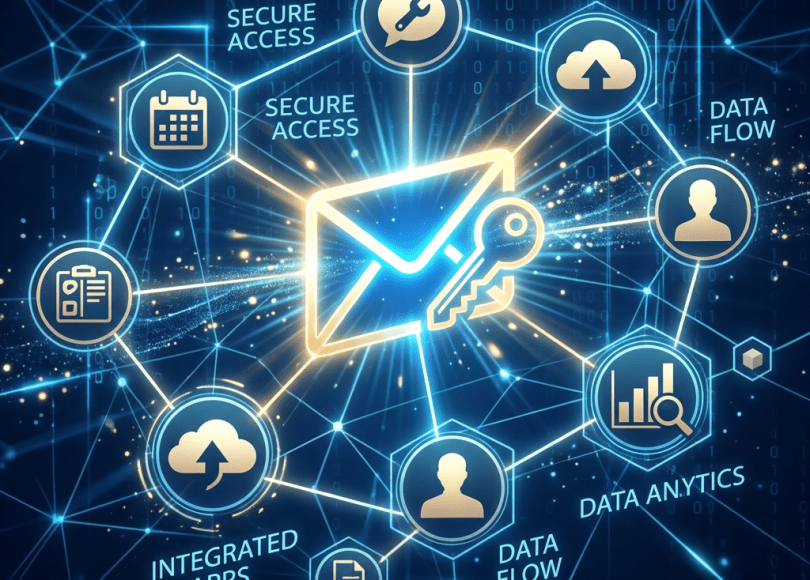
It’s the master key behind almost everything.
Think about it.
Your email connects to:
- Banking apps
- Social media
- Shopping accounts
- Cloud storage
- Password resets
- Government services
- Work systems
- Authentication flows
If someone controls your inbox…
They may not need to hack anything else.
Because many systems already trust your email by default.
In this deep dive, we’ll uncover:
- 📧 Why email accounts are so valuable
- 🕵️ What attackers do after taking over inboxes
- ⚠️ Hidden recovery risks people ignore
- 🔐 Why password resets are powerful
- 📱 Why email compromise spreads everywhere
- 🛡 How to secure your most important account
Because today…
Your email account may matter more than every social media profile combined.
Email Quietly Became Your Digital Identity Center
Years ago email mainly handled:
- Messages
- Newsletters
- Communication
Today?
It powers:
- Logins
- Recovery systems
- Verification links
- Notifications
Email evolved into:
A digital identity hub.
Most people never noticed.
Why Hackers Love Email Accounts
Attackers don’t just want messages.
They want:
- Password reset links
- Account access
- Contact information
- Cloud systems
- Recovery pathways
Because once attackers enter your inbox:
Other compromises become easier.
Password Reset Chains Are Powerful
Imagine:
Attacker accesses email.
Then clicks:
Forgot password.
For:
- Social media
- Shopping sites
- Streaming services
- Gaming accounts
Recovery links arrive:
Inside the compromised inbox.
This creates:
Chain reactions.
Why Email Often Leads To Everything Else
Your inbox may reveal:
- Subscriptions
- Accounts
- Receipts
- Services used
- Financial activity
Attackers can learn:
An enormous amount.
Without touching your computer.
The Hidden Risk: Old Recovery Emails
Many users still maintain:
- Ancient email addresses
- Forgotten backups
- Old recovery systems
Years later:
These accounts remain linked.
Forgotten recovery paths create invisible risk.
Another Problem: Saved Sessions
People stay logged into email:
Everywhere.
Examples:
- Phones
- Tablets
- Work computers
- Browsers
Convenient?
Yes.
But old devices sometimes remain trusted.
Users forget.
Attackers love forgotten sessions.
Real-World Email Compromise Scenario
Imagine:
Attacker gains inbox access.
Then:
- Changes recovery settings
- Requests password resets
- Creates email forwarding rules
- Monitors communications
Victim notices:
Much later.
Email compromise often spreads quietly.
The Hidden Trick: Email Forwarding Rules
Some attackers create:
Automatic forwarding rules.
Purpose:
Future messages secretly copy elsewhere.
Victims may:
Change passwords…
Yet still miss hidden persistence.
Most users never check inbox rules.
Why Email Notifications Reveal So Much
Inboxes often contain:
- Login alerts
- Purchase confirmations
- Financial updates
- Verification messages
Emails become:
Behavior maps.
People underestimate how revealing inboxes really are.
Public Breaches Make Email Addresses Valuable
Email addresses appear constantly in:
- Data breaches
- Leaked databases
- Signup systems
Attackers combine:
- Phone number
- Public profiles
Small details create larger identities.
Why People Protect Social Accounts More Than Email
Psychology matters.
People actively use:
- Social media
- Messaging apps
Email feels:
Boring.
Background technology.
So users often ignore:
Security settings.
That assumption creates risk.
Warning Signs Something Is Wrong
🚩 Password reset emails you didn’t request
Investigate immediately.
🚩 Login alerts from unfamiliar locations
Review sessions.
🚩 Missing emails
Check rules and filters.
🚩 Strange forwarding behavior
Review account settings.
🚩 Recovery information changed unexpectedly
Major warning sign.
How To Secure Your Email Account
Now the important part.
🔐 1. Use Strong Authentication
Prefer:
- Authenticator apps
- Hardware security keys
🛡 2. Review Recovery Information
Check:
- Phone numbers
- Backup emails
🌐 3. Audit Active Sessions
Remove unknown devices.
🚫 4. Review Inbox Rules
Check:
- Forwarding
- Filters
- Automation
📱 5. Remove Old Trusted Devices
Forgotten systems create exposure.
🔍 6. Secure Your Email Before Everything Else
Start with your inbox.
Always.
Comparison: Safer vs Riskier Email Habits
| Safer Habits | Riskier Habits |
|---|---|
| Strong MFA | Password only |
| Review recovery info | Forget linked systems |
| Check forwarding rules | Ignore settings |
| Remove old devices | Stay logged in everywhere |
| Monitor alerts | Ignore notifications |
The Bigger Problem: Email Became Internet Infrastructure
People think email is:
Communication.
But today it increasingly functions as:
- Authentication
- Identity verification
- Recovery infrastructure
Email became foundational.
Most users simply adapted without noticing.
Final Thoughts: Protect Your Inbox Like It Controls Everything
Because increasingly…
It does.
Email compromise rarely stays isolated.
One account often leads toward:
- Social profiles
- Financial systems
- Cloud platforms
- Identity recovery
Which means:
The most dangerous hack may not begin with malware.
Or phishing.
Or sophisticated exploits.
Sometimes…
It begins with a single inbox login.
Frequently Asked Questions (FAQ)
❓ Why do hackers target email accounts?
Email accounts often provide recovery access and account visibility.
❓ Can compromised email lead to other hacked accounts?
Yes. Password reset systems often rely on email.
❓ What are email forwarding rules?
Automatic settings that redirect incoming messages elsewhere.
❓ Should I review old recovery emails?
Absolutely.
❓ Why is email more important than social media?
Many online systems rely on email for authentication and recovery.
❓ Should I secure email first?
Yes. Email security often protects everything else.
Final Call to Action
Right now:
- Review your email recovery settings
- Check active sessions
- Inspect forwarding rules
- Remove forgotten devices
- Enable stronger authentication
- Share this article with someone protecting Instagram but ignoring email security
Because sometimes…
The account controlling your life isn’t the one you open most.
It’s the one everything else depends on.
Discover more from Spyboy blog
Subscribe to get the latest posts sent to your email.
