
 Posted by
 You See a QR Code. You Scan It. And That’s Where the Problem Starts.
It’s everywhere.
On restaurant tables.
Parking meters.
Posters.
Emails.
WhatsApp messages.
Concert tickets.
Payment counters.
Packages.
Billboards.
Even stickers placed on top of other QR codes.
You point your phone at it.
Your camera recognizes it instantly.
You tap the notification.
A website opens.
Everything looks normal.
But there’s one problem:
You don’t actually know where the QR code is taking you.
A QR code is essentially a convenient way of encoding information.
It doesn’t automatically mean:
Safe.
It doesn’t mean:
Official.
It doesn’t mean:
Verified.
And it certainly doesn’t mean:
Free money.
A QR code can send you to a completely legitimate website.
It can also send you to:
- A phishing page
- A fake payment portal
- A malicious download
- A scam website
- A fake login page
- A fraudulent cryptocurrency address
- A payment request
This has become known as:
Quishing — QR-code phishing.
What Is Quishing?
Quishing combines:
QR code + phishing
Instead of sending you a suspicious clickable URL, the attacker sends:
A QR code.
You scan it.
Your phone opens the encoded destination.
The attacker is counting on one thing:
You won’t inspect the destination carefully.
Why QR Phishing Works So Well
Look at a normal URL:
https://example.com/login
You can inspect it.
You can notice:
The domain looks strange.
But look at a QR code:
██████████████ ▄▄▄▄▄ ████ █ █ ████ █▄▄▄█ ██████████████
You can’t visually determine where it goes.
That’s the advantage.
The destination is hidden behind the image.
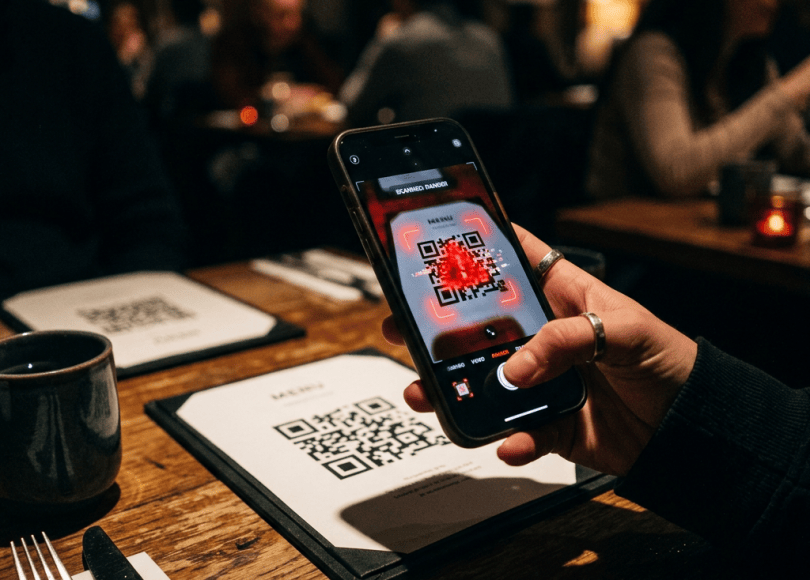
The Restaurant QR Scam
Imagine sitting at a restaurant.
There’s a QR code on the table.
You scan it.
Instead of the restaurant’s legitimate menu, you get:
Scan to access digital menu
The website looks almost identical to the real restaurant.
Maybe it asks for:
Name
Phone number
Then:
“Verify you’re human.”
You enter your information.
The restaurant never asked for it.
The scammer did.
The QR Payment Scam
This is much more dangerous.
Imagine you’re paying for something.
You scan a QR code.
Your payment application opens.
You see:
₹5,000
You think you’re paying the merchant.
But the QR code could potentially be associated with the wrong payment destination.
The critical lesson:
Never assume that scanning a QR code means you’re paying the person you intended to pay.
Always inspect the payment details shown by your payment app before authorizing.
QR Codes Don’t Magically Take Money
There’s a common misconception:
“If I scan a QR code, money will automatically leave my account.”
Generally, simply scanning a QR code isn’t the same as authorizing a payment.
A QR code can encode information such as:
- A URL
- Payment information
- Text
- Contact information
The danger comes from what you do next.
For example:
Scan
↓
Payment app opens
↓
You approve
or:
Scan
↓
Website opens
↓
You enter credentials
The attacker wants you to complete the dangerous action.
The Biggest QR Payment Rule
If someone tells you:
“Scan this QR code to receive money.”
Stop.
Be extremely careful.
QR payment systems are commonly designed around the payer initiating a payment.
If someone claims:
“Scan this and enter your UPI PIN to receive your refund.”
that’s a huge red flag.
A UPI PIN is used to authorize payments, not to receive money.
The Fake Refund QR Code
Imagine someone contacts you:
“Your ₹10,000 refund is ready.”
Then:
“Scan this QR code to receive it.”
You scan.
Your UPI app opens.
It asks you to authorize a payment.
The scammer says:
“That’s just the verification step.”
It isn’t.
You may be authorizing money to leave your account.
The Fake Customer-Service QR Code
A scammer might say:
“Your payment failed.”
“Scan this QR to get your money back.”
Again:
Don’t scan.
Instead, open your bank/payment app independently and verify the transaction.
QR Codes Can Hide Phishing URLs
Suppose the QR code points to:
https://secure-login-example.com
The page looks like your bank.
It asks:
Username
Password
OTP
Now you’ve voluntarily provided credentials to the attacker.
The Fake Google Login
You scan a QR code.
It opens:
Google Account Verification
The page looks convincing.
You enter your email and password.
Then:
Enter your verification code
You do.
The attacker may now have enough information to attempt account takeover.
The Fake Microsoft 365 Login
This is particularly dangerous for employees.
A QR code in an email says:
“Your Microsoft 365 session has expired. Scan to continue.”
The employee scans it with their phone.
A fake Microsoft login page appears.
They enter:
Corporate email
Password
Potentially:
MFA code
Now the attack can move from:
Phone
to:
Corporate account.
Why Attackers Put QR Codes in Emails
Email security systems may inspect:
Links.
But a QR code is technically:
An image.
The malicious destination is hidden inside that image.
Some security systems can detect QR-based phishing, but attackers continue using the technique because it exploits the gap between:
“Email security”
and:
“What the user does with their phone.”
The QR Code Leaves Your Computer
This is a fascinating part of the attack.
Imagine your company computer has excellent email protection.
You receive:
QR code
on your laptop.
You scan it using:
Your personal phone.
Now you’ve moved the attack from:
Corporate computer
to:
Personal device.
That’s exactly what attackers want.
The “Scan to Verify Your Account” Scam
You receive:
Security verification required
Then:
Scan this QR code using your phone.
The QR code opens a login page.
You sign in.
The attacker gets your credentials.
Never scan unexpected authentication QR codes simply because the message says:
URGENT.
QR Codes and MFA
QR codes are legitimately used for things like setting up authenticator applications.
That’s completely different.
For example:
You are configuring an authenticator for your own account.
The service displays a QR code.
You scan it.
That’s normal.
The danger is when an unexpected person sends you a QR code and says:
“Scan this to secure your account.”
Always verify where it came from.
The Fake WhatsApp Web QR Code
Another social-engineering scenario involves QR codes pretending to help you:
Connect WhatsApp Web
or:
Verify WhatsApp
Be careful.
Authentication QR codes can have powerful consequences.
Don’t scan a QR code sent by a stranger claiming:
“This will help me send you the file.”
QR Codes Can Be Used for Malware Delivery
A QR code can point to:
An APK
An executable download
A malicious website
A fake browser update
The QR code isn’t malware itself.
It’s the:
Delivery mechanism.
The Fake Android Update
Imagine:
“Your Android security update is ready.”
QR code:
Scan to install update.
You scan.
A website says:
Download security update APK
You install it.
That’s an extremely dangerous workflow.
Official system updates should come through your device’s legitimate update mechanism.
Don’t install an operating-system update from a random QR code.
The Fake Browser Update
A QR code sends you to:
“Chrome Update Required.”
Then:
Download update
Don’t do it.
Your browser should be updated through its official update mechanism or trusted application store.
QR Codes on Posters Can Be Replaced
This is where physical-world security becomes important.
Imagine a poster has:
Official event QR code
Someone places a sticker over it:
Replacement QR code
The poster still looks legitimate.
You scan it.
But the destination is controlled by someone else.
This is sometimes called:
QR code tampering.
Look for Stickers Placed Over QR Codes
Before scanning a physical QR code, look at it.
Ask:
Does this appear to be an original printed code?
Be cautious if you see:
- Sticker covering another QR code
- Different branding
- Poor-quality print
- Misaligned label
- Suspicious URL after scanning
Parking QR Code Scams
Parking is an excellent target for scammers.
Imagine arriving at a parking area.
You see:
PAY PARKING
and a QR code.
You scan it.
A fake payment page appears.
You enter:
Vehicle number
Phone number
Card details
The scammer now has your information.
This is why official parking/payment applications and machines are safer than random stickers.
EV Charging QR Scams
Electric vehicle charging stations can also use QR codes.
A tampered code could potentially redirect users to:
Fake payment pages
Fake charging apps
Credential phishing
Before paying, inspect the destination and verify the charging provider.
Public Wi-Fi QR Codes
You see:
Free Wi-Fi
QR code.
You scan it.
A page asks for:
Password
Credit card
That’s suspicious.
Public Wi-Fi access shouldn’t normally require you to hand over your banking password.
Hotel QR Codes
Hotels increasingly use QR codes for:
- Menus
- Room services
- Wi-Fi
- Check-in
- Feedback
Don’t assume every QR code placed in a hotel environment is legitimate.
If something asks for:
Payment
Password
Identity documents
verify it with hotel staff.
The Fake Delivery QR Code
You receive:
Package delivery failed.
Then:
Scan to reschedule.
You scan.
The website asks for:
₹25 rescheduling fee.
You enter card information.
A tiny “delivery fee” has become a card-harvesting scam.
The Fake Toll/Traffic Fine QR Code
A message might say:
Outstanding traffic fine
Then:
Scan to pay
Don’t trust unexpected payment requests.
Use the relevant official government website or application directly.
The Fake Electricity Bill QR Code
You receive:
Your electricity bill is overdue.
Then:
Scan to prevent disconnection.
Fear + urgency + payment.
Classic social engineering.
Verify through your electricity provider’s official channel.
QR Codes Can Be Used in Romance Scams
Imagine someone you’ve met online says:
“I need help receiving a payment.”
They send:
QR code.
Or:
“Vote for me.”
“Claim this gift.”
“Verify your account.”
The QR code becomes part of the social-engineering story.
Never let emotional trust replace technical verification.
The “Free Gift” QR Scam
You see:
Congratulations! You won an iPhone.
Scan to claim.
The page asks for:
- Name
- Address
- Phone
- Card verification
You didn’t win anything.
The QR code was simply the entrance to the scam.
QR Phishing Doesn’t Always Steal Money
Attackers may want:
Passwords
Email accounts
Social-media accounts
Personal information
Payment details
Identity documents
Cryptocurrency
Access to corporate systems
Money is only one possible target.
Your Phone’s QR Scanner Doesn’t Verify Safety
This is important.
Your camera can recognize a QR code.
That doesn’t mean:
The destination is safe.
The scanner is decoding information.
It’s not necessarily performing a full security investigation of the destination.
Always Look at the URL
After scanning, before continuing, inspect the destination.
Look for:
- Correct domain
- HTTPS
- Spelling
- Unexpected redirects
- Strange subdomains
Be particularly careful with domains designed to resemble legitimate ones.
Watch for Lookalike Domains
For example:
paypal.com
versus:
paypa1-login.example
The second one isn’t PayPal simply because it contains:
“paypa1”
Attackers use:
- Misspellings
- Extra words
- Hyphens
- Lookalike characters
- Strange subdomains
Don’t Log In Immediately After Scanning
Pause.
Ask:
Why am I being asked to log in?
If you weren’t expecting authentication, close it.
Open the legitimate service separately.
Don’t Enter OTPs Into a Random QR Website
This is particularly important.
A phishing page may ask for:
Password
then:
OTP
The OTP isn’t proof the site is legitimate.
It’s exactly what the attacker wants.
Don’t Enter Your UPI PIN Into a QR-Linked Page
Your UPI PIN is extremely sensitive.
Never enter it simply because a QR-linked page says:
“Enter PIN to receive refund.”
Again:
UPI PIN authorizes transactions.
Treat it like your ATM PIN.
Don’t Scan QR Codes From Strangers
This sounds obvious.
But social engineering changes the context.
Someone says:
“This is my payment QR.”
Maybe legitimate.
Someone says:
“Scan this to receive money.”
Suspicious.
Someone says:
“Scan this to secure your account.”
Suspicious.
Someone says:
“Scan this to get your refund.”
Very suspicious.
What If You Scanned a Suspicious QR Code?
Don’t panic.
Scanning alone doesn’t necessarily mean you’ve been compromised.
Ask:
Did it open a website?
Did you download anything?
Did you install an application?
Did you enter a password?
Did you enter card details?
Did you authorize a payment?
Did you grant permissions?
Your next steps depend on what happened.
If You Only Scanned It
If you simply scanned the code and immediately closed the page:
The risk may be considerably lower.
Don’t enter credentials or financial information.
If You Entered a Password
Immediately go to the legitimate service directly.
Change the password.
If that password is reused anywhere:
Change it there too.
Review active sessions.
If You Entered Banking Information
Contact your bank/card provider promptly.
Explain what information was exposed.
Monitor transactions.
If you notice unauthorized activity, report it immediately through the appropriate financial and cybercrime channels.
If You Made a Fraudulent Payment
Act immediately.
Don’t wait.
Contact:
- Your bank/payment provider
- Relevant payment service
- Local cybercrime/fraud reporting authority
Keep:
- Transaction ID
- QR image
- Screenshots
- Recipient details
- Messages
- Phone number
- Website URL
- Timestamp
Evidence matters.
Take a Screenshot of the QR Code
If you encounter a suspicious QR code:
Preserve it.
Don’t immediately delete the message.
Save:
- QR image
- Original message
- Sender
- URL
- Timestamp
This can help with investigation/reporting.
The QR Code Itself May Contain the Evidence
A QR code encodes information.
If you have the original image, security researchers or legitimate analysis tools can decode it to determine what destination it contains.
But don’t visit the destination just to investigate it.
Decode first. Browse later—or don’t browse at all.
Businesses Should Inspect Physical QR Codes
If you own a restaurant, shop, hotel or event venue:
Regularly check your QR codes.
Look for:
- Stickers placed over them
- Altered signs
- Unexpected destination changes
Customers trust your branding.
Protect that trust.
Businesses Should Use Clear Branding
Instead of:
SCAN
use:
SCAN FOR OUR OFFICIAL MENU
and ideally provide the domain visibly.
For example:
restaurant.example/menu
Now customers can compare:
Printed domain
against:
QR destination.
Don’t Put Your Trust in the QR Design
Attackers can make QR codes look professional.
They can add:
- Logos
- Colors
- Borders
- “Official” labels
Visual polish doesn’t equal legitimacy.
The QR Code Can Be Completely Real
This is another important point.
The QR code may genuinely work.
The website may genuinely load.
The payment screen may genuinely appear.
None of that proves:
The person who gave you the QR code is legitimate.
QR Codes and Social Engineering Are a Perfect Combination
The attacker provides a story:
“Your package is waiting.”
QR code:
Scan here.
You provide:
Your card.
The QR code didn’t hack you.
The story convinced you.
That’s social engineering.
The Golden QR Rule
Before scanning an unexpected QR code, ask:
Who created this?
Where does it go?
Why am I scanning it?
What will I be asked to do afterward?
If you can’t answer those questions:
Don’t scan it.
QR Safety Checklist
Before scanning:
- Do I trust the source?
- Is the QR code original or possibly covered by a sticker?
- Do I actually need to scan it?
- Can I use the official app instead?
- Can I type the official website manually?
- Does the destination domain look correct?
- Is it asking for credentials?
- Is it asking for payment?
- Is it asking for an OTP?
- Is it asking for a UPI PIN?
- Is it asking me to install an APK?
If the answer to the last four is yes:
Stop and verify.
The 10-Second QR Test
SCAN
↓
STOP
↓
LOOK AT THE URL
↓
VERIFY THE DOMAIN
↓
CHECK WHAT IT’S ASKING FOR
↓
ONLY THEN CONTINUE
That tiny pause can prevent a major incident.
Final Thoughts
QR codes are incredibly useful.
They’re also incredibly good at hiding information in plain sight.
A URL forces you to see:
Where you’re going.
A QR code hides that destination behind:
A square image.
That’s why attackers like them.
The most dangerous part isn’t the black-and-white pattern.
It’s what happens after you scan it.
A QR code can lead to:
A legitimate menu.
A real payment page.
A phishing website.
A fake login.
A malicious download.
A fraudulent payment request.
The safest habit is simple:
Never trust a QR code just because it looks official.
If it’s for payment:
Check the recipient and amount before authorizing.
If it’s for login:
Open the service yourself.
If it’s for an update:
Use the official update mechanism.
If it’s from a stranger:
Don’t scan it.
If it’s on a public sign:
Check for tampering.
And if someone tells you:
“Scan this QR code to receive money and enter your PIN.”
remember:
You don’t receive money by authorizing a payment.
Your camera can decode the square.
Only you can decide whether to trust what’s behind it.
Discover more from Spyboy blog
Subscribe to get the latest posts sent to your email.
