
 Posted by
 You receive a message claiming you’ve won a prize. You find an online store selling an expensive phone at an unbelievably low price. Or a website warns that your account will be suspended unless you log in immediately.
Everything looks convincing—but is the website legitimate?
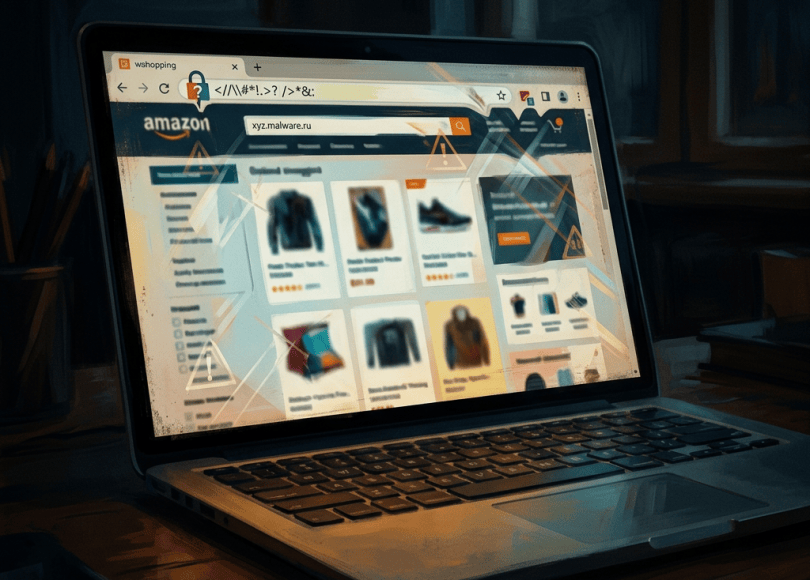
Fake websites are designed to imitate trusted brands, steal login credentials, collect payment information, distribute malware, or trick people into paying for products that never arrive.
The challenge is that a fraudulent website can look professional. It may have a logo, an About page, customer reviews, and even HTTPS encryption.
In this guide, you’ll learn 12 ways to identify a suspicious website, how to check a URL before opening it, which security tools can help, and what to do if you’ve already entered your information.
1. Check the Website’s Domain Name Carefully
One of the simplest ways to identify a suspicious website is to inspect its domain name.
Scammers often register domains that resemble legitimate brands, hoping visitors won’t notice small differences.
For example, a fraudulent domain might use:
- A misspelled brand name.
- Extra words or characters.
- Hyphens inserted into the name.
- A different domain ending.
- Characters that resemble letters from another alphabet.
Imagine you’re trying to visit example.com, but a message directs you to examp1e.com, where the letter “l” has been replaced with the number “1”.
At a glance, the domains may look almost identical.
What to do: Read the domain carefully, especially the part immediately before the final extension. If you’re visiting a bank, payment service, or social media platform, use its official app or type its known address yourself.
A familiar-looking name is not proof that a website belongs to the real company.
2. Don’t Trust HTTPS Alone
Many people believe that a website displaying a padlock or using HTTPS must be safe.
That is incorrect.
HTTPS encrypts the connection between your browser and the website. It helps protect information in transit, but it does not establish that the website operator is honest.
Scammers can obtain HTTPS certificates for domains they control, just as legitimate website owners can.
Therefore, a suspicious website using HTTPS can still steal your password or payment details.
The rule: Treat HTTPS as a basic connection-security feature, not a trust certificate for the business itself.
3. Look for Unrealistic Prices and Offers
An offer that seems too good to be true deserves extra scrutiny.
For example, a website advertises a new flagship phone for a fraction of its usual price, claims that only two units remain, and demands immediate payment.
This could be a legitimate promotion, but it could also be a scam designed to prevent you from researching the seller.
Look for warning signs such as:
- Prices dramatically below normal market rates.
- Pressure to pay immediately.
- No clear refund policy.
- Payment only through unusual or irreversible methods.
- No credible evidence that the business has fulfilled previous orders.
Compare the price with authorized retailers and established marketplaces. Check the seller’s identity, return policy, and independent customer experiences before buying.
4. Verify the Company’s Contact Information
A website may claim to represent a real business while providing little evidence of who operates it.
Check whether the site provides:
- A business name.
- A working support email address.
- A physical business address where appropriate.
- Clear shipping and refund policies.
- Consistent company information across its pages.
You can independently search the business name and address to see whether they correspond to a real organization.
However, missing contact information is not automatic proof of fraud. Small businesses may operate with limited public details, and scammers sometimes copy the contact information of genuine companies.
The objective is to verify the details independently rather than trust whatever the website says about itself.
5. Search for Independent Reviews
Customer reviews can help you assess a website, but reviews displayed on the website itself are not necessarily trustworthy.
Look for independent discussions, complaints, and experiences outside the seller’s own pages.
Search for the domain name alongside terms such as:
scamcomplaintsrefundreviewsfraud
Pay attention to repeated patterns. Multiple independent reports of missing deliveries, unauthorized charges, or accounts being compromised are more concerning than one vague negative review.
Be cautious of review pages that appear to have been created solely to promote the website. Fake reviews can be positive or negative.
Also remember that a newly registered website may not have an established reputation yet. Lack of reviews is uncertainty, not proof of fraud.
6. Check the Domain’s Registration History
Domain registration information can provide useful context about a website.
Services such as ICANN Lookup allow you to inspect available registration information:
Depending on the domain and registry, you may find details such as registration dates, registrar information, and nameservers. Some registrant details may be hidden by privacy services or data-protection rules.
A domain created recently is not automatically malicious. Legitimate businesses launch new websites every day.
However, a recently registered domain that claims to be a long-established company deserves additional verification—especially if it also has suspicious prices, copied content, or unusual payment requirements.
Use registration data as one clue among several, not as a final verdict.
7. Scan the URL With Website-Reputation Tools
Security services can help identify domains associated with phishing, malware, or other suspicious activity.
Useful resources include:
Google Safe Browsing — Site Status
Check whether Google has identified the site as unsafe.
VirusTotal
VirusTotal can show how multiple security vendors and other analysis sources classify a URL or domain.
URLScan.io
URLScan can help analyze how a website loads resources and behaves in a browser-like environment. Public scans may expose the submitted URL and associated page details to others, so avoid submitting private links containing authentication tokens, personal information, or confidential data.
How to interpret the results
- A clear warning: Treat it seriously and avoid proceeding.
- Several security detections: Investigate further and do not enter sensitive information.
- No detections: This does not guarantee that the website is safe.
- Conflicting results: Use independent evidence and verify the site’s identity directly.
New or targeted phishing websites may not yet appear on security blocklists.
8. Watch for Fake Login Pages
Phishing websites often imitate familiar login screens.
A page may look exactly like a Google, Microsoft, Facebook, Instagram, or banking login page while sending your credentials to an attacker.
Before entering your password, check the domain in the browser’s address bar.
Do not rely only on the logo, page design, or wording.
Be particularly cautious if the page appeared after you clicked an unexpected message claiming that:
- Your account will be suspended.
- Your payment failed.
- You have violated a platform policy.
- Someone shared a private document with you.
- You must verify your identity urgently.
When in doubt, close the page and open the service through its official app or known website.
If you entered your credentials on a suspicious page, change the affected password from a trusted device and review your active sessions.
9. Inspect the Website’s Content and Design
Poor spelling, broken pages, copied product descriptions, and inconsistent branding can indicate a hastily created scam website.
Other warning signs include:
- A company name that changes between pages.
- Testimonials with generic names and no verifiable context.
- Policies referring to a completely different business.
- Broken support links.
- Product images copied from unrelated stores.
- Claims that contradict the company’s official website.
But don’t rely on appearance alone. Many scams use polished templates, professional images, and convincing writing.
Likewise, a poorly designed website may belong to a legitimate small business.
Use these observations as clues and combine them with domain verification, independent reviews, and security checks.
10. Be Suspicious of Unusual Payment Methods
Payment instructions can reveal important warning signs.
A seller who insists on gift cards, cryptocurrency transfers, or direct payments to an unrelated personal account may be trying to make the transaction difficult to reverse.
Before paying, verify:
- Who will receive the money.
- Whether the payment method offers buyer protection.
- Whether the business’s name matches the seller information.
- Whether the website explains refunds and cancellations clearly.
Even familiar payment methods can be used in scams. A payment gateway or checkout page does not automatically establish that the merchant is legitimate.
If something feels wrong, pause the transaction and contact the company through independently verified details.
11. Check Whether the Website Is Impersonating a Real Brand
Scammers frequently copy established companies’ logos, product photos, support pages, and promotional language.
If a website claims to be an official brand store, visit the brand’s known website independently and look for links to its authorized retailers.
You can also compare:
- The official domain name.
- Contact information.
- Announced promotions.
- Product listings.
- Support channels.
Do not assume a website is legitimate simply because its logo looks correct.
If you discover a fake site impersonating a business, consider reporting it to the legitimate company and the relevant browser or security service.
12. Watch Out for Fake Virus Warnings and Download Prompts
Some scam websites display alarming messages claiming that your device is infected.
They may instruct you to call a phone number, install an unknown application, allow notifications, or download a supposed security update.
These warnings can be designed to frighten visitors into taking unsafe actions.
If an unexpected webpage claims your phone or computer is infected:
- Do not call the displayed number.
- Do not install the recommended application.
- Close the tab or browser if possible.
- Review browser notification permissions if alerts continue.
- Run a scan with a trusted security tool if you downloaded a file or suspect a real infection.
A webpage claiming that your device is infected is not reliable evidence that it has detected a genuine infection.
A Practical Website Safety Checklist
Before entering a password, making a purchase, or downloading a file, run through this quick checklist.
- Is the domain spelled correctly?
- Did I reach the site through a trusted route?
- Does the business’s identity match independent sources?
- Are the prices and promises realistic?
- Are the contact and refund details credible?
- Do independent reviews reveal repeated complaints?
- Have reputable security tools flagged the URL?
- Is the site requesting unnecessary personal information?
- Is it pressuring me to pay or act immediately?
- Am I being asked to install an unknown app or extension?
One warning sign may not settle the question. Several independent warning signs together should make you much more cautious.
What to Do If You Already Visited a Fake Website
Simply opening a suspicious website does not automatically mean your device has been hacked. What matters is what happened during the visit.
If you only opened the page
Close it and avoid interacting with suspicious prompts. If you did not enter information, download anything, or grant permissions, the risk may be lower.
Keep your browser and operating system updated.
If you entered your password
From a trusted device, change the affected password immediately. If you reused it elsewhere, change it on those accounts too.
Enable two-factor authentication and review recent login activity.
If you entered payment information
Contact your bank or payment provider promptly. Explain what happened and ask whether the card or account should be blocked, replaced, or monitored.
Review recent transactions for unauthorized charges.
If you downloaded a suspicious file
Do not open it. If you already ran it, disconnect the affected device from the network if you suspect active compromise and seek assistance from a reputable security professional.
Run an appropriate security scan and change sensitive account passwords from a separate trusted device if necessary.
If you installed an unknown application
Investigate its permissions and remove it if it is malicious or unwanted. On mobile devices, review any special permissions or management profiles it may have enabled.
For a persistent or serious compromise, professional assistance may be appropriate.
How to Report a Fake Website in India
If the website is involved in financial fraud, unauthorized transactions, or another cybercrime, preserve the URL, screenshots, messages, payment receipts, and transaction details.
For suspected financial cyber fraud in India:
- Contact your bank or payment provider immediately.
- Call 1930 for assistance with financial cyber fraud.
- Submit a report through the official National Cyber Crime Reporting Portal: https://cybercrime.gov.in/
You can also report phishing or impersonation to the legitimate brand being copied and to relevant browser or security services.
Avoid paying a so-called recovery expert who guarantees that they can recover lost money or identify the scammer instantly.
Frequently Asked Questions
How can I check if a website is fake?
Inspect the domain, verify the business through independent sources, review payment and refund policies, search for complaints, and check the URL with reputable security tools. No single check guarantees safety.
Is a website safe if it has HTTPS?
Not necessarily. HTTPS encrypts the connection, but fraudulent websites can also use HTTPS. Verify the domain and business independently.
Can VirusTotal tell me whether a website is safe?
VirusTotal can help identify known threats through multiple security detections, but a clean result is not a guarantee. New or targeted scam websites may not have been flagged yet.
Can a fake website hack my phone just by opening it?
Simply opening an ordinary webpage does not usually give it complete control of a modern, updated phone. However, malicious websites can use phishing, deceptive downloads, abusive notifications, or—in less common cases—software vulnerabilities. Avoid interacting with suspicious content and keep your device updated.
How do I know if an online store is legitimate?
Check its exact domain, company identity, independent reviews, return policy, payment methods, and official brand affiliations. Be especially careful with extreme discounts and pressure to pay immediately.
What should I do if I paid a scam website?
Contact your bank or payment provider immediately, preserve evidence, and report the incident. In India, call 1930 for assistance with financial cyber fraud and submit a report at cybercrime.gov.in.
Final Thoughts
A fake website does not always look suspicious. Some imitate trusted brands so convincingly that even careful users can be fooled.
The best defense is to verify rather than assume. Inspect the domain, research the business, use reputable security tools, and avoid entering sensitive information when something does not add up.
Remember: HTTPS does not prove legitimacy, a professional design does not prove trustworthiness, and a clean security scan does not guarantee safety.
Take a few moments to verify a website before you log in, download a file, or send money. That small habit can help protect your accounts, devices, and finances.
Explore more cybersecurity guides on Spyboy Blog to learn about phishing, OSINT, digital privacy, and online scam prevention.
Discover more from Spyboy blog
Subscribe to get the latest posts sent to your email.
