
 Posted by
Imagine someone approaches you and says:
“Bro, can I borrow your phone for a second? I just need to make a quick call.”
You hand over your unlocked phone. They open the dialer, enter something, press the call button, and return your device.
Nothing looks different. Your apps are still there. Your messages are untouched. Your phone works normally.
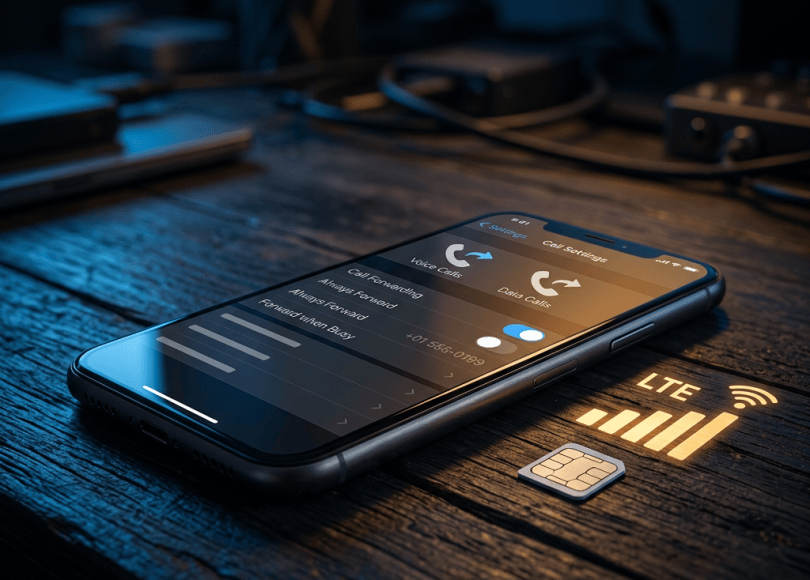
But there’s one setting you might not have noticed: your incoming calls could now be forwarded to another number.
This is the idea behind a call-forwarding scam.
An attacker may trick someone into enabling call forwarding so that incoming calls are redirected to a number they control. Depending on the victim’s accounts and recovery settings, this could expose voice-based verification calls or other sensitive communications.
It doesn’t mean the attacker has magically hacked your entire phone. But a seemingly harmless change can create a serious security problem.
Let’s understand how it works, what attackers are trying to achieve, and how to check whether your calls are being forwarded without your knowledge.
What Is a Call Forwarding Scam?
Call forwarding is a legitimate telecom feature that allows incoming calls to be redirected to another phone number.
For example, you might enable it when:
- Your phone is switched off.
- Your number is busy.
- You cannot answer a call.
- You want calls sent to another number.
The feature itself is not malicious.
The problem begins when someone enables it without your knowledge or tricks you into enabling it for them.
If your incoming calls are forwarded to an attacker’s number, they may receive calls intended for you under the forwarding conditions you enabled.
Depending on your carrier, the forwarding may apply to all calls or only certain situations, such as when your phone is busy or unreachable.
How Can Someone Hijack Your Calls in Just a Few Seconds?
The attack usually relies on social engineering rather than a complicated technical exploit.
Here’s a simplified example.
Step 1: Someone gets access to your unlocked phone
The attacker asks to borrow your phone to make a quick call, check something, or help with a supposed technical issue.
You hand over the device without thinking much about it.
Step 2: They change a call-forwarding setting
Instead of making an ordinary call, they use the phone’s dialer or call settings to request that incoming calls be forwarded to another number.
Mobile networks support different call-forwarding controls. The exact options and procedures depend on the carrier.
Step 3: Your phone appears normal
The attacker returns your phone.
You may not notice anything unusual. Your existing applications, photos, messages, and contacts remain on the device.
However, the network-level forwarding setting may have changed.
Step 4: Incoming calls may reach the attacker
If someone calls you and the forwarding condition is met, the call may be redirected to the number configured by the attacker.
This is particularly concerning if an account uses voice calls as a verification or recovery method.
Step 5: The attacker may attempt account recovery
An attacker who already knows some of your account information might try to trigger a voice-based verification call.
If that call is forwarded to them, they may receive information intended for you.
Important: Call forwarding alone does not reveal your passwords, read your WhatsApp messages, or automatically give someone access to your banking applications. The attacker would need to exploit an account’s recovery process or another weakness as well.
Why Would a Hacker Want to Forward Your Calls?
The objective is usually not to listen to every conversation. It may be to intercept specific calls that contain information useful for account access.
Possible targets include:
1. Voice-based verification codes
Some online services offer verification through an automated phone call.
If the relevant calls are forwarded, an attacker may receive a code intended for the account owner.
Whether this works depends on the service’s authentication process and the forwarding configuration.
2. Account recovery calls
Some services use phone calls during account recovery or identity verification.
An attacker who has already obtained other information about you may attempt to use a forwarded call as part of an account takeover.
3. Sensitive personal calls
Calls from banks, service providers, employers, or other organizations could potentially be redirected.
This may expose information that should have reached you.
4. Impersonation and fraud
If an attacker can intercept certain communications, they may use the information to make convincing fraudulent requests or impersonate you.
The risk depends on what information is communicated through the forwarded calls.
Is This the Same as Hacking Your Phone?
No. This is an important distinction.
A call-forwarding scam changes how your mobile network handles incoming calls. It does not automatically install malware or give someone control over your phone.
| Attack | What it can do |
|---|---|
| Call forwarding abuse | Redirect certain incoming calls |
| SIM swap | Transfer your phone number to another SIM or eSIM |
| Spyware | Potentially monitor information on a compromised device |
| Remote-access malware | Potentially allow unauthorized interaction with parts of a device |
| Phishing | Trick you into revealing passwords or verification codes |
These techniques are different, although criminals may combine multiple methods.
For example, someone might first steal personal information through phishing and then attempt to abuse call forwarding or account recovery.
How to Check Whether Your Calls Are Being Forwarded
If you suspect someone has changed your call-forwarding settings, inspect them immediately.
On Android
The exact steps depend on your phone manufacturer, Android version, and mobile carrier.
A common route is:
- Open the Phone application.
- Tap the three-dot menu.
- Open Settings.
- Find Calling accounts, Supplementary services, or Call forwarding.
- Select the SIM you want to inspect if you use multiple SIMs.
- Review the available forwarding options.
- Check whether calls are being forwarded to an unfamiliar number.
You may see options such as:
- Always forward.
- Forward when busy.
- Forward when unanswered.
- Forward when unreachable.
If an unfamiliar number appears, don’t assume it is malicious immediately. Some carriers use network-managed voicemail or other legitimate forwarding arrangements.
Verify the number with your operator before changing anything you don’t understand.
On iPhone
The available options depend on your carrier and the type of forwarding supported.
You can start by checking:
- Open Settings.
- Select Apps → Phone on supported iOS versions, or locate Phone settings through Settings on older versions.
- Look for Call Forwarding.
- Check whether the feature is enabled.
- Review the forwarding destination if it is displayed.
If you cannot find the option, your carrier may manage call forwarding through its network.
Contact the carrier through its official support channel and ask it to verify the forwarding configuration on your number.
What about dialer codes?
Some mobile networks support special dialer codes for checking or managing call forwarding.
However, these codes are not universal. They can vary by operator, country, network technology, and service configuration.
Don’t blindly dial codes you find in random social media posts. Confirm the correct procedure with your mobile operator.
What Should You Do If You Find an Unknown Forwarding Number?
Take these steps:
- Contact your mobile operator. Explain that you suspect unauthorized call forwarding.
- Ask the carrier to verify the setting. Request the forwarding destination and the conditions under which calls are redirected.
- Disable unauthorized forwarding. Follow the operator’s official instructions.
- Secure important accounts. Review account recovery settings and active sessions.
- Change exposed passwords. Prioritize your primary email and financial accounts if you suspect an account takeover.
- Check recent activity. Look for unexpected login alerts, password-reset attempts, or financial transactions.
If you find evidence of financial fraud in India, contact your bank immediately. You can also report cyber financial fraud through the National Cyber Crime Reporting Portal at https://cybercrime.gov.in/ or call 1930.
How to Protect Yourself From Call Forwarding Scams
You don’t need advanced technical knowledge to reduce this risk.
1. Don’t hand over an unlocked phone to strangers
If someone needs to make a call, you can dial the number yourself and hand them the phone with the call already connected, while remaining present.
Don’t allow an unfamiliar person to navigate your settings or dial unexplained codes.
2. Never dial unexplained codes for someone
A stranger might say:
“Dial this number to activate a free service.”
Or:
“Enter this code to verify your SIM.”
Do not follow unexplained instructions involving your phone’s dialer, especially if they ask you to enter another phone number.
3. Protect your phone with a strong screen lock
Use a PIN or password that others cannot easily guess.
Avoid sharing your unlock code with people you don’t trust.
4. Review call-forwarding settings periodically
Check your forwarding settings after lending your phone to someone or following unfamiliar instructions.
If you notice unexpected changes, verify them with your carrier.
5. Be careful with fake customer-support calls
Someone may claim to be from your telecom provider and ask you to activate a setting, dial a code, or share an OTP.
End the call and contact the operator through its official app or website.
6. Use stronger account authentication
Don’t rely exclusively on SMS or voice calls for important accounts when stronger options are available.
Consider passkeys, authenticator apps, or hardware security keys.
Keep your recovery email and other account-recovery methods secure as well.
Can Call Forwarding Intercept WhatsApp OTPs?
Not automatically.
WhatsApp registration codes are generally delivered through the verification methods offered during registration, such as SMS or a phone call.
If you choose voice-call verification and your incoming call is forwarded under the applicable conditions, the forwarded call could potentially reach another number.
However, call forwarding does not automatically give someone access to your WhatsApp account. They still need to complete the relevant registration process, and WhatsApp has additional security protections such as two-step verification.
Never share your WhatsApp registration code or two-step verification PIN with anyone.
You can also review WhatsApp’s Linked Devices section to check for unfamiliar sessions.
Can Call Forwarding Steal Your Banking OTP?
It depends on the bank and the verification method.
If a bank sends a verification code through an automated voice call, call forwarding could potentially redirect that call.
But call forwarding does not automatically reveal SMS messages, UPI PINs, banking passwords, or the contents of your banking applications.
Financial services use different authentication and fraud-prevention mechanisms.
If you suspect unauthorized forwarding, contact your carrier and bank, review your transactions, and secure your banking credentials.
Frequently Asked Questions
Can someone hack my phone just by making a call from it?
Making an ordinary call from your phone does not normally give someone access to your device. The risk discussed in this article is that someone with temporary access to an unlocked phone may change call-forwarding settings without your knowledge.
Can call forwarding work when my phone is switched off?
Some carriers support forwarding when a phone is unreachable, including when it is switched off or outside network coverage. Availability and behavior depend on the carrier and its settings.
Will I know if someone forwards my calls?
Not necessarily. Some devices or carriers display forwarding indicators or notifications, but you should not rely on them as the only warning. Check the actual forwarding configuration with your operator.
Can someone read my SMS messages through call forwarding?
No. Ordinary call forwarding redirects eligible voice calls, not your SMS messages. SMS forwarding, message interception, and SIM-swap attacks are different issues.
Does call forwarding mean my SIM has been cloned?
No. Call forwarding is a network feature that redirects calls. SIM cloning and SIM swapping involve different mechanisms.
Can I disable call forwarding myself?
Often, yes, through your phone’s settings or carrier-supported dialer procedures. If the settings are unavailable or unclear, contact your operator and ask it to verify and disable unauthorized forwarding.
Final Thoughts
A phone does not need to be infected with malware for someone to misuse one of its settings.
A few seconds of access to an unlocked device may be enough for someone to change a call-forwarding configuration, depending on the phone and carrier.
That doesn’t mean they have complete control over your phone. But if forwarded calls are used for account verification or recovery, the consequences can be serious.
Be careful when lending your phone, never dial unexplained codes for strangers, and periodically review your call-forwarding settings.
Think Like a Hacker. Defend Like a Pro. Sometimes the most important security change is one you didn’t realize someone made.
Discover more from Spyboy blog
Subscribe to get the latest posts sent to your email.
