
 Posted by
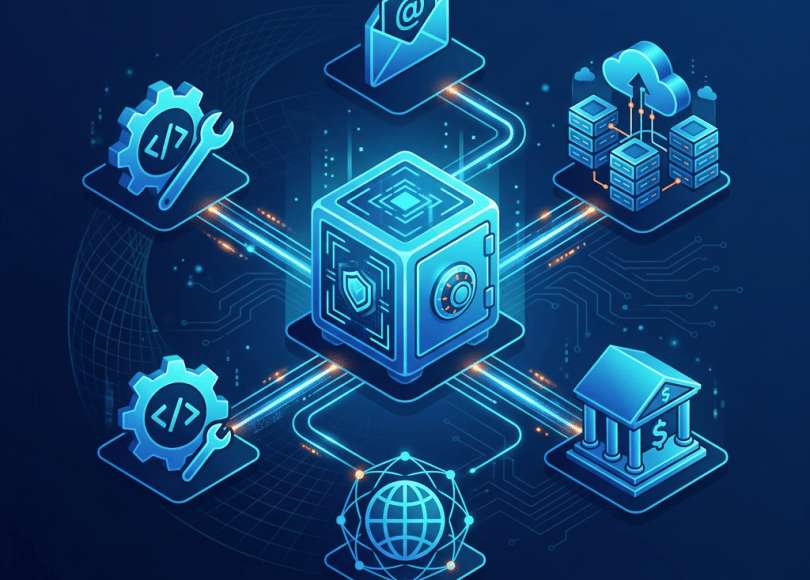
 Your password manager probably knows more about you than almost any other application.
Think about it.
Your vault may contain:
- Gmail
- GitHub
- Discord
- Banking
- PayPal
- Cloud accounts
- VPN accounts
- Domain registrars
- Hosting providers
- Social media
- Work accounts
- SSH credentials
- API credentials
- Recovery codes
- Wi-Fi passwords
One vault can potentially contain the keys to your entire digital life.
That sounds terrifying.
But here’s the important part:
Not using a password manager doesn’t make you safer.
For most people, the alternative is much worse:
Same password everywhere ↓One website gets breached ↓Password becomes available ↓Attacker tries it elsewhere ↓Multiple accounts compromised
A good password manager changes that equation.
Instead of remembering 50 passwords, you remember one strong master credential and let the password manager generate unique credentials for every service.
But which password manager should you actually use?
And what should a cybersecurity professional look for?
Because features like:
“Military-grade encryption!”
“Zero-knowledge!”
“Secure vault!”
don’t tell the whole story.
This guide breaks down the major password managers worth considering in 2026 and explains what actually matters from a cybersecurity, privacy and usability perspective.
What Is a Password Manager?
A password manager is an application that securely stores credentials and other sensitive information.
Instead of remembering:
Google passwordGitHub passwordDiscord passwordAmazon passwordVPN passwordHosting passwordBank password
you can create:
One strong master credential ↓Encrypted password vault ↓Unique credential for every account
The password manager can then automatically generate and fill credentials.
Why Cybersecurity Professionals Need One
If you’re a cybersecurity enthusiast, you probably have more accounts than the average user.
Think about everything you might use:
GitHubTryHackMeHack The BoxDiscordCloud providersVPNDomainsVPSBug bounty platformsEmailCTF platformsSecurity toolsDeveloper services
Reusing passwords across these accounts creates unnecessary risk.
Imagine your low-value forum account gets breached.
If you reused that password on your:
GitHub account
the attacker now has a much more valuable target.
Password managers solve this through credential uniqueness.
The Most Important Rule
A password manager should help you follow one simple principle:
Every important account gets a unique password.
For example:
Googlex7!kP...uniqueGitHubmQ2#v...differentDiscord8zL@4...differentVPST9!rK...different
You don’t need to remember any of them.
What If the Password Manager Gets Hacked?
This is the question everyone asks.
And it’s a legitimate concern.
A password manager is a high-value target.
That’s why you shouldn’t evaluate one only by:
“Does it have a nice app?”
You should investigate:
- Encryption architecture
- Key derivation
- Zero-knowledge design
- Security audits
- Account recovery
- MFA
- Passkeys
- Breach history
- Transparency
- Open-source components
- Device security
The goal is to make compromising your vault extremely difficult.
What Does “Zero-Knowledge” Mean?
You’ll see this term constantly in password-manager marketing.
In simplified terms, a zero-knowledge architecture is designed so the service provider doesn’t have the information necessary to decrypt your vault in ordinary operation.
Conceptually:
Your Device │ │ encrypted vault ▼Provider Storage │ └── Provider cannot normally read vault contents
The exact architecture varies between products.
So don’t treat:
“Zero-knowledge”
as a magic security certification.
Read the technical documentation.
Password Manager vs Browser Password Manager
Modern browsers can store passwords.
So why pay for a dedicated password manager?
Browser password storage has improved considerably.
For many ordinary users, browser-integrated password management can be a reasonable solution.
Dedicated password managers can provide additional capabilities such as:
- Cross-browser support
- Cross-platform support
- Secure notes
- Passkey management
- Identity information
- Password health reports
- Sharing
- Organization/team features
- Advanced authentication
- Emergency access
Whether you need these depends on your workflow.
Best Password Managers in 2026
There isn’t one universal best password manager.
Different products emphasize different things.
The major products worth researching include:
- 1Password
- Bitwarden
- Proton Pass
- Dashlane
- NordPass
- Keeper
- Apple Passwords
- Google Password Manager
Let’s look at them from a cybersecurity perspective.
1. 1Password
1Password is one of the best-known premium password managers.
It’s designed for both individuals and organizations and has a strong focus on usability alongside security.
Why cybersecurity users may like it
1Password supports:
- Password generation
- Passkeys
- Secure notes
- Multiple vaults
- Cross-platform applications
- Browser extensions
- Team management
- Business security controls
It also has a feature called Secret Key, which adds another component to the encryption design.
That makes the account architecture more interesting than simply:
Email + Password
Where 1Password fits best
It’s particularly attractive for:
- Professionals
- Developers
- Security teams
- Families
- Businesses
- Users willing to pay for polished software
Potential downside
It’s a premium product.
If you’re a student with a very limited budget, there are alternatives.
2. Bitwarden
Bitwarden has become particularly popular among privacy-conscious and technically minded users.
One of its biggest advantages is that its core client applications are open source.
That matters because security-conscious users can inspect the software and security architecture more closely.
Bitwarden also supports:
- Password generation
- Passkeys
- Browser extensions
- Mobile applications
- Desktop applications
- Secure notes
- Identity information
- Organization features
- Self-hosting options
Why Bitwarden Is Interesting for Hackers
The self-hosting option is particularly interesting.
Instead of:
You ↓Bitwarden infrastructure
advanced users can operate compatible server infrastructure themselves.
Conceptually:
Your Devices │ ▼Your Server │ ▼Password Vault
But self-hosting isn’t automatically more secure.
You become responsible for:
- Server security
- Updates
- Backups
- TLS
- Authentication
- Monitoring
- Availability
If you can’t maintain the infrastructure securely, using the managed service may be the safer choice.
3. Proton Pass
Proton Pass is particularly interesting for privacy-conscious users because it comes from the same company behind Proton Mail, Proton VPN and other privacy-oriented services.
It supports:
- Passwords
- Passkeys
- Secure notes
- Aliases
- Autofill
- Cross-platform access
The alias functionality can be especially useful for privacy.
Instead of giving every website your primary email address, you can use separate aliases.
Conceptually:
Real Email │ ├── Shopping alias ├── Newsletter alias ├── Forum alias └── Security-service alias
This can reduce unnecessary exposure of your primary email address.
4. Dashlane
Dashlane is another established password-management platform.
Its ecosystem includes:
- Password management
- Passkeys
- Autofill
- Password generation
- Security monitoring
- Business administration
It is particularly focused on making password security easy for ordinary users.
5. NordPass
NordPass comes from the company behind NordVPN.
It provides:
- Password storage
- Password generation
- Passkeys
- Autofill
- Secure notes
- Cross-platform support
- Business features
This can be particularly convenient if you’re already using other products from the same ecosystem.
But don’t choose a password manager simply because you already use its VPN.
Evaluate the password manager independently.
6. Keeper
Keeper is particularly relevant to business and enterprise users.
It provides:
- Password management
- Secrets management
- Privileged-access capabilities
- Business administration
- Security policies
- MFA
- Enterprise controls
For an individual, it may be more functionality than necessary.
For a security team, the additional administrative capabilities can become more relevant.
7. Apple Passwords
If you’re deeply invested in Apple’s ecosystem, you don’t necessarily need to purchase a third-party password manager.
Apple’s Passwords application provides integrated password and passkey management across supported Apple devices.
It can manage:
- Passwords
- Passkeys
- Verification codes
- Wi-Fi credentials
- Security recommendations
For an Apple-only user, the integrated experience can be extremely convenient.
8. Google Password Manager
Android and Chrome users can also use Google Password Manager.
It provides:
- Password storage
- Password generation
- Autofill
- Passkey support
- Password-security checks
Again, a dedicated password manager isn’t automatically necessary for everyone.
The most important thing is:
Stop reusing passwords.
Password Manager Comparison
| Password Manager | Open Source | Passkeys | Cross-platform | Business Features | Self-hosting |
|---|---|---|---|---|---|
| 1Password | Limited components | ✅ | ✅ | ✅ | — |
| Bitwarden | ✅ | ✅ | ✅ | ✅ | ✅ |
| Proton Pass | ✅ | ✅ | ✅ | Growing | — |
| Dashlane | — | ✅ | ✅ | ✅ | — |
| NordPass | — | ✅ | ✅ | ✅ | — |
| Keeper | — | ✅ | ✅ | ✅ | — |
| Apple Passwords | — | ✅ | Apple ecosystem | Limited | — |
| Google Password Manager | — | ✅ | Google ecosystem | Limited | — |
Feature availability can change, so verify the provider’s current documentation before subscribing.
What Makes a Good Password Manager?
Let’s go beyond brand names.
1. Strong Encryption
Your vault should be encrypted using modern cryptographic algorithms and a well-designed key hierarchy.
You shouldn’t have to understand every cryptographic detail.
But the provider should publish enough information for security researchers to understand the architecture.
2. Strong Key Derivation
Your master password shouldn’t simply be converted directly into an encryption key.
Modern password managers use key-derivation mechanisms designed to make brute-force guessing more expensive.
Conceptually:
Master Password │ ▼Key Derivation │ ▼Encryption Key │ ▼Encrypted Vault
The exact algorithm and parameters matter.
3. MFA
Your password manager account should support strong multi-factor authentication.
Prefer options such as:
- Passkeys
- Hardware security keys
- Authenticator apps
where supported.
4. Passkeys
Passkeys are increasingly important.
Instead of:
Username+Password
you can authenticate using cryptographic credentials associated with your device.
Passkeys can significantly reduce phishing risk because the credential is cryptographically tied to the legitimate website or service.
5. Security Audits
Independent audits are useful.
Look for:
- Security audits
- Penetration tests
- Cryptographic reviews
- SOC reports where relevant
- Public security documentation
But remember:
An audit is evidence, not a guarantee.
A company can pass an audit and still have a vulnerability later.
6. Breach Transparency
No company is immune from security incidents.
What matters is how the company responds.
Look for:
- Clear incident communication
- Security advisories
- Responsible disclosure program
- Bug bounty
- Transparency
7. Account Recovery
This is one of the most overlooked parts of password-manager security.
Imagine you lose access to your vault.
What happens?
Can someone else recover it?
Can support reset your master password?
Is there an emergency recovery process?
Does recovery weaken the encryption model?
You should understand this before you need it.
8. Emergency Access
Some password managers allow you to designate a trusted person who can request access to your vault under specific conditions.
This can be useful for:
- Families
- Businesses
- Estate planning
- Critical accounts
But it introduces another security boundary.
Use it carefully.
Password Manager for Ethical Hackers
A cybersecurity professional might have credentials for:
GitHubCloudflareAWSGoogle CloudAzureDigitalOceanVultrVPNDomainsBug bounty platformsCTFsVPSDiscordEmail
Don’t store everything in plaintext files such as:
passwords.txt
or:
credentials.xlsx
This is one of the easiest ways to turn a laptop compromise into a full account compromise.
What About API Keys?
This is where security professionals need to be especially careful.
A password manager can be useful for storing sensitive secrets.
But application credentials should ideally be handled through proper secret-management systems.
For example:
Development ↓Environment variables / secret managerProduction ↓Cloud secret-management system
Don’t turn your password manager into a replacement for enterprise secrets management.
Password Manager vs Secrets Manager
They’re related but different.
Password Manager
Designed primarily for:
- Human credentials
- Passwords
- Passkeys
- Secure notes
- Personal secrets
Secrets Manager
Designed primarily for:
- API keys
- Database credentials
- Application secrets
- Service accounts
- Machine-to-machine authentication
Examples include cloud secret-management systems and dedicated enterprise secrets platforms.
Never Store Secrets in Git
One of the most common developer mistakes:
config.pyAPI_KEY = "xxxxxxxx"PASSWORD = "xxxxxxxx"TOKEN = "xxxxxxxx"
Then:
git add .git commitgit push
Now the secret may exist in Git history.
Even deleting it from the latest version doesn’t necessarily remove it from the repository’s history.
Use secret-management mechanisms instead.
Password Manager + Hardware Security Key
For extremely important accounts, consider adding a hardware security key.
For example:
Password Manager │ ├── Strong master credential │ └── Hardware MFA
Hardware security keys can provide phishing-resistant authentication for supported services.
Companies such as Yubico produce hardware security keys designed around standards such as FIDO2/WebAuthn.
Password Manager + Passkeys
Another strong combination:
Password Manager │ ├── Passwords ├── Passkeys └── Secure Notes
Passkeys can eliminate passwords entirely for supported services.
That reduces the number of credentials an attacker can steal through traditional phishing.
Should You Store Credit Cards in a Password Manager?
Many password managers support secure storage for:
- Payment cards
- Identity information
- Secure notes
It can be convenient.
But consider your threat model.
If your password vault is compromised, all stored information becomes potentially valuable.
Only store information in the vault when the convenience is worth the risk for you.
Should You Store Recovery Codes?
Yes, many users can reasonably store recovery codes in a secure vault.
But don’t create a dangerous circular dependency.
For example:
Password Manager ↓Stores recovery code ↓Recovery code only neededto access password manager
That creates a problem.
For extremely important accounts, maintain an appropriate offline recovery option as well.
What If You Forget Your Master Password?
This is the trade-off.
A strong password manager should be difficult for an attacker to unlock.
That also means:
You shouldn’t assume customer support can simply give you the vault contents.
Before adopting a password manager, understand its recovery architecture.
Write down critical recovery information and store it somewhere secure and separate when appropriate.
Should You Use One Password Manager for Everything?
For most individuals:
Yes, one well-chosen password manager is usually better than scattering passwords across multiple systems.
But your most sensitive credentials can have additional controls.
For example:
Normal accounts ↓Password managerCritical accounts ↓Password manager+Passkey / hardware key+Recovery plan
How to Move to a Password Manager
Don’t try to fix 100 accounts in one night.
Do this gradually.
Step 1 — Secure Your Email
Your primary email is extremely important.
Create a unique password.
Enable strong MFA.
Review recovery methods.
Step 2 — Secure Your Password Manager
Create a strong master credential.
Enable MFA/passkeys where supported.
Secure recovery information.
Step 3 — Import Existing Passwords
You can import passwords from:
- Browsers
- Another password manager
- CSV exports
But delete exported plaintext files immediately after securely importing them.
A CSV file containing passwords is effectively a plaintext credential database.
Step 4 — Change Your Most Important Passwords
Start with:
EmailBankingCloudGitHubPassword managerSocial mediaDomain registrarVPS
Step 5 — Generate New Passwords
For each account:
Generate ↓Save ↓Verify login ↓Delete old credential
How Long Should Passwords Be?
Longer is generally better.
A password manager makes this easy because you don’t have to memorize generated passwords.
For example:
shortpassword
is far less desirable than a long randomly generated credential.
The important characteristics are:
- Randomness
- Uniqueness
- Length
Not:
“I added !@#$ to the end of my dog’s name.”
Password Manager vs Memorized Passwords
| Approach | Main problem |
|---|---|
| Same password everywhere | One breach affects everything |
| Slight variations | Attackers can predict patterns |
| Many memorized passwords | Difficult to maintain |
| Browser storage | Convenient, but ecosystem-dependent |
| Password manager | Strong uniqueness + convenience |
| Passkeys | Reduces reliance on passwords |
What If the Password Manager Is Compromised?
First, don’t panic.
A compromise can mean different things.
For example:
Provider infrastructure compromised
The attacker may obtain encrypted vault data.
Your device compromised
The attacker may potentially access the vault while it’s unlocked.
Master credential stolen
An attacker may attempt to unlock the vault.
Phishing
You may voluntarily give credentials to a fake login page.
This is why endpoint security and account security still matter.
Your Password Manager Cannot Protect a Compromised Device
Imagine:
Password Manager ↓Vault encrypted ↓You unlock vault ↓Malware on laptop ↓Credentials potentially exposed
The password manager isn’t a magical security bubble.
Protect the device running it.
The Password Manager Security Stack
A strong setup looks like:
                 PASSWORD MANAGER
                        │
              ┌─────────┴─────────┐
              │                   │
       Strong Master          MFA/Passkey
        Credential                │
              │                   │
              └─────────┬─────────┘
                        │
                Encrypted Vault
                        │
              ┌─────────┴─────────┐
              │                   │
          Secure Device       Recovery Plan
Then add:
OS Updates+Endpoint Security+Backups+Phishing Awareness
The Biggest Password Manager Mistakes
❌ Using a weak master password
Your entire vault depends on it.
❌ Reusing your master password elsewhere
Never do this.
❌ Ignoring MFA
Protect the vault itself.
❌ Saving the vault export forever
Plaintext exports can become a huge liability.
❌ Storing your master password in a text file
That defeats the purpose.
❌ Installing random browser extensions
The browser extension is part of the security boundary.
❌ Using a fake password-manager app
Download only from the official vendor or trusted app store.
❌ Forgetting recovery planning
Losing your vault can be devastating.
Best Password Manager by User Type
| User | What to investigate |
|---|---|
| Beginner | Google Password Manager / Apple Passwords |
| Privacy enthusiast | Bitwarden / Proton Pass |
| Developer | 1Password / Bitwarden |
| Cybersecurity student | Bitwarden / 1Password / Proton Pass |
| Enterprise user | 1Password / Keeper / enterprise platforms |
| Apple-only user | Apple Passwords |
| Android/Chrome user | Google Password Manager |
| Advanced self-hoster | Bitwarden |
| Privacy-focused user | Proton Pass / Bitwarden |
This isn’t a ranking. The right choice depends on your ecosystem, budget, threat model and required features.
The Best Password Manager Is the One You Actually Use
This is more important than it sounds.
You can buy the most sophisticated password manager available.
But if you continue using:
Password123Password123!Password1234Password123@2026
across every website:
you haven’t solved the underlying problem.
A good password manager should make secure behavior easier.
Password Manager Buying Checklist
Before subscribing, check:
☐ Strong encryption architecture☐ Clear security documentation☐ Independent security audits☐ Passkey support☐ Strong MFA☐ Hardware security-key support☐ Secure password generation☐ Cross-platform support☐ Browser extensions☐ Secure recovery options☐ Emergency access if needed☐ Secure sharing if needed☐ Export capability☐ Transparent privacy policy☐ Security incident history☐ Reasonable pricing☐ Good usability
Free vs Paid Password Managers
A free password manager can be perfectly useful.
Don’t assume:
Free = insecure.
Paid plans generally add features such as:
- More devices
- Family sharing
- Business management
- Advanced reporting
- Secure sharing
- Additional storage
- Premium support
Choose based on what you actually need.
Should Cybersecurity Professionals Pay for One?
If your password manager protects:
GitHubAWSAzureGoogle CloudVPSDomainsEmailBankingBusiness accounts
then the cost is relatively small compared with the potential value of the accounts inside the vault.
For professionals, paying for a mature product with strong security controls can be reasonable.
Password Managers and Phishing
Here’s one of the underrated benefits.
A password manager can recognize the legitimate domain associated with a saved credential.
Suppose you normally log into:
github.com
and a phishing site is:
githu6.example
Your password manager may not autofill the credential.
That gives you another signal:
Why didn’t my password manager fill this?
It isn’t perfect protection.
But it can be a useful additional warning.
Password Managers and Passkeys Are Changing Authentication
The long-term direction of authentication is increasingly moving away from passwords.
We’re seeing more adoption of:
- Passkeys
- FIDO2
- WebAuthn
- Hardware security keys
- Device-bound authentication
The future may look more like:
Website │ ▼Passkey │ ▼Cryptographic authentication
rather than:
Website │ ▼Password │ ▼Reset password │ ▼MFA code
Passwords aren’t disappearing overnight.
But the authentication ecosystem is changing.
Final Security Setup
If you want a practical setup in 2026:
                 DIGITAL IDENTITY
                        │
              ┌─────────┴─────────┐
              │                   │
       Password Manager         Passkeys
              │                   │
        Unique passwords     Phishing-resistant
              │              authentication
              └─────────┬─────────┘
                        │
                       MFA
                        │
                 Secure Devices
                        │
              ┌─────────┴─────────┐
              │                   │
            Updates            Backups
This is far stronger than:
“I use one really complicated password.”
Frequently Asked Questions
Are password managers safe?
Reputable password managers are designed with strong encryption and security controls, and for most people they provide a much safer way to maintain unique passwords than reusing passwords.
No software is risk-free.
Can hackers hack my password manager?
Potentially, yes. The threat can involve the provider, your device, phishing, stolen credentials or other attack paths. A well-designed password manager aims to minimize what an attacker can obtain and make vault decryption difficult.
Is Bitwarden safe?
Bitwarden publishes its security architecture and open-source components and supports modern authentication mechanisms. As with any security product, users should review its current documentation and security disclosures.
Is 1Password safe?
1Password uses an encryption architecture involving a Secret Key in addition to your account credentials and publishes security documentation. Review its current architecture and recovery model before relying on it.
Is Proton Pass good for privacy?
Proton Pass is designed as a privacy-focused password manager and integrates with Proton’s broader privacy ecosystem.
Should I use a password manager or browser passwords?
Either can be better than password reuse. A dedicated password manager can provide broader cross-platform and security-management features, while browser password managers are convenient for users already committed to one ecosystem.
Can password managers be hacked?
Any software can have vulnerabilities.
The important questions are:
- How is the vault encrypted?
- What can the provider access?
- What happens if the server is compromised?
- How is the account protected?
- How quickly does the company respond to vulnerabilities?
Should I store my banking passwords in a password manager?
Many people do. A reputable password manager with strong authentication can be a practical way to generate and store unique banking credentials.
Should I store API keys in my password manager?
For personal secrets, it can be useful. For production applications, use an appropriate secrets-management system rather than treating a password manager as a replacement for one.
What happens if I forget my master password?
The answer depends on the provider’s architecture. Some products have recovery mechanisms; others deliberately make recovery difficult to preserve security. Understand the recovery model before adopting the product.
Final Thoughts
Your password manager isn’t just another application.
It may protect:
Your money.
Your email.
Your GitHub account.
Your cloud infrastructure.
Your business.
Your domains.
Your identity.
That’s why choosing one deserves more thought than:
“Which app has the prettiest interface?”
Look at the architecture.
Look at the security history.
Look at independent audits.
Look at MFA.
Look at passkeys.
Look at recovery.
Look at transparency.
And most importantly:
Use unique credentials everywhere.
Because the strongest password in the world doesn’t help if you’ve used it on 37 different websites.
A password manager doesn’t make you invincible.
It makes good security behavior scalable.
And for someone working in cybersecurity, that’s exactly what you want.
Think Like an Attacker. Investigate Like a Defender. Secure Like a Pro.
Discover more from Spyboy blog
Subscribe to get the latest posts sent to your email.

WORLD TURKISH NEWS: Worldpres Civilian dictators around the world come to power through elections and then continue their dictatorship through civilian coups. That is, after seizing power through elections, their first coup targets public institutions and organizations, just like in Türkiye: 1- A coup against the military; 2- A coup against the judiciary; 3- A coup against law enforcement; 4- Heavy pressure on society and governing Türkiye with a coup regime; 5- Chaos in education, armed attacks by students and the killing of students. This situation threatens national security, and the most dangerous thing is the fear that these attacks will spread to the entire society. Can such a regime exist? Can elections and democracy be discussed under such a regime? Concepts such as civilian dictatorship, hybrid regimes (competitive authoritarianism), and the decline of democracy are among the most debated and analyzed topics in modern political science. In the literature, the process of gaining power through elections and then concentrating power in a single hand by reducing the independence of institutions is called “autocratization” or “democratic decline.” Political scientists (as noted, for example, in Steven Levitsky and Daniel Ziblatt’s work “How Democracies Die”) argue that in the modern era, democracies are no longer eroded by military coups, but rather by elected leaders themselves, through legal mechanisms and institutional changes. In such regimes, public institutions, the judiciary, law enforcement, and education can fall under the control of the executive branch. In structures where institutional balances are disrupted, social polarization increases, and security problems (violent incidents, attacks) emerge, including in educational institutions, two fundamental approaches regarding the nature of the system stand out: 1. The Approach That Says “Elections and Democracy Cannot Be Discussed in Such a Regime” Analysts and political scientists who advocate this view state that the mere presence of elections in a country is not sufficient for democracy. For democracy to survive, the following conditions must be institutionally protected: • Rule of Law and Judicial Independence: In a system where the judiciary cannot oversee the executive, citizens have no legal security. • Separation of Powers: Concentrating legislative, executive, and judicial power in a single center transforms the system into an authoritarian structure. • Media and Freedom of Expression: A fair election is impossible in an environment where the opposition cannot make its voice heard and the press is under pressure. • Public Security and Social Peace: The spread of violence in schools and on the streets, and the state’s failure to fulfill its fundamental function of ensuring public safety, destroys the social foundation of a democratic order. From this perspective, in regimes where institutions are paralyzed and the space for opposition is narrowed, elections become merely a “showcase” activity to legitimize the ruling power; therefore, true democracy cannot exist. 2. The Approach That Says “Elections and Politics Must Be Discussed Regardless of the Circumstances” In contrast, another approach argues that elections and democratic struggle cannot be completely ignored, even in competitive authoritarian or hybrid regimes: • The Potential for Change Through Elections: Despite institutional pressures, the ballot box remains the most important tool for opposition to demonstrate mass support and curb authoritarian tendencies. Worldwide (for example, in some Latin American or Eastern European countries), opposition has been able to shift the balance through elections even under very difficult circumstances. • The Ground of Democratic Legitimacy: No matter how powerful governments are, they cannot completely disregard the electoral process because they derive their legitimacy from elections. This leaves a legal space for social opposition to struggle. • Social Demand: Crises in education, security, and justice further increase the demand for democratic change, justice, and security within society. The most fundamental platform for expressing these demands is again democratic mechanisms. In short; In governance structures where institutions lose their independence and a climate of violence and insecurity escalates, academically, it struggles to meet the minimum requirements of democracy (fair competition, rule of law). However, even during such periods, discussing democracy, the rule of law, and electoral security continues to be seen as a critical way out for restoring social peace and overcoming institutional crises. If you wish to delve deeper into this topic, we can examine other examples in the political science literature regarding the institutional transformation processes of civilian dictatorships (for example, the processes in countries such as Hungary, Venezuela, or Poland). Or, we can look at public measures aimed at preventing violence in educational institutions.
LikeLiked by 1 person