 Posted by
Introduction: You Copied the Right Address. But Did You Paste the Right One?
Imagine you’re about to send cryptocurrency to someone.
They send you their wallet address. You copy it, open your crypto wallet, paste it into the recipient field, enter the amount, and prepare to confirm the transaction.
Everything looks normal.
But there’s one problem.
The address you pasted isn’t the address you copied.
Somewhere between copying and pasting, malware silently replaced the original wallet address with one controlled by an attacker.
You confirm the transaction.
Your cryptocurrency goes to the wrong wallet.
And because blockchain transactions are generally irreversible, recovering the money can be extremely difficult.
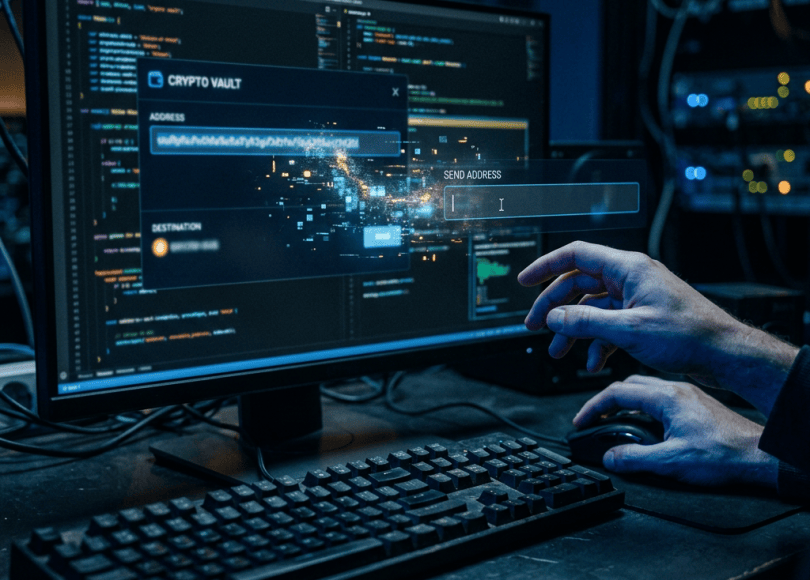
This is called clipboard hijacking, also known as a clipboard attack or crypto clipper attack.
The frightening part is that you may never see a warning. Your computer can appear to work normally while malicious software quietly monitors what you copy.
Let’s understand how this attack works, how attackers distribute the malware, and how to protect yourself.
1. What Is Clipboard Hijacking?
Clipboard hijacking is a technique in which malicious software monitors or manipulates the data stored in your device’s clipboard.
Your clipboard is the temporary storage area used when you copy and paste information.
For example:
- You copy a Bitcoin wallet address.
- The address is stored in your clipboard.
- You open your wallet application.
- You paste the address.
Normally, the same information should appear in the recipient field.
But clipboard hijacking malware can interfere with this process.
It monitors copied information, recognizes strings that resemble cryptocurrency wallet addresses, and replaces them with an attacker’s address.
The result?
You believe you’re sending money to the intended recipient, but you’re actually sending it somewhere else.
This type of malware is commonly called a crypto clipper.
2. How Does a Clipboard Hijacking Attack Work?
Let’s break down a typical attack.
<escape>### Step 1: Malware Gets Onto Your Device</escape>
The attacker first needs to get malicious software onto your computer.
Possible distribution methods include:
- Fake software installers.
- Cracked applications and pirated software.
- Malicious email attachments.
- Phishing websites.
- Compromised downloads.
- Malicious browser extensions.
- Fake updates and software utilities.
Not every clipboard attack uses the same infection method.
Some campaigns install a dedicated malware program. Others use malicious browser extensions or more complex malware families.
Step 2: Malware Monitors the Clipboard
Once running, the malicious program watches for changes to clipboard contents.
It may look for patterns that resemble cryptocurrency addresses.
For example, cryptocurrency addresses often contain long strings of letters and numbers.
Different cryptocurrencies use different address formats.
A clipper can recognize supported formats using pattern matching and other validation techniques.
Step 3: The Malware Replaces the Address
Suppose you copy a wallet address belonging to a friend.
The malware recognizes it as a cryptocurrency address and replaces it with an address controlled by the attacker.
The replacement may happen quickly enough that you never notice.
Step 4: You Paste the Attacker’s Address
You open your wallet and press:
CTRL + V
The malicious address appears instead of the original one.
You may not notice because cryptocurrency addresses are long and difficult to memorize.
Some attackers deliberately use replacement addresses that look similar to the original at a glance.
Step 5: You Confirm the Transaction
You enter the amount and approve the transaction.
The blockchain processes the transfer to the address you actually entered.
The attacker receives the cryptocurrency if the replacement address belongs to them.
The malware didn’t need to steal your wallet password or break into the exchange.
It simply changed the destination of your payment.
3. What Does a Clipboard Hijacking Attack Look Like?
Consider this simplified example.
<box border radius=”lg” gap={3} padding={3}>
**Your intended wallet address**
<text color=”secondary” size=”xs”>The address you received from the person you’re paying</text>
<box background=”surface-secondary” radius=”md” padding={3}>
<text tabularNums size=”sm” weight=”medium”>0x71C7656EC7ab88b098defB751B7401B5f6d8976F</text>
</box>
<row align=”center” justify=”center” gap={2}>
<icon name=”arrow-down” color=”secondary” size=”lg”/>
<text color=”danger” weight=”medium” size=”sm”>Clipboard malware replaces it</text>
</row>
Address pasted into your wallet
<box background=”surface-secondary” radius=”md” padding={3}>
<text tabularNums size=”sm” weight=”medium”>0x71C7656EC7ab88b098defB751B7401B5f6d8976F</text>
</box>
<text color=”secondary” size=”xs”>Illustrative example only. A real replacement address may be completely different or designed to look similar.</text>
</box>
The key issue is that the address shown in your wallet may no longer match the one you originally copied.
Never assume that pressing CTRL + V guarantees the original information was pasted.
4. Why Is This Attack So Effective?
There are several reasons clipboard hijacking can work.
Cryptocurrency Addresses Are Difficult to Memorize
A wallet address can contain dozens of characters.
Most people don’t memorize the entire address. They copy and paste it.
That creates an opportunity for malware to replace the information without immediately attracting attention.
People Trust Copy and Paste
Copy and paste is one of the most ordinary computer operations.
You probably use it hundreds of times without thinking.
This familiarity makes it easy to overlook the possibility that copied information has changed.
Transactions May Be Irreversible
Traditional payment methods sometimes provide chargebacks, dispute processes, or cancellation options.
Blockchain transactions generally do not work that way.
Once a transaction is confirmed, it usually cannot simply be reversed by contacting the network.
Malware Can Operate Quietly
A clipboard hijacker doesn’t necessarily display a suspicious window or interrupt your work.
It may remain in the background, waiting until you copy a cryptocurrency address.
5. Can Clipboard Malware Steal More Than Cryptocurrency?
Yes, depending on the malware.
Some clipboard hijackers are narrowly designed to replace cryptocurrency addresses.
Others are part of broader information-stealing malware.
Potential targets can include:
- Cryptocurrency wallet addresses.
- Recovery phrases and sensitive wallet information.
- Passwords and other copied credentials.
- Payment information.
- Other sensitive text copied by the user.
Some advanced malware families combine clipboard monitoring with screenshots, data theft, persistence, and remote communication.
Microsoft documented a cryptocurrency clipper campaign in June 2026 that monitored clipboard data, replaced wallet addresses, and targeted sensitive cryptocurrency information.
This demonstrates that clipboard attacks are not limited to a simple address replacement trick.
6. How Do Attackers Distribute Crypto Clipper Malware?
A clipboard hijacker doesn’t magically appear on your computer.
In most cases, attackers need to get malicious code executed first.
Here are some possible delivery methods.
1. Fake Cryptocurrency Software
Attackers create websites that look like legitimate wallet or trading applications.
You search for a wallet download, land on a fake website, and install a modified application.
The application may appear to work normally while malicious components operate in the background.
2. Cracked Software
Pirated software and unofficial installers can contain additional unwanted or malicious components.
A program may work as advertised while secretly installing malware.
This is one reason downloading software from unofficial sources is risky.
3. Malicious Browser Extensions
Some browser extensions request permissions that allow them to access or modify website content.
A malicious extension may abuse its access to interfere with cryptocurrency-related activity.
Not every extension has clipboard access, and permissions vary by browser and extension implementation. But installing an unknown extension can create additional risks.
4. Fake Updates
You visit a website and see a message claiming that your browser, media player, or another application needs an urgent update.
You download the suggested installer.
Instead of a legitimate update, you may receive malware.
5. Malicious Email Attachments
Attackers may disguise malware as:
- Invoices.
- Financial statements.
- Wallet transaction reports.
- Software documentation.
- Cryptocurrency investment information.
Opening a malicious attachment or executing an included program can lead to infection.
7. How to Check Whether Your Clipboard Is Being Hijacked
You can perform a basic check without running any commands.
<badge color=”success”>Safe manual check</badge>
Step 1: Open Notepad
Press the Windows key and search for:
Notepad
Open it.
Step 2: Copy Harmless Text
Type something like:
SPYBOY-CLIPBOARD-TEST-12345
Select it and press:
CTRL + C
Step 3: Paste It
Press:
CTRL + V
The same text should appear.
This checks whether ordinary copy and paste is working.
Step 4: Check a Wallet Address Separately
If you use cryptocurrency, copy a wallet address from your wallet application.
Paste it into Notepad first.
Compare the pasted address with the original address displayed in your wallet.
Check the complete address where practical, not just the first few characters.
Important: This is only a basic check. A sophisticated clipboard hijacker may activate only when it recognizes a cryptocurrency address or when you paste into a particular application.
A successful Notepad test does not prove that your computer is clean.
8. How to Protect Your Crypto Wallet From Clipboard Hijacking
You don’t need to become a cybersecurity expert to reduce the risk.
Build these habits into every cryptocurrency transaction.
1. Always Verify the Recipient Address
This is the most important precaution.
After pasting an address, compare it against the original recipient address.
Check the entire address whenever possible.
At a minimum, compare the beginning and ending characters, but remember that partial checks are not a guarantee against a carefully crafted replacement.
2. Use a Small Test Transaction
When sending a large amount to a new recipient, consider sending a small test amount first.
Wait for the test transaction to reach the intended destination before sending the remaining funds.
This may involve additional network fees, so consider the cost.
A test transaction is not a substitute for verifying the address.
3. Download Wallet Software From Official Sources
Never download wallet applications from random advertisements or unofficial websites.
Use the official website or trusted application store.
For browser wallets, verify the publisher and official extension listing.
4. Avoid Cracked Applications
Don’t install pirated software on a computer used for banking or cryptocurrency transactions.
An apparently harmless installer can introduce malicious components.
5. Review Browser Extensions
Remove extensions you no longer use.
Avoid extensions from unknown developers, especially those requesting broad permissions without a clear reason.
6. Keep Security Software Updated
Keep Microsoft Defender or another reputable security solution enabled.
Install operating-system and browser updates regularly.
Security software can detect many threats, but no antivirus can guarantee that every clipboard hijacker will be blocked.
7. Consider a Hardware Wallet
A hardware wallet can provide an additional layer of protection by keeping private keys away from an ordinary internet-connected computer.
However, it does not make address verification unnecessary.
Always verify the recipient address displayed on the hardware wallet’s own trusted screen before approving a transaction.
8. Don’t Store Recovery Phrases in Your Clipboard
Your recovery phrase is extremely sensitive.
Avoid copying it into random applications, websites, chats, or online documents.
Never enter it into a website claiming to verify or synchronize your wallet unless you have independently established that the action is legitimate and necessary.
9. What Should You Do If Your Crypto Address Keeps Changing?
If you copy one address but repeatedly get a different address when pasting, stop making transactions.
Treat the behavior as a potential malware infection.
Follow these steps:
1. Stop Cryptocurrency Transactions
Don’t attempt another transfer until you understand what’s happening.
2. Disconnect From the Internet if You Suspect Active Malware
Disconnect Wi-Fi or Ethernet if you believe malicious software is actively communicating with an attacker.
This cannot undo information already stolen, but it may interrupt further communication.
3. Scan Your Computer
Run a Full scan using Microsoft Defender or a trusted security product.
If compromise is suspected, consider an offline scan.
4. Review Recently Installed Software
Check for unfamiliar applications and programs installed around the time the problem started.
Also review browser extensions and startup applications.
Don’t assume that removing one suspicious application automatically removes every malicious component.
5. Secure Your Wallet From a Clean Device
If you suspect wallet credentials, private keys, or recovery phrases were exposed, treat the wallet as compromised.
Use a trusted clean device to create a new wallet with a new recovery phrase, and move remaining funds only after carefully verifying the new destination.
Never enter an existing recovery phrase into an unfamiliar recovery tool or website.
6. Review Your Accounts
Change exposed passwords from a clean device, revoke suspicious sessions, and enable additional authentication protections.
7. Seek Professional Help if Necessary
If the computer contains valuable assets or sensitive business information, consider professional incident response or a clean operating-system reinstall.
10. What If You Already Sent Cryptocurrency to the Attacker?
Unfortunately, this is where things get difficult.
Most blockchain transactions cannot be reversed by simply contacting a wallet provider.
Still, act quickly.
- Save the transaction ID or transaction hash.
- Record the receiving wallet address.
- Preserve screenshots and relevant messages.
- Contact the exchange or platform involved, if applicable.
- Report the incident to the relevant cybercrime authority.
- Do not send additional money to anyone promising guaranteed recovery.
In India, report financial cyber fraud through the National Cyber Crime Reporting Portal at cybercrime.gov.in or call 1930 as soon as possible.
If the transaction involved a cryptocurrency exchange, contact its official support team and provide the transaction details.
A blockchain transaction may be publicly traceable, but identifying the person controlling an address is a different challenge. Recovery is not guaranteed.
11. How Security Researchers Can Investigate Clipboard Hijackers
Clipboard hijackers are also interesting from a defensive malware-analysis perspective.
Security researchers and incident responders can investigate several behavioral indicators.
Clipboard Monitoring
Look for unexpected processes repeatedly accessing or monitoring clipboard contents.
Suspicious Startup Activity
Some malware establishes persistence through startup entries, scheduled tasks, or other operating-system mechanisms.
Unusual Process Activity
Investigate unexpected script interpreters, suspicious child processes, and applications launched from unusual directories.
Unexpected Network Connections
Some malware communicates with attacker-controlled infrastructure to retrieve instructions or exfiltrate information.
Security Product Alerts
Review endpoint protection alerts and quarantine information for detections related to clipboard manipulation or cryptocurrency stealers.
For defenders, the important point is to correlate several indicators rather than treating one unusual clipboard event as proof of infection.
Final Thoughts: Never Trust an Address Just Because You Copied It
Copy and paste is supposed to make our lives easier.
But when malware controls your clipboard, that convenience can become a security risk.
You might copy the correct wallet address, paste what appears to be a valid address, and unknowingly send your funds to a criminal.
The best protection is a combination of good security habits:
- Download software from official sources.
- Avoid suspicious installers and browser extensions.
- Keep your security software updated.
- Verify recipient addresses before confirming transactions.
- Use hardware-wallet verification for important transfers.
- Never share your recovery phrase.
Remember:
Copying an address doesn’t mean the address you eventually paste is still the same one.
Take a few seconds to verify it. That small habit could save you from losing your cryptocurrency permanently.
Think Like a Hacker. Defend Like a Pro.
Frequently Asked Questions
What is clipboard hijacking?
Clipboard hijacking is a type of attack in which malware monitors or changes copied information. Cryptocurrency clipper malware commonly replaces copied wallet addresses with addresses controlled by attackers.
Can malware change my Bitcoin wallet address when I paste it?
Yes. A crypto clipper can monitor the clipboard, recognize a Bitcoin address, and replace it with an attacker-controlled address before you paste it.
Can clipboard hijacking steal my passwords?
Some clipboard-related malware can collect sensitive copied information, but not every clipboard hijacker is designed to steal passwords. Some specifically target cryptocurrency addresses.
Can a browser extension hijack my clipboard?
Certain extensions may have permissions or access that allow them to interact with copied information or website content. The exact capabilities depend on the browser, extension APIs, and permissions granted.
Does Microsoft Defender detect clipboard hijackers?
Microsoft Defender detects many known malware families, including certain cryptocurrency stealers. However, new or modified malware may evade detection.
Can a hardware wallet prevent clipboard hijacking?
A hardware wallet can protect private keys from many computer-based threats, but it cannot guarantee that a transaction goes to the correct recipient. Verify the address on the hardware wallet’s own display before signing.
Can I recover cryptocurrency sent to a hacker?
Recovery is difficult and not guaranteed because blockchain transactions are generally irreversible. Preserve transaction evidence, contact the relevant exchange, and report the incident to the appropriate authorities.
Discover more from Spyboy blog
Subscribe to get the latest posts sent to your email.
