
 Posted by
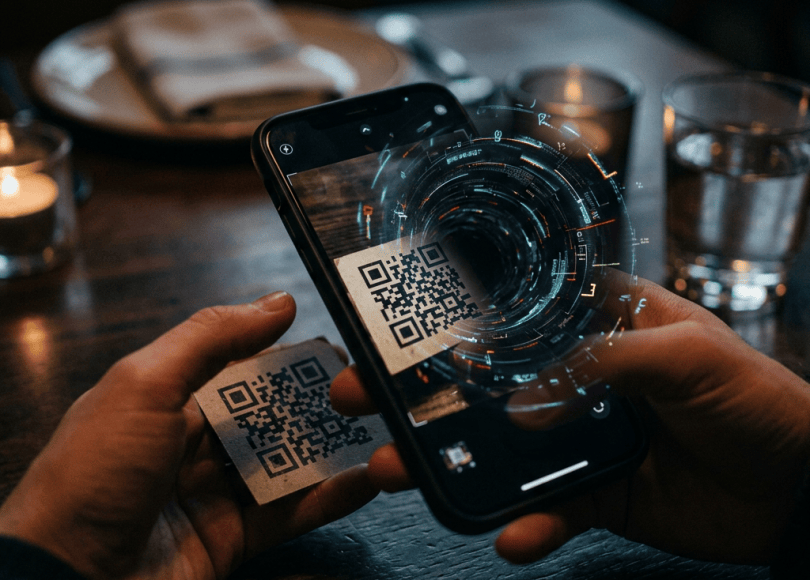
You see a QR code on a restaurant table, parking meter, payment counter, delivery notice, or even a poster on the street.
You take out your phone, open the camera, scan the code, and tap the link.
It takes only a few seconds.
But what if that QR code was placed there by a scammer?
A malicious QR code can direct you to a fake banking website, a phishing page, a fraudulent payment request, or a website hosting a malicious application. In some situations, attackers use QR codes to trick people into revealing passwords, sharing verification codes, or sending money.
This technique is known as QR phishing, or quishing.
The dangerous part is that QR codes hide their destination. Unlike an ordinary web link, you cannot easily judge where a QR code leads just by looking at it.
In this guide, we’ll explore how QR code scams work, whether scanning a QR code can hack your phone, how criminals misuse QR codes for UPI fraud, and how to protect yourself.
Can Scanning a QR Code Hack Your Phone?
Let’s clear up one important misconception.
Simply scanning an ordinary QR code does not normally hack your phone.
A QR code is essentially a visual way of storing information. It might contain:
- A website URL.
- A phone number.
- Contact information.
- Wi-Fi connection details.
- Payment information.
- Plain text.
- An application link.
The danger usually comes from what happens after you scan it.
For example:
- You scan a QR code.
- Your phone displays a website address.
- You tap the link.
- The website imitates your bank or another trusted service.
- You enter your password, card details, or verification code.
- The attacker receives the information.
In this example, the QR code did not directly hack your phone. It helped deliver a phishing attack.
There are also more advanced possibilities. A specially crafted QR code might exploit a vulnerability in a QR-reading application or the software handling the information. Such attacks are different from ordinary QR phishing and generally depend on a security flaw.
For most people, the more common danger is being redirected to a fraudulent website or payment flow.
How Do QR Code Scams Work?
Scammers take advantage of the fact that people trust QR codes because they appear on legitimate-looking signs, posters, receipts, and payment displays.
A typical attack may look like this:
Step 1: The scammer creates a QR code
The attacker generates a QR code that points to a website, payment request, or other destination under their control.
Step 2: They place or distribute it
The code may appear in:
- An email attachment.
- A WhatsApp message.
- A fake delivery notification.
- A social media advertisement.
- A poster or sticker in a public place.
- A fraudulent parking or payment notice.
Step 3: You scan the code
Your camera or QR scanner reads the information and displays the destination.
Step 4: You follow the instructions
The website may ask you to log in, download an application, make a payment, or provide personal information.
Step 5: The scammer exploits your action
Depending on the scam, the attacker may steal credentials, collect sensitive information, trick you into approving a payment, or persuade you to install malicious software.
The QR code is simply the entry point. The actual fraud happens through the website, application, payment request, or interaction that follows.
10 QR Code Scams You Should Watch Out For
1. Fake UPI Payment QR Codes
This is particularly relevant in India, where QR codes are widely used for digital payments.
Imagine you’re selling something online. A buyer contacts you and says:
“Scan this QR code to receive your payment.”
You scan it, open your UPI application, and see a payment request. The buyer tells you to enter your UPI PIN to receive the money.
But here’s the problem:
You generally do not need to enter your UPI PIN to receive money.
Entering your UPI PIN in a payment application normally authorizes a transaction from your account.
A scammer may send you a QR code or collect request designed to make you pay them instead of receiving money.
Before approving anything, read the payment screen carefully. Check whether the transaction is sending money or requesting money.
Never enter your UPI PIN simply because someone says it is necessary to receive a payment.
2. Fake QR Codes Placed Over Genuine Payment Codes
Imagine visiting a small shop or restaurant.
There is a QR code displayed at the counter. You scan it, make your payment, and leave.
But what if someone secretly placed a sticker containing their own QR code over the original one?
Your payment could go to the scammer instead of the business.
This is a physical QR-code substitution scam.
Before making a payment:
- Check whether the QR code appears to have a sticker placed over it.
- Confirm the recipient’s name inside your payment application.
- Ask the merchant to verify the recipient.
- Don’t assume a QR code is genuine simply because it is displayed at a legitimate business.
If the recipient’s name does not match the merchant, stop and verify before proceeding.
3. Fake Bank Login QR Codes
You receive an email or message claiming:
“Your bank account requires verification. Scan this QR code to avoid suspension.”
The QR code opens a website that looks like your bank’s official login page.
You enter your username, password, and possibly an OTP.
The attacker may capture those details and attempt to access your account.
A QR code does not make a banking website legitimate. Always access your bank through its official application or a website address you independently know and trust.
4. Fake Delivery QR Codes
You receive a message claiming that a parcel cannot be delivered.
It says:
“Your delivery is pending. Scan this QR code to confirm your address.”
The QR code opens a fake delivery website that asks for:
- Your name.
- Phone number.
- Home address.
- Payment information.
- A small redelivery fee.
The small fee is often used to make the request appear believable.
An attacker may use the collected information for identity fraud, phishing, or payment-card theft.
If you are expecting a parcel, check its status through the delivery company’s official website or application.
5. QR Codes That Lead to Malicious APK Downloads
This connects directly to the risks discussed in our Android malware guide.
A QR code may direct you to a website advertising an application:
“Download this app to track your parcel.”
“Install this update to secure your account.”
“Download this premium version for free.”
The website may offer an APK file rather than redirecting you to a trusted application store.
If the APK is malicious and you install it, it may attempt to abuse permissions or exploit vulnerabilities.
Remember:
- Scanning a QR code does not automatically install an APK.
- Downloading an APK does not normally grant it unrestricted access.
- Installing and granting unnecessary permissions can create serious risks.
Never install an application simply because a QR code tells you to.
6. Fake Parking QR Codes
Scammers may place fraudulent QR stickers on parking meters, payment machines, or nearby signs.
You scan the code, open a payment website, and enter your vehicle information and payment details.
The website may look like a legitimate parking service, but the money and information may go directly to the attacker.
Use the official parking application or independently verify the payment website before entering financial information.
7. QR Codes Sent Through Emails
A phishing email may contain a QR code instead of an ordinary clickable link.
The email might claim:
- Your Microsoft account needs verification.
- Your email storage is full.
- Your company requires a security update.
- Your password has expired.
- Your account will be suspended.
The QR code takes you to a fake login page.
This technique can be particularly deceptive because security tools that inspect ordinary email links may not inspect the destination hidden inside an image in the same way.
If an unexpected email asks you to scan a QR code and sign in, verify the request independently.
8. Fake Social Media Verification QR Codes
You may see a message claiming that your social media account needs verification.
It asks you to scan a QR code to:
- Restore account access.
- Receive a verification badge.
- Unlock a restricted account.
- Participate in a promotion.
The destination may imitate a legitimate login page or attempt to trick you into linking an unfamiliar device.
Never scan a QR code to link an account or device unless you initiated the process through the official application and understand exactly what you are authorizing.
9. Fake Wi-Fi QR Codes
QR codes can contain Wi-Fi connection information.
A scammer might place a QR code in a public location claiming it provides free Wi-Fi.
Depending on the QR scanner and device, scanning it may offer to connect you to a network controlled by someone else.
A malicious or deceptive Wi-Fi network could potentially be used for traffic monitoring, phishing, or other attacks.
Use networks you can verify. Avoid entering passwords or sensitive information into unfamiliar captive portals.
HTTPS protects much of the communication between your browser and websites, but it does not make an untrusted network or fraudulent website safe.
10. QR Codes Used to Link Unauthorized Devices
Some services use QR codes to link devices, log in, or authorize a session.
Scammers may exploit this by persuading you to scan a QR code and approve a connection you did not initiate.
For example, someone might claim:
“Scan this code to verify your account.”
But the QR code may actually be part of a device-linking process.
If you approve it, another device may gain access to your account, depending on the service.
Never approve an unfamiliar device-linking request.
What Information Can a QR Code Reveal?
A QR code itself does not magically collect everything on your phone.
It contains information that your scanner reads and processes.
Depending on its contents, it might:
| QR code content | Possible result |
|---|---|
| Website URL | Opens or suggests opening a website |
| Phone number | Offers to call the number |
| Contact information | Offers to save a contact |
| Wi-Fi details | Offers to connect to a network |
| Payment information | Opens a payment flow |
| App link | Opens an app store or download page |
| Plain text | Displays the encoded text |
The risk depends on the destination and what you choose to do next.
A QR code containing a website URL can be used for phishing. A QR code containing payment information can direct you to a fraudulent recipient. A QR code containing an application link can lead to an untrusted download.
How to Check a QR Code Before Opening It
You don’t need advanced cybersecurity tools to inspect a QR code.
Follow these precautions.
1. Preview the URL first
When your camera scans a QR code, most modern phones display the destination before opening it.
Read the complete domain carefully.
For example:
google.comis different fromgoog1e.com.bank.example.comis different frombank-example.com.- A familiar company name appearing somewhere in a URL does not mean the company owns that domain.
Watch for spelling mistakes, strange subdomains, and unexpected URL shorteners.
2. Don’t open unexpected QR links automatically
If a QR code appears in an unexpected email, message, or public sticker, pause before tapping it.
Ask yourself:
- Who created this QR code?
- Why am I being asked to scan it?
- Does the request make sense?
- Can I access the service through its official app instead?
3. Verify the recipient before making a payment
This is especially important for UPI payments.
After scanning a payment QR code, carefully inspect the recipient’s displayed name and transaction details.
If the name is unfamiliar or doesn’t match the intended recipient, don’t approve the payment.
4. Avoid downloading applications from unknown QR destinations
Use Google Play or the application’s independently verified official website.
Be particularly careful if the website asks you to disable Play Protect, install an APK, or grant Accessibility access.
5. Use security tools where appropriate
You can investigate suspicious URLs using:
- VirusTotal — checks URLs against multiple security engines.
- Google Safe Browsing — provides information about known unsafe websites.
These tools can help identify known malicious destinations, but a clean scan does not guarantee that a website is legitimate.
Avoid uploading private or sensitive URLs to public scanning services.
What Should You Do If You Scanned a Malicious QR Code?
First, don’t panic.
Scanning a QR code alone does not necessarily mean your phone or account has been compromised.
Your next steps depend on what happened after the scan.
Situation 1: You scanned it but did not open the link
If your camera simply displayed a suspicious URL and you did not open it, the risk is generally low.
Close the preview and avoid interacting with the destination.
Situation 2: You opened the website but entered nothing
Close the website.
If you did not download anything, enter credentials, approve a payment, or grant permissions, the risk is generally lower.
If the browser downloaded a file automatically, don’t open or install it.
Situation 3: You entered your password
If you entered your password on a suspicious website:
- Open the legitimate service using its official application or website.
- Change the exposed password.
- Change it anywhere else you reused it.
- Enable stronger authentication.
- Review active sessions and sign out unfamiliar devices.
If your primary email password was exposed, secure that account first.
Situation 4: You entered an OTP or verification code
Contact the relevant service immediately if you believe the code was used by someone else.
Review account activity, remove unfamiliar devices, and change exposed credentials.
Never share additional codes with anyone claiming to help you recover the account.
Situation 5: You approved a UPI payment
If you authorized a suspicious payment:
- Contact your bank immediately.
- Report the transaction through your UPI application or payment provider.
- Call India’s cyber financial fraud helpline 1930.
- Submit a complaint at https://cybercrime.gov.in/.
- Preserve the transaction ID, screenshots, and other evidence.
Do not pay anyone who promises guaranteed recovery.
Situation 6: You installed an APK
If you installed an application from the suspicious website:
- Stop using the application.
- Review its permissions.
- Check Accessibility and notification access.
- Remove suspicious administrator privileges if present.
- Uninstall the application if it is confirmed to be malicious.
- Run Google Play Protect.
- Secure exposed accounts from another trusted device.
If financial credentials or sensitive information may have been exposed, contact your bank and other relevant services promptly.
How to Protect Yourself From QR Code Scams
Use these simple rules:
- Never scan a QR code just because a stranger tells you to.
- Check the URL before opening it.
- Don’t enter banking passwords on websites opened through unexpected QR codes.
- Never enter your UPI PIN to receive money.
- Confirm the recipient’s name before approving payments.
- Avoid installing APKs from unfamiliar QR-code destinations.
- Don’t scan QR codes to link devices unless you initiated the process.
- Verify parking, restaurant, and payment QR codes if stickers look suspicious.
- Keep your browser, operating system, and applications updated.
- Use multi-factor authentication on important accounts.
A QR code is convenient, but convenience should never replace verification.
Frequently Asked Questions
Can someone hack my phone just by scanning a QR code?
Normally, no. Scanning a QR code usually just reads encoded information. The common danger is opening a malicious link, entering sensitive information, approving a fraudulent transaction, or installing a malicious application. Rare vulnerabilities in QR-processing software can create more advanced risks.
Can a QR code steal my WhatsApp account?
A QR code alone does not automatically steal your WhatsApp account. However, a fraudulent page may trick you into revealing a verification code, or a deceptive device-linking process may persuade you to authorize an unfamiliar session.
Can someone steal money if I scan a UPI QR code?
Scanning a payment QR code alone does not normally transfer money. However, if you approve a payment request and enter your UPI PIN, you may authorize money to be sent. Always read the payment screen carefully.
Do I need to enter my UPI PIN to receive money?
Generally, no. You normally do not need to enter your UPI PIN to receive money into your account. A request to enter your PIN to receive a payment is a major warning sign.
Can a QR code install malware automatically?
Ordinary QR scanning does not normally install an application automatically. A QR code may direct you to a malicious download, but installing the APK and granting access are separate steps. Rare software vulnerabilities are a different scenario.
Are QR codes on restaurant tables and parking meters safe?
Many are legitimate, but you should still check the destination. In public places, scammers may replace genuine QR stickers with fraudulent ones. Verify the website or payment recipient before proceeding.
Final Thoughts
QR codes are not inherently dangerous. They are simply a convenient way to share information.
The problem is that you cannot easily see where a QR code leads before scanning it. Criminals exploit this convenience to distribute phishing links, fraudulent payment requests, malicious downloads, and fake account-verification pages.
Before opening a QR destination, check the URL. Before making a payment, verify the recipient. Before installing an application, verify the developer and permissions.
And remember one important rule:
You do not need to enter your UPI PIN to receive money.
A few seconds of verification can prevent a much bigger problem.
Think Like a Hacker. Defend Like a Pro. Don’t trust a QR code just because it looks official.
Discover more from Spyboy blog
Subscribe to get the latest posts sent to your email.
