
 Posted by
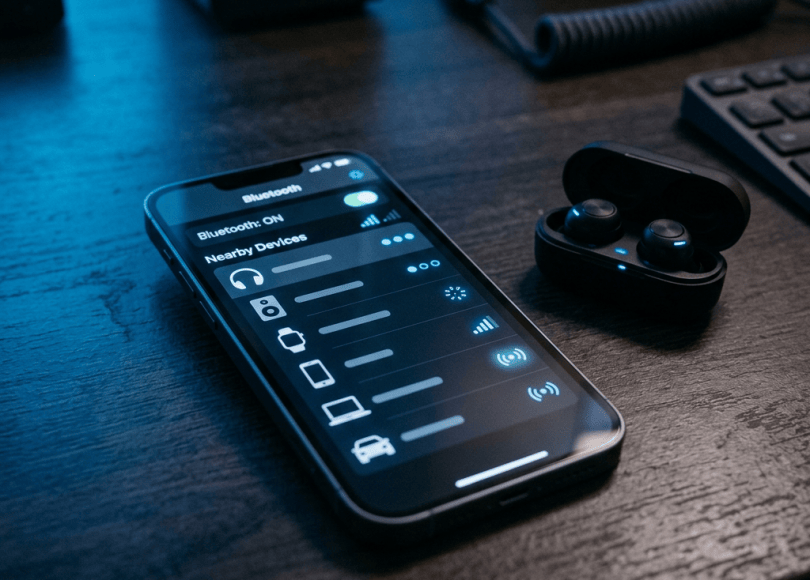
You turn on Bluetooth to connect your wireless earbuds, smartwatch, car stereo, or another nearby device.
A notification appears. Your phone detects an unfamiliar device.
You might think nothing of it. After all, Bluetooth is designed to connect devices wirelessly.
But what if someone nearby is trying to exploit a vulnerable Bluetooth connection?
Bluetooth is convenient, but like Wi-Fi, USB, and other communication technologies, it can introduce security risks when devices are outdated, improperly configured, or vulnerable to software flaws.
Attackers may attempt to exploit Bluetooth vulnerabilities, trick users into pairing with an untrusted device, or abuse insecure connections to collect information.
In this guide, we’ll explain whether someone can hack your phone through Bluetooth, what real Bluetooth attacks look like, how dangerous they are, and how to protect your Android phone, iPhone, laptop, and other devices.
Can Someone Hack Your Phone Just by Turning On Bluetooth?
Not normally. Simply turning on Bluetooth does not automatically give someone access to your phone.
Modern Android and iOS devices have security protections designed to prevent unauthorized connections and access to private information.
However, Bluetooth vulnerabilities have been discovered in real devices over the years. Depending on the vulnerability, an attacker may be able to interact with a device without the usual pairing process or exploit a weakness in its Bluetooth implementation.
The risk depends on several factors:
- Your phone’s operating system and security updates.
- The Bluetooth chipset and software implementation.
- Whether the device is discoverable.
- Whether you accept an unfamiliar pairing request.
- Whether a known vulnerability affects your device.
- Whether the attacker is physically nearby.
So, while Bluetooth hacking is possible, it is not as simple as someone standing next to you and instantly taking control of your phone.
9 Bluetooth Security Risks You Should Know About
1. BlueBorne: Bluetooth Attacks Without Traditional Pairing
<escape>BlueBorne</escape> was a collection of Bluetooth vulnerabilities disclosed in 2017 that affected multiple operating systems and devices.
What made it particularly concerning was that certain attacks could work without the victim having to pair with the attacker’s device.
Depending on the affected system and vulnerability, attackers could potentially execute code, access information, or perform other unauthorized actions.
The vulnerabilities affected platforms including Android, Windows, Linux, and certain Apple operating systems at the time.
The important lesson is that Bluetooth security problems are not always caused by users accepting suspicious pairing requests.
Sometimes, a flaw in the underlying Bluetooth implementation is enough.
Modern devices have received security fixes for the historical BlueBorne vulnerabilities, but unsupported or unpatched devices can remain exposed to security problems.
2. Bluebugging: Unauthorized Bluetooth Control
Bluebugging is a term historically associated with attacks that exploit Bluetooth weaknesses to gain unauthorized access to certain device functions.
Depending on the vulnerability and device, historical attack scenarios could involve unauthorized commands or access to information.
It is important not to confuse old Bluetooth attack demonstrations with a guaranteed way to compromise every modern phone.
Today’s operating systems have substantially stronger security controls than many older Bluetooth implementations.
Still, keep your device updated and avoid connecting to unknown Bluetooth equipment.
3. Bluesnarfing: Unauthorized Access to Bluetooth Data
Bluesnarfing refers to unauthorized access to information through Bluetooth vulnerabilities.
Historically, vulnerable devices could expose information such as contacts or other stored data.
The risk depended on the Bluetooth implementation and security flaws present in the device.
It is not a normal capability of Bluetooth. A modern, fully updated phone does not simply hand over its contacts because another person has Bluetooth enabled.
However, this attack category demonstrates why outdated Bluetooth devices should not be ignored.
4. Bluejacking: Sending Unwanted Messages
Bluejacking involves sending unsolicited messages or contact information to nearby Bluetooth-enabled devices.
It is generally different from a full device compromise.
A person may receive an unexpected Bluetooth message, contact card, or pairing-related prompt.
Although traditional bluejacking is less of a concern on modern devices because of improved connection controls, unexpected Bluetooth requests should still be treated cautiously.
Don’t accept unfamiliar requests simply because the sender is nearby.
5. Fake Bluetooth Pairing Requests
Imagine sitting in a café or airport.
Your phone displays a pairing request for an unfamiliar device.
You accept it because you assume someone nearby is trying to connect.
The device may then request additional permissions or attempt to establish an unwanted connection.
Pairing alone does not normally grant unrestricted access to your phone. The actual capabilities depend on the device profile, operating system, and permissions involved.
For example, a Bluetooth audio device and a Bluetooth keyboard have very different purposes.
Only pair with devices you recognize and intended to connect.
6. Malicious Bluetooth Accessories
Not every Bluetooth threat comes from a stranger’s phone.
A compromised or malicious accessory may attempt to misuse the capabilities it has been granted.
Examples include:
- Untrusted Bluetooth keyboards.
- Modified Bluetooth accessories.
- Fake wireless audio devices.
- Compromised smart-home equipment.
- Poorly secured connected devices.
A malicious keyboard, for example, may send unintended input when connected to a computer or phone that supports the relevant input profile.
This is why you should avoid connecting unknown accessories to devices containing sensitive information.
7. Bluetooth Tracking and Privacy Risks
Bluetooth is also used by tracking devices and nearby-device discovery systems.
Legitimate products such as item trackers use Bluetooth signals to help locate lost belongings.
However, unwanted tracking is a separate privacy concern.
A person could potentially misuse a tracking device to monitor someone’s movements or place a tracker among their belongings.
Modern mobile operating systems provide features that can alert users to certain unwanted trackers.
If your phone displays an unknown tracker alert, follow the instructions to identify the device and take appropriate action.
Don’t dismiss repeated alerts without investigating them.
8. Vulnerable Bluetooth Earbuds and Smartwatches
Your phone may not be the only device at risk.
Wireless earbuds, smartwatches, fitness bands, and other accessories contain their own firmware and communication software.
If an accessory has a security vulnerability, attackers may be able to exploit it under the conditions required by that particular flaw.
Possible risks depend on the device and vulnerability, but can include unauthorized interactions, data exposure, or disruption of the accessory’s normal operation.
Keep accessories updated when their manufacturers provide firmware updates.
9. Bluetooth Attacks Against Cars and Smart Devices
Bluetooth is widely used in vehicles and smart-home equipment.
For example, a car may use Bluetooth for:
- Hands-free calls.
- Audio streaming.
- Contact synchronization.
- Device pairing.
A compromised or vulnerable system could expose information or create an opportunity for unauthorized interaction.
However, connecting your phone to a car stereo does not automatically give the car owner access to all your phone data.
Review the permissions requested during pairing and remove old connections you no longer use.
What Can an Attacker Actually Do Through Bluetooth?
The impact depends entirely on the attack and the vulnerability.
Some attacks may only send unwanted requests or disrupt connections. More serious vulnerabilities may expose data or allow unauthorized code execution.
| Bluetooth risk | Possible impact |
|---|---|
| Bluejacking | Unwanted messages or contact requests |
| Bluesnarfing | Unauthorized access to exposed information on vulnerable devices |
| Bluebugging | Unauthorized device actions on vulnerable implementations |
| BlueBorne-style flaws | Potential code execution or data exposure on affected systems |
| Malicious accessories | Unwanted input or interactions |
| Tracker abuse | Unwanted location monitoring |
These are different attack categories, not features that every Bluetooth-enabled device supports.
How to Check Whether Your Phone Is Connected to an Unknown Bluetooth Device
You can review paired devices without installing additional security applications.
On Android
- Open Settings.
- Select Connected devices or Bluetooth.
- Review paired or saved devices.
- Identify devices you don’t recognize.
- Open the device settings and select Forget or Unpair if necessary.
Menu names vary depending on your Android manufacturer.
Also review nearby-device permissions for applications that don’t need Bluetooth access.
On iPhone
- Open Settings.
- Select Bluetooth.
- Review the list of connected and previously paired devices.
- Tap the information icon beside an unfamiliar device.
- Select Forget This Device if you have confirmed it is unwanted.
If an unfamiliar device appears, don’t assume your phone has been hacked. It may belong to a nearby accessory or previously used device.
Investigate before taking action.
How to Protect Your Phone From Bluetooth Attacks
Follow these security practices.
1. Turn Bluetooth off when you don’t need it
You don’t necessarily need Bluetooth enabled all day.
If you aren’t using wireless accessories or other Bluetooth services, disabling it can reduce unnecessary wireless exposure.
2. Keep your operating system updated
Security updates fix known vulnerabilities in Bluetooth implementations and other system components.
Install updates provided by your phone manufacturer.
3. Don’t accept unknown pairing requests
If an unfamiliar device requests pairing, reject it unless you can independently identify it.
Never approve a connection simply because a notification appears.
4. Remove old paired devices
Review your saved Bluetooth devices periodically.
Remove accessories you no longer own or use.
5. Be careful with public environments
Airports, cafés, shopping centres, and public transport areas contain many wireless devices.
Don’t pair with unknown devices just because they appear nearby.
6. Update your Bluetooth accessories
Check whether your earbuds, smartwatch, car system, or other accessories have firmware updates.
Some manufacturers provide updates through their official mobile applications.
7. Review application permissions
On Android, check which applications have permission to discover or connect to nearby devices.
Revoke access where it is unnecessary.
8. Use tracker-detection features
Keep your phone updated so it can support available unwanted-tracker detection features.
If you receive an unfamiliar tracker alert, investigate it using your device’s instructions.
9. Avoid unsupported devices
Older devices that no longer receive security updates may contain vulnerabilities that will never be patched.
Consider replacing unsupported devices that you use for sensitive activities.
What Should You Do If You Suspect a Bluetooth Attack?
If you notice unusual Bluetooth activity, take these steps:
- Turn Bluetooth off temporarily.
- Review paired devices and remove connections you don’t recognize.
- Restart your phone.
- Install available security updates.
- Review application permissions.
- Check for suspicious applications.
- Review account activity if you suspect sensitive information was exposed.
If you have evidence of a serious compromise, use a trusted device to secure important accounts.
Don’t immediately factory-reset your phone just because you received an unfamiliar Bluetooth pairing request. Investigate the evidence first.
Frequently Asked Questions
Can someone hack my Android phone through Bluetooth?
It is possible under certain conditions, particularly if the device has an exploitable Bluetooth vulnerability. However, simply enabling Bluetooth does not normally give someone access to your phone.
Can someone hack my phone without pairing?
Some historical Bluetooth vulnerabilities, including certain BlueBorne attack scenarios, demonstrated that pairing was not always necessary. Whether an attack is possible depends on the specific vulnerability and device.
Can Bluetooth reveal my location?
Bluetooth alone does not automatically reveal your precise GPS location to everyone nearby. However, Bluetooth signals and tracking devices can be misused to monitor proximity or movement in certain circumstances.
Can someone listen to my calls through Bluetooth?
An unauthorized Bluetooth connection does not automatically provide access to your phone calls. However, compromised accessories or vulnerable devices may create specific privacy risks. Review paired devices and permissions if you suspect something unusual.
Should I keep Bluetooth turned off all the time?
Not necessarily. Bluetooth is useful for earbuds, smartwatches, cars, and other devices. Keep your phone updated, pair only with trusted accessories, and disable Bluetooth when you don’t need it.
Are Bluetooth earbuds safe?
Most reputable Bluetooth accessories are designed with security protections. However, no connected device is guaranteed to be free of vulnerabilities. Buy from trusted manufacturers and install available firmware updates.
Final Thoughts
Bluetooth is not inherently dangerous, but it is another technology that connects your devices to the outside world.
The biggest mistake is assuming that wireless connections are automatically safe.
Historical vulnerabilities such as BlueBorne demonstrated that Bluetooth implementations can contain serious security flaws. Fake pairing requests, malicious accessories, and unwanted tracking also show why wireless security deserves attention.
Keep your devices updated, reject unfamiliar pairing requests, remove unused connections, and investigate unexpected tracker alerts.
Think Like a Hacker. Defend Like a Pro. Your phone’s security includes every device it connects to.
Discover more from Spyboy blog
Subscribe to get the latest posts sent to your email.
