
 Posted by
 Your Phone Number Can Be Stolen Without Your Phone Being Stolen
Imagine you’re sitting at home.
Your phone is right beside you.
You have:
- Your banking apps
- Gmail
- UPI
- Password manager
Everything seems normal.
Then suddenly:
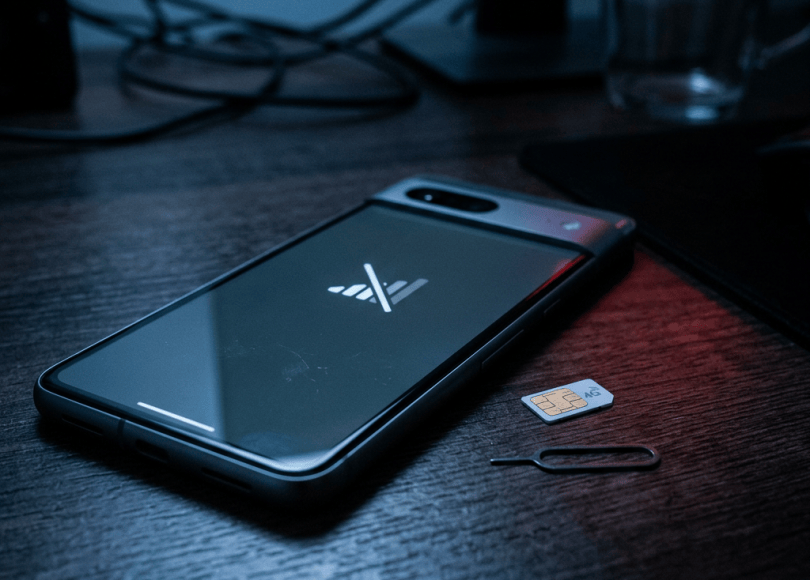
No Service
You restart the phone.
Still:
No Service
You check another phone.
Your number isn’t working.
You call your mobile operator.
They tell you:
“A replacement SIM has been activated.”
You never requested one.
Someone else now has control of your phone number.
And that’s where the real danger begins.
Your phone number can be hijacked even while your physical phone is sitting in your hand.
What Is a SIM Swap?
A SIM swap, also called:
- SIM hijacking
- SIM swapping
- SIM replacement fraud
- Number hijacking
is when an attacker convinces a mobile carrier to transfer your phone number to a SIM or eSIM controlled by them.
Your original SIM may then stop receiving cellular service.
The attacker receives:
Calls
SMS messages
Verification codes
sent to your number.
The Attacker Doesn’t Need Your Phone
This is what makes SIM swapping so frightening.
Your physical phone can remain:
On your desk.
Your number can still be:
Hijacked.
The attacker is targeting the mobile account/number, not necessarily the physical handset.
Why Would Someone Want Your Number?
Because your phone number may be connected to:
- Banking
- UPI
- Social media
- Cryptocurrency exchanges
- Shopping accounts
- Cloud services
- Password recovery
- Two-factor authentication
Your number can act as a bridge between:
Your real-world identity
and:
Your digital accounts.
The Attack Chain
A simplified attack can look like:
Attacker gathers information ↓Targets mobile account ↓Attempts fraudulent SIM replacement/port ↓Number moves to attacker-controlled SIM ↓Victim loses cellular service ↓Attacker receives SMS/calls ↓Password-reset / verification attempts ↓Account takeover
The SIM swap itself may not be the final goal.
It’s often the doorway.
How Do Attackers Know Enough About You?
This is where social engineering becomes important.
Attackers may already know:
- Your name
- Phone number
- Date of birth
- Address
- Previous passwords
- Account usernames
- Employer
- Other publicly available information
Some information can come from:
- Data breaches
- Phishing
- Social media
- Public records
- Leaked databases
- Previous scams
They don’t necessarily need to know everything.
They only need enough information to convince someone or exploit a weak process.
The Attacker May Pretend to Be You
For example, an attacker could contact a carrier and claim:
“I lost my phone.”
Then attempt to persuade customer support to issue a replacement SIM.
The exact verification requirements vary between telecom operators and countries.
That’s why carrier security procedures matter.
SIM Swap Isn’t Always a “Hack”
This distinction is important.
Sometimes there isn’t a sophisticated technical exploit.
The attacker may simply manipulate:
A human.
That’s social engineering.
The attacker is essentially trying to convince the carrier:
“I’m the legitimate customer.”
The Human Is Sometimes the Weakest Link
Imagine an attacker has:
Your name
Your number
Your address
Your date of birth
They may sound convincing.
A customer-service representative doesn’t necessarily know:
“This person is a criminal.”
They see someone providing information that appears to match the account.
Data Breaches Can Make This Easier
Suppose a company suffers a breach.
Information associated with your account may be exposed.
If the same information is used by your telecom provider:
The attacker now has additional material for social engineering.
This is one reason you shouldn’t reuse:
- Passwords
- Security questions
- Personal identifiers
across services.
Security Questions Can Be Dangerous
Some accounts still use questions such as:
Mother’s maiden name?
First school?
Pet’s name?
Birthplace?
The problem?
Some answers can be discovered through social media.
If your Instagram shows:
“Happy birthday to my dog Bruno!”
and your security question is:
“What’s your pet’s name?”
you’ve just published the answer.
Don’t Use Public Information as a Secret
Avoid using information that someone can easily discover about you as authentication.
Your:
- Birthday
- Pet’s name
- School
- City
- Favorite team
may be public.
A secret should actually be:
Secret.
What Happens When Your SIM Is Swapped?
The first thing you might notice is:
Your phone loses cellular service.
You may see:
No Service
or:
Emergency calls only
or:
SIM not provisioned
The exact message depends on the device and network.
But No Service Doesn’t Automatically Mean SIM Swap
Don’t panic immediately.
Other possibilities include:
- Network outage
- SIM malfunction
- Account issue
- Coverage problem
- Damaged SIM
- Device configuration problem
The important thing is:
An unexplained sudden loss of service deserves investigation.
Especially if it happens unexpectedly and persists.
The Warning Signs of a Possible SIM Swap
Watch for combinations of:
🚩 Sudden loss of cellular service
🚩 Unexpected SIM/eSIM activation message
🚩 Carrier notification you didn’t request
🚩 Password-reset emails you didn’t initiate
🚩 MFA codes you didn’t request
🚩 Bank alerts
🚩 Email security alerts
🚩 Social-media login notifications
🚩 Your accounts suddenly becoming inaccessible
One symptom alone isn’t proof.
Several together are extremely concerning.
The Most Dangerous Scenario
Imagine:
9:00 PM
Your phone loses service.
9:03 PM
You receive an email:
Password reset requested.
9:05 PM
Your banking app stops working.
9:07 PM
Your email recovery number changes.
That’s not the moment to investigate slowly.
Treat it as an active account-security incident.
What To Do Immediately If You Suspect SIM Swap
1. Contact Your Mobile Carrier
Use another phone if necessary.
Tell them:
“I believe my mobile number may have been fraudulently transferred or my SIM replaced.”
Ask them to:
- Investigate
- Secure the account
- Stop unauthorized changes
- Restore your number
- Reverse fraudulent SIM changes where possible
Use your carrier’s official customer-service channels.
2. Contact Your Bank
If your number is connected to banking or payments:
Contact your bank immediately.
Tell them your phone number may have been compromised.
Ask what emergency protections they recommend.
Depending on the institution, that could involve:
- Blocking cards
- Temporarily restricting transactions
- Securing online banking
- Reviewing recent activity
- Re-verifying your identity
3. Secure Your Primary Email
Your email is often the most important account after a SIM swap.
Why?
Because email can reset:
Almost everything else.
Use another trusted device.
Change your password.
Review:
- Recovery phone number
- Recovery email
- Active sessions
- MFA methods
- Security alerts
- Forwarding rules
4. Revoke Suspicious Sessions
Check your important accounts for:
Devices
Sessions
Recent logins
If you see something you don’t recognize:
Sign it out.
5. Check Your Financial Accounts
Look for:
- Unauthorized transfers
- New beneficiaries
- New cards
- Payment changes
- Login alerts
- Password changes
- New devices
Don’t wait for a transaction to become large before reporting it.
6. Secure Your Social Accounts
Attackers may target:
- X
- Snapchat
- Telegram
- Discord
Check for:
- Password changes
- New login sessions
- Changed recovery information
- Unknown devices
7. Preserve Evidence
Take screenshots.
Save:
- Carrier messages
- Emails
- SMS
- Bank alerts
- Login notifications
- Transaction records
- Support tickets
- Reference numbers
Record:
Time your phone lost service
Time you contacted the carrier
Time suspicious account activity occurred
A timeline can become extremely useful.
Don’t Delete the Evidence
If you receive:
“Your SIM has been replaced.”
don’t immediately delete it.
Save it.
If there’s an investigation later, timestamps can matter.
SMS-Based 2FA Has a Weakness
SMS verification is better than having no second factor.
But it has an important weakness:
It depends on control of your phone number.
If someone takes control of your number, they may receive the SMS codes intended for you.
That’s why high-value accounts should use stronger authentication methods where available.
Better Than SMS: Authenticator Apps
Instead of:
SMS code
consider:
Authenticator app
for accounts that support it.
An authenticator app generates codes locally rather than sending them through the mobile network.
Even Better: Passkeys or Security Keys
For supported services, consider:
- Passkeys
- Hardware security keys
- Strong device-bound authentication
These can significantly reduce the usefulness of a stolen phone number.
The Goal Is Not “Never Use SMS”
SMS can still be useful.
The point is:
Don’t make your phone number the only key protecting your entire digital life.
Create layers.
Your Email Shouldn’t Depend Entirely on Your Phone Number
Imagine:
Email password
plus:
SMS recovery
is your entire account security.
If your number is hijacked:
The attacker may have both sides of the recovery process.
Where supported, use:
- Passkeys
- Authenticator apps
- Security keys
- Recovery codes
- A secure recovery email
Save Recovery Codes Somewhere Safe
Suppose your phone disappears.
Then your SIM is unavailable.
Then your authenticator app isn’t accessible.
You don’t want to discover:
“I have no backup method.”
Store recovery codes securely.
Not:
Screenshot in your phone gallery.
Not:
Notes app without protection.
Use an appropriate secure storage method.
Your Password Manager Can Help
A good password manager can generate:
Unique passwords
for every account.
Then a SIM swap doesn’t automatically become:
Every account compromised.
The attacker still needs to overcome each account’s security controls.
Never Reuse Your Email Password
This is especially important.
If your email password is reused on another website and that website is breached:
Attackers may try the same password against your email.
Then the attacker may not need your SIM.
They already have your email.
SIM PIN Is Not the Same as SIM-Swap Protection
Your phone may support:
SIM PIN
This can help protect the physical SIM from unauthorized use if it’s removed and inserted into another device.
But it doesn’t necessarily stop:
A fraudulent carrier-level SIM replacement.
These are different threats.
Enable SIM PIN Where Appropriate
A SIM PIN can be useful against physical SIM theft.
But understand:
It is not a complete defense against SIM swapping.
Ask Your Carrier About Account Security
Different carriers offer different protections.
Depending on your country/operator, look for options such as:
- Account PIN
- Port-out protection
- Number-transfer lock
- SIM replacement restrictions
- Additional identity verification
Use the strongest protections your carrier supports.
Number Porting Is Related but Different
Another attack is:
Port-out fraud.
Instead of replacing your SIM through the same carrier, an attacker attempts to transfer your number to another carrier.
The result can be similar:
You lose control of your number.
The exact terminology and procedures differ by country.
SIM Swap vs Port-Out Fraud
SIM swap
Your number is moved to another SIM/eSIM within a carrier’s system.
Port-out fraud
Your number is transferred to another carrier.
Both can result in:
The attacker receiving calls and SMS intended for you.
eSIM Doesn’t Eliminate the Risk
Some people think:
“I have an eSIM, so SIM swapping can’t happen.”
Not necessarily.
eSIM technology changes how the subscriber identity is provisioned.
It doesn’t eliminate:
Carrier-account fraud.
An attacker who successfully convinces a carrier to transfer service may still cause a number takeover.
Don’t Give SIM Replacement Codes to Anyone
You may receive:
“Your SIM replacement is being processed.”
Then someone calls:
“Give me the OTP to cancel it.”
Don’t.
That OTP may be exactly what they need to complete the attack.
The Fake Telecom Support Scam
Attackers may call pretending to be:
Airtel
Jio
Vi
or another provider.
They might say:
“Your SIM will stop working.”
Then ask for:
- OTP
- Aadhaar details
- Account PIN
- SIM information
- Remote access
Don’t provide sensitive authentication information to unsolicited callers.
Don’t Install “SIM Verification” Apps
A scammer might say:
“Install this app to verify your SIM.”
That’s a huge red flag.
Telecom providers have official apps and support channels.
Don’t install random APKs because someone claiming to be support told you to.
Your Number Can Be Used for Social Engineering
Even if the attacker can’t steal your SIM, knowing your phone number can help them impersonate you or target you.
For example:
“Hi, I’m calling from the bank.”
They already know:
Your name.
Your number.
Your bank.
Now they sound convincing.
This is why:
Never trust identity claims simply because the caller knows some of your information.
Caller ID Is Not Proof
A caller may appear to be calling from:
Your bank
or:
Your mobile provider.
Caller-ID information can be manipulated.
If someone asks for sensitive information:
Hang up and call the official number yourself.
Your Bank Will Never Need Your Full OTP
This should be automatic.
If someone says:
“Tell me the OTP so I can stop the transaction.”
Don’t.
The OTP is usually designed to authorize something.
Giving it to the caller can help them authorize the very action you’re trying to stop.
Your Mobile Number Can Be a Privacy Risk Too
A phone number may connect:
Your name
Social accounts
Business listings
Old advertisements
Data-broker records
Public profiles
Consider whether you really need to publish your primary phone number everywhere.
Separate Numbers Can Reduce Exposure
For people who operate businesses or public websites, using:
A public business number
separately from:
A highly protected personal number
can reduce unnecessary exposure.
The exact setup depends on your needs.
Don’t Publish Your Recovery Number Publicly
This is particularly important.
If your email recovery number is also:
Your website contact number
you’ve made an important security identifier public.
Use a number you can protect appropriately.
The Phone Number Lifecycle Problem
You might stop using a number.
Months later, the telecom operator eventually reallocates it.
Someone else receives the number.
If your old accounts still use that number for recovery:
That’s a problem.
Before Giving Up a Phone Number
Go through your accounts.
Change:
- Banking recovery
- Email recovery
- Social media
- Shopping accounts
- Cloud services
- Two-factor authentication
- Messaging services
Then remove the old number.
Old Phone Numbers Can Become Security Ghosts
Imagine:
2018 — Old number
2020 — New number
2026 — Someone else receives the old number
Your Gmail account still lists the old number.
Now another person owns:
A number associated with your old identity.
Clean up old recovery information.
The Ultimate Phone Number Security Checklist
Carrier
- Set an account PIN if available
- Ask about port-out protection
- Ask about SIM replacement protections
- Keep account information secure
Accounts
- Use unique passwords
- Enable MFA
- Prefer passkeys/authenticator/security keys where supported
- Store recovery codes securely
- Review recovery phone numbers
Phone
- Use a strong device passcode
- Enable SIM PIN where appropriate
- Keep software updated
Privacy
- Don’t publish your primary number unnecessarily
- Remove old numbers from accounts
- Be careful with unsolicited callers
The 10-Minute Number Security Audit
Do this today.
Minute 1–2
Check your mobile account.
Minute 3
Enable available account protection.
Minute 4–5
Check your primary email recovery settings.
Minute 6
Review your banking recovery information.
Minute 7
Check social accounts.
Minute 8
Check whether SMS is your only MFA method.
Minute 9
Generate/store recovery codes where appropriate.
Minute 10
Write down your carrier’s official fraud/support contact method.
You’ll thank yourself if something goes wrong.
What To Do If Your Number Suddenly Stops Working
Don’t immediately assume:
“Network problem.”
Ask:
Is there an outage?
Does another nearby phone have service?
Did I receive a SIM/eSIM notification?
Did I recently request a replacement?
Are my accounts showing suspicious activity?
Can my carrier confirm my SIM status?
If the loss of service is unexplained:
Contact your carrier immediately using another phone.
If You Confirm a SIM Swap
Treat it like an account compromise.
Prioritize:
Carrier
↓
Bank
↓
Primary email
↓
Password manager
↓
Other important accounts
↓
Police/cybercrime reporting where appropriate
And preserve evidence.
Don’t Wait Until Money Disappears
This is one of the biggest lessons.
You don’t need to see:
₹50,000 missing
before contacting your bank.
If you know:
Your number has been fraudulently transferred
you already have a security incident.
Act immediately.
Final Thoughts
Most people protect their:
Password
Phone
Laptop
Bank account
but forget one thing connecting many of them:
Their phone number.
Your number can receive:
Password resets.
MFA codes.
Bank alerts.
Account notifications.
Recovery messages.
That’s why it deserves to be treated like a security asset.
A SIM swap doesn’t require a hacker to sit behind a keyboard breaking encryption.
Sometimes the attack is much simpler:
Convince the right person that you’re someone else.
So secure your carrier account.
Don’t make SMS your only protection for critical accounts.
Use stronger MFA where available.
Keep recovery codes somewhere safe.
And if your phone suddenly loses service for no obvious reason:
Don’t ignore it.
Because sometimes:
“No Service” isn’t a network problem.
It may be the first sign that someone is trying to take your digital identity away from you.
Discover more from Spyboy blog
Subscribe to get the latest posts sent to your email.
