
 Posted by
 Build a Network You Can Attack, Monitor, Break and Secure — Without Risking Your Main Devices
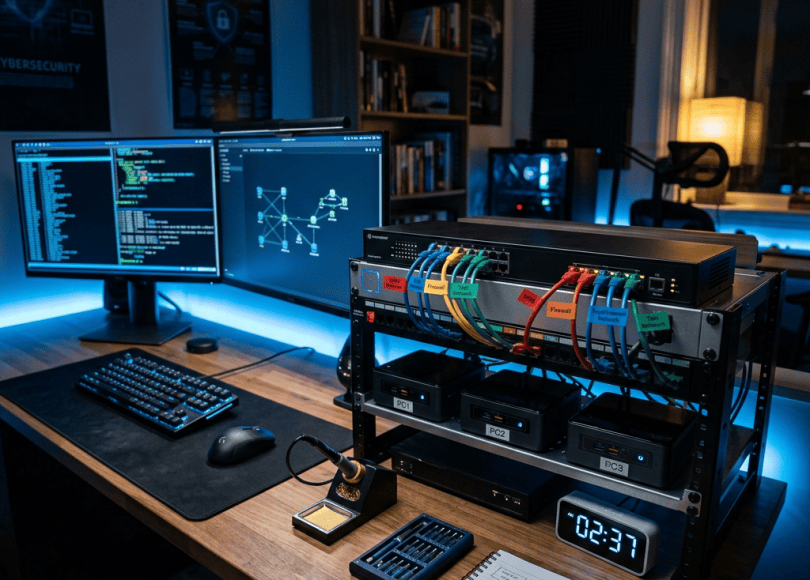
Your cybersecurity lab is only as good as the network behind it.
You can buy a powerful mini PC, install Kali Linux, deploy Proxmox, and run multiple virtual machines. But if every device sits on the same flat network as your personal laptop, smart TV, phone and home storage, your lab has a major design limitation.
You need network segmentation, traffic visibility and control over what can communicate with what.
That’s where managed network switches and dedicated firewall appliances become valuable.
With the right equipment, you can build separate networks for:
- Kali Linux and penetration-testing tools
- Windows and Active Directory labs
- Vulnerable web applications
- Security monitoring and SIEM platforms
- IoT and smart-home devices
- Personal computers and storage
- Public-facing test services
- Firewall, routing and intrusion-detection experiments
You can then learn how VLANs work, investigate suspicious traffic, practice firewall administration, and test security controls in an environment you own.
The best part? You don’t need enterprise networking equipment to get started.
A small managed switch and an inexpensive firewall appliance can teach you concepts used in real corporate networks.
This guide compares networking hardware worth considering in 2026, explains what specifications matter, and shows how to build a practical cybersecurity lab around it.
Disclosure note: Product availability, prices, regional configurations and firmware features can change. Verify the exact model and current specifications before purchasing. Product mentions in this guide are not endorsements based on independent laboratory testing.
1. Managed Switch vs. Firewall: What’s the Difference?
These devices solve different problems. Understanding that difference will help you avoid buying hardware you don’t need.
<box> <row align=start gap={3}> <AsyncImage query=”TP-Link Omada managed ethernet network switch desktop ports” aspectRatio=”4:3″ width=”112px” /> <box flex=”1″ gap={1}> **Managed network switch**
  Connects devices within a local network and lets you configure features such as VLANs, port settings, traffic statistics and, on supported models, link aggregation and port mirroring.

  **Best for:** Separating lab devices, connecting servers, creating VLANs and observing network traffic.
</box>
</row> <divider color=”subtle” /> <row align=start gap={3}> <AsyncImage query=”Protectli Vault fanless multi ethernet port firewall appliance” aspectRatio=”4:3″ width=”112px” /> <box flex=”1″ gap={1}> **Firewall appliance**
  Runs firewall and routing software to enforce rules between networks. Depending on the software and configuration, it can provide NAT, VPN connectivity, DNS controls, logging and intrusion detection or prevention.

  **Best for:** Controlling traffic between your home network, lab, internet and other isolated segments.
</box>
</row> </box>
A switch doesn’t automatically replace a firewall. Likewise, a firewall with several Ethernet ports doesn’t necessarily provide the same switching features as a dedicated managed switch.
For a serious lab, the two can work together.
2. What to Look for Before Buying
VLAN support
A VLAN creates a logical network segment on compatible network equipment.
For example:
| VLAN | Purpose |
|---|---|
| VLAN 10 | Personal devices |
| VLAN 20 | Cybersecurity lab |
| VLAN 30 | Servers and storage |
| VLAN 40 | IoT devices |
| VLAN 50 | Guest devices |
| VLAN 60 | DMZ or isolated test services |
These are example IDs, not universal standards.
The important point is that devices in different VLANs should not automatically be able to communicate freely. Routing and firewall rules determine which cross-network traffic is allowed.
Gigabit, 2.5GbE or 10GbE?
Choose based on your workloads.
- 1GbE: Adequate for basic labs, internet access, and many beginner setups.
- 2.5GbE: Attractive for modern mini PCs, faster NAS transfers and multi-gigabit access points.
- 10GbE: Useful for storage-heavy labs, high-speed server links and larger virtualization environments.
A 10GbE switch won’t make a 1GbE-connected computer transfer files at 10Gbps. Every part of the path must support the required speed, and real throughput depends on other bottlenecks too.
Port mirroring
Port mirroring, sometimes called SPAN, copies selected traffic to a monitoring port.
You can connect that port to a machine running Wireshark or another appropriate monitoring tool to inspect traffic you are authorized to observe.
Check the exact switch documentation: supported source ports, destination ports and VLAN behavior vary.
PoE support
Power over Ethernet supplies power to compatible devices through the Ethernet cable.
PoE can be useful if your lab includes:
- Wireless access points
- IP cameras
- Certain monitoring devices
- VoIP phones
- Other compatible network equipment
If you don’t need powered devices, you may save money by choosing a non-PoE model.
Fanless operation
For a desk or bedroom lab, fanless equipment can be appealing. But fanless does not automatically mean cool-running, silent under every condition or suitable for a hot enclosure.
Consider ventilation, operating temperature and long-term workload.
3. Managed Network Switches Worth Considering
There is no universal winner. The best switch depends on your budget, network speed, port count, management preferences and whether you need PoE.
NETGEAR Smart Managed Plus
<AsyncImage query=”NETGEAR GS308E smart managed plus ethernet switch” aspectRatio=”5:4″ width=”100%” />
NETGEAR’s Smart Managed Plus family is worth considering if you want to move beyond an unmanaged switch without immediately adopting a more complex enterprise-style setup.
A model such as the GS308E is an example of the entry-level category to investigate.
Depending on the exact model and firmware, smart-managed switches can provide features such as VLAN configuration, traffic prioritization and monitoring.
Good for:
- Beginners learning VLANs
- Connecting several lab machines
- Small Proxmox environments
- Separating supported network traffic
- Users who prefer a relatively simple management interface
Check before buying:
- The exact VLAN features
- Whether port mirroring is supported
- The number and speed of ports
- Current firmware and support information
Official website: https://www.netgear.com/business/wired/switches/
TP-Link Omada Managed Switches
<AsyncImage query=”TP-Link Omada JetStream managed network switch rack mount ethernet ports” aspectRatio=”5:4″ width=”100%” />
TP-Link’s Omada ecosystem offers managed switches in multiple sizes and configurations, including models with VLAN functionality, PoE and multi-gigabit connectivity.
This category is attractive when you want a coordinated network containing managed switches and compatible access points.
For a lab, the right model may provide a useful combination of VLANs, port statistics, link aggregation and higher-speed uplinks.
Good for:
- VLAN-based home labs
- Multiple access points
- PoE-powered network equipment
- Growing server environments
- Users who want centralized network management
Check before buying:
- Whether the specific switch requires or benefits from an Omada controller
- Available VLAN and monitoring features
- PoE power budget
- 2.5GbE or 10GbE port availability
- Management and firmware requirements
Official website: https://www.tp-link.com/
MikroTik CRS Series
<AsyncImage query=”MikroTik CRS310 CRS series managed ethernet switch SFP plus ports” aspectRatio=”5:4″ width=”100%” />
MikroTik is worth considering if you want to learn more than basic switch configuration.
Its Cloud Router Switch family includes products designed for different combinations of Ethernet and SFP/SFP+ connectivity. Features depend on the model and software configuration.
MikroTik equipment can be especially interesting for people who want hands-on experience with networking concepts instead of relying entirely on a simplified interface.
Good for:
- Advanced home labs
- VLANs and link aggregation
- Multi-gigabit or 10GbE uplinks on suitable models
- Network troubleshooting practice
- Learning professional networking concepts
Potential downside: RouterOS and related configuration concepts can have a learning curve. Don’t assume every CRS model has the same switching performance or Layer 3 capabilities.
Official website: https://mikrotik.com/products/group/switches
Ubiquiti UniFi Switches
<AsyncImage query=”Ubiquiti UniFi managed ethernet switch product” aspectRatio=”5:4″ width=”100%” />
UniFi switches are worth considering if you already use compatible UniFi networking equipment or want centralized management across a growing network.
Depending on the model, the product family includes standard Ethernet, PoE and higher-speed options.
Good for:
- Home labs that also serve a household network
- Multiple managed access points
- VLAN-based segmentation
- Network topology visibility
- Users who value a unified management experience
Potential downside: The cost and management ecosystem may be unnecessary for a small standalone lab.
Official website: https://ui.com/
Zyxel Managed Switches
<AsyncImage query=”Zyxel managed gigabit ethernet switch rack mount” aspectRatio=”5:4″ width=”100%” />
Zyxel has managed-switch options aimed at small businesses and more advanced home networks.
Depending on the series, you can find products with VLANs, PoE, higher-speed uplinks and other management features.
Good for:
- Small server rooms
- VLAN experimentation
- PoE deployments
- Users comparing alternatives to larger networking ecosystems
Official website: https://www.zyxel.com/
Switch comparison at a glance
| Switch family | Best fit | What to investigate |
|---|---|---|
| NETGEAR Smart Managed Plus | Beginner lab | Basic VLANs and monitoring |
| TP-Link Omada | Growing home network | VLANs, controller, PoE |
| MikroTik CRS | Advanced networking | RouterOS, SFP+, feature support |
| Ubiquiti UniFi | Unified network setup | Ecosystem and controller needs |
| Zyxel managed switches | Small-business style lab | VLANs, PoE and uplinks |
Important: These are category-level recommendations, not a measured performance ranking. Verify the specifications of the exact model before purchasing.
4. Firewall Appliances for Cybersecurity Labs
A managed switch helps organize your network. A firewall decides which traffic is allowed between network segments.
For cybersecurity learners, a dedicated firewall appliance provides a practical environment for learning routing, access-control rules, VPNs and traffic logging.
Protectli Vault
<AsyncImage query=”Protectli Vault firewall appliance multi port fanless mini computer” aspectRatio=”5:4″ width=”100%” />
Protectli builds compact firewall appliances designed to run software such as OPNsense and pfSense, with configurations ranging from a small number of network ports to systems with more extensive connectivity.
Its product range includes options with different processors, RAM capacities, storage choices and Ethernet interfaces.
Why it is interesting:
- Dedicated firewall hardware
- Multiple Ethernet ports on selected models
- Compact, fanless designs in parts of the range
- Flexibility to run supported firewall distributions
- Potential use as a small network-security appliance
Good for:
- Firewall rule practice
- VLAN routing
- VPN gateways
- Isolated lab networks
- Network monitoring
- Home-lab experimentation
Before selecting a model, calculate the performance you need. VPN encryption, intrusion detection, deep packet inspection and higher throughput can require considerably more processing power than basic routing.
Official website: https://protectli.com/
Official OPNsense Hardware
<AsyncImage query=”Deciso OPNsense DEC firewall appliance desktop hardware” aspectRatio=”5:4″ width=”100%” />
OPNsense is an open-source firewall and routing platform. Its documentation lists official hardware options and describes supported configurations.
Buying a supported appliance can be appealing if you prefer a more integrated hardware-and-software experience.
Good for:
- Firewall administration
- Routing and network segmentation
- VPN configuration
- Security logging
- Learning firewall policy management
Potential downside: Official appliance hardware may cost more than repurposing a compatible mini PC.
Official websites:
Repurposed Mini PC
You don’t always need to buy a purpose-built firewall.
A compatible mini PC with multiple network interfaces can run firewall software if its hardware and drivers meet the requirements.
This can be an economical way to experiment, especially if you already own suitable hardware.
However, verify network interface compatibility, firmware support, performance and the requirements of the chosen firewall platform. A normal mini PC with just one Ethernet port may require an additional supported network adapter or a different topology.
Good for:
- Budget-conscious learners
- Existing hardware reuse
- Firewall and routing practice
- Testing different operating systems
Important: If the appliance will protect your entire household network, reliability matters. Don’t replace your working router with an experimental configuration until you understand recovery, backups and how to restore connectivity.
5. OPNsense vs. pfSense vs. OpenWrt
The hardware is only one part of the decision. Your firewall software matters too.
OPNsense
An open-source firewall and routing platform with a web interface, configuration tools and a plugin ecosystem.
Consider it if you want to learn firewall rules, routing, VPNs and network-security administration.
Website: https://opnsense.org/
pfSense
A firewall and routing platform available in different editions and supported deployment options.
It is widely used in firewall labs and small-network environments. Verify current edition features, licensing and hardware requirements before choosing a deployment.
Website: https://www.pfsense.org/
OpenWrt
An open-source Linux-based operating system focused on routers and embedded networking devices, with support depending on the hardware platform.
It is worth exploring if you want to understand router configuration, packages, wireless networking and network services.
Website: https://openwrt.org/
Which one should you choose?
| Your goal | Starting point |
|---|---|
| Learn firewall policy and routing | OPNsense or pfSense |
| Experiment with compatible router hardware | OpenWrt |
| Build a dedicated appliance | Check the platform’s hardware compatibility list |
| Learn enterprise networking concepts | Combine a managed switch with a firewall |
| Reuse an existing mini PC | Verify NIC and software support first |
No platform is automatically the most secure in every configuration. Updates, correct rules, secure administration and ongoing maintenance matter more than brand alone.
6. Build a Cybersecurity Lab With VLANs
Here’s where the equipment starts becoming useful.
Imagine a small lab with a firewall, managed switch, mini PC and laptop.
Your network could be arranged like this:
                   INTERNET
                      |
                   ROUTER
                      |
                 FIREWALL
                      |
               MANAGED SWITCH
                      |
       +--------------+---------------+
       |              |               |
    VLAN 10        VLAN 20         VLAN 30
    Personal         Lab            Servers
       |              |               |
    Laptop          Kali           Wazuh
    Desktop         Test VMs       Linux VM
In this example:
- Personal devices are separated from lab systems.
- Lab machines are placed in their own segment.
- Servers have a dedicated segment.
- Firewall rules control which networks can communicate.
These are logical segments. The exact implementation depends on the switch, firewall, router and hypervisor.
Example firewall policy
You might start with rules such as:
| Source | Destination | Example policy |
|---|---|---|
| Personal LAN | Lab | Deny by default; allow only required management |
| Lab | Personal LAN | Deny unsolicited access |
| Lab | Internet | Allow selected outbound traffic |
| Management | Network devices | Allow administration from trusted devices |
| Guest | Personal LAN | Deny |
| Lab | Test server | Allow required lab traffic |
These are design examples, not universal rules. Your actual requirements will differ.
The key lesson is to start with the minimum access necessary and add exceptions deliberately.
7. Create a Safe Penetration-Testing Environment
A properly isolated lab allows you to practice tools and techniques without testing third-party systems.
For example:
            MINI PC
               |
            PROXMOX
               |
      +--------+---------+
      |        |         |
     Kali    Ubuntu    Windows
      |        |         |
      +--------+---------+
               |
         Isolated VLAN
               |
       Vulnerable Test App
You can deploy intentionally vulnerable applications such as:
- OWASP Juice Shop
- DVWA
- WebGoat
- Metasploitable
Use the applications in a controlled environment and keep vulnerable systems away from your personal network and the public internet unless you have deliberately designed and secured the deployment.
This gives you room to study:
- Packet captures
- Firewall logs
- HTTP traffic
- DNS behavior
- Authentication flows
- Intrusion-detection alerts
- Network segmentation
- Incident response
A lab is most valuable when you can repeat experiments, observe what happened and restore the environment afterward.
8. Learn Network Monitoring With Port Mirroring
Port mirroring can be useful when you want to observe traffic on a network without installing a packet-capture tool on every endpoint.
For example:
         TEST CLIENT
              |
              |
        MANAGED SWITCH
          /         \
         /           \
  TEST SERVER     MIRROR PORT
                       |
                       |
                 MONITORING PC
                    Wireshark
The switch copies selected traffic to the monitoring port, subject to its supported configuration.
You can use this setup to study:
- DNS queries
- TCP handshakes
- HTTP requests
- Retransmissions
- Network latency
- Unexpected connections
- Traffic patterns generated by your own test applications
There are limitations.
Encrypted HTTPS content generally cannot be read simply by capturing packets. You can still inspect metadata and connection behavior, but payload visibility depends on encryption and the test setup.
Also, some switches have restrictions on which ports or VLANs can be mirrored. Verify these before buying.
9. How Much Should You Spend?
Rather than assigning fixed prices that can quickly become outdated, think in terms of what each budget needs to accomplish.
Starter lab
Buy: A basic managed Gigabit switch.
Focus on:
- Learning VLANs
- Connecting a few devices
- Basic segmentation
- Simple monitoring
You may be able to reuse your existing router and computer.
Intermediate lab
Buy: A managed switch with the features you need and a dedicated firewall-capable device.
Focus on:
- Inter-VLAN rules
- Multiple lab networks
- VPN practice
- Logging
- Port mirroring
Advanced lab
Buy: A multi-gigabit managed switch, a suitable firewall appliance and, where required, a higher-performance mini PC or server.
Focus on:
- Faster NAS and server connections
- Larger VM environments
- More network segments
- IDS/IPS experimentation
- Advanced routing and monitoring
Don’t pay for 10GbE, PoE or multiple SFP+ ports unless your lab will benefit from them.
A well-configured basic network teaches more than expensive hardware sitting unused.
10. Common Buying Mistakes
Mistake 1: Buying an unmanaged switch for a VLAN-heavy lab
An unmanaged switch may be perfectly fine for simple connectivity, but it generally won’t provide the managed VLAN configuration you need.
Check the product specifications rather than relying on the word “Gigabit.”
Mistake 2: Assuming every managed switch supports everything
Managed does not automatically mean full Layer 3 routing, port mirroring, advanced access control or every VLAN feature.
Read the exact model documentation.
Mistake 3: Ignoring firewall throughput
A device might route ordinary traffic comfortably but struggle when you enable demanding VPN or intrusion-detection workloads.
Size the hardware for the features you actually intend to run.
Mistake 4: Buying too many Ethernet ports too early
A small lab may only need five or eight ports.
Count your computers, access points, servers and uplinks, then leave some room for expansion.
Mistake 5: Forgetting firmware updates
Network equipment is security-sensitive infrastructure.
Review manufacturer support, update policies and current firmware before buying. Keep firmware updated after deployment and disable unnecessary management services.
Mistake 6: Leaving management interfaces exposed
Avoid exposing switch or firewall administration interfaces directly to the public internet.
Use a trusted management network, strong unique credentials and MFA where supported. Restrict remote administration to approved paths.
Mistake 7: Putting every lab device on the household network
VLANs and firewall rules are useful because they help contain mistakes.
Test your segmentation with authorized devices and confirm that forbidden connections really are blocked.
11. Security Checklist for Your New Network
After installing your equipment, work through this checklist.
- Change default administrator credentials.
- Install current stable firmware.
- Disable unnecessary services.
- Restrict management access to trusted devices.
- Use MFA where supported.
- Create separate networks for personal devices and the lab.
- Set firewall rules to deny unnecessary inter-network traffic.
- Avoid exposing management interfaces to the internet.
- Back up firewall and switch configurations.
- Test that segmentation works as intended.
- Document VLAN IDs, IP ranges and firewall rules.
- Review logs for unexpected access.
- Have a recovery plan before experimenting with production connectivity.
A firewall doesn’t automatically make a network secure. It enforces the policy you configure, so the quality of that policy matters.
12. Final Recommendations
The right purchase depends on your goal.
For a beginner: Start with an affordable managed switch that explicitly supports VLANs and the monitoring features you need.
For a home lab that will grow: Consider a managed switch from NETGEAR, TP-Link Omada, MikroTik, Ubiquiti or Zyxel. Compare exact models, not just brand names.
For dedicated firewall practice: Look at Protectli Vault appliances, supported OPNsense hardware or a compatible repurposed mini PC.
For an advanced network lab: Consider 2.5GbE or 10GbE where it solves a real bottleneck, and pair the switch with a firewall capable of handling your expected traffic and enabled security features.
For a tight budget: Reuse hardware you already own, begin with a small managed switch and expand when you understand what your lab actually needs.
Final Thoughts
Cybersecurity isn’t just about running tools. It is also about understanding how systems communicate, where trust boundaries exist, and how defenders restrict and monitor traffic.
A managed switch teaches you how to organize a network.
A firewall teaches you how to control communication between networks.
A monitoring machine teaches you how to investigate what happens on the wire.
Together, they turn a desk with a few computers into a practical network-security laboratory.
You can create isolated environments, inspect your own test traffic, learn routing and firewall rules, and practice defensive techniques without risking systems you don’t own.
Start with the network you can afford. Segment it properly. Learn how traffic moves. Then expand when you have a reason to.
Discover more from Spyboy blog
Subscribe to get the latest posts sent to your email.
