
 Posted by
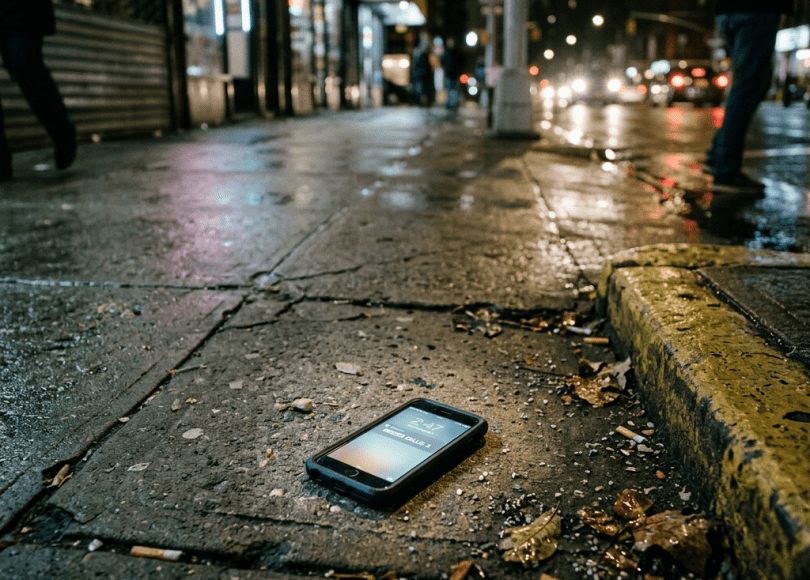
 Your Phone Is Stolen. The Thief Doesn’t Just Get a Phone.
Imagine you’re walking through a crowded market.
You feel your pocket.
Nothing.
You check your bag.
Nothing.
Your phone is gone.
At first, you’re thinking:
“I just lost an expensive phone.”
That’s only part of the problem.
Your phone may also contain:
- Your email
- Banking applications
- UPI
- Photos
- Social media
- Password manager
- Authenticator applications
- Work accounts
- Private documents
- Contacts
- SMS messages
- Recovery codes
- Digital payment apps
- Your entire digital identity
Your phone isn’t just hardware anymore.
It’s one of the keys to your online life.
And if someone steals it, speed matters.
The First 10 Minutes Matter
Don’t spend the first 30 minutes trying to call your phone repeatedly.
Do this instead:
1. Try to locate it.
2. Lock it remotely.
3. Mark it as lost.
4. Contact your mobile carrier.
5. Block your SIM/eSIM if appropriate.
6. Secure your most important accounts.
7. Contact your bank if financial access may be exposed.
8. Report the theft.
9. Preserve the phone’s identifying information.
10. Consider remote erasure if recovery looks unlikely.
The exact sequence can depend on your device and circumstances.
But the principle is simple:
Contain first. Investigate later.
A Stolen Phone Can Become an Account-Takeover Tool
Consider what happens when someone gets physical possession of your device.
They may see:
Your lock screen.
Then potentially:
Notifications.
Then:
SMS messages.
Then:
Email notifications.
Then:
Banking alerts.
Then:
Password-reset messages.
The attacker may try to turn one stolen device into access to your other accounts.
Your Lock Screen Is a Security Boundary
This is why your phone should have:
A strong PIN/password
not:
1234
or:
0000
or:
Your birth year
A thief may physically possess the device.
Your lock screen is one of the first barriers between them and your data.
A 4-Digit PIN Is Not the Same as a Strong Passcode
A short PIN may be convenient.
A longer PIN/passcode can provide a much larger search space.
Use the strongest practical lock method your device supports.
Biometrics can improve convenience, but maintain a strong underlying passcode/PIN.
Your Notifications Can Leak Information
Imagine your phone is locked.
A notification appears:
Bank: ₹75,000 transfer completed
Another:
Google: Password reset requested
Another:
WhatsApp: Verification code 482921
If sensitive notification content is visible on the lock screen, a thief may learn information without unlocking the phone.
Review:
Lock-screen notification privacy.
Hide Sensitive Notifications
Depending on your device, you can configure notifications so that sensitive content isn’t shown while the phone is locked.
For example:
Instead of:
Your bank account received ₹50,000
show:
New notification
This doesn’t make the phone invulnerable.
But it reduces information leakage.
Don’t Use Your Birthday as Your Phone PIN
This sounds obvious.
Yet people still do it.
If your social media contains:
August 14, 2002
don’t use:
1408
Your public information can become a password-guessing source.
Your Fingerprint Isn’t Your Only Protection
Biometric authentication is useful.
But phones can sometimes require the underlying passcode in situations such as:
- Restarting
- Certain security events
- Extended periods without unlocking
- Security-setting changes
Your passcode remains extremely important.
What Happens If the Thief Can’t Unlock It?
Modern Android and iPhone devices use strong security protections tied to the device lock credential and hardware.
A properly configured, updated phone is considerably harder to extract useful data from than an old, unprotected device.
That’s why:
A strong lock credential + encryption + current software is so important.
Don’t Assume “Factory Reset” Means Your Data Is Gone
A thief may attempt to reset the device.
But modern devices have protections designed to prevent a stolen phone from simply becoming an unrestricted new phone.
For example, account/device protections can make reactivation difficult without the legitimate owner’s credentials.
This is one reason you should keep:
Find My
or the equivalent Android device-finding service:
enabled.
Android: Use Google’s Device-Finding Features
If you use Android, Google’s device-finding service can help you locate, secure or erase a compatible lost device.
Use the official Google account/device-finding interface rather than random “phone tracking” websites.
iPhone: Use Apple’s Find My
If you use an iPhone, Apple’s Find My network and device features can help locate, mark as lost, or erase a missing device.
The important thing is to configure this before the phone disappears.
Don’t Wait Until Your Phone Is Stolen to Enable Tracking
This is one of those settings people discover:
after
the emergency.
Open your device settings today.
Check:
Find My / device finding
and make sure it’s enabled.
The “Lost Mode” Concept Is Extremely Important
Depending on the platform, lost-device functionality can:
- Lock the device
- Display contact information
- Disable some functions
- Track location
- Help protect stored information
Use it as soon as you believe the phone is genuinely lost or stolen.
Don’t Put Your Full Home Address on the Lock Screen
People sometimes configure:
“If found, return to: 123 Main Street.”
That’s unnecessary exposure.
If your phone is stolen, you’re effectively telling the person:
Where you live.
Use a safer contact method.
For example:
“If found, call this alternate number.”
Never Go Confront the Thief Yourself
Suppose your phone’s location appears on a map.
You see:
It’s inside that house.
Don’t go there alone.
Don’t confront anyone.
Don’t attempt to recover it yourself.
Location information can be inaccurate.
The person at that location may not be the thief.
If you’ve been robbed, involve law enforcement.
Your SIM Is Another Security Problem
If your phone contains a physical SIM, the thief may attempt to access it or move it to another device.
That’s why your carrier account and SIM security matter.
Contact your carrier quickly after theft.
Block the SIM When Appropriate
If you believe the device was stolen and the SIM may be exposed:
Contact your mobile operator.
Ask about:
- Blocking the SIM
- Replacing the SIM
- Suspending service
- Protecting the account
The exact process differs by carrier and country.
What About eSIM?
An eSIM isn’t physically removable like a traditional SIM.
But your mobile account can still be important.
Contact the carrier if the device is stolen and ask what protective actions are appropriate for your number/account.
Your Phone Number Is a Recovery Factor
Your phone number may be connected to:
- Banking
- Social media
- Messaging apps
- Shopping
- Government services
- Payment services
So losing the phone can mean losing access to a recovery channel.
That’s why SIM/account security matters.
Your Email Should Be Secured First
If your phone is stolen and you’re worried about account access:
Prioritize your primary email.
Why?
Because email can be used to reset other accounts.
Secure it with:
- Strong unique password
- MFA/passkey
- Recovery methods
- Session review
Your Banking Apps Need Immediate Attention
If your stolen phone was unlocked or you believe banking information could be exposed:
Contact your bank immediately.
Ask what protections they recommend.
Depending on the bank and app, you may be able to:
- Disable mobile banking
- Block cards
- Freeze payment instruments
- Revoke device access
- Reset credentials
Don’t wait until you see an unauthorized transaction.
UPI Makes This Especially Important in India
A stolen phone can create additional concerns for users who rely heavily on:
- UPI
- Mobile banking
- Payment apps
- SMS-based authentication
If you’re in India, treat a stolen smartphone as a potential financial-security incident, not merely a lost gadget.
Contact your bank/payment provider promptly.
Don’t Ignore Your Wallet Apps
Check:
- Google Pay
- PhonePe
- Paytm
- Bank apps
- Credit-card apps
- Investment apps
The exact protections vary by service.
Contact the provider if your device is stolen.
Your Authenticator App Can Also Matter
Maybe your phone contains:
Google Authenticator
or another authenticator application.
Now losing the phone can affect MFA access.
That’s why you should have recovery options prepared before losing the device.
Keep Backup Recovery Methods
For important accounts, consider securely maintaining:
- Recovery codes
- Backup authentication methods
- Security keys
- Secondary trusted devices
Don’t put every recovery mechanism inside the same stolen device.
The Password Manager Problem
If your password manager is installed on the phone, don’t panic.
A properly secured password manager should still require authentication.
But if you believe the device itself may have been compromised:
Treat your password manager as a high-priority account.
Review its active sessions and security settings from another trusted device.
Remote Logout Matters
From another trusted computer or phone, review important account sessions.
Look for:
- Unknown devices
- Unknown locations
- Recently active sessions
Revoke the stolen phone where the service allows it.
Don’t Just Change One Password
If your phone was stolen while unlocked—or you suspect someone accessed it—prioritize:
- Primary email
- Password manager
- Banking/payment accounts
- Work accounts
- Cloud storage
- Social media
- Other high-value accounts
Your Photos Can Be More Sensitive Than Your Passwords
Think about what’s inside your gallery.
Maybe:
- Aadhaar/PAN documents
- Passport
- Driver’s license
- Screenshots
- Private conversations
- Family photographs
- Tickets
- Addresses
- Receipts
- Work documents
A phone can contain an enormous amount of identity information.
Don’t Store Sensitive Documents as Random Photos
If you have:
Passport.jpg
Aadhaar.jpg
CreditCard.jpg
Passwords.png
sitting in your gallery, a compromised device becomes much more dangerous.
Use secure storage where appropriate.
And delete unnecessary copies.
Screenshots Are a Hidden Security Problem
People screenshot:
OTPs
Recovery codes
Passwords
Bank information
QR codes
Then forget those screenshots exist.
Your gallery becomes a second password vault.
Review it periodically.
WhatsApp Is Another Priority
If your phone is stolen:
- Secure the device.
- Contact your carrier if appropriate.
- Protect your number.
- Review WhatsApp’s security/account settings.
If you believe someone has gained access to your WhatsApp account, follow WhatsApp’s official account-recovery process.
Don’t Share Verification Codes With Anyone
After a phone theft, you may receive messages or calls claiming:
“We’re helping recover your phone.”
Then:
“Tell me the OTP.”
Don’t.
A scammer may pretend to be:
- Police
- Telecom company
- Apple/Google
- Your bank
- The phone manufacturer
- A recovery service
Never give authentication codes to strangers.
The “We Found Your Phone” Scam
Imagine you mark your phone as lost.
Someone contacts you:
“We found your iPhone.”
They send:
icloud-find-device.example
and say:
“Log in here to see the location.”
That’s a phishing attack.
They may be trying to steal your Apple/Google credentials so they can remove your device protections.
Never enter your account password into a link sent by a stranger.
This Is a Particularly Dangerous Moment
Why?
Because the attacker knows:
You want your phone back.
They exploit that emotion.
You receive:
“Your phone has been located.”
You click immediately.
That’s exactly what they want.
Your Lost Phone Can Become a Phishing Opportunity
The attacker doesn’t necessarily need to break into the phone.
They can target:
You.
This is a crucial distinction.
The Fake Apple/Google Recovery Message
You may receive:
Your iPhone has been found. Click here to view its location.
or:
Your Android device was located. Sign in to continue.
The link may lead to a fake login page.
Always access device-finding services directly through the official app or website.
Never Remove a Stolen Device From Your Account Just Because Someone Asks
A thief may tell you:
“Remove the phone from Find My so I can return it.”
Be careful.
Removing the device from the owner’s account can potentially weaken anti-theft protections.
Follow the manufacturer’s legitimate recovery/return procedure.
Your IMEI Number Matters
Your phone has an IMEI identifier.
Keep a record of it before your phone is lost.
You may find it:
- On the original box
- On purchase documentation
- In your account/device information
- Through the device settings
Don’t post your IMEI publicly.
In India, Report a Stolen Phone
If your phone is stolen in India, consider:
- Filing a police complaint
- Contacting your telecom operator
- Blocking the device through the applicable official systems
- Using India’s official stolen/mobile-device reporting mechanisms where applicable
Keep:
- IMEI
- Invoice
- Phone number
- Model
- Serial number
- Date/time/location of theft
These details can help with reporting and recovery.
Don’t Fake Your Location to Catch the Thief
If your phone location appears somewhere:
Don’t attempt:
DIY revenge
Don’t threaten anyone.
Don’t send a group of friends.
Don’t break into a property.
Use proper law-enforcement channels.
What If Your Phone Is Lost, Not Stolen?
There’s a difference.
If you think you simply misplaced it:
Call it.
Use device-finding tools.
Lock it.
Check your last known location.
Ask nearby businesses/security.
But still:
Lock it remotely.
You can unlock it once you’ve recovered it.
What If You Find Your Phone Again?
Before simply returning to normal:
Check:
- Did the device unlock?
- Were settings changed?
- Were apps installed?
- Were accounts accessed?
- Were messages sent?
- Was your SIM removed?
- Were new fingerprints/biometrics added?
If anything looks suspicious:
Treat it as a security incident.
The “Someone Borrowed My Phone” Problem
You don’t need to lose your phone permanently to have a privacy problem.
Someone asks:
“Can I quickly use your phone?”
Then:
“Just give me your PIN.”
Now they have access to:
- Photos
- Messages
- Accounts
- Settings
Use app-locking/privacy features where appropriate.
And don’t casually share your device PIN.
Lock Sensitive Apps Where Available
Some devices and applications support additional authentication.
For sensitive apps, use:
- Device authentication
- App lock where supported
- Biometric authentication
- Separate account protections
Don’t rely on one security layer.
Your Phone Is Your Digital ID
Think about everything it can authenticate:
             YOUR PHONE
                 │
      ┌──────────┼──────────┐
      ▼          ▼          ▼
    Email      Banking     Social
      │          │          │
      ▼          ▼          ▼
    Cloud       UPI        Identity
That’s why losing it deserves immediate action.
The Ultimate Stolen-Phone Checklist
First few minutes
- Locate the device
- Lock it
- Mark it lost
- Don’t confront anyone
- Contact carrier if needed
First hour
- Secure primary email
- Review important sessions
- Contact bank/payment providers
- Secure password manager
- Review WhatsApp/messaging security
- Revoke stolen-device access
Same day
- File police report
- Record IMEI
- Report device through applicable official channels
- Contact insurance/provider if relevant
- Replace SIM/eSIM if necessary
Prepare Before Your Phone Is Stolen
Do these today:
Enable device finding.
Use a strong PIN/passcode.
Enable automatic screen lock.
Hide sensitive lock-screen notifications.
Enable account MFA.
Save recovery codes securely.
Record IMEI/serial number.
Enable remote-lock functionality.
Back up important data.
Know how to remotely erase the phone.
The 5-Minute Phone Security Audit
Open your phone now.
Check:
🔐 Screen lock
Is it strong?
📍 Find My / Device Finding
Is it enabled?
🔔 Lock-screen notifications
Are sensitive messages hidden?
💳 Banking
Are high-value apps protected?
🔑 Accounts
Is MFA enabled?
💾 Backup
Is your important data backed up?
📱 SIM
Do you know how to contact your carrier?
🆔 IMEI
Do you have it recorded somewhere safe?
The Most Important Lesson
When someone steals your phone, the phone itself may be replaceable.
Your:
₹50,000 phone
can be replaced.
Your:
₹1,00,000 phone
can be replaced.
Your:
₹2,00,000 phone
can eventually be replaced.
But:
Your bank account
Your email
Your private photographs
Your work accounts
Your identity
Your personal data
may be much harder to recover.
That’s why:
Protect the information, not just the hardware.
Final Thoughts
Your smartphone isn’t simply a device you carry around.
It’s increasingly:
Your wallet.
Your ID.
Your camera.
Your banking terminal.
Your authenticator.
Your password vault.
Your communication center.
Your location tracker.
Your access key to the cloud.
So if someone steals it, don’t waste the first few minutes thinking:
“I’ll probably get it back.”
Maybe you will.
But security doesn’t work on hope.
Lock it.
Locate it.
Protect your accounts.
Contact your carrier and bank when necessary.
Report the theft.
And most importantly:
Don’t let the person who stole your phone convince you to hand them the keys to everything else.
Because the most dangerous thing about a stolen smartphone isn’t necessarily the phone.
It’s everything that phone can unlock.
Discover more from Spyboy blog
Subscribe to get the latest posts sent to your email.
