
 Posted by
 Your Home Is Full of Computers You Don’t Think Are Computers
Look around your room.
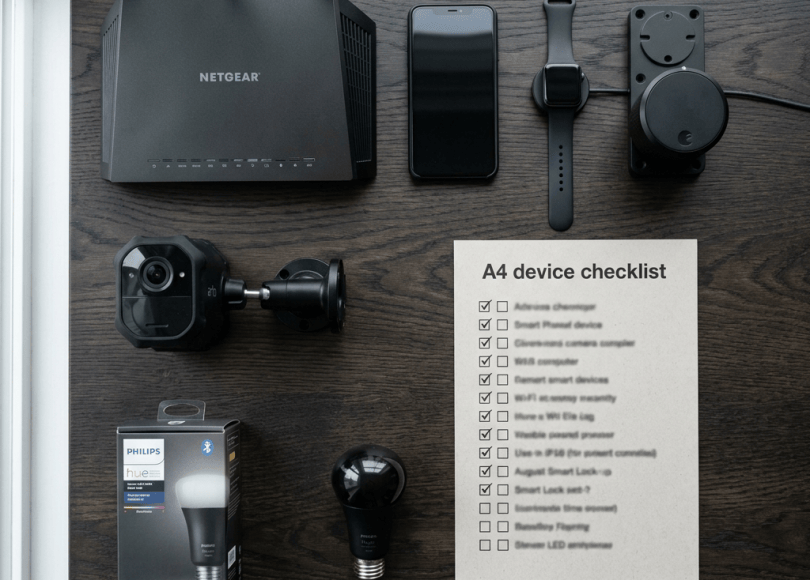
You might have:
- Smart TV
- Smartphone
- Smartwatch
- Wi-Fi router
- Smart speaker
- Security camera
- Printer
- Smart bulb
- Smart plug
- Air conditioner
- Gaming console
- Fitness tracker
- Robot vacuum
You probably don’t think of most of these as computers.
But many of them contain:
Processors.
Storage.
Sensors.
Network connectivity.
Software.
Cloud accounts.
And that’s where things get interesting.
Because your smart devices aren’t just making your home convenient.
Many of them are collecting information about how you live.
Your Smart TV May Know What You Watch
Your television isn’t necessarily just displaying pixels anymore.
A connected TV can communicate with internet services and may collect information related to:
- Device usage
- Apps
- Viewing activity
- Advertising
- Diagnostics
- Preferences
The exact information depends on the manufacturer, operating system, apps and settings.
Think about what your television can potentially reveal:
What you watch.
When you watch it.
Which apps you use.
Which advertisements interest you.
That’s valuable behavioral data.
Your Smartwatch Is Attached to You All Day
A smartwatch can potentially collect information about:
- Movement
- Exercise
- Sleep-related measurements
- Notifications
- Location
- Device usage
- Connected services
Unlike your TV, your smartwatch travels with you.
That means the data it generates can be tied closely to your physical movements and daily routines.
Your Fitness Tracker Can Build a Routine
Imagine a device repeatedly records:
7:00 AM — Wake
7:45 AM — Leave home
8:30 AM — Arrive at work
6:00 PM — Leave work
7:00 PM — Gym
11:30 PM — Sleep
Over time, this becomes more than individual measurements.
It becomes:
A behavioral pattern.
Your Smart Speaker Is Literally Designed to Listen for You
Smart speakers are designed to detect a wake word.
That doesn’t mean:
“Someone is secretly listening to everything.”
But you should understand:
- How voice detection works
- What gets sent to the cloud
- How recordings are stored
- How recordings can be reviewed/deleted
- Which account controls the device
- Who has access
Read the privacy settings of your specific device.
Your Smart Camera Knows When You’re Home
A connected security camera can potentially provide:
- Video
- Audio
- Motion events
- Time information
- Device status
- Remote-access functionality
This is incredibly useful for security.
But it also means:
Your security camera itself becomes a high-value account and device.
Protect it accordingly.
Your Robot Vacuum Can Know More Than You Think
This sounds ridiculous.
Until you consider what a mapping robot does.
It may use sensors to understand:
The layout of your home.
Depending on the model, the system may create maps or other environmental information to navigate efficiently.
Your robot vacuum isn’t just cleaning.
It’s potentially creating:
A digital representation of your home.
Your Smart Thermostat Can Reveal Your Routine
A connected thermostat may learn:
- Temperature preferences
- Schedules
- Occupancy-related patterns
- Heating/cooling usage
Again, a single data point isn’t particularly interesting.
But months of data can reveal:
When the house is occupied.
Your Smart Lights Can Reveal When You’re Awake
Suppose your smart lighting system records:
Lights ON — 7:02 AM
Lights OFF — 11:48 PM
Repeated for months.
Someone looking at the data could potentially infer:
Your daily routine.
This is the fundamental privacy problem with connected homes.
Tiny pieces of data become powerful when combined.
Your Printer Is a Computer Too
A network printer can contain:
- Network configuration
- Documents temporarily stored for printing
- User information
- Authentication information
- Logs
Business printers can be particularly sensitive.
Imagine printing:
A passport copy
Salary document
Contract
Medical document
Financial statement
The printer may temporarily process or store data depending on the model.
Your Gaming Console Knows Your Digital Life
A console can contain:
- Account information
- Friends
- Messages
- Screenshots
- Game history
- Payment information
- Network information
Before selling it:
Factory reset it.
Don’t just delete one game.
Your Connected Car Is Another IoT Device
You already saw how modern cars can collect and process significant information.
Now think about your home as a single ecosystem:
                   INTERNET
                      │
        ┌─────────────┼─────────────┐
        │             │             │
      TV           Speaker        Camera
        │             │             │
        └─────────────┼─────────────┘
                      │
                    ROUTER
                      │
        ┌─────────────┼─────────────┐
        │             │             │
      Phone        Watch          Car
One home can contain dozens of connected devices.
The Real Risk Is the Ecosystem
People often secure each device individually.
But attackers and privacy leaks don’t necessarily care about your device list.
They care about:
Connections.
Your:
Phone
connects to:
Watch
which connects to:
Cloud account
which connects to:
Smart home
which connects to:
Wi-Fi
One compromised account can potentially expose several connected services.
Your Smart Home Has an Identity Problem
Imagine your smart-home account has:
One password.
That password controls:
- Cameras
- Lights
- Locks
- Thermostat
- Sensors
Now imagine that password is reused elsewhere.
An attacker obtains it.
Suddenly:
One password can become one giant attack surface.
Give Your Smart-Home Account a Unique Password
This account deserves a strong, unique password.
Don’t reuse your:
Instagram password
for:
Smart-home account.
Don’t reuse your:
Email password
either.
Enable MFA
If your manufacturer supports:
Multi-factor authentication
turn it on.
This is particularly important for devices that provide:
- Remote camera access
- Smart locks
- Alarm systems
- Home automation
- Remote controls
Smart Locks Deserve Special Attention
A smart lock isn’t just another gadget.
It controls:
Physical access to your home.
Secure its:
- Account
- PIN
- Digital keys
- Authorized users
- Mobile devices
When someone stops needing access:
Remove them.
Your Old Housemate May Still Have Digital Access
You move out.
Or your roommate moves out.
You change the physical key.
But did you remove:
Their smart-lock account?
Their smart-home access?
Their camera access?
Their digital key?
Physical security changes don’t automatically revoke digital permissions.
Audit Your Smart-Home Users
Once every few months, check:
Who has access?
Remove:
- Old roommates
- Previous tenants
- Former partners
- Contractors
- Guests
- Old family accounts
Don’t Share the Master Account
If your smart-home platform supports separate users:
Use them.
Instead of:
Everyone uses the same password.
Create:
Individual accounts.
Then you can revoke access when someone leaves.
Your Wi-Fi Is the Foundation
Almost every smart-home device connects through:
Your network.
That’s why your router matters.
Use:
- Strong Wi-Fi password
- WPA2/WPA3 where supported
- Updated router firmware
- Strong router admin password
- Separate guest network where useful
Create an IoT/Guest Network
If your router supports multiple networks, consider putting less-trusted smart devices on a separate network.
For example:
Main Network├── Laptop├── Phone└── Work devicesIoT Network├── Smart TV├── Smart bulb├── Robot vacuum├── Smart plug└── Other IoT devices
This can reduce the ability of a compromised IoT device to directly interact with your more sensitive devices.
The exact isolation capabilities depend on your router.
Why Network Segmentation Helps
Imagine your cheap smart bulb has a vulnerability.
You don’t necessarily want it sitting on the exact same unrestricted network as:
Your work laptop.
Segmentation can create another security boundary.
It’s not magic.
But:
Every additional boundary can reduce blast radius.
Update Your Smart Devices
People update:
Phones
and:
Computers.
Then forget:
Smart TV
Router
Camera
Smart speaker
Printer
Smart plug
These devices can also receive firmware updates.
Install them when appropriate.
Unsupported Devices Are a Problem
Imagine your manufacturer stopped releasing security updates:
3 years ago.
The device still works.
But:
Working ≠ Secure.
If an internet-connected device no longer receives security updates, consider replacing it if its risk is significant.
Cheap IoT Devices Can Be Expensive in Privacy
That ₹500 smart device might look like a bargain.
But ask:
Who made it?
Does it receive updates?
What data does it collect?
Where is data processed?
Can the account use MFA?
Can I delete my data?
Does it require cloud access?
Price isn’t the only thing to evaluate.
Don’t Install Random Smart-Home Apps
You buy a device.
You search:
“DeviceName APK”
and download an APK from a random website.
Bad idea.
Use the official application source whenever possible.
Fake Smart-Home Apps Exist
Attackers can create applications pretending to be:
- Camera apps
- Smart TV remotes
- Device setup tools
- Universal remotes
- Firmware updaters
A malicious application may request permissions it doesn’t need.
Your Smart TV Remote App Doesn’t Need Everything
Be suspicious if a simple remote-control application asks for:
- Contacts
- SMS
- Microphone
- Accessibility
- Call logs
Some permissions may be technically required by certain features, but always ask:
Why?
The “Free Smart Device” Problem
Some inexpensive IoT products are effectively subsidized by:
Advertising
Data collection
Cloud services
This doesn’t automatically make a product malicious.
But understand the business model.
If you’re not paying much for the service:
Ask how the service is funded.
Your Smart Devices Can Leak Metadata
Privacy isn’t only about recordings.
Metadata can include:
- Time
- Device ID
- IP address
- Location
- Usage frequency
- Account information
Metadata can be surprisingly revealing.
Combine Multiple Devices and You Get a Routine
Imagine:
Smartwatch
knows you’re walking.
Car
knows you’re driving.
Smart thermostat
knows your home becomes occupied.
Smart lights
turn on.
Smart TV
starts playing.
No single device knows everything.
But collectively:
Your home ecosystem can reveal when you leave and return.
This Is Why Data Aggregation Matters
One device:
“Lights turned on.”
Not interesting.
Another:
“Front door unlocked.”
Still not necessarily interesting.
Another:
“Car left driveway.”
Now combine them.
You may infer:
Someone left the house.
This is why privacy is about more than individual permissions.
Don’t Connect Every Device to Everything
If your smart-home platform asks:
“Connect all devices?”
don’t automatically say yes.
Only integrate services you actually need.
Every integration creates another relationship between accounts and systems.
Review Third-Party Integrations
Check your smart-home account for:
- Connected apps
- Voice assistants
- Automation platforms
- Family accounts
- Third-party services
Remove things you no longer use.
What Happens When You Sell a Smart Device?
This is where people make huge mistakes.
You sell:
Smart TV
You reset the TV.
But perhaps you forgot:
Manufacturer account
or:
Remote-control access
or:
Third-party streaming accounts.
Before selling:
Factory reset + account removal.
Before Giving Away a Smart Device
Use this checklist:
- Sign out
- Remove personal accounts
- Remove payment information
- Remove connected services
- Remove users
- Revoke digital keys
- Factory reset
- Remove device from manufacturer account
What If You Buy a Used Smart Device?
Don’t assume:
Previous owner removed everything.
Factory reset it yourself.
Then:
Update firmware
Create your own account
Change credentials
Remove old users
Review connected services
Smart Cameras Need Extra Protection
If you have an indoor camera:
Think carefully about where it points.
Do you really need it facing:
Your bedroom?
Bathroom entrance?
Private workspace?
Use the minimum coverage necessary.
Use Camera Privacy Shutters
If your camera supports:
Physical shutter
use it when recording isn’t necessary.
For particularly sensitive indoor cameras, physical privacy controls are useful because they don’t depend entirely on software.
Don’t Put Indoor Cameras Everywhere
More cameras don’t automatically mean:
More security.
They also mean:
More devices containing sensitive footage.
Use cameras where they provide meaningful security benefits.
Your Cloud Camera Account Is a High-Value Target
If someone compromises the account controlling your camera system, the consequences can be severe.
Use:
Unique password
MFA
Updated firmware
Updated app
Unique users
Don’t Share Camera Accounts
If your camera service allows:
Family member accounts
use them.
Don’t give everyone the master password.
Check Camera Login History
If supported, periodically review:
- Active sessions
- Connected devices
- Login history
Remove anything you don’t recognize.
Smart Speakers: Review Voice History
If your voice assistant stores interaction history, periodically review it.
Delete recordings/history where the provider allows it.
Also check:
Who can access the account?
Your Children’s Devices Matter Too
A child’s:
- Tablet
- Smartwatch
- Gaming console
- Camera
- Smart speaker
can generate personal information.
Don’t ignore the security of family devices simply because they’re not your primary devices.
Don’t Give IoT Devices Your Main Password
This sounds simple.
But don’t create:
Same username/password
across your entire smart home.
Use unique credentials whenever the device supports accounts.
The Smart-Home “One Password” Disaster
Imagine:
Same password │ ├── Smart TV ├── Camera ├── Smart lock ├── Thermostat └── Home assistant
One leaked credential could affect multiple systems.
Instead:
Use unique credentials for important services.
What If a Smart Device Is Hacked?
Don’t immediately throw away your router.
First:
Disconnect the suspicious device.
Change its password.
Update firmware.
Review its account.
Revoke unknown users.
Check network activity if you know how.
Factory reset if appropriate.
Reconfigure it securely.
If the manufacturer no longer supports the device:
Consider replacing it.
Don’t Assume a Strange Device Name Means Hacking
Your router might show:
ESP_XXXX
or:
android-XXXX
or another unfamiliar hostname.
That doesn’t automatically mean:
Hacker.
It could simply be a legitimate device using a generic hostname.
Identify devices before panicking.
Make a Device Inventory
This is one of the best things you can do.
Write down:
DeviceManufacturerModelAccountFirmwareNetworkOwner
Example:
Smart TVModel XYZUpdatedIoT Wi-FiFamily
Now you actually know what’s connected to your home.
The 15-Minute IoT Security Audit
Minutes 1–3
List all connected devices.
Minutes 4–6
Check firmware updates.
Minutes 7–9
Review smart-home accounts.
Minutes 10–11
Remove old users.
Minutes 12–13
Review camera/microphone permissions.
Minute 14
Review third-party integrations.
Minute 15
Check your Wi-Fi security.
The Smart Device Security Checklist
🔐 Accounts
- Unique passwords
- MFA
- Remove old users
- Review active sessions
📡 Network
- Strong Wi-Fi password
- WPA2/WPA3
- Updated router
- IoT network where appropriate
📱 Apps
- Official apps only
- Remove unused apps
- Review permissions
🛠️ Devices
- Current firmware
- Replace unsupported devices
- Factory reset before resale
🎥 Cameras
- Strong account
- MFA
- Physical privacy controls where available
- Appropriate placement
The Bigger Problem Isn’t One Smart Device
It’s the fact that your home may now contain:
20
30
or even:
50+ connected devices.
Each one can potentially introduce:
- Another account
- Another password
- Another application
- Another cloud service
- Another firmware update
- Another privacy policy
Your attack surface isn’t:
Your laptop.
It may be:
Your entire home.
Final Thoughts
Technology has made homes incredibly convenient.
You can:
Unlock your door from your phone.
Check your camera from another country.
Turn your lights on remotely.
Start your air conditioner before arriving home.
Check your car from bed.
Ask your speaker a question.
Watch television through the internet.
It’s amazing.
But convenience creates connections.
And connections create:
Data.
Your smartwatch can reveal movement.
Your TV can reveal viewing habits.
Your smart speaker can process voice interactions.
Your camera can see inside your home.
Your thermostat can reveal occupancy patterns.
Your smart lock can control physical access.
Your robot vacuum can map parts of your home.
Your phone can connect all of them.
None of this automatically means:
“Someone is spying on you.”
The real lesson is much simpler:
Know what you’ve connected.
Know:
Who controls it.
What it collects.
Where the data goes.
Who has access.
Whether it still receives updates.
And when you stop using a device:
Remove your account and reset it properly.
Because the future of cybersecurity isn’t just:
Protect your computer.
It’s:
Protect everything in your home that has an internet connection.
Your home is getting smarter.
Make sure your security does too.
Discover more from Spyboy blog
Subscribe to get the latest posts sent to your email.
