
 Posted by
 You Leave Bluetooth On All Day. Should You Be Worried?
Look at your phone.
Bluetooth is probably enabled.
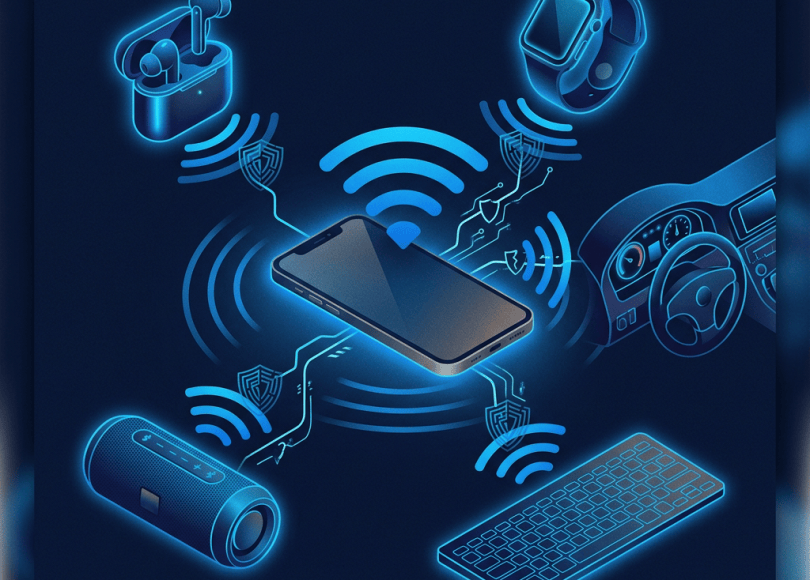
Maybe it’s connected to:
- Wireless earbuds
- Smartwatch
- Car
- Keyboard
- Mouse
- Speaker
- Fitness tracker
You probably haven’t thought about it in months.
After all, Bluetooth is just:
“Wireless headphones.”
But Bluetooth is actually a communication technology that allows nearby devices to discover, authenticate and exchange information.
And whenever two devices communicate:
There is a security model protecting that communication.
If that model is weak, misconfigured, outdated or vulnerable, attackers may have opportunities.
But let’s clear up one thing immediately:
Having Bluetooth turned on does NOT mean hackers can automatically access your phone.
Modern phones and computers have multiple protections.
The real question is:
What Bluetooth risks actually exist, and how do you reduce them?
What Is Bluetooth?
Bluetooth is a short-range wireless technology designed for communication between nearby devices.
It’s used for:
- Headphones
- Keyboards
- Mice
- Cars
- Watches
- Speakers
- Controllers
- Medical equipment
- Smart-home devices
- Computers
- Phones
It has become so common that we rarely think of it as a network.
But technically:
It is another wireless interface on your device.
Bluetooth Creates Another Attack Surface
Your phone may have:
Wi-Fi
Cellular
NFC
Bluetooth
USB
Each communication interface introduces its own protocols and security mechanisms.
This doesn’t mean:
“Turn everything off.”
It means:
Understand what you have enabled.
Can Someone Hack Your Phone Through Bluetooth?
Potentially, if a relevant vulnerability exists and the attack conditions are met.
Historically, Bluetooth vulnerabilities have allowed attackers to perform things such as unauthorized interaction with devices or data.
One famous family of vulnerabilities was:
BlueBorne
which demonstrated that certain Bluetooth implementations could be attacked without conventional pairing in affected devices.
The important lesson wasn’t:
“Bluetooth is always unsafe.”
It was:
Wireless protocols can have serious vulnerabilities, so updates matter.
Bluetooth Security Depends Heavily on Updates
Suppose your phone manufacturer discovers a Bluetooth vulnerability.
They release:
Security update
You install it.
The vulnerability may be patched.
But if you keep running:
Three-year-old firmware
you may remain exposed to vulnerabilities that have already been publicly documented.
Update Your Phone
One of the easiest Bluetooth security improvements:
Keep your operating system updated.
That applies to:
- Android
- iPhone
- Windows
- macOS
- Linux
- Smartwatches
- Cars
- Headphones
- Other connected devices
Your Earbuds Need Updates Too
People update their phones.
They often forget their:
Earbuds.
Some modern earbuds have firmware that can be updated through their companion application.
Check whether your manufacturer provides firmware updates.
Your Car Has Bluetooth Too
Your vehicle may pair with your phone for:
- Calls
- Music
- Contacts
- Navigation
- Messages
Depending on the vehicle and system, the car may retain information about previously paired devices.
This creates another privacy issue.
Your Car May Remember Your Phone
You sell your car.
You think:
“I removed my phone.”
But did you actually delete:
- Bluetooth pairing
- Contacts
- Call history
- User profiles
- Navigation history
Before transferring a connected vehicle:
Perform the manufacturer’s recommended privacy reset.
Bluetooth Pairing Is a Security Boundary
When you connect:
Phone ↔ Earbuds
the devices perform a pairing process.
Depending on the Bluetooth technology and configuration, authentication and encryption mechanisms are used to protect communication.
You shouldn’t casually approve pairing requests from unknown devices.
The Random Pairing Request
Imagine you’re sitting in a café.
Your phone suddenly says:
“Bluetooth pairing request.”
You don’t recognize the device.
Don’t click:
Pair
just to make the notification disappear.
Reject it.
Never Pair With a Device You Don’t Recognize
A nearby device might be:
- Another person’s headphones
- A laptop
- A car
- A legitimate accessory
or something else entirely.
You don’t need to assume malicious intent.
But if you don’t know what it is:
Don’t authorize it.
Bluetooth Pairing Scams Can Use Social Engineering
Someone says:
“My phone won’t connect. Can you accept this Bluetooth request?”
Maybe legitimate.
But why should you trust the device?
A stranger asking you to approve a connection is a social-engineering scenario.
The Fake “AirPods” Problem
Imagine someone nearby names a Bluetooth device:
AirPods Pro
You see:
“AirPods Pro wants to connect.”
That name doesn’t prove the device belongs to Apple or to someone you trust.
Bluetooth device names can be changed.
Device names are not identity verification.
Don’t Trust the Name
A malicious device can potentially advertise a name designed to look familiar.
For example:
Apple AirPods
Samsung Watch
John's iPhone
The name itself doesn’t establish authenticity.
Bluetooth MAC Addresses Aren’t a Magic Identity
Bluetooth devices use addresses/identifiers, and modern systems can employ privacy mechanisms that make straightforward tracking harder.
Don’t assume:
“I know this MAC address, so I know exactly who owns the device.”
Modern privacy features complicate simplistic identification.
Bluetooth Tracking Is a Different Threat
Not every Bluetooth threat involves hacking.
Sometimes the concern is:
Tracking.
Bluetooth-enabled devices can emit wireless signals.
Modern systems have introduced privacy protections designed to reduce unwanted tracking.
But the existence of:
- Phones
- Watches
- Earbuds
- Trackers
means Bluetooth-related signals can still be relevant to physical privacy.
Bluetooth Trackers Changed the Conversation
Small tracking devices can help people find:
- Keys
- Bags
- Luggage
- Bikes
That’s useful.
But a tracker placed on someone’s property without their knowledge can become a stalking/privacy problem.
Unknown Tracker Alerts Exist for a Reason
Modern mobile operating systems have introduced mechanisms designed to alert users when an unknown compatible tracker appears to be traveling with them.
If your phone says:
“Unknown tracker detected near you”
don’t ignore it.
Investigate safely.
Don’t Immediately Assume You’re Being Stalked
An alert can have innocent explanations.
For example:
Someone nearby is traveling with a tracker.
The important thing is whether the tracker appears to be:
Following you over time.
If you believe you’re being physically tracked or threatened, prioritize your safety and contact appropriate authorities or trusted people.
Bluetooth Isn’t GPS
A common misconception is:
“Bluetooth lets hackers see my exact location.”
Bluetooth itself isn’t equivalent to GPS.
Bluetooth signals can provide proximity information, and systems can combine multiple signals to infer location.
But:
Bluetooth ≠ automatic precise GPS tracking.
Bluetooth Beacons Can Estimate Presence
Businesses can use Bluetooth beacons for legitimate purposes such as:
- Indoor navigation
- Retail experiences
- Proximity services
This doesn’t mean every Bluetooth signal is tracking you.
Again:
Context matters.
Bluetooth and Privacy
Even if nobody hacks your phone, Bluetooth-connected devices can reveal relationships between devices.
For example:
Phone connected to car.
Phone connected to smartwatch.
Phone connected to earbuds.
Those relationships form part of your device ecosystem.
Your Device List Is a Privacy Trail
Open your Bluetooth settings.
You might see:
Car
Earbuds
Speaker
Laptop
Watch
Old phone
Random device
That list can tell a story about your life.
Remove devices you no longer use.
Forget Old Bluetooth Devices
If you no longer own:
Old headphones
remove them.
If you sold:
Old car
remove associated connections/accounts.
If you gave away:
Old smartwatch
unpair it.
This reduces unnecessary relationships.
Don’t Keep Hundreds of Old Pairings
There is rarely a good reason for your phone to remember every Bluetooth device you’ve ever owned.
Clean up the list periodically.
Bluetooth Visibility Matters
Different operating systems expose different controls around:
- Discoverability
- Pairing
- Nearby-device permissions
When you’re not pairing a new device:
Avoid making your device unnecessarily discoverable if your platform provides that option.
Modern smartphones often manage discoverability automatically.
You Don’t Need to Keep Bluetooth “Discoverable” Forever
Older Bluetooth advice often says:
“Turn off discoverability.”
The modern reality is more nuanced.
Many phones aren’t continuously discoverable in the old-fashioned sense.
Still, the general principle remains:
Don’t expose more wireless functionality than you need.
Bluetooth Permissions on Phones
On modern phones, applications may have permissions related to:
Nearby devices
or Bluetooth.
An application may legitimately need this to:
- Connect to headphones
- Control a smartwatch
- Configure smart-home equipment
But a random application shouldn’t automatically get every permission.
Review:
Nearby devices / Bluetooth permissions
where your platform provides them.
Why Does This App Need Nearby Devices?
Ask the same question you ask with camera/location permissions:
Why?
A fitness application may need Bluetooth to communicate with:
Your fitness tracker.
A calculator probably doesn’t.
Bluetooth Audio Is Not Automatically Private
You’re using wireless earbuds.
Someone nearby generally can’t simply hear your audio because Bluetooth exists.
Bluetooth communications are designed with security mechanisms.
However, security depends on:
- Protocol
- Device
- Pairing
- Implementation
- Vulnerabilities
- Software version
Don’t assume every old Bluetooth device has the same security properties as a modern one.
Cheap Bluetooth Devices Can Be Riskier
Some low-cost devices receive little or no firmware maintenance.
You might buy:
₹500 Bluetooth gadget
and use it for:
Five years.
If the manufacturer never updates it:
Its security may remain frozen in time.
Be Careful With Unknown Bluetooth Accessories
Don’t connect random:
- USB/Bluetooth adapters
- Smart gadgets
- Wearables
- Audio devices
simply because they’re available.
Know what you’re connecting.
Bluetooth Keyboard Risks
A Bluetooth keyboard communicates with your computer.
If the keyboard is compromised or poorly secured, the implications can be more serious than a speaker.
Why?
Because a keyboard can potentially:
Send input.
That’s why security-sensitive accessories deserve more attention.
Bluetooth Mouse vs Keyboard
A mouse generally controls:
Cursor movement/clicks.
A keyboard can generate:
Text
Commands
Shortcuts
That’s why unknown input devices should never be paired casually.
Bluetooth Controllers
Gaming controllers are generally low-risk compared with a keyboard or sensitive IoT device, but they’re still connected devices.
Don’t pair with:
Unknown controllers
just because you’re in a public gaming environment.
Bluetooth Headphones in Public Places
Suppose you accidentally pair your earbuds with:
Another person’s phone.
That can create confusion and potentially expose audio/control functionality.
Before pairing:
Verify the device name and pairing prompt.
The “Wrong Device” Problem
You’re at the gym.
Ten people have:
AirPods
You select:
AirPods
and connect.
But you picked the wrong one.
This is why manufacturers increasingly provide pairing confirmation and device-specific controls.
Don’t Accept Unexpected Pairing Codes
If you’re pairing a device and the displayed verification code doesn’t match between devices:
Stop.
A mismatched code can indicate you’re not connecting to the device you think you are.
Bluetooth Attacks Don’t Require Hollywood-Level Skills
Attackers can use:
- Known vulnerabilities
- Malicious devices
- Social engineering
- Poor pairing practices
- Outdated firmware
They don’t necessarily need to “break Bluetooth encryption.”
Often:
The easiest attack is tricking the user.
The Human Layer
Imagine:
“Accept this Bluetooth request.”
You click:
Yes
because someone says:
“It’s my speaker.”
The security failure happened at:
The authorization step.
Don’t Pair While Distracted
Public environments are ideal for social engineering.
Airports.
Cafés.
Events.
Train stations.
Conferences.
People are distracted.
A random prompt appears.
They click:
Accept
Don’t.
Turn Bluetooth Off When You Truly Don’t Need It
You don’t have to obsessively toggle Bluetooth every five minutes.
But if you’re not using Bluetooth for extended periods:
Turning it off reduces the attack surface.
It’s a simple optional precaution.
Airplane Mode Isn’t Identical on Every Device
Some phones allow Bluetooth to remain enabled even after activating airplane mode, particularly after the user has previously enabled it.
So don’t assume:
Airplane mode = every wireless technology disabled.
Check the actual status.
Your Laptop Bluetooth Matters Too
Windows and macOS devices may have Bluetooth enabled even when you aren’t actively using it.
Review:
- Paired devices
- Nearby-device permissions
- System updates
- Bluetooth settings
Don’t Ignore Your Desktop PC
If your desktop has:
Bluetooth adapter
it becomes another wireless interface.
Update the relevant:
- Operating system
- Drivers
- Bluetooth stack
Your Bluetooth Driver Can Have Vulnerabilities
Bluetooth isn’t just hardware.
Your operating system uses:
Software drivers
and:
Bluetooth protocol stacks.
Vulnerabilities can exist there.
Again:
Updates matter.
Linux Users Should Update Too
If you’re running:
- Ubuntu
- Kali
- Fedora
- Arch
- Other Linux distributions
keep the Bluetooth stack and kernel updated.
Security isn’t limited to Windows and phones.
Your Smartwatch Is a Bluetooth Computer
Your smartwatch communicates with:
Your phone.
It may contain:
- Notifications
- Contacts
- Apps
- Personal information
- Sensors
Protect it with:
- Updates
- Device lock
- Secure pairing
- Account security
Your Car Key Can Be Wireless Too
This goes beyond traditional Bluetooth.
Modern vehicles can use several wireless technologies for:
- Keyless entry
- Phone integration
- Digital keys
Don’t assume:
“It’s wireless, therefore it’s Bluetooth.”
Different systems have different attack models.
But the broader lesson remains:
Wireless convenience deserves security attention.
Don’t Leave Old Paired Devices Behind
Before selling:
Phone
Laptop
Car
Watch
Earbuds
Console
unpair your old devices.
The Bluetooth Security Audit
Do this today.
1. Open Bluetooth settings.
2. Review paired devices.
3. Remove anything you no longer use.
4. Reject unknown pairing requests.
5. Review nearby-device permissions.
6. Update your operating system.
7. Update connected accessories where possible.
8. Check your car’s paired-device list.
9. Remove old devices.
10. Turn Bluetooth off when you genuinely don’t need it.
What If You Think Someone Attacked Your Bluetooth?
Don’t panic.
First determine:
Did an unknown device pair?
Did you receive unexpected pairing requests?
Did your device install anything?
Is your software outdated?
Did you notice unusual account activity?
Is there evidence of an actual compromise?
A strange Bluetooth notification by itself doesn’t prove hacking.
If an Unknown Device Is Paired
Immediately:
Remove/forget the device.
Then:
Change relevant account credentials if appropriate.
Update your device.
Review permissions.
Review other paired devices.
If you believe the device was compromised, consider professional assistance.
Don’t Factory Reset Just Because Someone’s Earbuds Appeared
Bluetooth environments can contain many nearby devices.
An unknown device appearing in:
Available devices
doesn’t mean:
Your phone has been hacked.
It may simply be a stranger’s device nearby.
Available vs Paired Is Important
Available device
Your phone can see it nearby.
Paired device
Your phone has established a relationship with it.
These are very different.
Seeing:
John's AirPods
under available devices doesn’t mean John has access to your phone.
The Biggest Bluetooth Myths
❌ “Bluetooth on means I’m hacked.”
No.
❌ “Anyone nearby can access my phone.”
Not automatically.
❌ “Bluetooth lets hackers see my exact GPS location.”
Not inherently.
❌ “Turning Bluetooth off makes me completely anonymous.”
No.
❌ “A device named Apple must be an Apple device.”
No.
❌ “Pairing is harmless.”
Not always.
❌ “My old Bluetooth device is safe because it still works.”
Not necessarily.
What You Should Actually Do
Instead of paranoia:
Keep devices updated.
Don’t pair unknown devices.
Review paired devices.
Remove old connections.
Review Bluetooth permissions.
Use modern devices where possible.
Don’t ignore unexpected pairing prompts.
Protect your phone with a strong lock.
Disable Bluetooth when you don’t need it.
Your 5-Minute Bluetooth Cleanup
Minute 1
Open Bluetooth settings.
Minute 2
Delete old paired devices.
Minute 3
Remove anything you don’t recognize.
Minute 4
Check for system/firmware updates.
Minute 5
Review Bluetooth/nearby-device permissions.
Done.
The Bigger Lesson
Bluetooth isn’t inherently dangerous.
Neither is:
Wi-Fi.
NFC.
USB.
Cellular.
These are technologies.
The security question is:
How are they implemented and configured?
A modern, updated phone with secure pairing is very different from an outdated device running years-old firmware.
Final Thoughts
You don’t need to walk around with:
Bluetooth OFF
24 hours a day.
If you use wireless earbuds, a smartwatch or your car, Bluetooth is part of your normal life.
The goal isn’t to eliminate technology.
It’s to remove unnecessary risk.
Remember:
Don’t pair with strangers.
Don’t accept unexplained connection requests.
Keep Bluetooth software updated.
Remove old devices.
Review nearby-device permissions.
Be cautious with cheap unsupported hardware.
Secure your accounts and devices.
And if you see an unfamiliar Bluetooth device nearby, don’t immediately imagine:
“A hacker is inside my phone.”
An unknown device in the neighborhood may simply be:
Someone else’s headphones.
But if your phone suddenly asks:
“Do you want to pair with this unknown device?”
you don’t need to investigate it.
You don’t need to be polite.
You don’t need to click anything.
Just say no.
Discover more from Spyboy blog
Subscribe to get the latest posts sent to your email.
