
 Posted by
 If Someone Gets Your Email, They May Not Need to Hack Anything Else
Think about every account you own.
Instagram.
Facebook.
Discord.
Amazon.
Steam.
GitHub.
Cloud storage.
Banking.
Shopping.
Subscriptions.
Work accounts.
Forums.
Apps.
Now ask yourself:
“How many of these accounts use my email address for password recovery?”
Probably most of them.
That’s why your email isn’t merely:
A place where you receive messages.
It can be the recovery mechanism for your entire digital identity.
And that creates a terrifying possibility:
An attacker doesn’t necessarily need to hack every account individually.
They may start with your email.
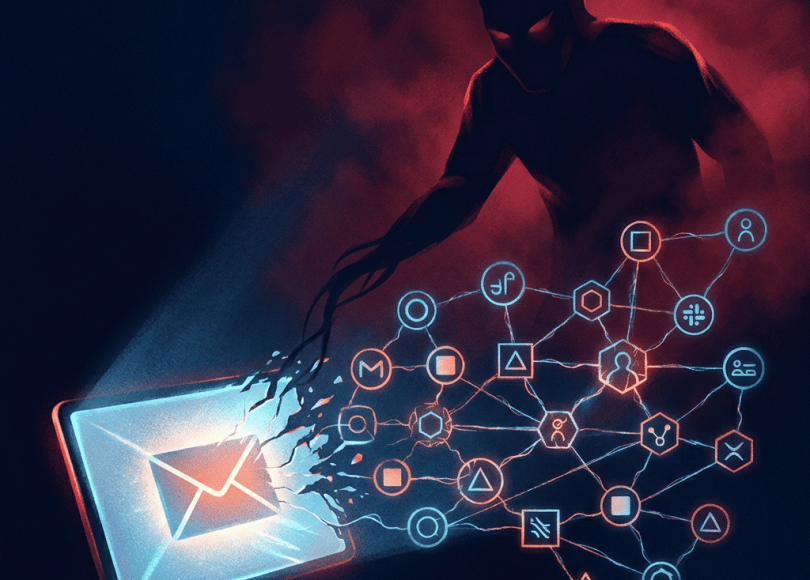
The Email Takeover Chain
A compromised inbox can potentially become the starting point for:
Email compromised ↓Attacker reads account-recovery messages ↓Finds services connected to the email ↓Requests password resets ↓Receives reset links ↓Takes over additional accounts ↓Changes recovery information ↓Locks the victim out
This is why security professionals often treat the primary email account as:
A high-value target.
Your Inbox Contains More Than Emails
Think about what’s sitting inside your mailbox.
You may have:
- Password-reset links
- Login alerts
- Purchase receipts
- Travel confirmations
- Account usernames
- Personal conversations
- Address information
- Phone numbers
- Documents
- Verification messages
- Subscription details
Your inbox can effectively contain:
A map of your online identity.
Search Your Own Inbox
Try searching your mailbox for:
password
reset
verify
security
login
confirmation
account
You may be surprised by how many services are connected to your email.
That’s exactly why an attacker who gains access can potentially discover your other accounts.
Your Inbox Can Reveal Which Services You Use
Imagine an attacker gets access to your email.
They search for:
welcome
They find:
- Discord
- GitHub
- Netflix
- Amazon
- Gaming services
Now they know:
Which services are associated with you.
Password Reset Is the Real Danger
Suppose an attacker knows:
Your Instagram username.
They don’t know the password.
Normally:
Not enough.
But if they control your email?
They may be able to request:
Password reset
and receive the recovery message.
The email account becomes the bridge.
Your Email Is Often the Recovery Key
This is why securing your email can be more important than securing an individual social-media account.
If your Instagram gets compromised:
You may recover it through email.
If your email gets compromised:
The attacker may use it to attack Instagram.
What Does an Email Account Takeover Actually Mean?
It doesn’t necessarily mean:
Someone guessed your password.
An attacker may gain access through:
- Phishing
- Credential stuffing
- Malware
- Password reuse
- Session theft
- Social engineering
- Compromised recovery methods
- Vulnerabilities
Different attacks require different defenses.
Password Reuse Is One of the Biggest Problems
Imagine you use:
MyPassword123!
for:
- Discord
- Shopping site
- Forum
One of those websites gets breached.
Your password may eventually become available to attackers.
They can try the same credentials elsewhere.
This is called:
Credential stuffing.
Credential Stuffing Isn’t the Same as Brute Force
Brute force
Trying many possible passwords.
Credential stuffing
Using:
Previously leaked username/password combinations
against other services.
If you reuse passwords:
One breach can become multiple account compromises.
Your Email Password Should Be Unique
Not:
Same as Instagram.
Not:
Same as Discord.
Not:
Same as your old gaming account.
Your primary email deserves:
A completely unique password.
Make the Password Long
Don’t rely on:
P@ssword123!
Use a long, unique password or passphrase generated with a reputable password manager.
Length and uniqueness matter far more than trying to invent increasingly complicated substitutions.
Enable MFA
If your email provider supports:
- Authenticator apps
- Passkeys
- Security keys
- Backup codes
use them.
MFA means:
A password alone isn’t enough.
Passkeys Can Be Particularly Useful
Passkeys use cryptographic credentials rather than traditional passwords.
Where supported, they can significantly reduce exposure to:
Password phishing
because there’s no password for the attacker to simply copy from a fake login page.
Security Keys Provide Another Layer
A hardware security key can provide strong phishing-resistant authentication for supported services.
They’re especially useful for:
- High-value accounts
- Administrators
- Developers
- Businesses
- People frequently targeted
Don’t Ignore Recovery Methods
You might have:
Strong password
MFA
but then:
Recovery email = old account
Recovery phone = old number
Backup codes = lost
That’s a problem.
Security is only as strong as the recovery path you leave behind.
Review Your Recovery Email
Ask:
Do I still control this email?
If not:
Change it.
Review Your Recovery Phone
Ask:
Is this number still mine?
If not:
Remove it.
Old phone numbers can eventually be reassigned.
Don’t leave them attached to important accounts.
Store Recovery Codes Safely
When you enable MFA, your service may provide:
Recovery codes.
These can be extremely important if you lose access to your normal authentication method.
Store them securely.
Don’t leave them:
In a public GitHub repository.
In an unprotected note.
In a screenshot posted to cloud storage without appropriate protection.
The Attacker May Not Change Your Password Immediately
This is an important point.
You might assume:
“If someone hacked my email, I’ll immediately know because my password changed.”
Not necessarily.
An attacker may try to remain unnoticed.
They could potentially:
- Read emails
- Search for valuable accounts
- Create forwarding rules
- Add recovery methods
- Create sessions
- Monitor incoming messages
depending on what access they obtained.
Check Active Sessions
Most major email providers offer:
Recent activity
or:
Devices / sessions
Review them.
Look for:
- Unknown devices
- Unexpected locations
- Strange browser sessions
- Authentication events
A location mismatch isn’t always proof of compromise—VPNs, mobile networks and IP geolocation can produce misleading locations.
Look at the whole picture.
An Unknown Device Doesn’t Automatically Mean You’re Hacked
For example:
Android phone
might appear as:
Unknown Android device.
Likewise, an IP could appear to be in another city because of your ISP.
Investigate before panicking.
Check Your Email Forwarding Rules
This is one of the most overlooked settings.
An attacker who gains mailbox access may attempt to create:
Automatic forwarding
so future emails are silently copied elsewhere.
Imagine:
Bank email arrives.
↓
Forwarded automatically.
You might never notice.
Check Filters Too
Email filters can potentially:
- Move messages
- Archive messages
- Mark messages read
- Forward messages
- Hide specific notifications
If you find a filter you didn’t create:
Investigate immediately.
Search for Suspicious Rules
Look for rules containing things like:
security
bank
password
verification
invoice
An attacker could theoretically attempt to hide security notifications while maintaining access.
Check Delegated Access
Some email systems allow:
Mail delegation
or other forms of account access.
Review:
Who has access to your mailbox?
Remove unknown delegates.
Check Connected Applications
Your email account may have:
Connected apps
OAuth access
Third-party integrations
An application may have permission to access specific account information.
Review them.
Remove access you no longer need.
OAuth Access Can Survive Password Changes
This is a critical concept.
Imagine:
You give an application access to your account.
Later:
You change your password.
Depending on the service and authorization mechanism, that existing application authorization may not automatically disappear.
Therefore:
Changing your password isn’t always the complete cleanup.
Review active sessions and third-party access separately.
App Passwords Can Also Matter
Some email providers support:
App passwords
for older applications or specific integrations.
If you’ve enabled them in the past:
Review them.
Remove credentials you don’t use.
Your Inbox May Contain Password Reset Links
This is why deleting suspicious emails isn’t enough.
If someone already has mailbox access, they may have seen:
Old reset links
Previous security messages
Account confirmations
The damage may already have occurred.
If Your Email Is Compromised, Secure It First
Prioritize:
Email account
before spending hours changing random social-media passwords.
Why?
Because the attacker may simply reset those accounts again through your compromised email.
Emergency Response: Your Email Was Hacked
Step 1 — Change the Password
Use a new, unique password.
Don’t reuse an old one.
Step 2 — Enable Strong MFA
Prefer:
Passkey
Security key
Authenticator app
where supported.
Step 3 — Sign Out Other Sessions
Use the account’s:
Sign out of other devices/sessions
function where available.
Step 4 — Check Recovery Information
Review:
- Recovery email
- Recovery phone
- Security settings
Remove unauthorized changes.
Step 5 — Check Forwarding
Look for:
Unknown forwarding addresses.
Remove anything you didn’t configure.
Step 6 — Check Filters
Look for suspicious rules.
Step 7 — Check Delegation
Remove unauthorized mailbox access.
Step 8 — Check Connected Apps
Revoke suspicious third-party access.
Step 9 — Search Your Inbox
Look for:
Password resets
Security alerts
Account-change notifications
This can help identify which other accounts may have been targeted.
Step 10 — Secure Other Important Accounts
Start with:
- Banking/financial
- Password manager
- Cloud storage
- Work accounts
- Social media
- Developer accounts
- Shopping
- Other important services
Your Password Manager Deserves Extra Attention
If your password manager’s recovery email is the compromised email:
Secure the password manager immediately.
Your password manager may contain credentials for dozens or hundreds of accounts.
That’s a much higher-value target.
Don’t Store Everything in Your Email
People often email themselves:
Passwords
API keys
Recovery codes
Identity documents
Private photographs
Important documents
This turns your inbox into a storage vault.
If your account is compromised:
The attacker may get the vault too.
Use appropriate secure storage instead.
Never Email Passwords to Yourself
Even if it feels convenient.
Instead use:
Password manager
for credentials.
Don’t Send API Keys Through Email
Developers should be especially careful.
Email can contain:
- API keys
- SSH information
- Cloud credentials
- GitHub tokens
- Database passwords
If exposed:
Rotate the credential.
Don’t simply delete the email.
GitHub Developers: Check Your Secrets
If your email account is compromised and you work with development infrastructure, review:
- GitHub account
- Personal access tokens
- SSH keys
- Cloud credentials
- CI/CD secrets
A compromised email can become the starting point for attacks against developer infrastructure.
Work Email Is Even More Sensitive
A corporate mailbox may contain:
- Internal conversations
- Customer data
- Documents
- Password resets
- Employee information
- Financial information
If you suspect a work account compromise:
Contact your organization’s IT/security team immediately.
Don’t try to hide the incident.
Early reporting can limit damage.
Beware of Fake “Account Recovery” Services
After an email account gets hacked, victims often search:
“Gmail recovery expert”
They may encounter people claiming:
“I can hack your account back.”
Be careful.
Some may be scammers themselves.
Never give your:
- Password
- MFA code
- Recovery code
- Session cookie
- Remote desktop access
to an unknown “recovery expert.”
Attackers Can Target You After the Compromise
Imagine the attacker has your inbox.
They see:
Conversations.
Contacts.
Services.
Now they know who you communicate with.
They may impersonate you.
For example:
“Hey, I lost my phone. Can you send me ₹20,000?”
Your contacts see the message coming from:
Your real account.
That’s far more convincing than a random scam.
Your Email Account Can Become an Identity Impersonation Tool
An attacker with mailbox access may potentially see:
Your writing style.
Your contacts.
Your conversations.
Your business relationships.
That information can make social engineering significantly more convincing.
Warn Your Contacts If Necessary
If your account was genuinely compromised, tell important contacts:
“My email account was compromised. Ignore unusual messages or payment requests from me.”
This can prevent secondary victims.
Check Sent Mail
Look at:
Sent
You may discover emails you never sent.
Also check:
Drafts
Trash
Archive
An attacker may delete evidence.
Check Deleted Items
Depending on the email provider, deleted messages may remain recoverable for a limited period.
Look for:
Password reset
Security alert
Account-change
messages.
Search for “Password Changed”
This can help identify services that may have been targeted.
Also search:
new login
new device
security alert
email changed
phone changed
Your Email Address Itself Isn’t a Secret
It’s okay for people to know your email address.
The security boundary should be:
The authentication protecting it.
Trying to hide your email address forever isn’t realistic.
Instead:
Secure it properly.
Use Separate Email Addresses for Different Roles
You can consider separating:
Primary/private email
For:
Important accounts.
Public email
For:
Websites, communities and public contact.
Disposable/secondary email
For:
Low-value registrations.
This reduces how widely your primary email is exposed.
Don’t Use Your Primary Email Everywhere
If every random website has:
Your primary email
then a breach at any of those services can expose that address.
Use appropriate separation.
Email Aliases Can Help
Some providers support aliases or masked email addresses.
This can let you use:
Different addresses
while managing them from a central mailbox.
That can make it easier to identify where an address was used.
Don’t Assume an Alias Provides Full Anonymity
An alias is primarily an:
Address-management/privacy tool.
If you log into a service with your real identity, the alias doesn’t magically make you anonymous.
Your Email Security Checklist
🔐 Authentication
- Unique password
- Strong MFA
- Passkey/security key where supported
- Recovery codes stored securely
👀 Account monitoring
- Review active sessions
- Review login history
- Review recovery information
📬 Mailbox
- Check forwarding
- Check filters
- Check delegation
- Check sent mail
- Check deleted mail
🔗 Connected services
- Review third-party apps
- Revoke unnecessary OAuth access
- Remove unused app passwords
🧹 Privacy
- Remove sensitive documents from inbox where appropriate
- Don’t email passwords/API keys
- Consider separate email addresses for different purposes
The 10-Minute Email Security Audit
Minute 1
Change your password if it’s weak/reused.
Minute 2
Enable strong MFA.
Minute 3
Review active sessions.
Minute 4
Review recovery email/phone.
Minute 5
Check forwarding rules.
Minute 6
Check filters.
Minute 7
Check delegates.
Minute 8
Review connected applications.
Minute 9
Search for recent password resets/security alerts.
Minute 10
Check your password manager and other critical accounts.
The Biggest Email Security Mistakes
❌ Reusing your email password
❌ No MFA
❌ Using SMS as the only recovery method
❌ Ignoring suspicious login alerts
❌ Leaving old recovery numbers
❌ Forgetting forwarding rules
❌ Never checking connected apps
❌ Storing passwords in email
❌ Storing API keys in email
❌ Sharing your mailbox
❌ Giving “recovery experts” your credentials
❌ Using your primary email everywhere
One Compromised Email Can Create a Domino Effect
Consider this:
Attacker gets email ↓Finds your accounts ↓Requests password reset ↓Gets reset email ↓Takes over social account ↓Finds more information ↓Targets financial accounts ↓Impersonates you ↓Targets your contacts
That’s why email security deserves disproportionate attention.
Your Email Doesn’t Need to Be Perfect
You don’t need:
12 email accounts.
You don’t need:
Military-grade hardware.
You don’t need:
A cybersecurity degree.
Start with the fundamentals.
Unique password.
Strong MFA.
Secure recovery methods.
Review sessions.
Review forwarding and filters.
Remove unnecessary third-party access.
Don’t store secrets in your inbox.
Final Thoughts
People spend enormous amounts of time protecting individual accounts.
They install:
2FA on Instagram.
Security on Discord.
Password protection on banking.
But then their recovery email has:
One reused password and no MFA.
That’s like installing a giant steel door on your bedroom while leaving the front door unlocked.
Your email is often the account that can help recover everything else.
That makes it one of the most valuable accounts you own.
So open your inbox today.
Check:
Who is logged in?
What recovery methods exist?
What apps have access?
Are there forwarding rules you didn’t create?
Are there old phone numbers?
Are there passwords or secrets sitting inside old emails?
And most importantly:
Don’t wait until your email is hacked to discover that it was protecting your entire digital life.
Secure the master key before someone else gets it.
Discover more from Spyboy blog
Subscribe to get the latest posts sent to your email.
