

 Posted by
 Most Android users are familiar with regular dialer numbers, but very few know that Android devices come with secret codes (also called USSD codes or MMI codes) that unlock hidden menus, diagnostic tools, and advanced settings.
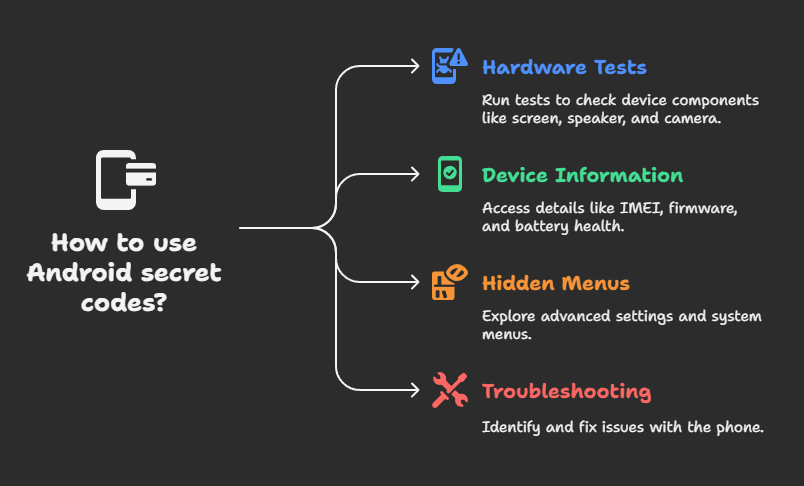
These codes aren’t usually advertised by phone manufacturers, but they can help you:
- Run hardware tests (screen, speaker, vibration, camera, etc.)
- Check device information (IMEI, firmware, battery health, etc.)
- Access hidden system menus
- Troubleshoot issues with your phone
In this guide, we’ll cover the most useful Android secret codes, explain what they do, and highlight precautions you should take before using them.
🔑 What Are Android Secret Codes?
- USSD (Unstructured Supplementary Service Data): Codes that interact with your carrier network.
- MMI (Man-Machine Interface) Codes: Codes that interact with your phone’s hardware/software.
They are entered in the phone dialer just like dialing a phone number. For example:
*#06#
shows your IMEI number instantly.
⚠️ Warning: Some codes can reset your device or wipe data. Use them carefully.
📋 List of Useful Android Secret Codes
🔹 Device Information
*#06#→ Shows IMEI number(s)*#*#4636#*#*→ Phone information, usage statistics, battery status*#*#1111#*#*→ FTA software version*#*#1234#*#*→ Firmware info
🔹 Hardware & Diagnostic Tests
*#0*#→ General hardware test menu (screen, touch, speaker, vibration, sensors, etc.)*#*#2664#*#*→ Touchscreen test*#*#0842#*#*→ Vibration and backlight test*#*#232331#*#*→ Bluetooth test*#*#1472365#*#*→ GPS test*#*#0289#*#*→ Audio test
🔹 Battery & Network
*#*#4636#*#*→ Battery information (temperature, health, voltage)*#*#232338#*#*→ Wi-Fi MAC address*#*#232339#*#*→ Wi-Fi test*#*#7262626#*#*→ Field test (network info, signal strength)
🔹 Backup, Reset & Debugging
⚠️ Use these with caution!
*#*#7780#*#*→ Factory reset (soft reset, keeps system apps)*2767*3855#→ Hard reset (wipes everything, reinstalls firmware)*#9090#→ Diagnostic configuration*#9900#→ System dump mode
🔹 Call & Network Functions
*#21#→ Check call forwarding status*#62#→ Check number where calls are forwarded##002#→ Disable all call forwarding*31#→ Hide caller ID for outgoing calls
🛠️ Third-Party Tools to Explore Secret Codes
Some manufacturers (Samsung, Xiaomi, OnePlus) restrict certain codes. If dialing doesn’t work, you can use apps to access hidden menus:
These apps list all available codes for your device model.
⚠️ Safety Precautions
- Backup your data before trying reset codes.
- Some codes do not work on all devices.
- Misuse of engineering/debug menus may affect your phone’s stability.
- Carrier-specific codes may vary by country/operator.
🎯 Conclusion
Android secret codes are like hidden shortcuts for advanced users, technicians, and curious explorers. They allow you to test hardware, check system info, troubleshoot issues, and even reset your device without digging through multiple menus.
If used responsibly, these codes can save time and help you diagnose problems with your Android phone.
Discover more from Spyboy blog
Subscribe to get the latest posts sent to your email.

Hey just wanted to say that I have been viewing your content since 2017 and You have always put out quality material, that is useful for the average PC User enthusiast, etc. And “Sound” material. Solid Information. Your blog compared to what I have seen outthere stands out as one of the best around!. Thats coming from someone who has alongtime ago started from the ground up taught themself programming etc. So i have had to digest huge amounts of data and check out many many websites over the years and thats why I say what I say about yours being the Best of the best. I been subscribed to your blog thourgh gmail for longtime so when i check my gmail i see “SpyboyBlog all over it and it makes me go oh yeah i remember that and so i stop and read a few things and then go about my business. But anyways brother I wanted to stop and give You Props for holding up one of the better Outlets outthere for people wanting to learn about tech,programming,phones,pcs,or just to be inspired from the whole thing. “SpyboyBlog–Definitley one of the best around for 7 or 8 plus years that I am aware of. I know I cant be the only one that thinks that, so the people that like your channel,–yall give him some props, tell him something encouraging cause the info he talks about helps many many people all around the world. And the author of SpyboyBlog, hes not making anything off of this, its done most likley in his free time. So thatss my word of Thanks to You!! Keep up what You doing. It is appreciated from many of Us! Peace “RYTD”
LikeLike
Thanks for kind words. stay tuned (^^)
LikeLike